Commnet - HTB Easy Challenge | Patching an IDOR in a Node.js Messaging API
Complete walkthrough of Commnet from Hack The Box. An easy secure-coding challenge where a Node.js/Express messaging API exposes a message-by-ID endpoint that never verifies the requester is the sender or recipient. Reproducing the provided exploit reveals an IDOR (Insecure Direct Object Reference) that leaks a message meant for another enclave, and the fix adds the session user id plus a WHERE clause checking sender_id or recipient_id to restore proper authorization.
Challenge Overview
Cut off from each other and besieged by undead propaganda, humanity’s survivors rely on CommNet—until the white-hats break in to silence the broadcast and reconnect the enclaves.
Solution
How Does a Secure Coding Challenge Work?
In a secure coding challenge we have to patch a vulnerability present in the challenge’s codebase to prevent a cyber attack. In this case we have the script that exploits the web app.
IDE
As soon as we open the challenge’s IP, we see a screen that lets us interact with the various files in the codebase like a real editor.
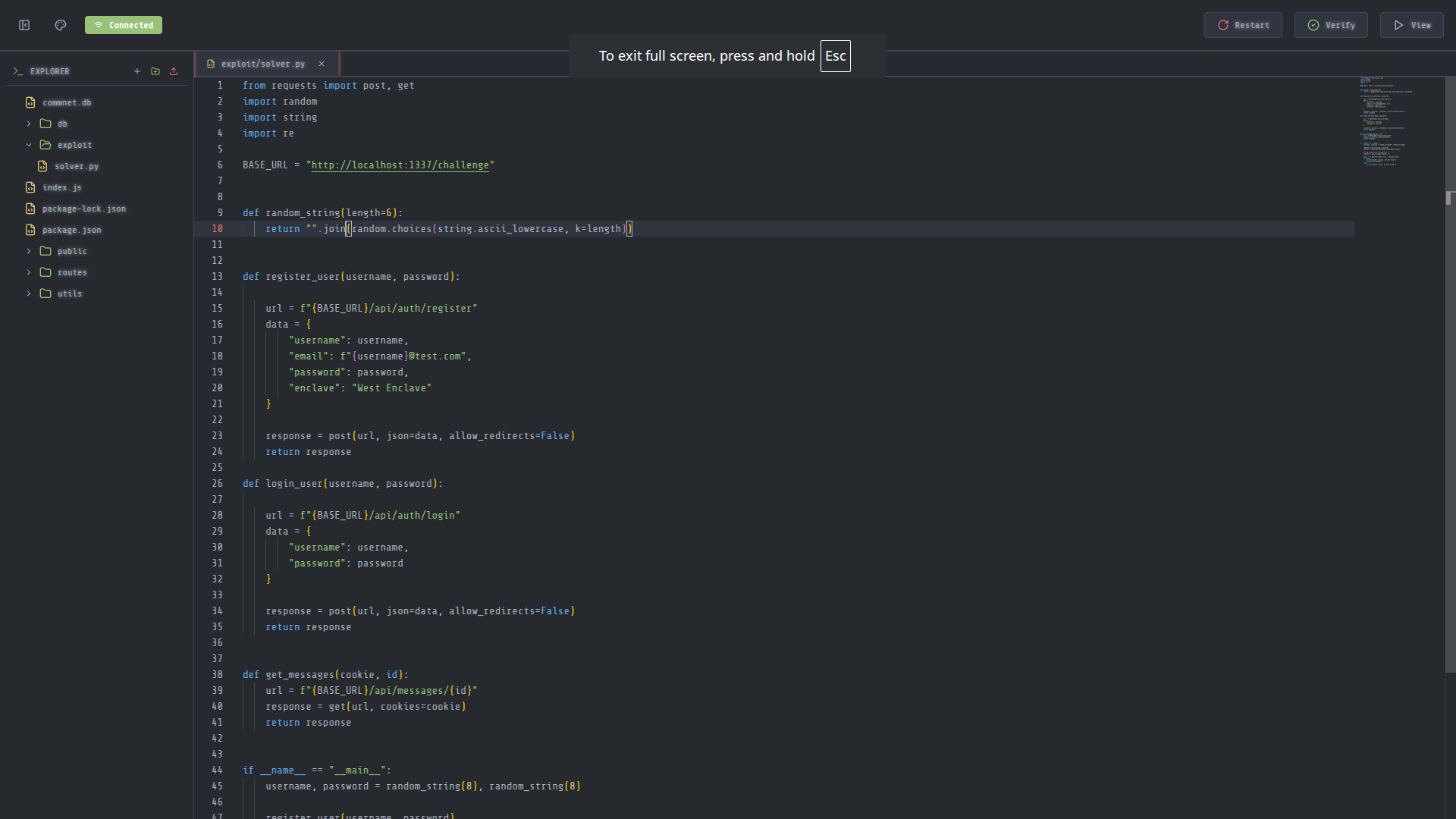
In the top right there’s the view button that lets us see the web app in action. Before looking at the other files, I’ll try to imitate what exploit.py does and reach the flag myself. This way, I’ll have a better understanding of the bug and I’ll be able to patch it faster.
Exploit Simulation
In Burp Suite’s browser, I go ahead and create an account on the platform like the exploit does.
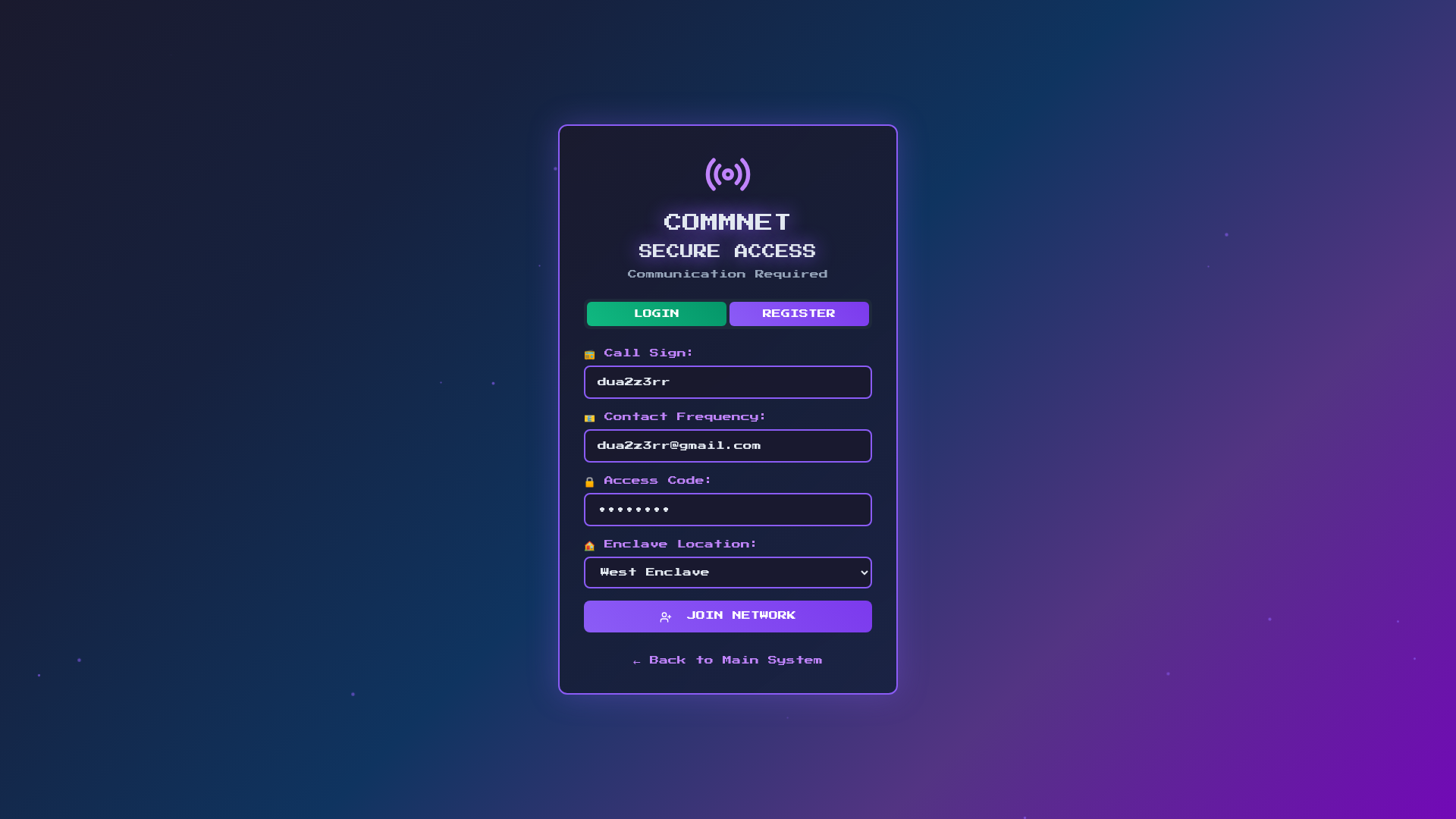
It’s important to set West Enclave as the enclave, just like the exploit does:
1
2
3
4
5
6
7
8
9
10
11
12
def register_user(username, password):

url = f"{BASE_URL}/api/auth/register"
data = {
"username": username,
"email": f"{username}@test.com",
"password": password,
"enclave": "West Enclave"
}

response = post(url, json=data, allow_redirects=False)
return response
Finally, the exploit makes a request to /challenge/api/messages/3, which is where the flag is located.
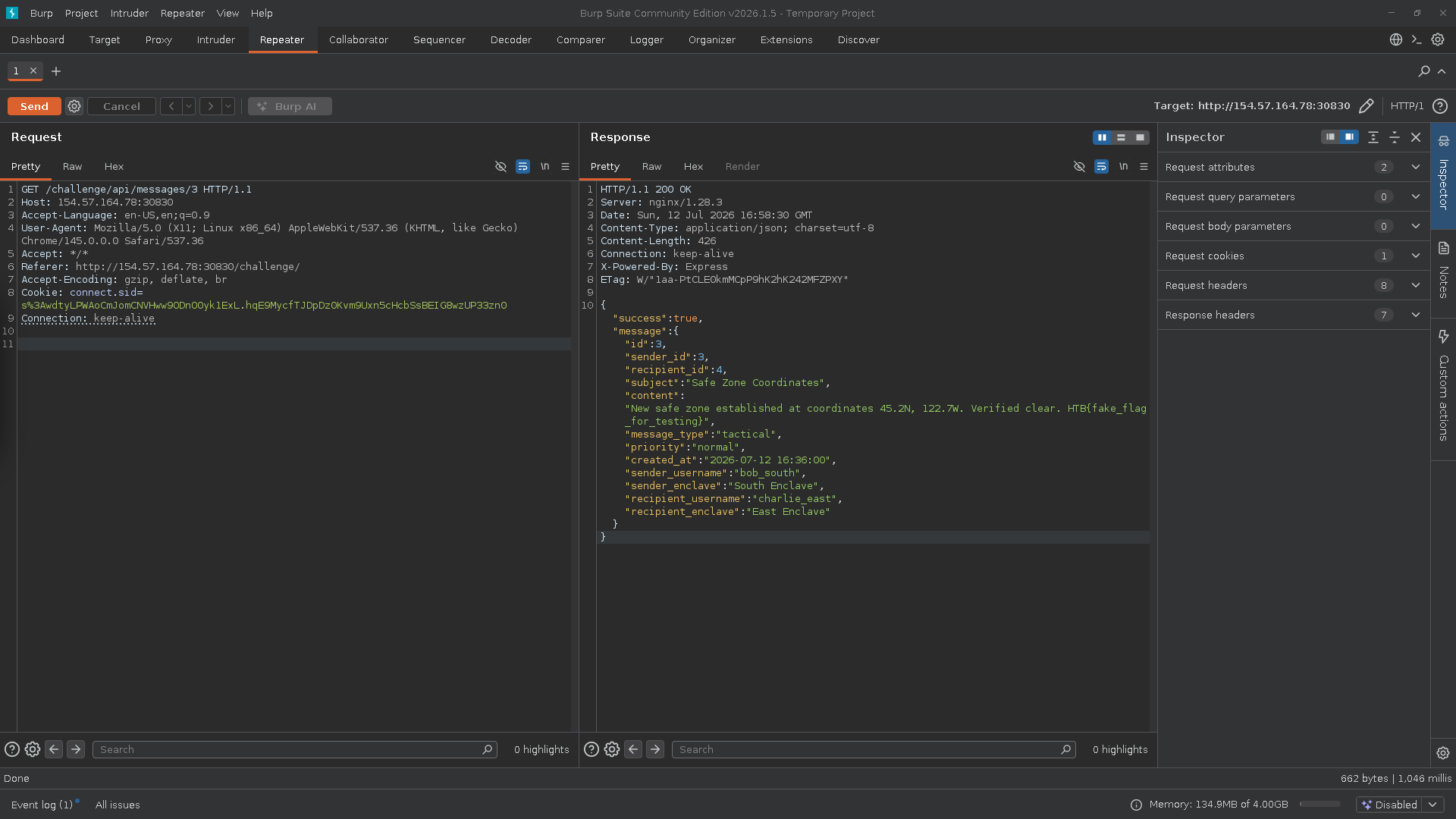
As we can see, the sender of the message containing the flag was from the South Enclave while the recipient was from the East Enclave, so this message shouldn’t be visible to us. This is an IDOR (Insecure Direct Object Reference) vulnerability.
Studying the Codebase
The vulnerability points to a problem with access via the message id. The vulnerable code snippet is in routes/messages.js, here it is:
1
2
3
4
5
6
7
8
9
10
11
12
13
14
15
16
17
18
19
20
21
22
23
24
25
26
27
28
// get message by ID
router.get('/:id', requireAuth, (req, res) => {
    const messageId = req.params.id;

    req.db.get(`
    SELECT m.*,
           sender.username as sender_username,
           sender.enclave as sender_enclave,
           recipient.username as recipient_username,
           recipient.enclave as recipient_enclave
    FROM messages m
    LEFT JOIN users sender ON m.sender_id = sender.id
    LEFT JOIN users recipient ON m.recipient_id = recipient.id
    WHERE m.id = ?
  `, [messageId], (err, message) => {
        if (err || !message) {
            return res.status(404).json({
                success: false,
                error: 'Message not found'
            });
        }

        res.json({
            success: true,
            message: message
        });
    });
});
Here’s the code explained:
router.get('/:id', requireAuth, (req, res) => {: defines the route, and :id will be the value contained in the request’s URL. const messageId = req.params.id;: saves the id of the message we want to read in the messageId variable.
Finally, an SQL query is run. If it results in an error or an empty message, a 404 is returned; otherwise the message is returned. It’s never checked whether the requester is the sender or the recipient. Before moving on to the fix, here’s the explanation of the SQL query:
1
2
3
4
5
6
7
8
9
SELECT m.*,
           sender.username as sender_username,
           sender.enclave as sender_enclave,
           recipient.username as recipient_username,
           recipient.enclave as recipient_enclave
    FROM messages m
    LEFT JOIN users sender ON m.sender_id = sender.id
    LEFT JOIN users recipient ON m.recipient_id = recipient.id
    WHERE m.id = ?
The query takes all the messages and associates them between sender and recipient through 2 left joins.
Final Patch
We can patch the code by adding just a few elements. The first is to get the id of the user making the request via the req.session mechanism.
We add this line to the code, right below the messageId variable assignment:
1
2
3
4
5
6
router.get('/:id', requireAuth, (req, res) => {
const messageId = req.params.id;
const userId = req.session.userId;

req.db.get(`
<SNIP>
Then, we modify the SQL query, adding to the WHERE clause the check for whether the user is the sender or the recipient.
1
2
3
4
5
6
7
8
9
10
11
12
13
<SNIP>
    req.db.get(`
    SELECT m.*,
           sender.username as sender_username,
           sender.enclave as sender_enclave,
           recipient.username as recipient_username,
           recipient.enclave as recipient_enclave
    FROM messages m
    LEFT JOIN users sender ON m.sender_id = sender.id
    LEFT JOIN users recipient ON m.recipient_id = recipient.id
    WHERE m.id = ? AND (m.sender_id = ? OR m.recipient_id = ?)
  `, [messageId, userId, userId], (err, message) => {
<SNIP>
The initial code snippet now looks like this:
1
2
3
4
5
6
7
8
9
10
11
12
13
14
15
16
17
18
19
20
21
22
23
24
25
26
27
28
29
// get message by ID
router.get('/:id', requireAuth, (req, res) => {
    const messageId = req.params.id;
    const userId = req.session.userId;

    req.db.get(`
    SELECT m.*,
           sender.username as sender_username,
           sender.enclave as sender_enclave,
           recipient.username as recipient_username,
           recipient.enclave as recipient_enclave
    FROM messages m
    LEFT JOIN users sender ON m.sender_id = sender.id
    LEFT JOIN users recipient ON m.recipient_id = recipient.id
    WHERE m.id = ? AND (m.sender_id = ? OR m.recipient_id = ?)
  `, [messageId, userId, userId], (err, message) => {
        if (err || !message) {
            return res.status(404).json({
                success: false,
                error: 'Message not found'
            });
        }

        res.json({
            success: true,
            message: message
        });
    });
});
If we now press the restart button in the top right of the IDE and then verify, we’ll get the flag!
Flag obtained.