Blocky Walkthrough - HTB Easy | Minecraft Plugin Credential Discovery & Password Reuse
Complete walkthrough of Blocky from Hack The Box. Covers a fairly simple machine based on real-world scenarios, demonstrating risks associated with poor password management practices and exposure of internal files on publicly accessible systems. Highlights a major attack vector: Minecraft servers, often managed by inexperienced administrators, making them easy targets.

Overview
Blocky is fairly simple overall, and was based on a real-world machine. It demonstrates the risks of bad password practices as well as exposing internal files on a public facing system. On top of this, it exposes a massive potential attack vector: Minecraft. Tens of thousands of servers exist that are publicly accessible, with the vast majority being set up and configured by young and inexperienced system administrators.
External Enumeration
Nmap
1
2
3
4
5
6
7
8
9
10
11
12
13
14
15
16
17
18
19
20
21
22
23
24
25
26
27
28
29
30
31
32
33
┌─[dua2z3rr@parrot]─[~]
└──╼ $sudo nmap -vv -p- 10.10.10.37
<SNIP>
PORT      STATE  SERVICE   REASON
21/tcp    open   ftp       syn-ack ttl 63
22/tcp    open   ssh       syn-ack ttl 63
80/tcp    open   http      syn-ack ttl 63
8192/tcp  closed sophos    reset ttl 63
25565/tcp open   minecraft syn-ack ttl 63

<SNIP>

┌─[dua2z3rr@parrot]─[~]
└──╼ $sudo nmap -vv -p 21,22,80,8192,25565 -sC -sV 10.10.10.37
<SNIP>
PORT      STATE  SERVICE   REASON         VERSION
21/tcp    open   ftp       syn-ack ttl 63 ProFTPD 1.3.5a
22/tcp    open   ssh       syn-ack ttl 63 OpenSSH 7.2p2 Ubuntu 4ubuntu2.2 (Ubuntu Linux; protocol 2.0)
| ssh-hostkey:
|   2048 d6:2b:99:b4:d5:e7:53:ce:2b:fc:b5:d7:9d:79:fb:a2 (RSA)
| ssh-rsa AAAAB3NzaC1yc2EAAAADAQABAAABAQDXqVh031OUgTdcXsDwffHKL6T9f1GfJ1/x/b/dywX42sDZ5m1Hz46bKmbnWa0YD3LSRkStJDtyNXptzmEp31Fs2DUndVKui3LCcyKXY6FSVWp9ZDBzlW3aY8qa+y339OS3gp3aq277zYDnnA62U7rIltYp91u5VPBKi3DITVaSgzA8mcpHRr30e3cEGaLCxty58U2/lyCnx3I0Lh5rEbipQ1G7Cr6NMgmGtW6LrlJRQiWA1OK2/tDZbLhwtkjB82pjI/0T2gpA/vlZJH0elbMXW40Et6bOs2oK/V2bVozpoRyoQuts8zcRmCViVs8B3p7T1Qh/Z+7Ki91vgicfy4fl
|   256 5d:7f:38:95:70:c9:be:ac:67:a0:1e:86:e7:97:84:03 (ECDSA)
| ecdsa-sha2-nistp256 AAAAE2VjZHNhLXNoYTItbmlzdHAyNTYAAAAIbmlzdHAyNTYAAABBBNgEpgEZGGbtm5suOAio9ut2hOQYLN39Uhni8i4E/Wdir1gHxDCLMoNPQXDOnEUO1QQVbioUUMgFRAXYLhilNF8=
|   256 09:d5:c2:04:95:1a:90:ef:87:56:25:97:df:83:70:67 (ED25519)
|_ssh-ed25519 AAAAC3NzaC1lZDI1NTE5AAAAILqVrP5vDD4MdQ2v3ozqDPxG1XXZOp5VPpVsFUROL6Vj
80/tcp    open   http      syn-ack ttl 63 Apache httpd 2.4.18
|_http-title: Did not follow redirect to http://blocky.htb
| http-methods:
|_  Supported Methods: GET HEAD POST OPTIONS
|_http-server-header: Apache/2.4.18 (Ubuntu)
8192/tcp  closed sophos    reset ttl 63
25565/tcp open   minecraft syn-ack ttl 63 Minecraft 1.11.2 (Protocol: 127, Message: A Minecraft Server, Users: 0/20)
Service Info: Host: 127.0.1.1; OSs: Unix, Linux; CPE: cpe:/o:linux:linux_kernel
Key findings:
- Port 21: FTP (ProFTPD 1.3.5a)
- Port 22: SSH (OpenSSH 7.2p2)
- Port 80: HTTP running Apache httpd 2.4.18
- Port 8192: Sophos (closed)
- Port 25565: Minecraft 1.11.2
Wait… MINECRAFT?!
Sophos Remote Management System (RMS) allows administrators to remotely manage, update, and monitor Sophos security products across an enterprise. It leverages a proprietary communication protocol to facilitate command delivery, status reporting, and policy update enforcement between endpoint agents and the management console.
Web Application Analysis
HTTP Service
Let’s access port 80:

This box is entirely based on Minecraft. Let’s continue exploring the homepage.
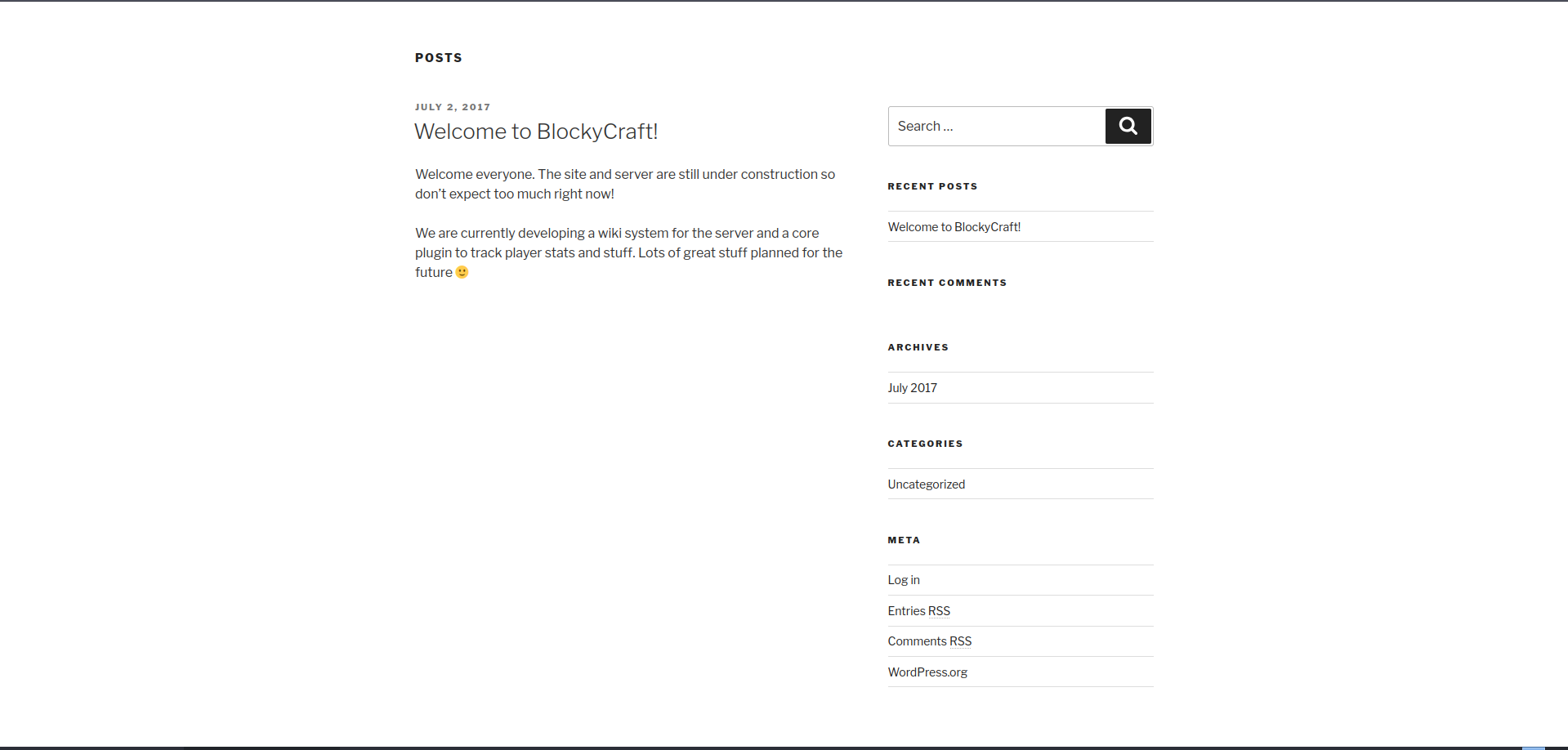
At the bottom of the homepage, we discover that the site was created with WordPress and that there might be a plugin for player statistics. We can also access a login page on WordPress, but we don’t have credentials. Let’s enumerate the other open services before proceeding with brute-force or fuzzing.
The only post was written by a user called notch (of course…). This might be useful in the future.
FTP Enumeration
Anonymous Access
Anonymous access is not enabled, so we cannot access the FTP server. We’ll need credentials.
Exploit Research
Let’s check if there are exploits for this FTP version:
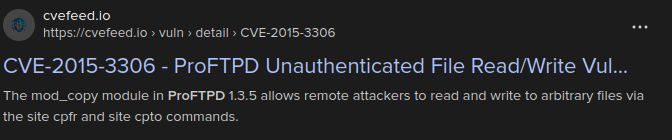
Let’s try this one:
1
2
3
4
5
┌─[✗]─[dua2z3rr@parrot]─[~/Boxes/blocky/exploit-CVE-2015-3306]
└──╼ $python3 exploit.py --host 10.10.10.37 --port 21 --path "/var/www/wordpress/"
[+] CVE-2015-3306 exploit by t0kx
[+] Exploiting 10.10.10.37:21
[!] Failed
The exploit fails. Let’s continue our enumeration.
Directory Fuzzing
ffuf - Plugin Discovery
After using the command ffuf -w /home/dua2z3rr/SecLists/Discovery/Web-Content/DirBuster-2007_directory-list-2.3-small.txt:FUZZ -u http://blocky.htb/FUZZ -ic -fw 20 -recursion, we discover the plugins directory where we can download 2 JAR files:

Let’s download them.
Reverse Engineering
BlockyCore.class
In the first JAR we find the source code of the first plugin:

Let’s use a website to read the bytecode:
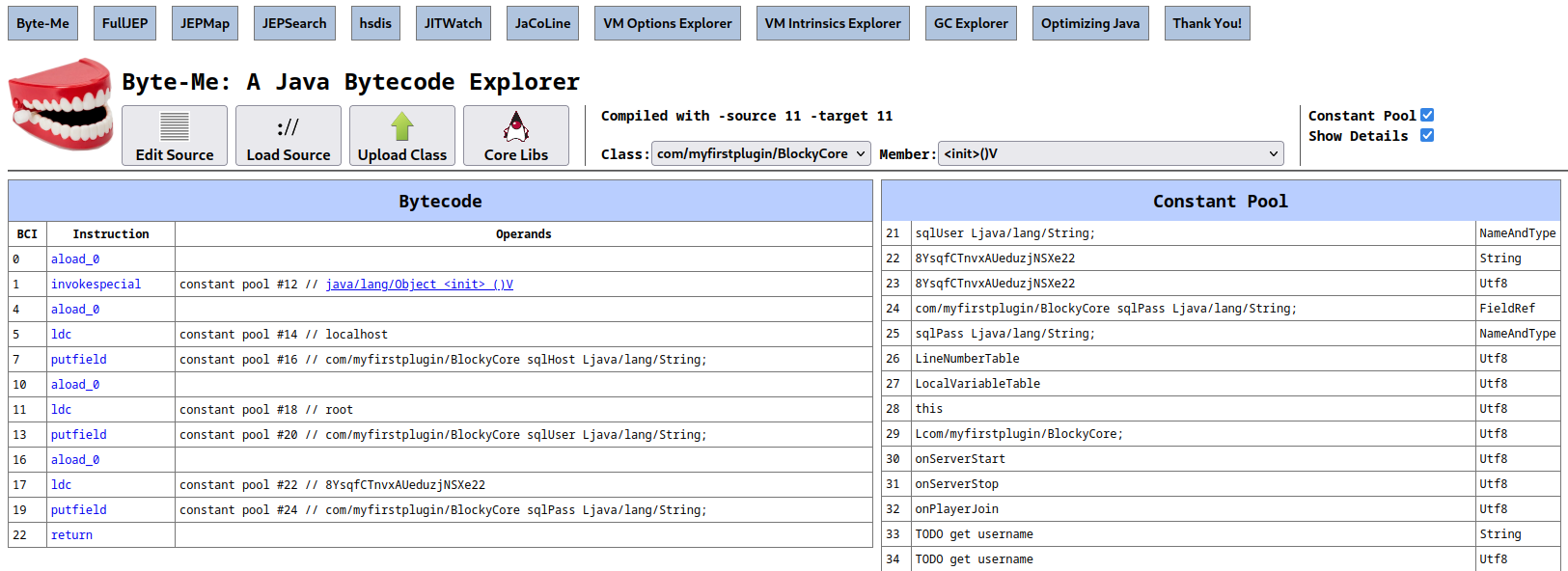
Credentials found: We find the string 8YsqfCTnvxAUeduzjNSXe22 to access a database. Let’s try it as a password on the FTP server with user notch.
Initial Access
FTP Access
1
2
3
4
5
6
7
8
9
10
11
┌─[dua2z3rr@parrot]─[~]
└──╼ $ftp 10.10.10.37
Connected to 10.10.10.37.
220 ProFTPD 1.3.5a Server (Debian) [::ffff:10.10.10.37]
Name (10.10.10.37:dua2z3rr): notch
331 Password required for notch
Password:
230 User notch logged in
Remote system type is UNIX.
Using binary mode to transfer files.
ftp>
User flag obtained.
Shell as notch
SSH Access
Let’s connect as notch via SSH with the credentials used for FTP and use the sudo -l command:
1
2
3
4
5
6
notch@Blocky:~$ sudo -l
Matching Defaults entries for notch on Blocky:
    env_reset, mail_badpass, secure_path=/usr/local/sbin\:/usr/local/bin\:/usr/sbin\:/usr/bin\:/sbin\:/bin\:/snap/bin

User notch may run the following commands on Blocky:
    (ALL : ALL) ALL
No privilege escalation needed. We can become root simply by using sudo -i:
1
2
notch@Blocky:~$ sudo -i
root@Blocky:~#
Root flag obtained. Box completed.
Reflections
What Surprised Me
Finding hardcoded database credentials in a publicly accessible JAR file should not happen. The fact that these same credentials worked for both FTP and SSH demonstrates a critical failure in password management - using the same credentials across multiple services. Remeber to use a password manager!
Main Mistake
I initially tried exploiting the ProFTPD service before properly enumerating the web application. The intended path was much simpler: directory enumeration to find the plugins, decompile the JAR, and reuse the discovered password.
Alternative Approaches
Since the user had full sudo privileges, there were multiple paths to root beyond just sudo -i, though none were necessary given the immediate root access.
Completed this box? Did you find the plugin files quickly? Leave a comment down below!